Input Device Gets New Input Device

One of the nicest things about a trackpoint is that you don’t have to take your hands off the keyboard. One of the worst things about a trackpoint is its usual placement, which can force a weird hand position that can cause repetitive stress injury.

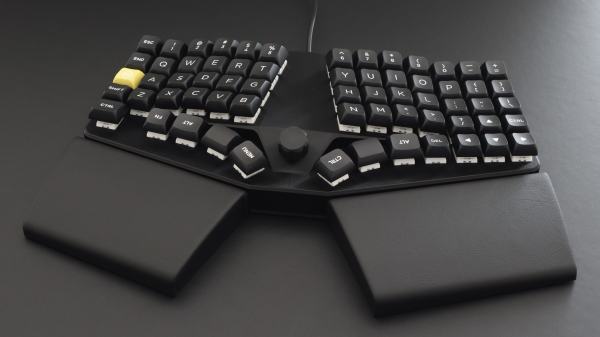
[notshitashi] has done an incredible job of adding a trackpoint to the Glove80 wireless split keyboard. It must have been really scary to drill holes in the palm rests of such a nice and not-cheap keyboard, but [notshitashi] soldiered on nonetheless, and the end result looks great.

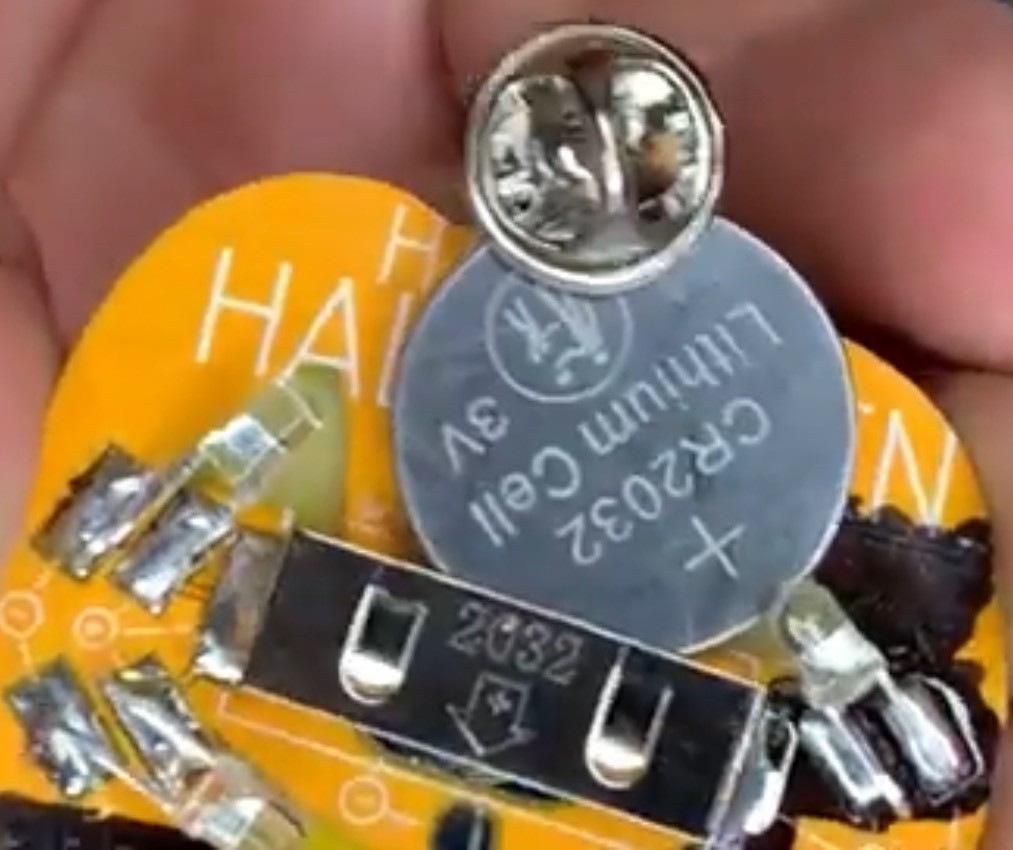
Starting with a trackpoint module from Ali, [notshitashi] found that it didn’t fit the palm rest without being trimmed down, so they desoldered the business part from the main PCB and reattached it with wires. They had to go through a few of them to get it just right, but that’s the way it goes sometimes.

[notshitashi] calls this “a bit of a cheat and dirty hack” because the trackpoint module is wired and, therefore, a separate USB HID. Yes, the Glove80 has GPIO connectors in both halves, but the problem is that stock ZMK has yet to support pointing devices. We don’t care; this is quite the elegant hack anyway.

Want to jazz up your mechanical keyboard with a trackpoint? Here’s a handy guide. Or, you can perform a transplant.

High Temp Resin Means Faster Hot Foil Stamping

[This Designed That] does a lot of hot foil stamping. That’s the shiny embellishment you’ll see on wedding invitations and your fancier letterheads. They wanted a way to quickly see if the process is right for a given design, and how it might come together if so. Many of the designs involve letter forms, which they have tried milling out of brass in the past, but the process is fiddly and takes a while. Seeking a faster way to test designs, [This Designed That] turned to 3D printing.

They achieved good results with an Elegoo Mars Pro, but the the most important thing here is the resin needs to withstand at least 130 C, which is the max that [This Deigned That] usually runs it at. The answer was in Phrozen TR300 resin, which can handle temps up to 160 C.

In trials, the stamp heat measured roughly 30 C lower on average than the press, so [This Designed That] kept turning up the heat, but it just wasn’t conductive enough. So they started experimenting with ways to increase heat transfer. First they tried molding metal powder, but it didn’t work. After briefly flirting with electroplating them, [This Designed That] finally tried some aluminum tape, wrapped tight and burnished to the design.

Now the hot foil machine stamps perfectly at only 120 C — the lower end of the standard temperature that [This Designed That] typically runs the thing. They are chuffed at the results, and frankly, so are we. Be sure to check out the process video after the break.

Curious about hot foil stamping machines? Check out this retrofit job.

Continue reading “High Temp Resin Means Faster Hot Foil Stamping”

Hackaday Podcast 237: Dancing Raisins, Coding On Apples, And A Salad Spinner Mouse

This week, Editor-in-Chief Elliot Williams and Kristina Panos gathered over the Internet and a couple cups of coffee to bring you the best hacks of the previous week. Well, the ones we liked best, anyhow.

First up in the news, we’ve got a brand-spankin’ new Halloween Hackfest contest running now until 9AM PDT on October 31st! Arduino are joining the fun this year and are offering some spooky treats in addition to the $150 DigiKey gift cards for the top three entrants.

It’s a What’s That Sound Results Show this week, and although Kristina actually got into the neighborhood of this one, she alas did not figure out that it was an MRI machine (even though she spent a week in an MRI one day).

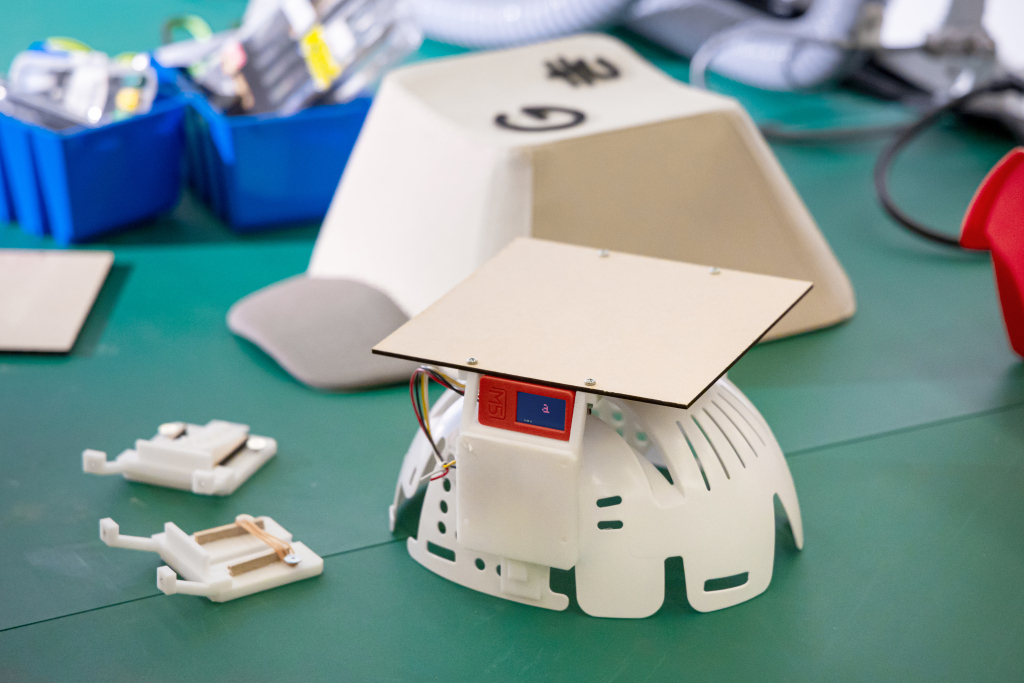
Then it’s on to the hacks, which had a bit of a gastronomical bent this week. We wondered why normies don’t want to code on their Macs, both now and historically. We also examined the majesty of dancing raisins, and appreciated the intuitiveness of a salad spinner-based game controller.

From there we take a look at nitinol and its fun properties, admire some large, beautiful Nixie tubes, and contemplate a paper punching machine that spits out nonsensical binary. Finally we talk about rocker bogie suspensions and the ponder the death of cursive.

Check out the links below if you want to follow along, and as always, tell us what you think about this episode in the comments!

Download and savor at your leisure.

Continue reading “Hackaday Podcast 237: Dancing Raisins, Coding On Apples, And A Salad Spinner Mouse”

WhisperFrame Depicts The Art Of Conversation

At this point, you gotta figure that you’re at least being listened to almost everywhere you go, whether it be a home assistant or your very own phone. So why not roll with the punches and turn lemons into something like a still life of lemons that’s a bit wonky? What we mean is, why not take our conversations and use AI to turn them into art? That’s the idea behind this next-generation digital photo frame created by [TheMorehavoc].
Essentially, it uses a Raspberry Pi and a Respeaker four-mic array to listen to conversations in the room. It listens and records 15-20 seconds of audio, and sends that to the OpenWhisper API to generate a transcript.
This repeats until five minutes of audio is collected, then the entire transcript is sent through GPT-4 to extract an image prompt from a single topic in the conversation. Then, that prompt is shipped off to Stable Diffusion to get an image to be displayed on the screen. As you can imagine, the images generated run the gamut from really weird to really awesome.

The natural lulls in conversation presented a bit of a problem in that the transcription was still generating during silences, presumably because of ambient noise. The answer was in voice activity detection software that gives a probability that a voice is present.

Naturally, people were curious about the prompts for the images, so [TheMorehavoc] made a little gallery sign with a MagTag that uses Adafruit.io as the MQTT broker. Build video is up after the break, and you can check out the images here (warning, some are NSFW).

Continue reading “WhisperFrame Depicts The Art Of Conversation”

The Loveliest Electronics Desk You’ll See Today

Does your electronics desk have a lap drawer? And is it filled with random, disorganized detritus? Well, [Handy Bear] is here to show you that you can put so much more in every drawer you’ve got if you do it right. And boy, it sure looks like [Handy Bear] did it right.

Hidden inside this beautiful antique desk is plastic storage compartment after plastic storage compartment, all situated inside custom dividers made painstakingly from 3mm MDF. The first iteration, a cubbyhole arrangement, was not modular and looked crappy by [Handy Bear]’s standards.

Back to the drawing board and the scroll saw. [Handy Bear] came up with a new scheme that mimics the dividers in the plastic storage boxes they’re using for components and more. In addition to the slotted parts are open-top boxes for things like the multimeter, helping hands, and the ever-important label maker.

[Handy Bear] used hot glue and simple joinery for everything, sealing all the seams with a mixture of glue and water to keep it from turning to dust. We especially like the caliper holder for the lap drawer. You’ll notice that not quite everything fits inside the desk, so [Handy Bear] put the bigger stuff on a couple of IKEA carts. Be sure to check out the short build video and take the desk tour after the break.

Don’t have room for a whole desk worth of stuff? Build an electronics lab in a box!

Continue reading “The Loveliest Electronics Desk You’ll See Today”

Illustrated Kristina with an IBM Model M keyboard floating between her hands.

Keebin’ With Kristina: The One With The Busy Box Macro Pad

Well, I must admit that Google Translate completely failed me here, and thus I have no real idea what the trick is to this beautiful, stunning transparent split keyboard by [illness072]. Allegedly, the older tweets (exes?) hold the key to this magic, but again, Google Translate.

Based on top picture, I assume that the answer lies in something like thin white PCB fingers bent to accommodate the row stagger and hiding cleverly behind the keys.

Anyone who can read what I assume is Japanese, please advise what is going on in the comments below.

Continue reading “Keebin’ With Kristina: The One With The Busy Box Macro Pad”

Ballistic BMW Blocks Both Bullets And Booms

Maybe you like to live dangerously. Like, James Bond dangerously. Well, we won’t judge, but we will pass this along — BMW has created the ultimate driving machine for shootouts and war zones.

Rather than having aftermarket anti-ballistic bits and bobs attached at a later date, this BMW 7 Series is born anti-ballistic and explosion-resistant, built from the ground up with armor steel. They call this the BMW Protection Core.

By building it this way, there are many advantages like more cabin space, lower curb weight, and better handling, which is exactly what you’d want if you were under these types of attacks.

For starters, the car has chunkier A-pillars and door/window frames meant to withstand the damage pictured here. The car has special armoring in the roof and undercarriage to withstand explosions. And the fuel tank is self-sealing, so you have a chance at getting out of there if the thing takes a bullet.

Can’t afford this ballistic-grade beast? You could always roll your own armored vehicle.