
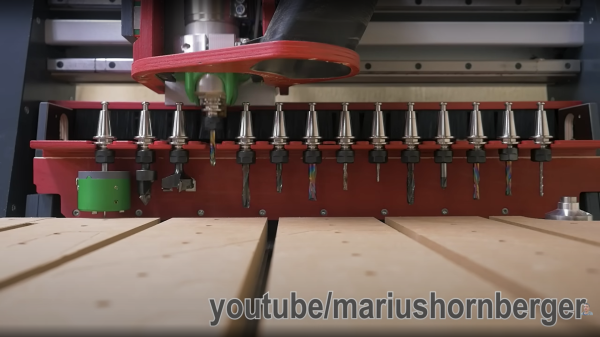
[Marius Hornberger] has been busy hacking his “Hammer” CNC router again, and now it sports a much desired feature — an automatic tool-changer. Having wanted one for a while, [Marius] was unhappy sacrificing a big chunk of useable bed area just to park the tool-changer magazine. An obvious solution would be to have the magazine retract away from the bed, outside of the working area. Sadly, the CNC controller had only enough spare outputs to drive the pneumatic tool changer (mounted on the spindle) leaving none spare to control the magazine assembly. So, there was only one obvious route to take, use some simple spring-loaded mechanics to move the magazine into tool-picking range with the Y axis motion instead.
Obviously, the whole thing is CNC machined on the machine itself, taking only a couple of iterations and smidge of table-saw action to get everything to fit well and operate smoothly without binding or colliding with the moving gantry. A cunning pair of levers on each end of the magazine allow it to move much further than the advancing gantry, swinging it quickly into position when the Y axis is at the extreme of its travel, and retracting away when the gantry moves back. Another nice addition to the build was a tool depth sensor (AKA: a switch) mounted off to one side, which allows the machine to find the bottom of each tool, if it is not known, so the Z axis can compensate. When combined with the automatically retracting dust shoe, this is a definitely a CNC build we’d love to see in a shop near us!
We’ve had a fair few CNC hacks over the years, including tool changers, like this one, but 3D printers can use some tool changer love too!

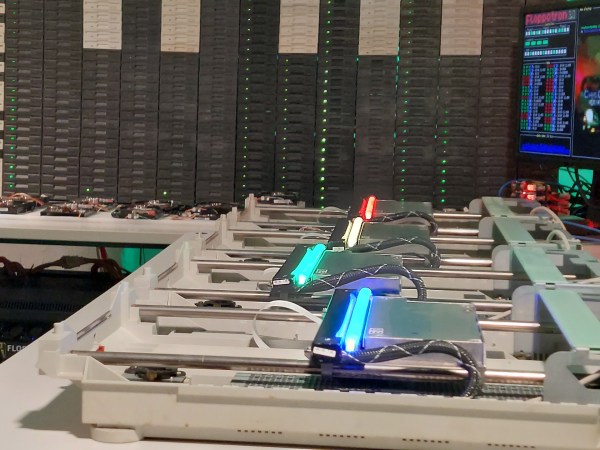
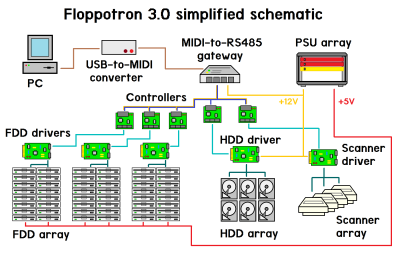 the collection of instrument controllers. These controllers are generic enough to take RS485 input and control a dedicated driver for either an array of floppy drives (up to 192), an array of hard drives or the handful of scanners. The way the floppy drives are grouped is quite neat. Rather than using each drive to generate a specific tone, the software uses the whole column for each note. By varying the number of drives moving simultaneously over time, the sound volume varies, simulating the note envelope and giving a richer sound. Multiple columns driving in parallel give the system a 16-note polyphony. The floppies cover the low notes, with the four flatbed scanners covering the higher notes. MIDI drum sounds are mapped to the hard disks, operating in a, well, percussive manner, with different case shapes giving unique sounds. Even the firmware can be updated over MIDI! So, checkout the demo video after the break for a sweet rendition of the very familiar “Entry of the gladiators” by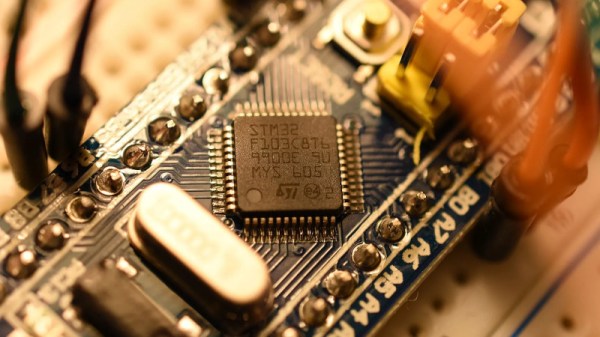
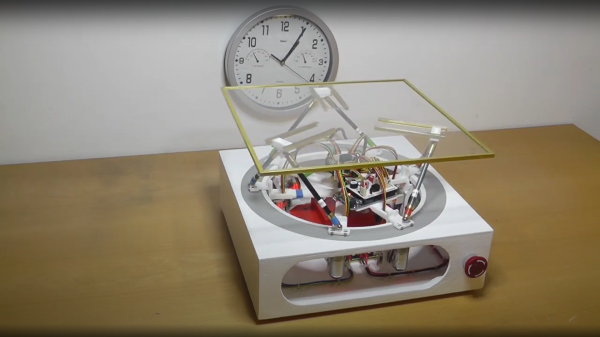
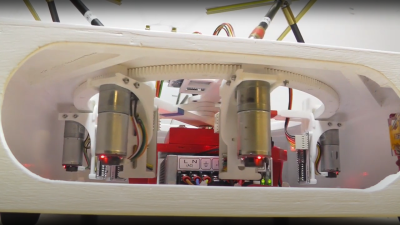 series of videos from a few years ago, showing the construction and operation of such a beast. This is a very neat mechanism comprised of six geared motors on the end of arms, engaging with a large internal gear. The common end of each arm rides on the central shaft, each with its own bearing. With the addition of the usual six linkages, twelve ball joints, and a few brackets, a complete platform is realised.








