ESP8266 BASIC Sets Up A Web Remote In No Time

One of the sticking points for us with our own Internet of Things is, ironically, the Internet part. We build hardware happily, but when it comes time to code up web frontends to drive it all, the thrill is gone and the project is only half-done.

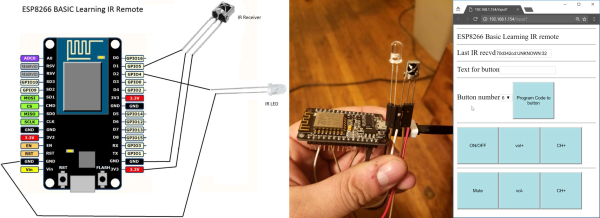
Including some simple web-based scripting functionality along with the microcontroller basics is one of the cleverest tricks up ESP8266 BASIC’s sleeves. BASIC author [mmiscool] puts it to good use in this short demo: a complete learning IR remote control that’s driven through a web interface, written in just a few lines of BASIC.

Note that everything happens inside the ESP8266 here, from hosting the web page to interpreting and then blinking back out the IR LED codes to control the remote. This is a sophisticated “hello world”, the bare minimum to get you started. The interface could look slicker and the IR remote could increase its range with more current to the LED, but that would involve adding a transistor and some resistors, doubling the parts count.

For something like $10 in parts, though, this is a fun introduction to the ESP and BASIC. Other examples are simpler, but we think that this project has an awesome/effort ratio that’s hard to beat.
Beautiful Linear RGB Clock

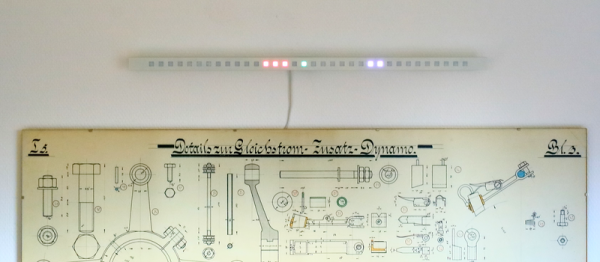
Yup, another clock project. But here, [Jan] builds something that would be more at home in a modern art museum than in the dark recesses of a hacker cave. It’s not hard to read the time at all, it’s accurate, and it’s beautiful. It’s a linear RGB LED wall clock.

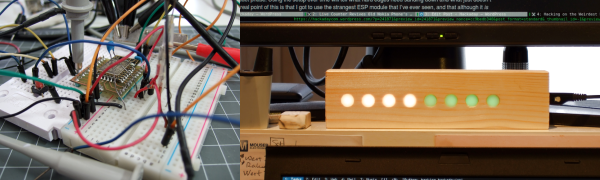
7512951486134540347You won’t have to learn the resistor color codes or bizarre binary encodings to tell what time it is. There are no glitzy graphics here, or modified classic timepieces. This project is minimal, clean, and elegant. Twelve LEDs display the hours, six and nine LEDs take care of the minutes in add-em-up-coded decimal. (It’s 3:12 in the banner image.)

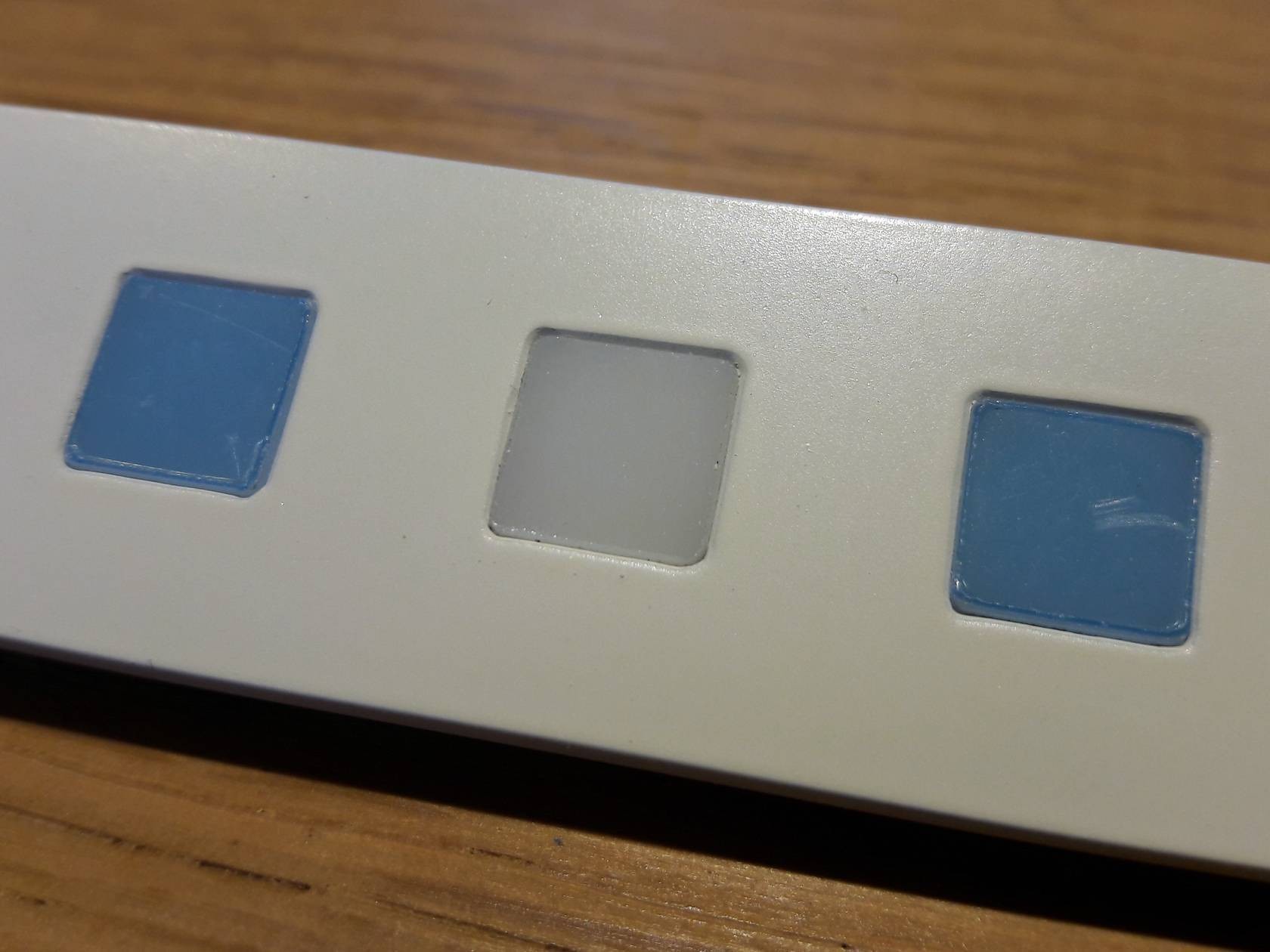
The technical details are straightforward: WS2812 LEDs, an Arduino, three buttons, and a RTC. You could figure that out by yourself. But go look through the log about building the nice diffusing plexi and a very clean wall-mounting solution. It’s the details that separate this build from what’s hanging on our office wall. Nice job, [Jan].

World’s Thinnest Morse Code Touch Paddle

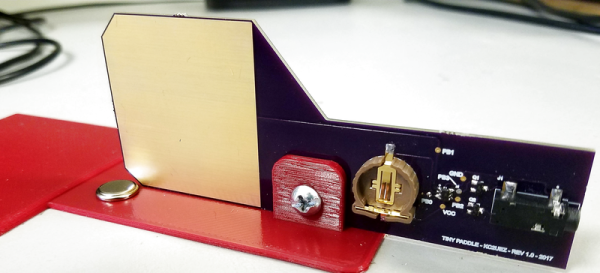
Morse code enthusiasts can be picky about their paddles. After all, they are the interface between the man and the machine, and experienced telegraphers can recognize each other by their “hands”. So even though [Edgar] started out on a cheap, clicky paddle, it wouldn’t be long before he made a better one of his own. And in the process, he also made what we think is probably the thinnest paddle out there, being a single sheet of FR4 PCB material and a button cell battery. This would be perfect for a pocketable QRP (low-power) rig. Check it out in action in the video below.

There’s not much to a Morse code paddle. It could, of course, be as simple as two switches — one for “dit” and one for “dah”. You could make one out of a paperclip. [Edgar]’s version replaces the switches with capacitive sensing, done by the ATtiny4 on board. Because this was an entry in the 1kB challenge, he prioritized code size over features, and got it down to a ridiculous 126 bytes! Even so, it has deluxe features like autorepeat. We’d have to dig into the code to see if it’s iambic.
Continue reading “World’s Thinnest Morse Code Touch Paddle”

Teardown Of Nike Self-Lacing Shoes

There used to be a time, before running shoes had blinking LEDs and required placing on an inductive charger overnight, when we weren’t worried about whether or not we could dump the firmware running underneath our heels. Those are not the times that we’re living in. Nike came out with a shoe that solves the age-old problem of lacing: the HyperAdapt. And [Telind Bench] has torn them apart.

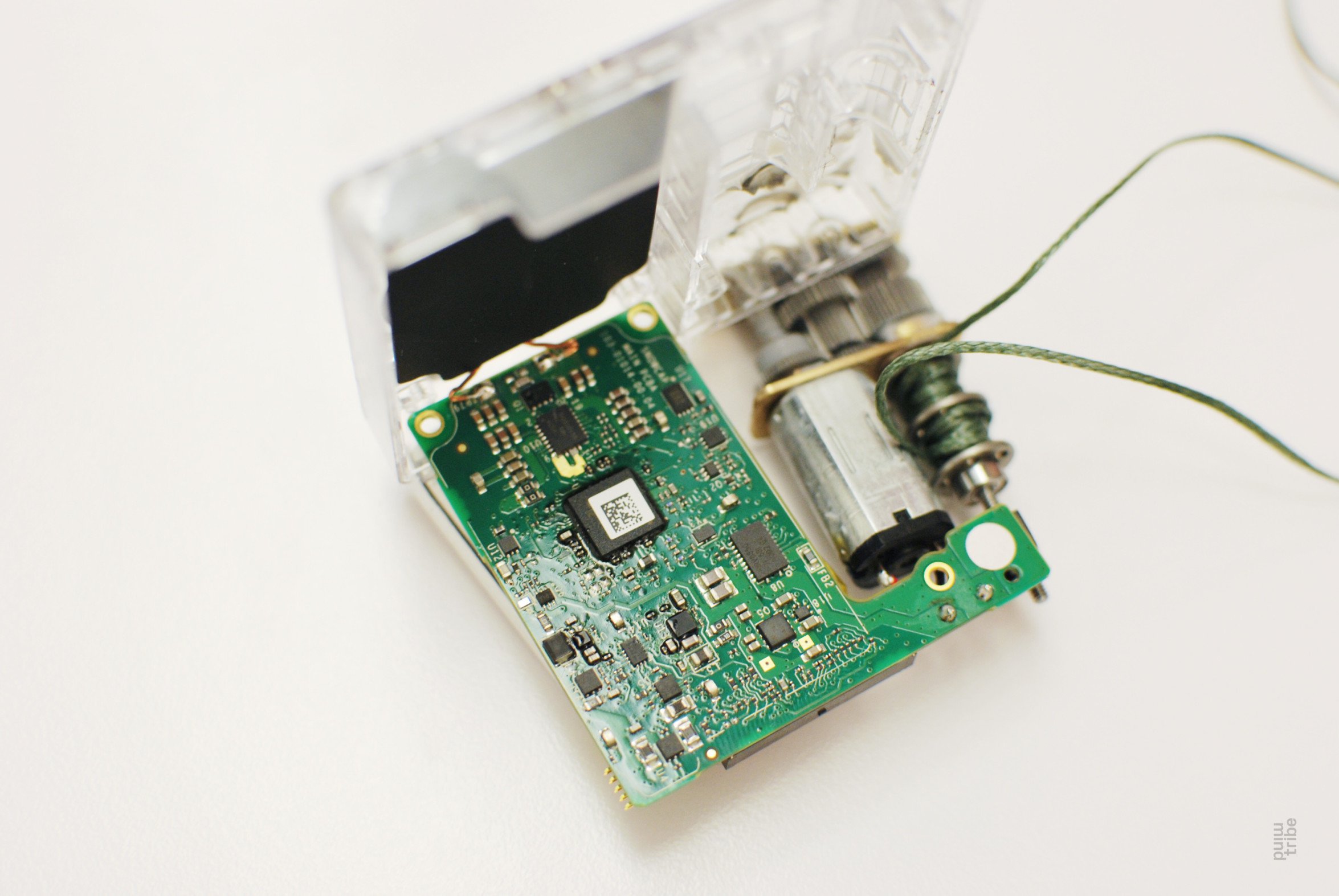
img_0059Honestly, we’re kinda “meh” about what’s inside. The “laces” are actually tubes with a small Kevlar-like cable running inside, and the whole thing torques up using a small, geared DC motor. That’s kinda cool. (We have real doubts about [Telind]’s guess of 36,000 RPM for the motor speed.) But in an age when Amazon gives away small WiFi-enabled devices for a few bucks as a loss-leader to get you to order a particular brand of laundry detergent, we’re not so dazzled by the technology here, especially not at the price of $720 for a pair of freaking shoes.

The only really interesting bit is the microcontroller, which is over-powered for the job of turning a wheel when a keyboard-style sensor is pressed by your heel. What is Nike thinking? We want to see the firmware, and we’d like it reverse engineered. What other chips are on board? Surely, they’ve got an accelerometer and are measuring your steps, probably tying in with an exercise app or something. Does anyone have more (technical) detail about these things? Want to make a name for yourself with a little stunt hacking?

Chronio DIY Watch: Slick And Low Power

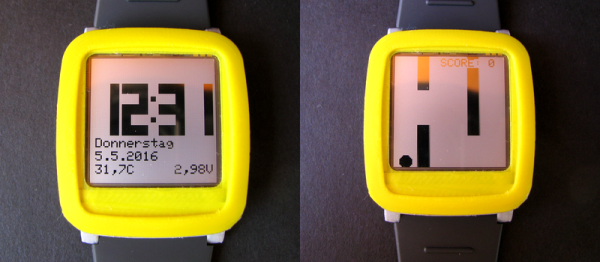
[Max K] has been testing the battery life of his self-designed watch under real-world conditions. Six months later, the nominally 3 V, 160 mAh CR2025 cell is reading 2.85 V, so the end is near, but that’s quite a feat for a home-engineered smart watch.

We’ve tipped our hats to the Chronio before in this Hacklet, but now that the code is available, as well as the sweet 3D-printed case files, it’s time to make your own. Why? It looks sweet, it plays a limited version of Flappy Bird (embedded below), and six month’s on a button cell is a pretty great accomplishment, considering that it’s driving a 96×96 pixel LCD display.

The Chronio is more than inspired by the Pebble watch — he based his 3D model directly on theirs — so that’s bound to draw comparisons. The Pebble is color, and has Bluetooth and everything else under the sun. But after a few weeks away from a power socket, ask a Pebble wearer what time it is. Bazinga!

Continue reading “Chronio DIY Watch: Slick And Low Power”

Hacking On The Weirdest ESP Module

Sometimes I see a component that’s bizarre enough that I buy it just to see if I can actually do something with it. That’s the case with today’s example, the ESP-14. At first glance, you’d ask yourself what AI Thinker, the maker of many of the more popular ESP8266 modules, was thinking.

The ESP-14 takes the phenomenally powerful ESP8266 chip and buries it underneath one of the cheapest microcontrollers around: the 8-bit STM8S003 “value line” chip. Almost all of the pins of the ESP chip are locked inside the RF cage’s metal tomb — only the power, bootloader, and serial TX/RX pins see the light of day, and the TX/RX pins are shared with the STM8S. The rest of the module’s pins are dedicated to the STM8S. Slaving the ESP8266 to an STM8S is like taking a Ferrari and wrapping it inside a VW Beetle.

I had never touched an STM8 chip before, and just wanted to see what I could do with this strange beast. In the end, ironically, I ended up doing something that wouldn’t be too far out of place on Alibaba, but with a few very Hackaday twists: a monitor for our washer and dryer that reports power usage over MQTT, programmed in Forth with a transparent WiFi serial bridge into the chip for interactive debugging without schlepping down into the basement. Everything’s open, tweakable, and the Forth implementation for the STM8S was even developed here on Hackaday.io.

It’s a weird project for the weirdest of ESP modules. I thought I’d walk you through it and see if it sparks you to come up with any alternative uses for the ESP8266-and-STM8S odd couple that is the ESP-14.

Continue reading “Hacking On The Weirdest ESP Module”

Tying Knots With Industrial Robots

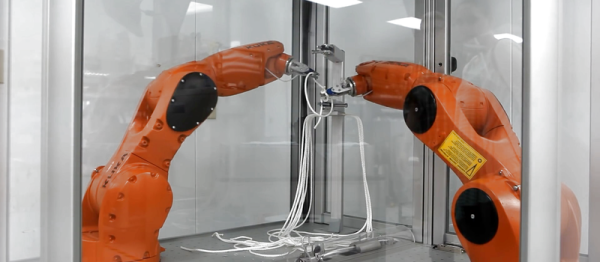
We’re not ashamed to admit that we desperately want a pair of high-end industrial robot arms to play around with. We don’t know where we’d put them — maybe the living room? — but we know that we’d figure something out.
This demo aims to get Boy Scouts interested in robotics by applying the beastly arms to something that all kids love, learning to tie knots. (If you ask us, they’ve got it backwards.) Anyway, there are two videos embedded below for you to peek at.

Continue reading “Tying Knots With Industrial Robots”