Llama.ttf Is AI, In A Font

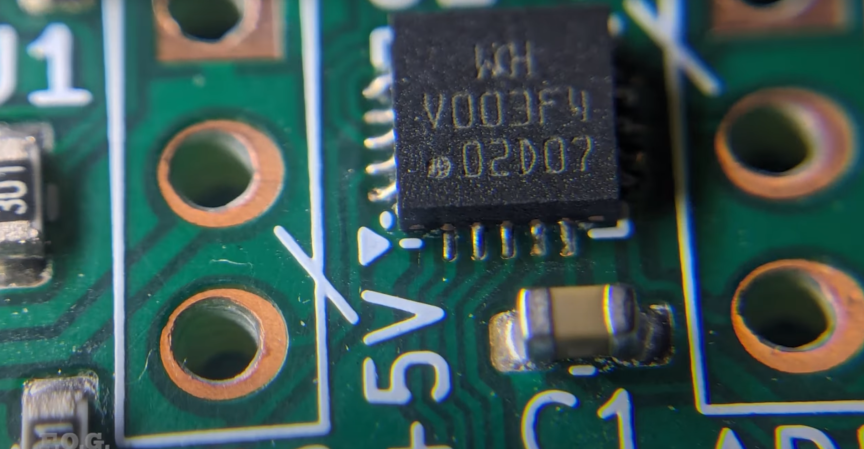
It’s a great joke, and like all great jokes it makes you think. [Søren Fuglede Jørgensen] managed to cram a 15 M parameter large language model into a completely valid TrueType font: llama.ttf. Being an LLM-in-a-font means that it’ll do its magic across applications – in your photo editor as well as in your text editor.

What magic, we hear you ask? Say you have some text, written in some non-AI-enabled font. Highlight that, and swap over to llama.ttf. The first thing it does is to change all “o” characters to “ø”s, just like [Søren]’s parents did with his name. But the real magic comes when you type a length of exclamation points. In any normal font, they’re just exclamation points, but llama.ttf replaces them with the output of the TinyStories LLM, run locally in the font. Switching back to another font reveals them to be exclamation points after all. Bønkers!

This is all made possible by the HarfBuzz font extensions library. In the name of making custom ligatures and other text shaping possible, HarfBuzz allows fonts to contain Web Assembly code and runs it in a virtual machine at rendering time. This gives font designers the flexibility to render various Unicode combinations as unique glyphs, which is useful for languages like Persian. But it can just as well turn all “o”s into “ø”s or run all exclamation points through an LLM.

Something screams mischief about running arbitrary WASM while you type, but we remind you that since PostScript, font rendering engines have been able to run code in order to help with the formatting problem. This ability was inherited by PDF, and has kept malicious PDFs in the top-10 infiltration vectors for the last fifteen years. [Citation needed.] So if you can model a CPU in PDF, why not an LLM in TTF? Or a Pokemon clone in an OpenType font?

We don’t think [Søren] was making a security point here, we think he was just having fun. You can see how much fun in his video demo embedded below.

Continue reading “Llama.ttf Is AI, In A Font”

The Best DIY PCB Method?

Now before you start asking yourself “best for what purpose?”, just have a look at the quality of the DIY PCB in the image above. [ForOurGood] is getting higher resolution on the silkscreen than we’ve seen in production boards. Heck, he’s got silkscreen and soldermask at all on a DIY board, so it’s definitely better than what we’re producing at home.

The cost here is mostly time and complexity. This video demonstrating the method is almost three hours long, so you’re absolutely going to want to skip around, and we’ve got some relevant timestamps for you. The main tools required are a cheap 3018-style CNC mill with both a drill and a diode laser head, and a number of UV curing resins, a heat plate, and some etchant.

[ForOurGood] first cleans and covers the entire board with soldermask. A clever recurring theme here is the use of silkscreens and a squeegee to spread the layer uniformly. After that, a laser removes the mask and he etches the board. He then applies another layer of UV soldermask and a UV-curing silkscreen ink. This is baked, selectively exposed with the laser head again, and then he cleans the unexposed bits off.

In the last steps, the laser clears out the copper of the second soldermask layer, and the holes are drilled. An alignment jig makes sure that the drill holes go in exactly the right place when swapping between laser and drill toolheads – it’s been all laser up to now. He does a final swap back to the laser to etch additional informational layers on the back of the board, and creates a solder stencil to boot.

This is hands-down the most complete DIY PCB manufacturing process we’ve seen, and the results speak for themselves. We would cut about half of the corners here ourselves. Heck, if you do single-sided SMT boards, you could probably get away with just the first soldermask, laser clearing, and etching step, which would remove most of the heavy registration requirements and about 2/3 of the time. But if it really needs to look more professional than the professionals, this video demonstrates how you can get there in your own home, on a surprisingly reasonable budget.

This puts even our best toner transfer attempts to shame. We’re ordering UV cure soldermask right now.

Continue reading “The Best DIY PCB Method?”

Thanks For The Great Comments!

Every once in a while, there’s a Hackaday article where the comments are hands-down the best part of a post. This happened this week with Al Williams’ Ask Hackaday: How Do You Make Front Panels?. I guess it’s not so surprising that the comments were full of awesome answers – it was an “Ask Hackaday” after all. But you all delivered!

A technique that I had never considered came up a few times: instead of engraving the front of an opaque panel, like one made of aluminum or something, instead if you’re able to make the panel out of acrylic, you can paint the back side, laser or engrave into it, and then paint over with a contrast color. Very clever!

Simply printing the panel out onto paper and laminating it got a number of votes, and for those who are 3D printing the enclosure anyway, simply embossing the letters into the surface had a number of fans. The trick here is in getting some contrast into the letters, and most suggested changing filament. All I know is that I’ve tried to do it by painting the insides of the letters white, and it’s too fiddly for me.

But my absolute favorite enclosure design technique got mentioned a number of times: cardboard-aided design. Certainly for simple or disposable projects, there’s nothing faster than just cutting up some cardboard and taping it into the box of your desires. I’ll often do this to get the sizes and locations of components right – it’s only really a temporary solution. Although some folks have had success with treating the cardboard with a glue wash, paint, or simply wrapping it in packing tape to make it significantly more robust. Myself, if it ends up being a long-term project, I’ll usually transfer the cardboard design to 3DP or cut out thin plywood.

I got sidetracked here, though. What I really wanted to say was “thanks!” to everyone who submitted their awesome comments to Al’s article. We’ve had some truly hateful folks filling the comment section with trash lately, and I’d almost given up hope. But then along comes an article like this and restores my faith. Thanks, Hackaday!

The Solar System Is Weirder Than You Think

When I was a kid, the solar system was simple. There were nine planets and they all orbited in more-or-less circles around the sun. This same sun-and-a-handful-of-planets scheme repeated itself again and again throughout our galaxy, and these galaxies make up the universe. It’s a great story that’s easy to wrap your mind around, and of course it’s a great first approximation, except maybe that “nine planets” thing, which was just a fluke that we’ll examine shortly.

What’s happened since, however, is that telescopes have gotten significantly better, and many more bodies of all sorts have been discovered in the solar system which is awesome. But as a casual astronomy observer, I’ve given up hope of holding on to a simple mental model. The solar system is just too weird.

Continue reading “The Solar System Is Weirder Than You Think”

Magic Cane Is The Secret Behind Lightsaber

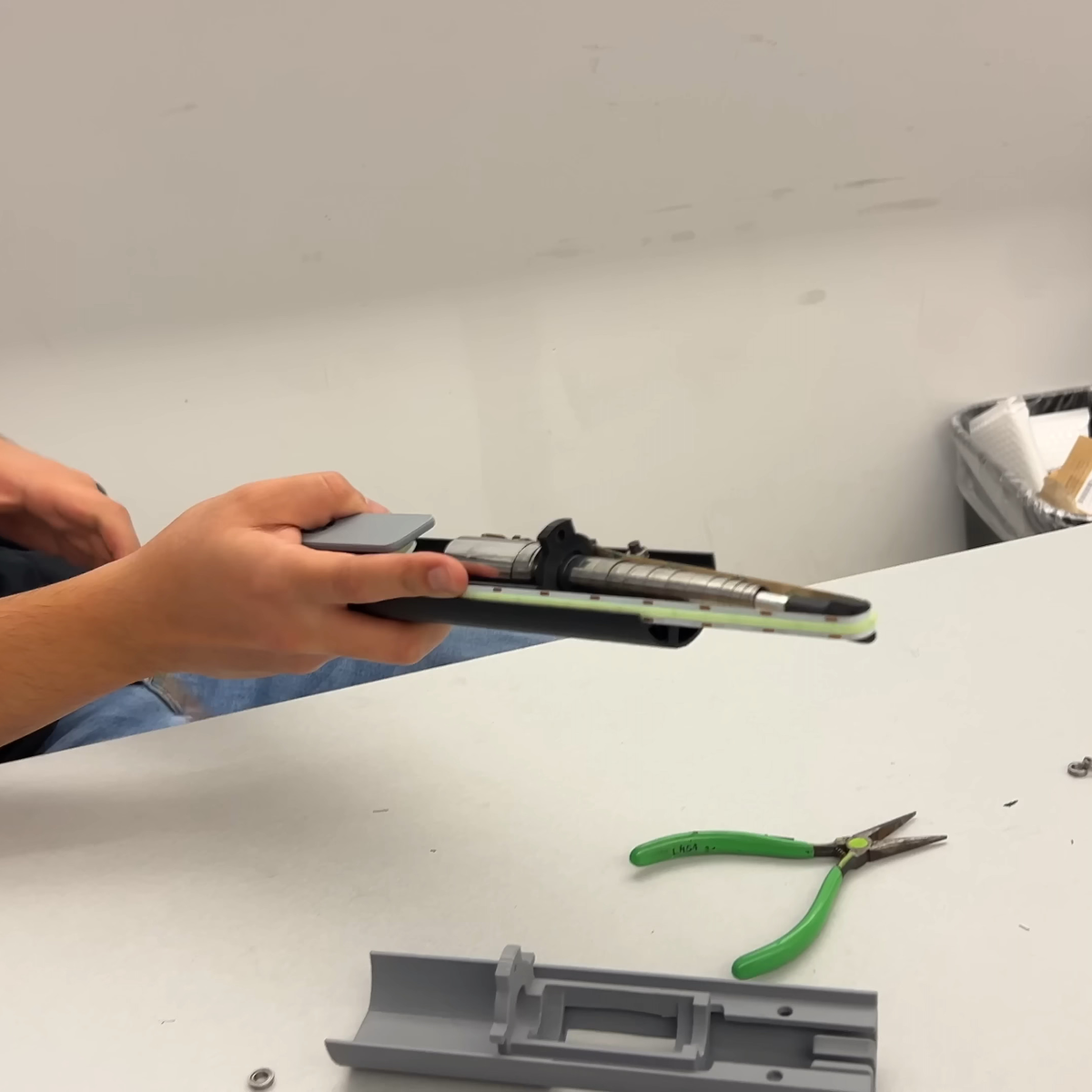
Everyone has a lightsaber or two lying around the house, but not everyone has a lightsaber that extends and retracts automatically. And that’s because, in the real world, it’s not an easy design challenge. [HeroTech]’s solution for the mechanism is simple and relies on an old magician’s trick: the appearing cane. (Video, embedded below.)

An appearing cane is a tightly coiled up spring steel sheet that springs, violently, to its full length when a pin is released, but they can’t retract while the audience is looking. This is fine for magic tricks, but a lightsaber has to be able to turn off again. Here, an LED strip does double duty as source of glow but also as the cable that extends and retracts the appearing cane spring. A motor and spool to wind up the LED strip takes care of the rest.

There are still a number of to-dos in this early stage prototype, and the one mentioned in the video is a tall order. Since the strip doesn’t illuminate out the sides, the lightsaber has two good viewing angles, and two bad ones. The plan is to rotate the LED strip quickly inside the sheath: an approach that was oddly enough used in the original movie prop, as demonstrated in this documentary. Doing this reliably in an already packed handle is going to be a challenge.

If you’re thinking you’ve seen a magic-cane lightsaber before, well, maybe you saw this video. And if you want a light saber with real lasers, check out this build that brings its own fog machine. Take that, Darth Vader!

Continue reading “Magic Cane Is The Secret Behind Lightsaber”

When Your Rope Is Your Life

Climbers care a lot about their ropes because their lives literally depend on them. And while there’s been tremendous progress in climbing rope tech since people first started falling onto hemp fibers, there are still accidents where rope failure is to blame.

This long, detailed, and interesting video from [Hard is Easy] follows him on a trip to the Mammut test labs to see what’s up with their relatively new abrasion-resistant rope. His visit was full of cool engineering test rigs that pushed the ropes to breaking in numerous ways. If you climb, though, be warned that some of the scenes are gut-wrenchingly fascinating, watching the ropes fail horribly in well-shot slow-mo.

Continue reading “When Your Rope Is Your Life”

Giant Brains, Or Machines That Think

Last week, I stumbled on a marvelous book: “Giant Brains; or, Machines That Think” by Edmund Callis Berkeley. What’s really fun about it is the way it sounds like it could be written just this year – waxing speculatively about the future when machines do our thinking for us. Except it was written in 1949, and the “thinking machines” are early proto-computers that use relays (relays!) for their logic elements. But you need to understand that back then, they could calculate ten times faster than any person, and they would work tirelessly day and night, as long as their motors keep turning and their contacts don’t get corroded.

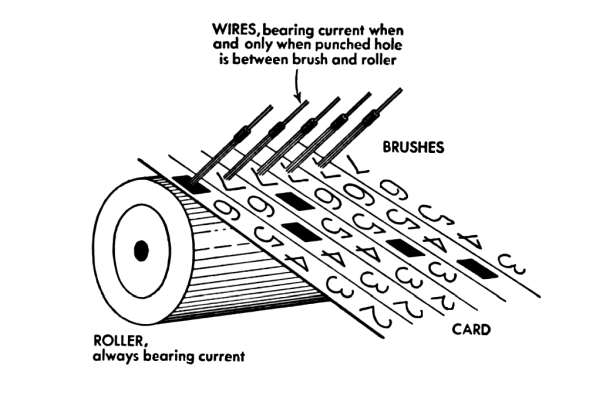
But once you get past the futuristic speculation, there’s actually a lot of detail about how the then-cutting-edge machines worked. Circuit diagrams of logic units from both the relay computers and the brand-new vacuum tube machines are on display, as are drawings of the tricky bits of purely mechanical computers. There is even a diagram of the mercury delay line, and an explanation of how circulating audio pulses through the medium could be used as a form of memory.

All in all, it’s a wonderful glimpse at the earliest of computers, with enough detail that you could probably build something along those lines with a little moxie and a few thousands of relays. This grounded reality, coupled with the fantastic visions of where computers would be going, make a marvelous accompaniment to a lot of the breathless hype around AI these days. Recommended reading!