Raspberry PI 4 Now Supported By Risc OS In Latest Update

Students of ARM history will know that the origins of the wildly popular processor architecture lie in the British computer manufacturer Acorn (the original “A” in “ARM”). The first mass-market ARM-based products were their Archimedes line of desktop computers. A RISC-based computer in a school or home was significantly ahead of the curve in the mid 1980s and there was no off-the-shelf software, so alongside the new chips came a new operating system that would eventually bear the name Risc OS.

It’s since become one of those unexpected pieces of retrocomputing history that refuses to die, and remains in active development with a new version 5.28 of its open-source variant just released. Best of all, after supporting the Raspberry Pi since the earliest boards, it now runs on a Raspberry Pi 4. The original ARM operating system has very much kept up with the times, and can now benefit from the extra power of the latest hardware from Cambridge. The new release deals with a host of bugs, as well as bringing speed increases, security fixes, and other improvements. For those whose first experience of a GUI came via the Archimedes in British schools, the news that the built-in Paint package has received a thorough update will bring a smile.

The attraction of Risc OS aside from its history and speed lies in its being understandable in operation for those wishing to learn about how an OS works under the hood. It’s likely that for most of us it won’t replace our desktops any time soon, but it remains an interesting diversion to download and explore. If you’d like to read more about early ARM history then we’d like to point you at our piece on Sophie Wilson, the originator of the ARM architecture.
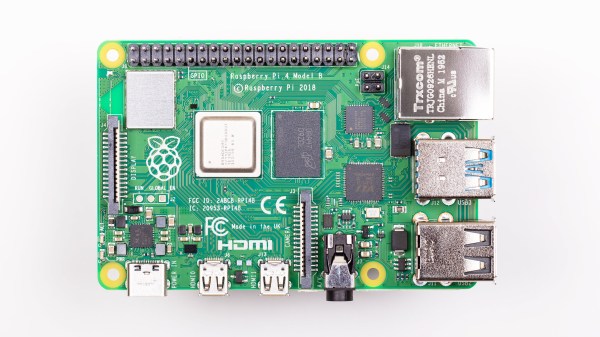
Ubuntu (Finally) Officially Lands On The Raspberry Pi. But Will Anyone Notice?

The Raspberry Pi has been with us for over eight years now, and during that time it has seen a myriad operating system ports. It seems that almost anything can be run on the little computer, but generally the offerings have seen minority uptake in the face of the officially supported Raspbian, or as it’s now called, Raspberry Pi OS.

Maybe that could change, with the arrival of an Ubuntu release for the platform. For those of you pointing out that this is nothing new, what makes the new version 20.10 release special is that it’s the first official full Ubuntu release, rather than an unofficial port.

So Raspberry Pi 4 owners can now install the same full-fat Ubuntu they have on their PCs, and with the same official Ubuntu support. What does this really do for them that Raspberry Pi OS doesn’t? Underneath they share Debian underpinnings, and they both benefit from a huge quantity of online resources should the user find themselves in trouble. Their repositories both contain almost every reasonable piece of software that could be imagined, so the average Pi user might be forgiven for a little confusion.

We don’t expect this news to take the Pi desktop world by storm then. Ubuntu is a powerful distribution, but it’s fair to say that it is not the least bloated among distributions, and that some of its quirks such as Snap applications leave many users underwhelmed. By contrast Raspberry Pi OS is relatively lightweight, and crucially it’s optimised for the Pi. Its entire support base online is specific to the Pi hardware, so the seeker of solutions need not worry about encountering some quirk in an explanation that pertains only to PC platforms.

It’s fair to say though, that this release is almost certainly not targeted at the casual desktop user. We’d expect that instead it will be in the Ubuntu portfolio for commercial and enterprise users, and in particular for the new Raspberry Pi 4 Compute Module in which it will no doubt form the underpinnings of many products without their owners ever realising it.

[via OMG Ubuntu]

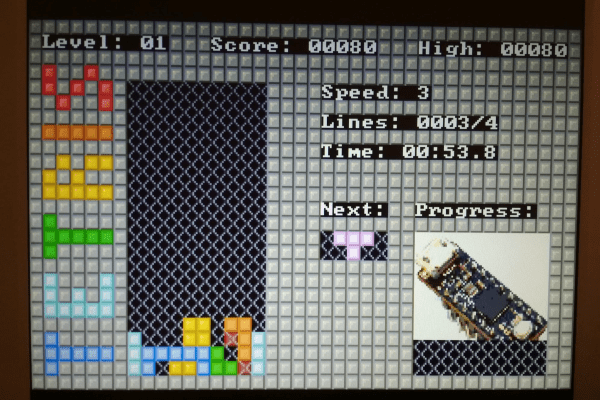
A VGA Retro Console With Everything Generated From A Single ARM Cortex M0

The later game consoles of the 8-bit era such as Nintendo’s NES or Sega’s Master System produced graphics that went beyond what owners of early 1980s home computers had come to expect from machines with the same processors, but they did so only with the help of powerful custom chipsets for their day that took care of the repetitive hard work of assembling frames and feeding them to the display device. Reproducing their equivalent with more modern hardware requires either some means of creating similar custom silicon, or a processor significantly more powerful such that it can do the work of those extra chips itself. But even with a modern microcontroller it’s still a significant challenge, so [Nicola Wrachien]’s uChip, a VGA console that does the whole job in software on a humble ARM Cortex M0 is a significant achievement.

If you are familiar with the home computers that used the processor to generate the display output, you’ll know that they spent most of their time working on the lines of the display and only had a few milliseconds of the frame blanking period for the device to perform any computing tasks before returning to the next frame. The 320×240 at 57 frames per second gives a line sync frequency of 30 kHz, and the computing happens while the display is sent the black space at the top and bottom of the screen. This is reckoned to be equivalent of the ATSAMD21E18 microcontroller on the uChip module the system uses running at only 10MHz rather than the 48MHz it is running at in reality, and with these resources it also runs the game logic, USB controller interfacing, reading games from the SD card, and game sound.

The result is a complete game console on a small PCB little longer on its longest side than its connectors. We may have largely seen the demise of VGA on the desktop several years after we called it, but it seems there is plenty of life in the interface yet for hardware hackers.

What’s In A USB-C Connector?

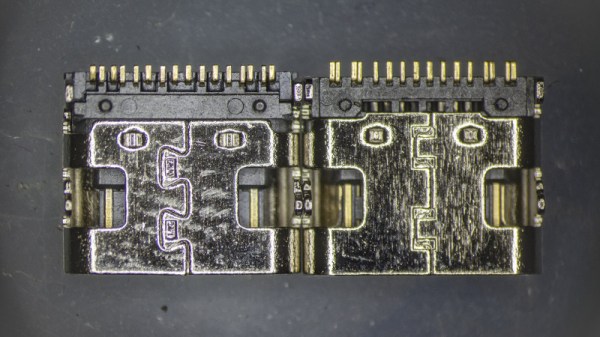
Anyone who’s ever put together a bill-of-materials for an electronic device will be familiar with the process of scouring supplier catalogs and data sheets for the best choice of components. The trick is to score the best combination of price and performance for the final product, and for those unused to the process, there are always seemingly identical products with an astonishingly wide variety of prices. It’s a topic [Timon] explores in a Twitter thread, examining a 20-cent in quantity of 100 USB-C socket alongside one that costs only 5 cents, and his teardown provides a fascinating insight into their manufacture.

The parts look so nearly identical that while it’s possible to differentiate between them visually, it’s near impossible to work out which was the cheaper. Some tiny features such as a crack in a metal fold or a bit less plating on the contacts emerge, but even then it’s no guide to the quality as they don’t appear on the same part. It’s only when the metal shell is removed to expose the underlying plastic moulding that more clues emerge, as one moulding is more complex than the other. The more complex moulding provides a better and more reliable fit at the expense of a much more costly moulding process, so at last we can not only identify the more expensive part but also see where the extra cash has gone. It’s a subtle thing, but one that could make a huge difference to the performance of the final assembly and which makes for a fascinating expose for electronic design engineers.

If connectors are your thing, there’s a wealth of fascinating information in their history.

Ode To An AVO 8 Multimeter

I’m moving, and in the process of packing all of my belongings into storage boxes to disappear into a darkened room for the next year. Perhaps I could become one of those digital nomads I hear so much about and post my Hackaday stories from a sun-kissed beach while goldfish shoals nibble at my toes. But here in a slightly damp British autumn, box after box of a lifetime’s immersion in tech needs sorting and directing. Why on earth did I hang on to three Philips N1500 VCR system video cassette recorders from the early 1970s! (Don’t worry, those have found a good home.)

Say Hello To An Old Friend Of Mine

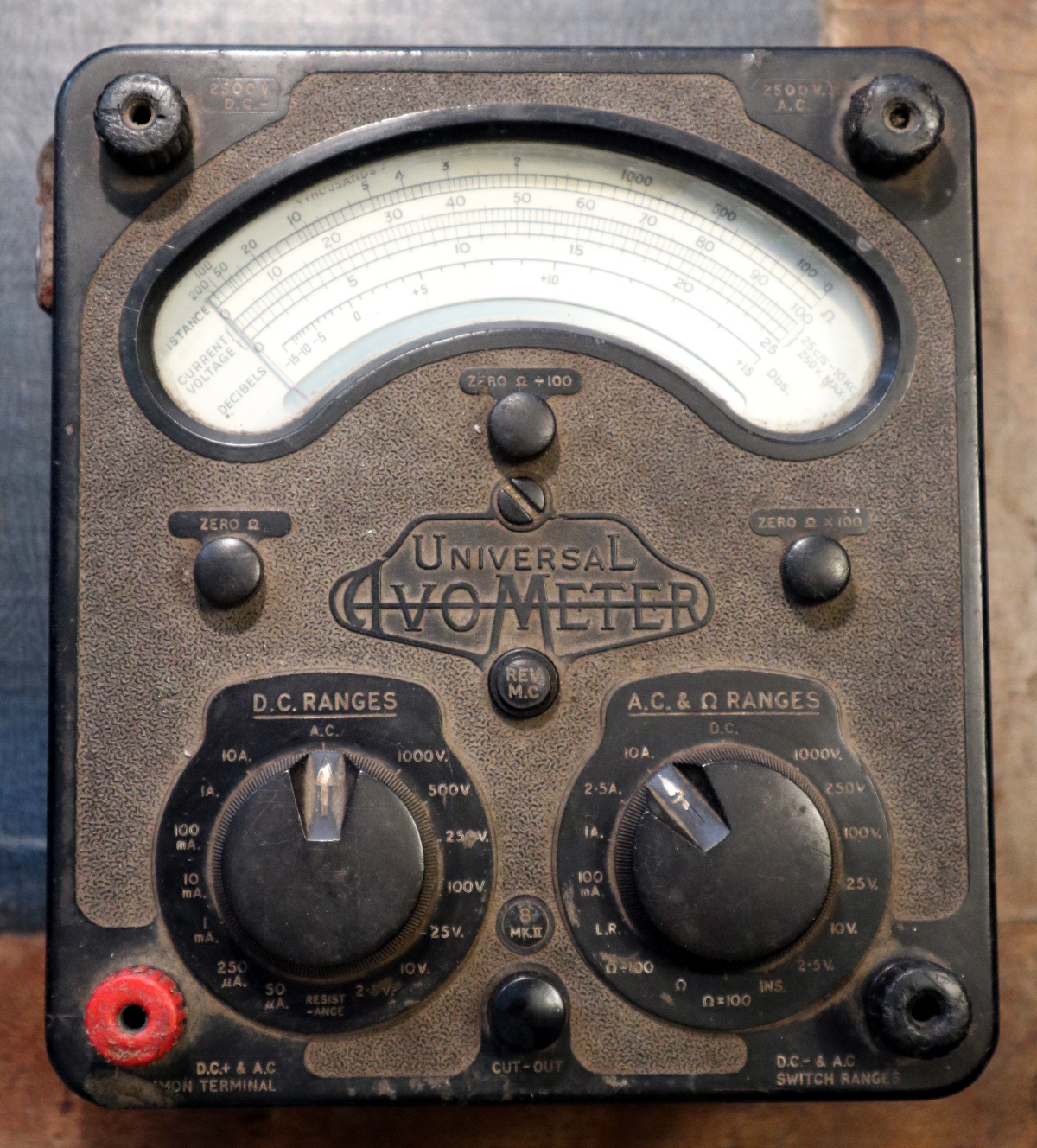
Instantly recognisable, the AVO 8

As I was packing up my bench, I happened upon a multimeter. I have quite a few multimeters and this isn’t the first time I’ve written about these indispensable instruments, but this one’s a little special.

It’s a treasure from my youth, that most venerable of British test equipment: the AVO 8. This was the ubiquitous multimeter to be found in all manner of electrical and electronic workshops across most of the 20th century, and remains to this day one of the highest quality examples of its type.

It’s a relatively huge Bakelite box about 190mm x 170mm x 100mm in size, and it is instantly recognisable  by its dual rotary selector switches and the window for viewing the needle, which forms a characteristic circular arc kidney shape.

The earliest ancestors of my meter appeared in the 1920s, and the first model 8 in the early 1950s. Mine is a Mk III that a penciled date on the inside of its meter movement tells me was made in November 1965 and which I bought reconditioned from Stewart of Reading in about 1991, but manufacture continued until the last Mk VIII rolled off the production line in 2008. It’s to my shame that my AVO is a bit dusty and that maybe I haven’t used it much of late, but as I picked it up all the memories of using it to fix dead TV sets and set up optimistic experiments in radio came flooding back. If there’s one instrument that connects me to the youthful would-be electronic engineer that I once was, then here it is. Continue reading “Ode To An AVO 8 Multimeter”

A Teleprompter For The Rest Of Us

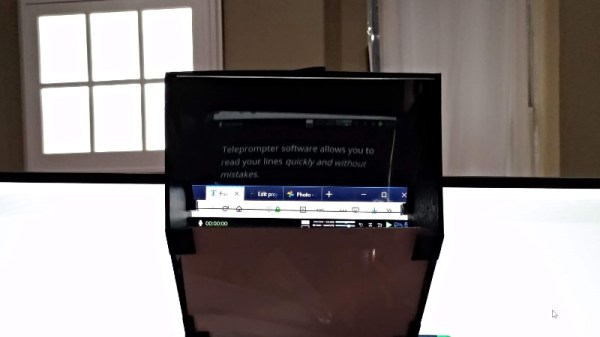
Sometimes it’s so easy to become tied up in a world of microcontrollers and complex mechanical linkages that we forget the simplest of hacks can be the most elegant. [Lex Kravitz]’s teleprompter is a good example, delivering the measured style of a professional addressing the studio camera to the laptop owner with a built-in camera nestled above their screen.

Just because this teleprompter is simply a mirror and a piece of clear plastic doesn’t mean that it’s a poor quality implementation though. It’s housed in a smart two-piece 3D-printed frame that hooks over the top of the monitor and locates with an area of screen into which you can place your teleprompter software. This is a world into which we haven’t previously delved, so aside from the array of Windows freeware that pops up in a Google search we found there are a few opensource offerings. There is TeleKast which appears to be no longer updated, and Imaginary Teleprompter, which even has an online version you can try in a web browser.

[Lex] is no stranger to these pages, having most recently appeared as part of our PPE testing Hack Chat.

A Unique Display Makes An Unusual Clock

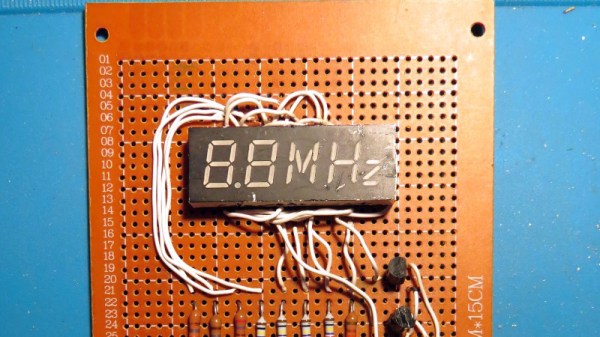
Do you know the clock speed of the computer you’re reading this article on? Maybe Hackaday readers are more likely to reply “Yes!” to that question than the general public, but if there’s a takeaway it’s that for most computer users their clock speed is now an irrelevance. It’s quick enough for the job in hand and that’s all that matters. This was not always the case though, and a few decades ago the clock speed of a PC was its major selling point. Beige boxes would have seven-segment displays lit up with the figure, and it was an unusual example of one that [Ken Yap] used to produce a clock that he believes is one-of-a-kind; unless by some slim chance somebody else has rescued the same part.

The displays were hard wired without any signals from the processor, and what makes this one unusual is that as well as having a couple of digits in yellow it also sports a segmented “MHz” in red. This would have been quite a big deal on your 486 back in about 1994. To make a clock from this unpromising start required a little creative thinking, and he manages it by using the “M” and the “H” digits to represent minutes and hours, and displaying each figure in turn. The display is wired on a piece of protoboard with an STM8 dev board, and yes, as you can see in the very short video below the break, it does tell the time.

Custom displays are more usually seen in the world of LCDs than LEDs, so this one remains a rarity on these pages. Happily there are projects out there in which people spin their own takes on the idea.

Continue reading “A Unique Display Makes An Unusual Clock”