Mastering Stop Motion Through Machine Learning

Stop motion animation is notoriously difficult to pull off well, in large part because it’s a mind-numbingly slow process. Each frame in the final video is a separate photograph, and for each one of those, the characters and props need to be moved the appropriate amount so that the final result looks smooth. You don’t even want to know how long Ben Wyatt spent working on Requiem for a Tuesday, though to be fair, it might still get done before the next Avatar.

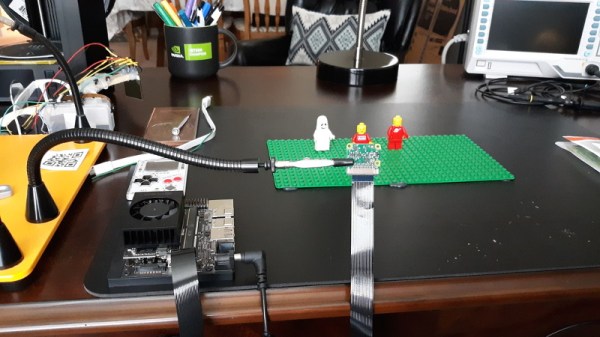
But [Nick Bild] thinks his latest project might be able to improve on the classic technique with a dash of artificial intelligence provided by a Jetson Xavier NX. Basically, the Jetson watches the live feed from the camera, and using a hand pose detection model, waits until there’s no human hand in the frame. Once the coast is clear, it takes a shot and then goes back to waiting for the next hands-free opportunity. With the photographs being taken automatically, you’re free to focus on getting your characters moving around in a convincing way.

If it’s still not clicking for you, check out the video below. [Nick] first shows the raw unedited video, which primarily consists of him moving three LEGO figures around, and then the final product produced by his system. All the images of him fiddling with the scene have been automatically trimmed, leaving behind a short animated clip of the characters moving on their own.

Now don’t be fooled, it’s still going to take awhile. By our count, it took two solid minutes of moving around Minifigs to produce just a few seconds of animation. So while we can say its a quicker pace than with traditional stop motion production, it certainly isn’t fast.

Machine learning isn’t the only modern technology that can simplify stop motion production. We’ve seen a few examples of using 3D printed objects instead of manually-adjusted figures. It still takes a long time to print, and of course it eats up a ton of filament, but the mechanical precision of the printed scenes makes for a very clean final result.

Continue reading “Mastering Stop Motion Through Machine Learning”
PCB Metro Maps Are A Gorgeous Labor Of Love

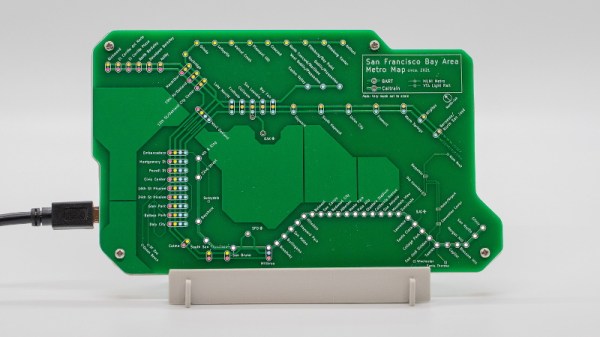
Is your love of public transportation matched only by your passion for designing custom PCBs? If so, then you’re going to love these phenomenal transit maps created by [Chai Jia Xun]. Using the painstakingly refined principles outlined in his detailed write-up, he’s created versions for Tokyo, Singapore, and the comparatively spartan San Francisco Bay Area. All you need to make one up for your home town is an incredible amount of patience and dedication. No problem, right?

As [Xun] explains, the first part of creating one of these maps isn’t unlike generating a normal PCB. Just make a footprint for the stations, consult with Google Maps as to where they should be placed on the board, and then connect them all up with traces to stand in for the rail lines. A little silkscreen work, and you’re done.

Well…unless you want them to light up, anyway. To pull that off, [Xun] created a second PCB that places an LED behind each station hole drilled in the previous board. With a microcontroller and shift register, he’s able to selectively illuminate individual lines and run through different patterns. To combat light bleeding through the PCB, a CNC-cut piece of 3 mm MDF sits between the two boards to make sure each LED is only visible through the respective hole in the top surface.

You could call the map finished here as well, assuming you don’t mind all the stations lighting up white. If you want them to be different colors, you’ll need to insert some colored diffusers. [Xun] went through several different approaches here, but in the end, the idea that seemed to work best was to simply print out all the colored dots on a piece of transparency paper and use a second sheet of tracing paper to soften the light. Alignment here is critical, but once everything is dialed in, the results are quite impressive.

It’s quite a bit of work, and we haven’t even mentioned the fact that [Xun] had to modify the circuit when it came time to do the Tokyo map, as some MOSFETs had to be added into the mix for the microcontroller to reliably control 350+ LEDs. So there’s certainly no shame in simply buying one of them when they go on sale instead of trying to recreate it from scratch. Assuming you live in one of the cities he’s offering, anyway. Otherwise, you might want to take a look at our HackadayU class on KiCad and get yourself a comfortable chair.

Recharged Dehumidifier Put Back Into Service

For the average consumer, repairing relatively low-cost home devices such as microwaves and TVs just isn’t economically viable. You can hardly blame them when the repair bill could easily be higher than the cost of just buying a new model. Luckily for folks like us, that means you can often find cheap or even free appliances on the second hand market that can be brought back online with a bit of troubleshooting and some spare parts.

Take for example the non-functional dehumidifier [HowToLou] recently came across. You probably couldn’t find a professional repair shop that would be willing to bother with one of these things if you tried, but as he shows in the video below, that doesn’t mean the DIY’er can’t run through some probable failure modes and get the unit back up and running. As a bonus, he also walks viewers through how your typical compressor-based dehumidifier operates.

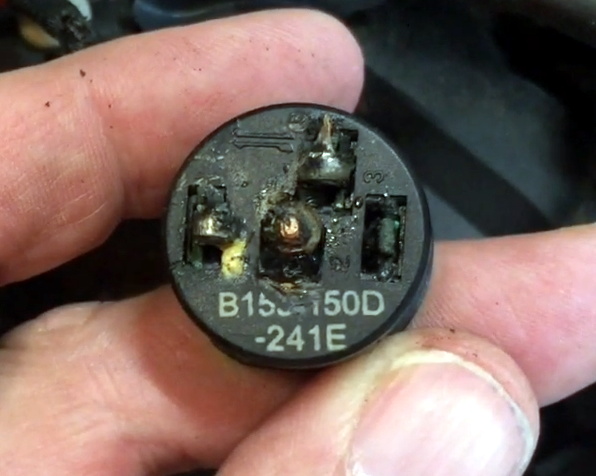
The failed thermal switch.

Beyond the lack of water in the collection compartment, the first sign that something was wrong with this dehumidifier was that the compressor wasn’t running. Upon closer inspection, [HowToLou] determined that the thermal cut-off switch had failed and was stuck open. Luckily it had a visible part number so he could order a replacement, and in the meantime, all he had to do was cut the switch out of the circuit and wire up the compressor’s power directly.

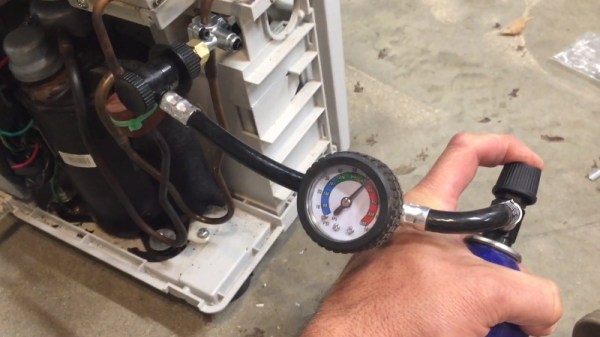
Unfortunately, even with the compressor running, no water was being collected. Noticing that the evaporator coils weren’t getting very cold, [HowToLou] thought the unit might be low on refrigerant. Usually these systems aren’t meant to be recharged, but with a clever piercing tap valve, you can add a quick-connect port to the low pressure side. This particular dehumidifier happened to be filled with the same R134a used in automotive A/C systems, so a quick trip to the auto parts store got him a can of refrigerant complete with a handy pressure gauge.

After getting juiced up, [HowToLou] shows ice forming on the coils and plenty of water getting dumped into the tank. Automotive A/C refill cans usually include some substance to stop or reduce leaks in the system, so hopefully this will end up being a long-term fix. It might not be the most elaborate dehumidifier repair we’ve ever seen, but it’s certainly the most approachable. If you ever see one of these things laying on the side of the road, maybe you should pick it up and see what ails it.

Continue reading “Recharged Dehumidifier Put Back Into Service”

Automatic Microfiche Scanner Digitizes Docs

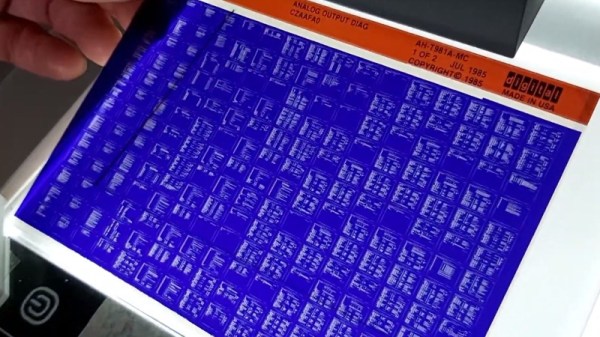
While the concept might seem quaint to us today, microfiche was once a very compelling way to store and distribute documents. By optically shrinking them down to just a few percent of their original size, hundreds of pages could be stored on a piece of high-resolution film. A box of said films could store the equivalent of several gigabytes of text and images, and reading them back only required a relatively simple projection machine.

As [Joerg Hoppe] explains in the write-up for his automatic microfiche scanner, companies such as Digital Equipment Corporation (DEC) made extensive use of this technology to distribute manuals, schematics, and even source code to their service departments in the 70s and 80s. Luckily, that means hard copies of all this valuable information still exist in excellent condition decades after DEC published it. The downside, of course, is that microfiche viewers aren’t exactly something you can pick up at the local Big Box electronics store these days. To make this information accessible to current and future generations, it needs to be digitized.

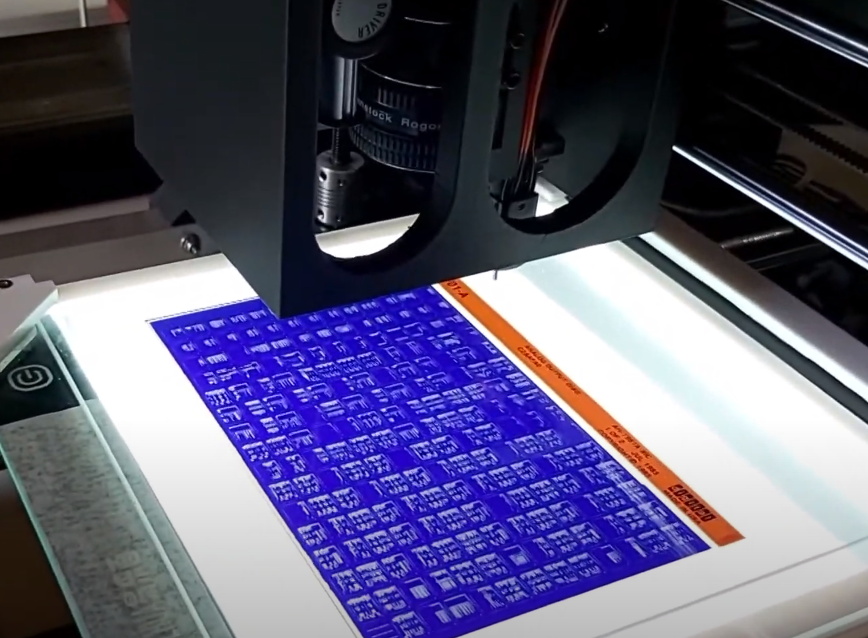
The camera panning over a full DEC microfiche sheet.

[Joerg] notes there are commercial services that would do this for you, but the prices are just too high to be practical for the hobbyist. The same for turn-key microfiche scanners. Which is why he’s developed this hardware and software system specifically to digitize DEC documents. The user enters in the information written on the top of the microfiche into the software, and then places it onto the machine itself which is based on a cheap 3D printer.

The device moves a Canon DSLR camera and appropriate magnifying optics in two dimensions over the film, using the Z axis to fine-tune the focus, and then commands the camera to take an image of each page. These are then passed through various filters to clean up the image, and compiled into PDFs that can be easily viewed on modern hardware. The digital documents can be further run though optical character recognition (OCR) so the text can be easily searched and manipulated. In the video after the break you can see that the whole process is rather involved, but once the settled into the workflow, [Joerg] says his scanner can digitize 100 pages in around 10 minutes.

A machine like this is invaluable if you’ve got a trove of microfiche documents to get through, but if you’ve just got a sheet or two you’d like to take a peek at, [CuriousMarc] put together a simple rig using a digital microscope and a salvaged light box that should work in a pinch.

Continue reading “Automatic Microfiche Scanner Digitizes Docs”

Lasers used to detect handprint.

DIY Laser Speckle Imaging Uncovers Hidden Details

It sure sounds like “laser speckle imaging” is the sort of thing you’d need grant money to experiment with, but as [anfractuosity] recently demonstrated, you can get some very impressive results with a relatively simple hardware setup and some common open source software packages. In fact, you might already have all the components required to pull this off in your own workshop right now and just not know it.

Anyone who’s ever played with a laser pointer is familiar with the sparkle effect observed when the beam shines on certain objects. That’s laser speckle, and it’s created by the beam reflecting off of microscopic variations in the surface texture and producing optical interference. While this phenomenon largely prevents laser beams from being effective direct lighting sources, it can be used as a way to measure extremely minute perturbations in what would appear to be an otherwise flat surface.

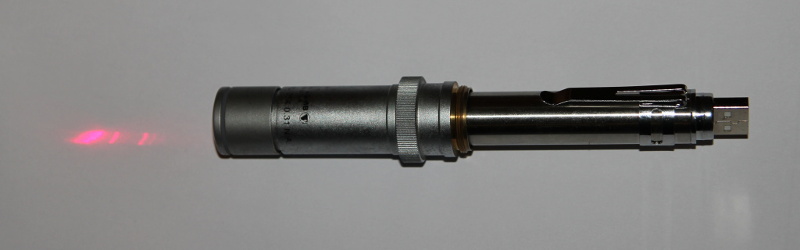
In this demonstration, [anfractuosity] has combined a simple red laser pointer with a microscope’s 25X objective lens to produce a wider and less intense beam. When this diffused beam is cast onto a wall, the speckle pattern generated by the surface texture can plainly be seen. What’s not obvious to the naked eye is that touching the wall with your hand actually produces a change in the speckle pattern. But if you take high-resolution before and after shots, the images can be run through OpenCV to highlight the differences and reveal a ghostly hand-print.

Continue reading “DIY Laser Speckle Imaging Uncovers Hidden Details”

Add-On Lets FDM 3D Printer Wash And Cure Resin Parts

The dramatic price reductions we’ve seen on resin 3D printers over the last couple of years have been very exciting, as it means more people are finally getting access to this impressive technology. But what newcomers might not realize is that the cost of the printer itself is only part of your initial investment. Resin printed parts need to be washed and cured before they’re ready to be put into service, and unless you want to do it all by hand, that means buying a second machine to do the post-printing treatment.

Not sure he wanted to spend the money on a dedicated machine just yet, [Chris Chimienti] decided to take an unusual approach and modify one of his filament-based 3D printers to handle wash and cure duty. His clever enclosure slips over the considerable Z-axis of a Anet ET5X printer, and includes banks of UV LEDs and fans to circulate the air and speed up the drying process.

Looking up into the curing chamber.

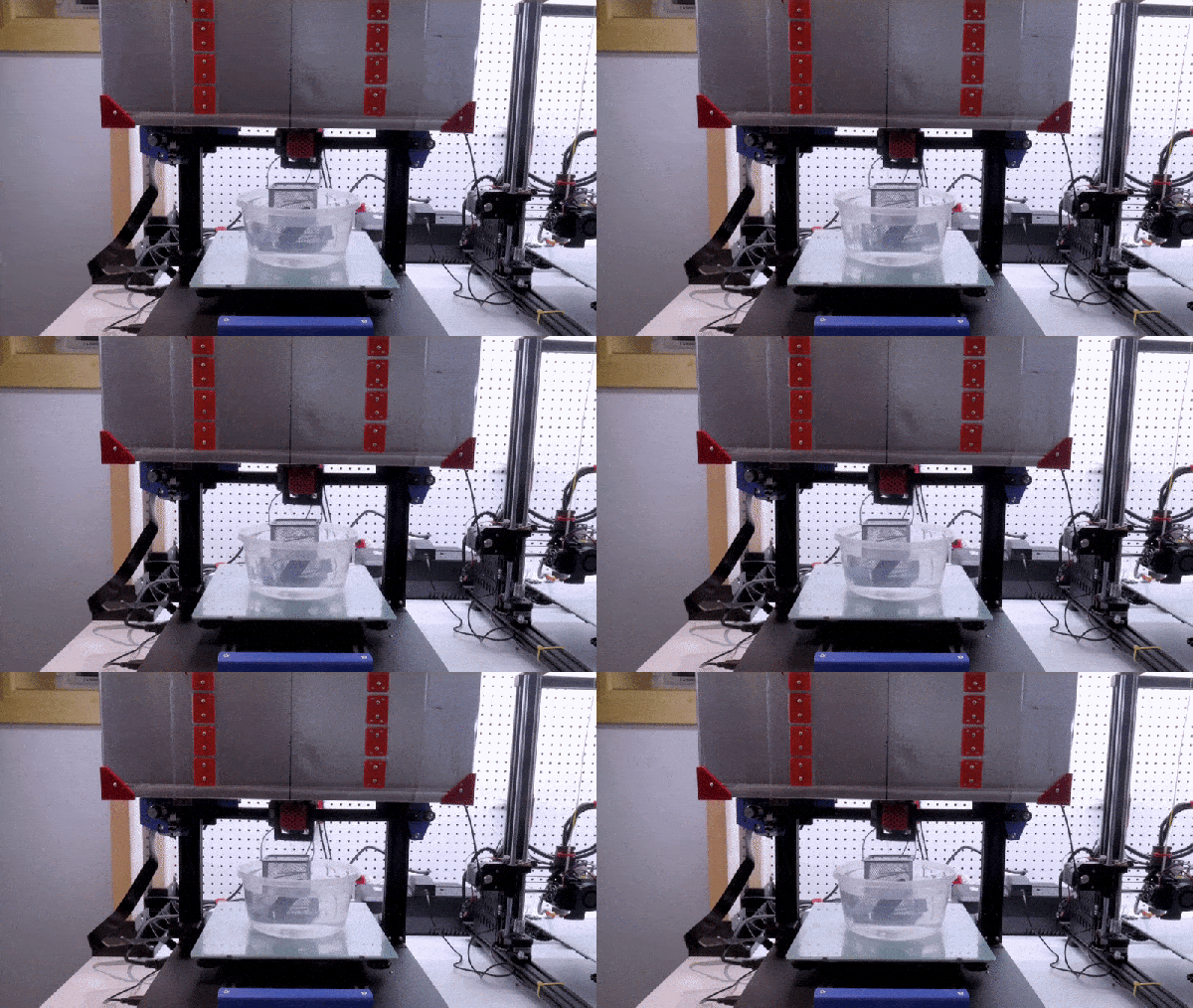
The curing part is easy enough to understand, but how does it do the washing? You simply put a container of 70% isopropyl alcohol (IPA) on the printer’s bed, and place the part to be washed into a basket that hangs from the printer’s extruder. Custom Python software is used to generate G-code that commands the printer to dip the part in the alcohol and swish it back and forth to give it a good rinse.

Once the specified time has elapsed, the printer raises the part up into the enclosure and kicks on the LEDs to begin the next phase of the process. The whole system is automated through an OctoPrint plugin, and while the relatively low speed of the printer’s movement means the “washing” cycle might not be quite as energetic as we’d like, it’s definitely a very slick solution.

[Chris] provides an extensive overview of the project in the latest video on his YouTube channel, Embrace Racing. In it he explains that the concept could certainly be adapted for use on printers other than the Anet ET5X, but that it’s considerable build volume makes it an ideal candidate for conversion. Of course it’s also possible to use the foam board enclosure by itself as a curing chamber, though you’ll still need to wash the part in IPA ahead of time.

This is perhaps one of the most unusual wash and cure systems we’ve seen here at Hackaday, but we appreciate the fact that [Chris] based the whole thing on the idea that you’ve probably got a FDM printer sitting nearby that otherwise goes unused when you’re working with resin. If that’s not the case for you, putting together a more traditional UV curing chamber is an easy enough project.

Continue reading “Add-On Lets FDM 3D Printer Wash And Cure Resin Parts”

Salvaging Working LEDs From “Dead” Light Bulbs

Sure the box said they would last for years or even decades, but anyone who’s picked up some bargain LED bulbs knows the reality is a bit more complicated. Sometimes a few LEDs in the array pop, reducing the overall light output. More commonly, the power supply starts to fail and the bulb begins to flicker or hum. In either event, you end up pulling the bulb and replacing it.

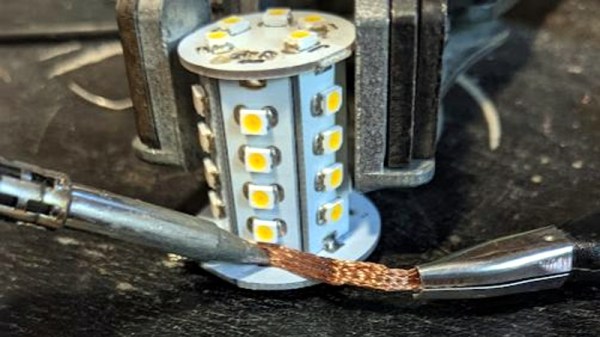
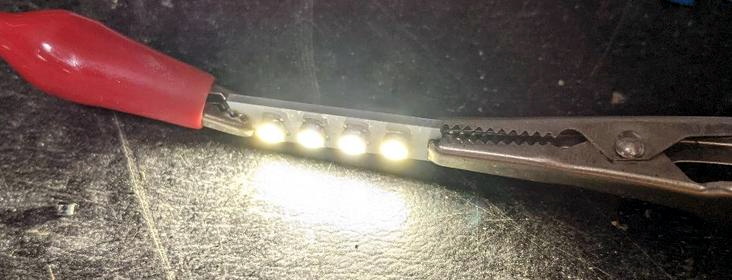
But [Bifferos] thinks we can do a bit better than that. Rather than just chalking it up to poor QA and tossing the bulb, why not do a little exploratory surgery to identify salvageable LEDs in an otherwise “dead” bulb? After pulling apart a couple of burned out bulbs (name brand and otherwise), he was able to pull out an impressive number of handy LED panels that could be easily repurposed. Naturally, with a little more coaxing, the individual SMD LEDs could be liberated and pushed into service as well.

Separate PCBs with banks of LEDs are ideal for reuse.

As you might expect, there are far too many different LED bulbs out there to create a comprehensive teardown guide, but [Bifferos] does provide some tricks to help get the bulb open without hurting yourself or destroying the thing in the process. Once inside, the design of the bulb will dictate what happens next. Bulbs with multiple arrays of LEDs on their own PCBs can be easily broken down, but if there’s just the single board, you may want to pull the LEDs off individually. To that end, the write-up demonstrates efficient methods of stripping the LEDs using either hot air or a pair of soldering irons.

We’ve talked previously about the rather underwhelming performance of modern LED bulbs compared to the manufacturer’s lofty claims. We’d rather see these bulbs designed well enough that they actually live up to their full potential, but the ability to salvage useful components from the failed luminaries at least softens the blow of having to toss them early. Though that’s not the only reason you should disassemble your LED bulbs before you put them in the trash.