Raspberry Pi NAS Makes Itself At Home In Donor PC

It’s safe to say that most of us have at least one Raspberry Pi hanging from a USB cable someplace, silently hammering away at some unglamorous task that you’d rather not do on a “real” computer. With as cheap as they are, it’s not like there’s a big concern about where it sets up shop. But if you’re like [Jeremy S. Cook] and want your $35 Linux computer to be a permanent member of the family, then his tips on turning an old PC into a gloriously overkill Pi NAS may be of interest.
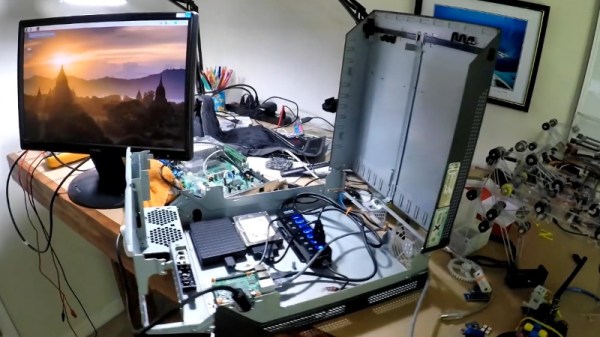
The main component [Jeremy] salvages from the old Lenovo desktop PC is, obviously, the case itself. Stripped of its original components, the case gives him plenty of room to mount the Pi as well as a couple of hard drives and a powered USB hub. To prevent the bottom of the Raspberry Pi from shorting out against the metal computer case, he designed and 3D printed a mount for it. Everything else is held down with hook and loop fastener, making it quick and easy to move things around and make adjustments.

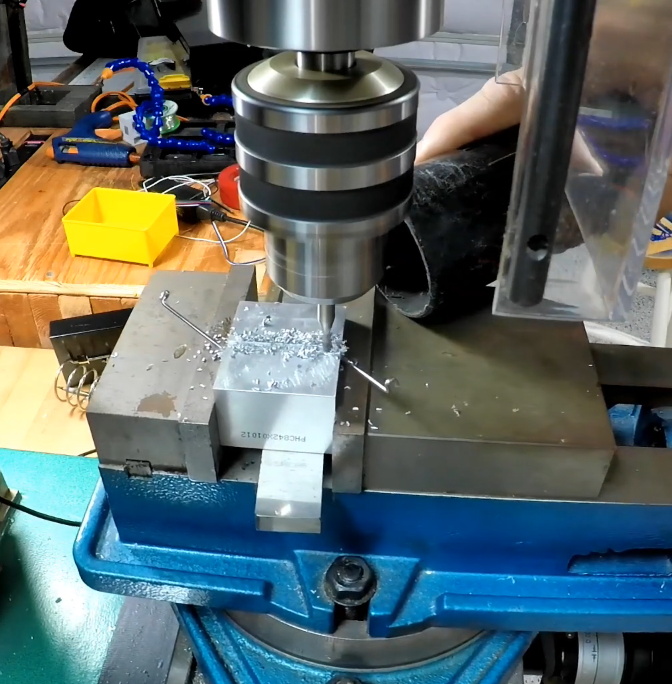
While it might not be strictly necessary, [Jeremy] also took the time to salvage the computer’s old heatsink. Being far too large to fit on the Pi as-is, he ran a line down the back of it with his mill and snapped it in half. He uses a bit of thermal tape to hold the bisected heatsink onto the Pi’s SoC, with a couple pieces of electrical tape to make sure it doesn’t short out on anything.

Raspberry Pi NAS builds are exceptionally popular, and we’ve seen more than we can count over the years. You can build one out of parts from IKEA, and if you don’t mind plastic, you can always 3D print the whole thing. If you really want to go minimal, you can even hang some files on the network with little more than a Pi Zero stuck into a USB port.

Continue reading “Raspberry Pi NAS Makes Itself At Home In Donor PC”
Five Channel Monitor Keeps Boat Batteries Shipshape

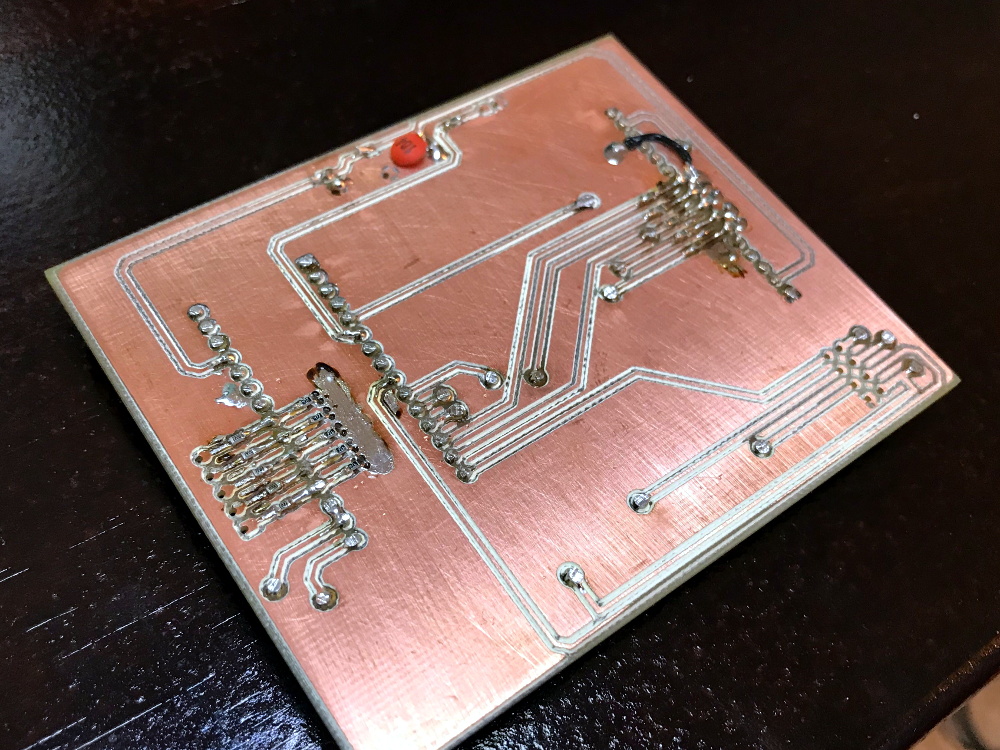
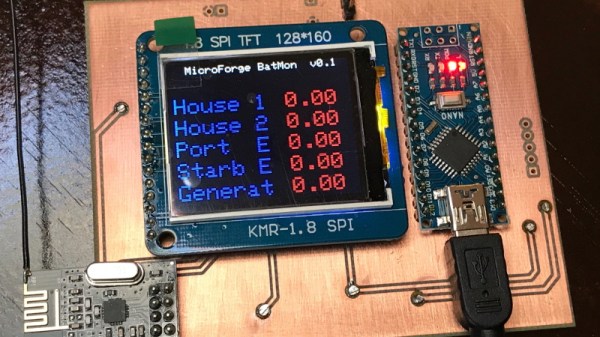
While those of us stuck sailing desks might not be able to truly appreciate the problem, [Timo Birnschein] was tired of finding that some of the batteries aboard his boat had gone flat. He wanted some way to check the voltage on all of the the batteries in the system simultaneously and display the information in a central location, and not liking anything on the commercial market he decided to build it himself.

Even for those who don’t hear the call of the sea, this is a potentially useful project. Any system that has multiple batteries could benefit from a central monitor that can show you voltages at a glance, but [Timo] is actually going one better than that. With the addition of a nRF24 module, the battery monitor will also be able to wireless transmit the status of the batteries to…something. He actually hasn’t implemented that feature yet, but some way of getting the data into the computer so it can be graphed over time seems like a natural application.

The bill of materials is pretty short on this one. Beyond the aforementioned nRF24 module, the current version of the monitor features an Arduino Nano clone, a 128×160 SPI TFT display, and a handful of passives.

Knowing that a perfboard wouldn’t last long on the high seas, [Timo] even routed his own PCB for this project. We suspect there’s some kind of watertight enclosure in this board’s future, but it looks like things are still in the early phases. It will be interesting to follow along with this one and see how it eventually gets integrated in to the boat’s electrical system.

If you’re looking for a way to keep an eye on the voltages aboard your land ship, this battery monitor disguised as an automotive relay is still the high-water mark in our book.

Building An Open Hardware EBook Reader

On the whole, hackers aren’t overly fond of other people telling them what they can and cannot do with the hardware or software they’ve purchased. Unfortunately, it’s becoming more and more difficult to avoid DRM and other Draconian rules and limitations as time goes on. Digital “eBooks” and the devices that are used to view them are often the subject of such scrutiny, which is why [Joey Castillo] has made it his mission to develop a open hardware eReader that truly belongs to the user.

[Joey] has been working on what he calls the “The Open Book Project” for a few months now, and he’s just recently announced that the first reader has been successfully assembled and powered up. As is usually the case, a few hardware issues were identified with this initial prototype. But it sounds like the device was largely functional, and only a few relatively minor tweaks to the board layout and components should be necessary before the hardware is ready for the masses.

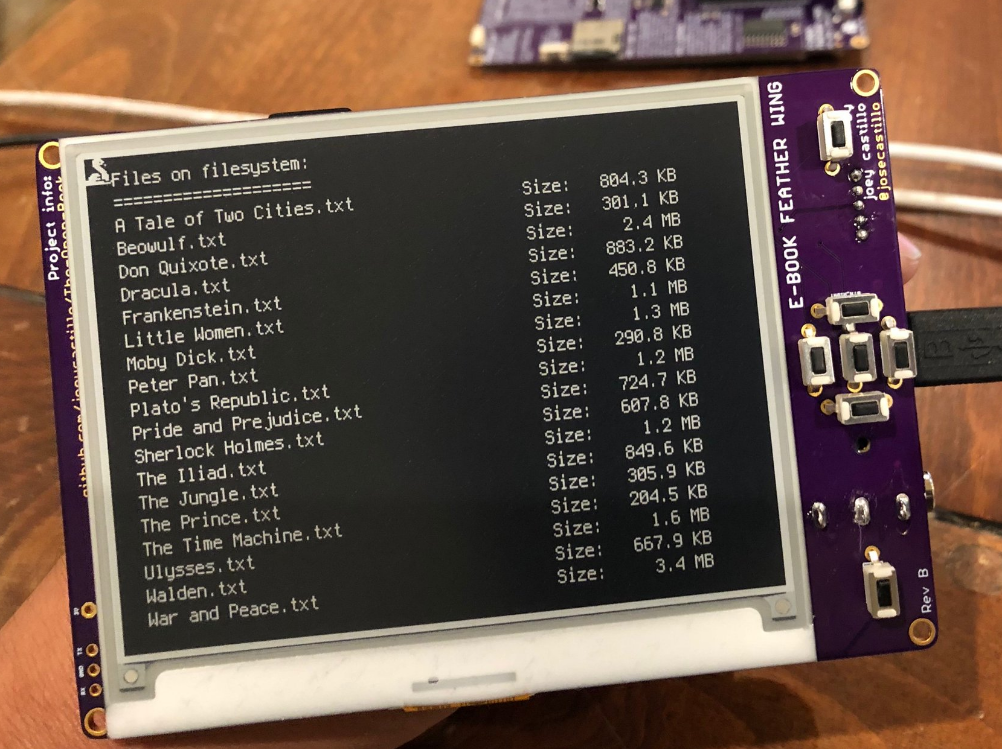
An earlier prototype, using the Adafruit Feather

If you’re feeling a bit of déjà vu seeing this, don’t worry. The Open Book Project has taken a somewhat circuitous path to get to this first prototype, and [Joey] had previously developed and built the “eBook Feather Wing”. While they look very similar, that earlier incarnation required an Adafruit Feather to operate and was used to help refine the firmware and design concepts that would go into the final hardware.

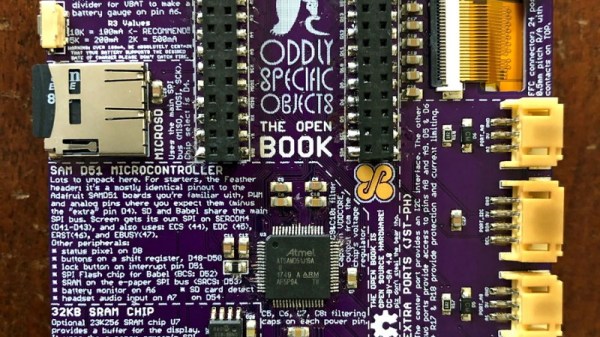
The Open Book is powered by a ATSAMD51N19A processor with a GD25Q16 2MB flash chip to hold the CircuitPython code, and a microSD slot to store the actual book files. It also features support for audio output via a standard 3.5 mm headset jack, an RGB status LED, and expansion ports that tap into the I2C interface for adding whatever other hardware you can dream up.

One of the most interesting aspects of this Creative Commons licensed reader is the extensive self documentation [Joey] has included on the silkscreen. Every major component on the back of the PCB has a small description of its purpose and in some cases even a breakdown of the pin assignments. The idea being that it not only makes the device easier to assemble and debug, but that it can also explain to the curious user what everything on the board does and why it’s necessary. It’s a concept that makes perfect sense given the goals of the Open Book Project, and something that we frankly would love to see more of.

[Marc Juul] presented his work on a FOSS operating system for older-model Kindles at HOPE XII as a way to avoid Orwellian monitoring of the user’s reading habits, so it’s interesting to see somebody take this idea to the next level with completely libre reader hardware. Unfortunately none of this addresses the limited availability of DRM-free eBooks, but one step at a time.

Amstrad Portable Gets A Modern LCD Transplant

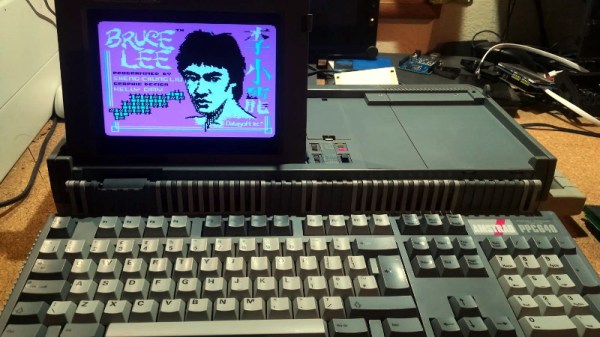
Playing classic games on the real hardware is an experience many of us enjoy, but sometimes the hardware is just a bit too retro for modern sensibilities. A case in point is the miserable monochrome LCD that was originally installed in the Amstrad PPC640 portable 8086 PC that [Drygol] recently picked up. He decided that his portable Amstrad sessions would be far more enjoyable if he swapped it out for a display that didn’t have 30+ years on the clock.

To quell the complaints of any of the vintage hardware aficionados out there, it’s worth mentioning that the original LCD was actually damaged and needed to be replaced anyway. Granted [Drygol] could have tried to find a contemporary panel to replace it with, but looking at the incredible before and after shots of the modded PPC640, it’s hard to argue he didn’t make the right decision by throwing a modern display into the otherwise largely original computer.

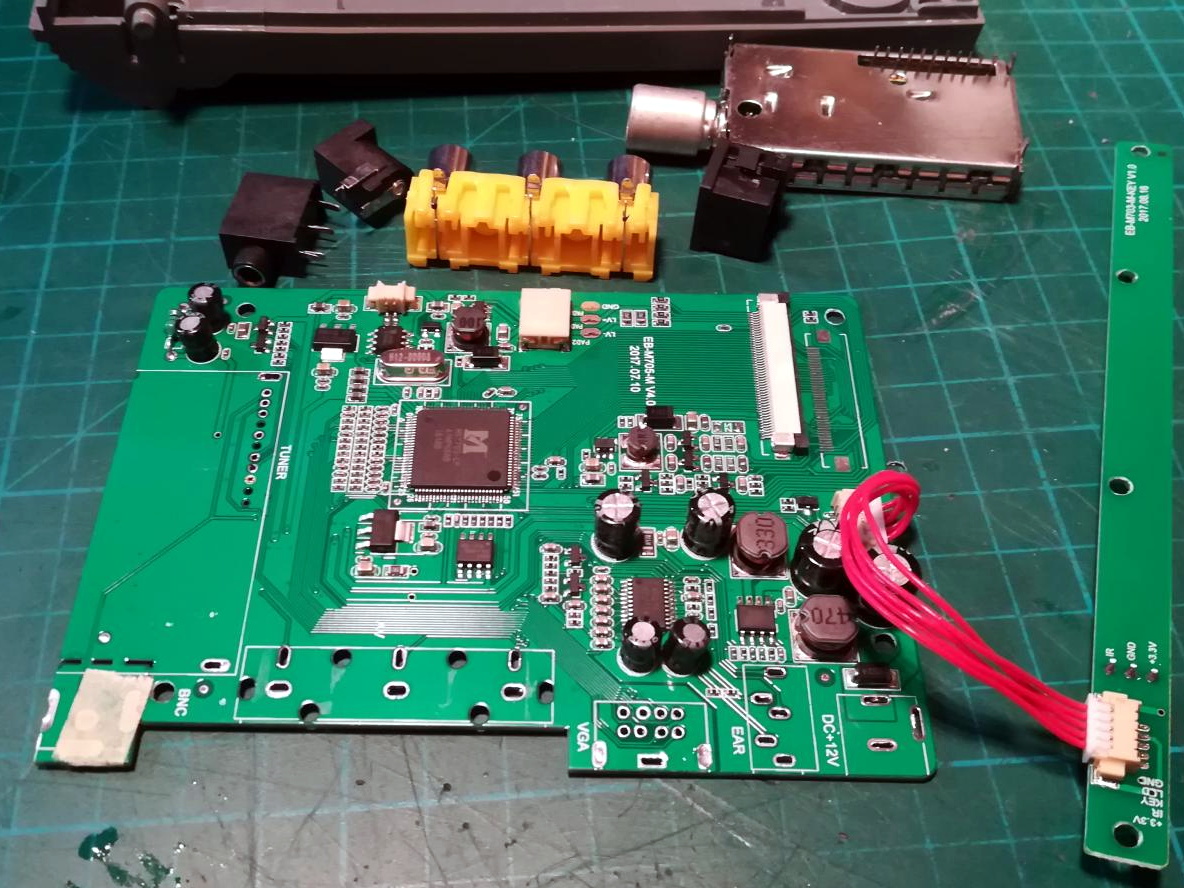
Getting the new LCD’s PCB ready for installation.

[Drygol] says he picked up a cheap 4:3 LCD TV on eBay, and as luck would have it, found that the new panel dropped perfectly into the original frame. Getting it buttoned back up required the removal of the RF can and all the female connections on the TV’s PCB, plus he had to cut some holes in the back of the display enclosure to mount the LCD’s controls, but overall it looks very stock.

Of course, getting the new LCD display in the original frame was only half the battle, it still needs to be connected up to the computer somehow. To get everyone playing nicely with each other, [Drygol] is using a commercially available MDA/CGA/EGA to VGA converter that is installed where the batteries would have gone originally. Wired to the PPC640’s external monitor connector, it allows him to drive the new display without having to use the original LCD interface.

[Drygol] has made something of a name for himself by performing some of the most impressive restorations and modifications of retro hardware in recent memory. From the unbelievable work that went into repairing a smashed Atari 800XL case to his gorgeous custom Amiga A500, his projects are sure to please the retro hardware lovers in the audience.

Continue reading “Amstrad Portable Gets A Modern LCD Transplant”

Scratch Building A Lathe From Pieces Of Granite

As hackers, we’re well accustomed to working with what we have on hand. That’s the name of the game, really. A large majority of the projects that have graced these pages are the direct result of trying to coerce a piece of hardware or software into doing something it was never designed to do, for better or for worse.

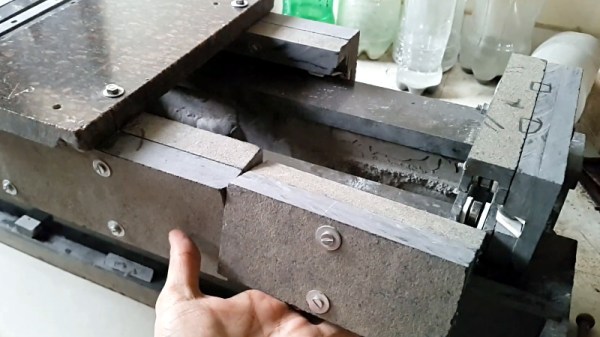
But even still, attempting to build a functional lathe using scrap pieces from granite countertops is a new one for us. [Nonsense Creativity] has spent the last several months working on this build, and as of his latest video, it’s finally getting to the point at which the casual observer might recognise where he’s going with it.

We won’t even hazard a guess as to the suitability of thick pieces of granite for building tools, but we’re willing to bet that it will be plenty heavy enough. Then again, his choice of building material might not be completely without precedent. After all, we once saw a lathe built out of concrete.

Building a lathe out of what you’ve got laying around the shop is of course something of a tradition at this point., but if you’re not quite up to the challenge of cutting your own metal (or granite, as the case may be), [Quinn Dunki] has put together a lathe buying guide that you may find useful.

Continue reading “Scratch Building A Lathe From Pieces Of Granite”

An ESP32 Clock With A Transforming LED Matrix

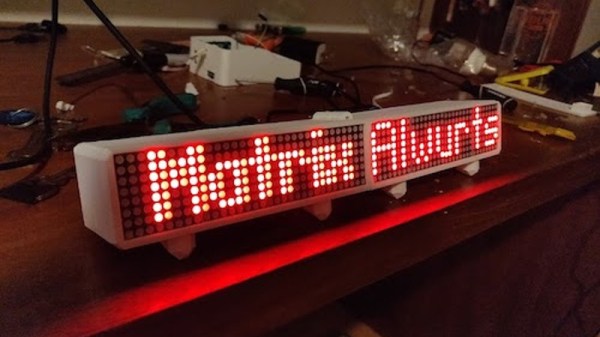
Over the years we’ve seen countless ways of displaying the current time, and judging by how many new clock projects that hit the tip line, it seems as though there’s no end in sight. Not that we’re complaining, of course. The latest entry into the pantheon of unusual timepieces is this ESP32-powered desk clock from [Alejandro Wurts] that features a folding LED matrix display.

The clock uses eight individual 8 x 8 LED arrays contained in a 3D printed enclosure that hinges in the middle. When opened up the clock has a usable resolution of 8 x 64, and when its folded onto itself the resolution becomes 16 x 32.

This variable physical resolution allows for alternate display modes. When the hardware detects that its been folded into the double-height arrangement, it goes into a so-called “Big Clock” mode that makes it easier to see the time from a distance. But while in single-height mode, there’s more horizontal real estate for adding the current temperature or other custom data. Eventually [Alejandro] wants to use MQTT to push messages to the display, but for now it just shows his name as a placeholder.

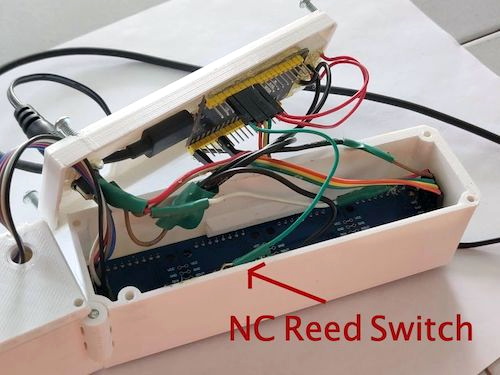
The key to the whole project is the hinged enclosure and the reed switch used to detect what position it’s currently in. Beyond that, there’s just an ESP32 an some clever code developed with the help of the MD_Parola library written for MAX7219 and MAX7221 LED matrix controllers. [Alejandro] has published the code for his clock, which should be helpful for anyone who’s suddenly decided that they also need a folding LED matrix in their life.

Now if the ESP32 LED matrix project you have in mind requires full color and high refresh rates, don’t worry, we’ve got a solution for that.
Continue reading “An ESP32 Clock With A Transforming LED Matrix”

3D Printing New Cases For The TS100 Soldering Iron

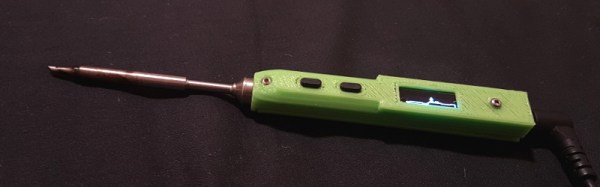
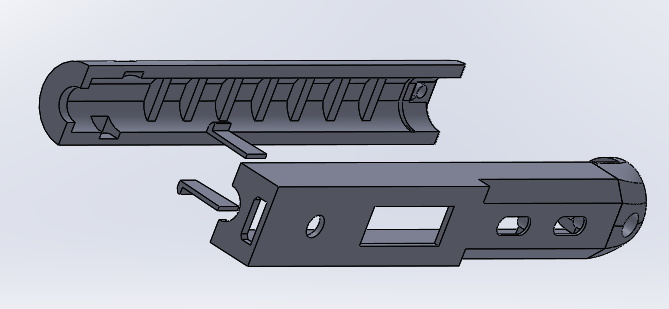
About a year back, [BogdanTheGeek] found himself in need of a new case for this TS100 soldering iron. Unfortunately, while the product is often billed as being open source friendly (at least in the firmware sense), he was surprised to discover that he couldn’t find the detailed dimensions required to 3D print his own replacement case. So he took it upon himself to document the case design and try to kick off a community around custom enclosures for the popular portable iron.

The main goals while designing the replacement case was to make it printable without support, and usable without additional hardware. He also wanted it to be stronger than the original version, and feature a somewhat blockier design that he personally finds more comfortable. The case was designed with PLA in mind, and he says he’s had no problems with the lower-temperature plastic. But if you’re still concerned about the heat, PETG would be an ideal material to print yours in.

It took him many attempts to get the design to where it is today, and still, there are improvements he’d like to make. For one, there’s no protective cover over the iron’s OLED screen. He’d also like to make the switch from SolidWorks over to FreeCAD so the project is a bit more accessible, and says he’d appreciate anyone who wants to chip in. We’re excited to see what develops once the hacking world realizes that there are accurate open source CAD files for the TS100 floating around out there.

Our very own [Jenny List] put the TS100 through its paces not so long ago, and found a decidedly solid little tool. While it won’t replace your high-end soldering station, it’s very convenient for quick repairs and simple tasks, especially if you find yourself away from the workbench proper.