True Transparent Parts From A Desktop 3D Printer

We’re no strangers to seeing translucent 3D printed parts: if you print in a clear filament with thin enough walls you can sorta see through the resulting parts. It’s not perfect, but if you’re trying to make a lamp shade or decorative object, it’s good enough. You certainly couldn’t print anything practical like viewing windows or lenses, leaving “clear” 3D printing as more of a novelty than a practical process.
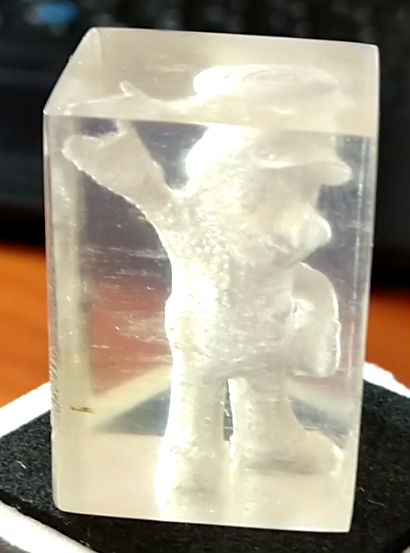
But after months of refining his process, [Tomer Glick] has finally put together his guide for creating transparent prints on a standard desktop FDM machine. It doesn’t even require any special filament, he says it will work on PLA, ABS, or PETG, though for the purposes of this demonstration he’s using the new Prusament ABS. The process requires some specific print settings and some post processing, but the results he’s achieved are well worth jumping though a few hoops.

According to [Tomer] the secret is in the print settings. Essentially, you want the printer to push the layers together far closer than normal, in combination with using a high hotend temperature and 100% infill. The end result (hopefully) is the plastic being laid down by the printer is completely fused with the preceding one, making a print that is more of a literal solid object than we’re used to seeing with FDM printing. In fact, you could argue these settings generate internal structures that are nearly the polar opposite of what you’d see on a normal print.

The downside with these unusual print settings is that the outside of the print is exceptionally rough and ugly (as you might expect when forcing as much plastic together as possible). To expose the clear internals, you’ll need to knock the outsides down with some fairly intense sanding. [Tomer] says he starts with 600 and works his way up to 4000, and even mentions that when you get up to the real high grits you might as well use a piece of cardboard to sand the print because that’s about how rough the sandpaper would be anyway.

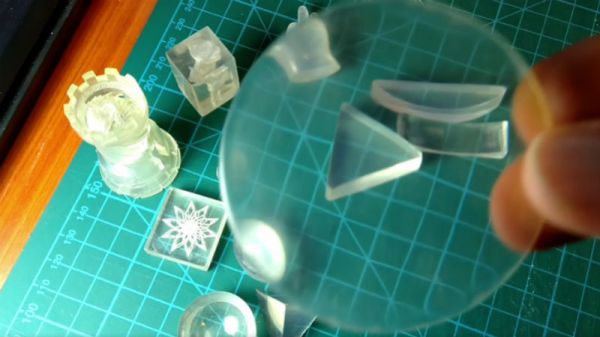
[Tomer] goes on to demonstrate a printed laser lens, and even shows how you can recreate the effect of laser-engraved acrylic by intentionally putting voids inside the print in whatever shape you like. It’s a really awesome effect and honestly something we would never have believed came off a standard desktop 3D printer.

In the past we’ve seen specialized filament deliver some fairly translucent parts, but those results still weren’t as good as what [Tomer] is getting with standard filament. We’re very interested in seeing more of this process, and are excited to see what kind of applications hackers can come up with.

Continue reading “True Transparent Parts From A Desktop 3D Printer”
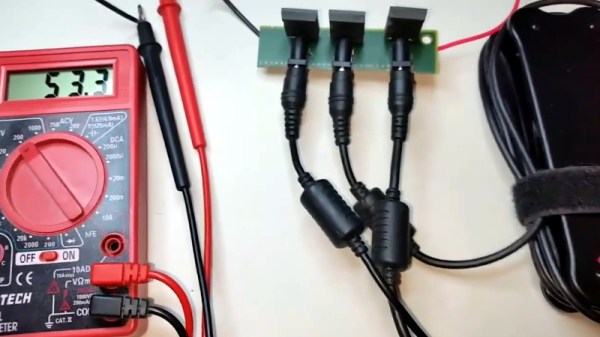
Laptop Chargers Team Up To Get The Juice Flowing

There’s perhaps nothing harder to throw away than a good power supply. Whether it’s the classic “wall wart” whose mate has long since been misplaced or a beefy ATX you pulled out of a trashed computer, it always seems like there should be something you could do with these little wonders of modern power conversion. So into the parts bin it goes, where it will stay evermore. But not for the [TheRainHarvester], who figured out that the secret to putting a drawer full of old laptop chargers to use was combing them like hacker Voltron.

Using three old IBM laptop chargers, he’s able to produce up to 48 volts DC at a healthy 4.5 amps. His cobbled together power supply even features an variable output, albeit with some mighty coarse adjustment. As each charger is individually rated for 16V, he can unplug one of the adapters to get 32V.

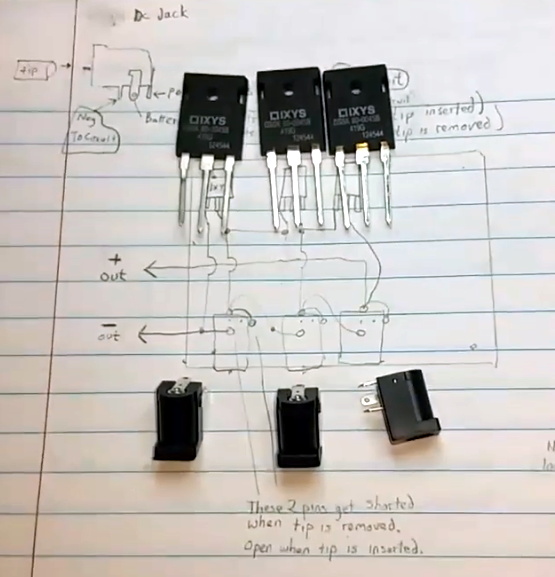
In the video after the break [TheRainHarvester] walks viewers through the construction of his simple adapter, which could easily be made with salvaged parts. Built on a trace-free piece of fiber board, the adapter consists of the three barrel jacks for the chargers and a trio of beefy Schottky diodes.

The nature of the barrel jacks (which short a pin once the plug is removed) along with the diodes allows [TheRainHarvester] to combine the output of the three adapters in series without running the risk of damaging them if for example one is left plugged into the adapter but not the wall. He’s also looking to add some status LEDs to show which chargers are powered on.

Unfortunately, [TheRainHarvester] realized a bit too late that what he thought was an inert piece of board actually had a ground plane, so he’s going to have to come up with a new way to tie the whole thing together on the next version which he says is coming now that he knows the concept seems workable.

In the meantime, if you’re thinking of hacking something together with the wealth of old laptop chargers we know are kicking around the lab, you might want to take a look at our primer for understanding all those hieroglyphs on the back of the thing.

Continue reading “Laptop Chargers Team Up To Get The Juice Flowing”

Mini Van De Graaff Is A Shocking Desk Toy

The Van De Graff generator is a device capable of generating potentially millions of volts of electricity which you can build in an afternoon, probably from parts you’ve got in the junk bin. This is not a fact that’s escaped the notice of hackers for decades, and accordingly we’ve seen several Van De Graaff builds over the years. So has high voltage hacker [Jay Bowles], but he still thought he could bring something new to the table.

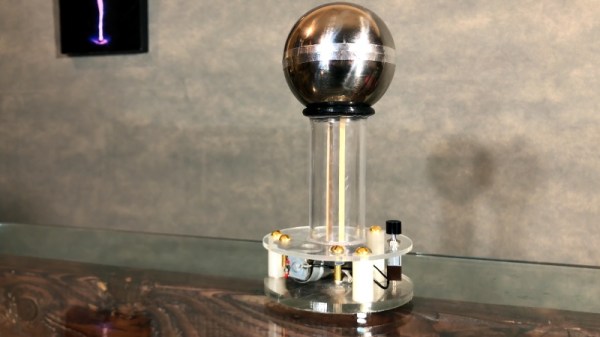
The focus of his latest build was to not only produce one of the most polished and professional versions of this venerable piece of high voltage equipment, but also make it accessible for others by keeping the design simple and affordable. The final result is a 40,000 volt Van De Graaff generator that’s powered by two AA batteries and can fit in the palm of your hand.

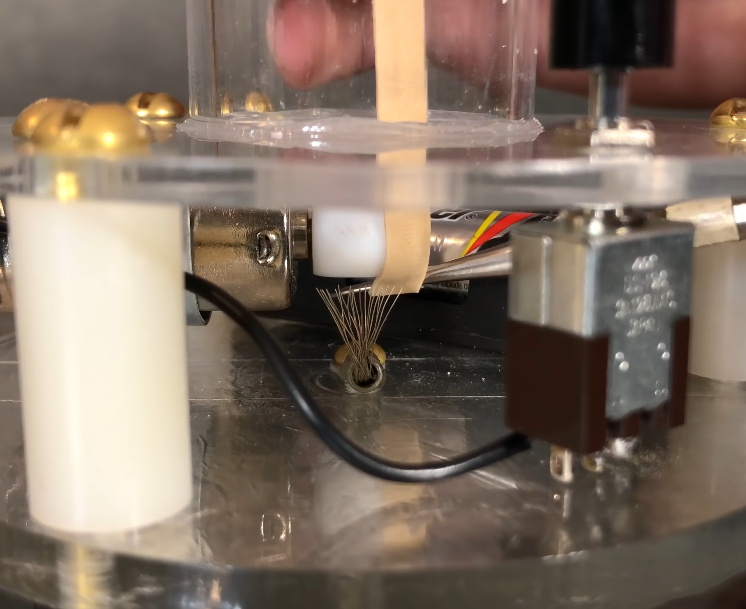
Put simply, a Van De Graaff generator creates static electricity from the friction of two metal combs rubbing against a moving belt, which is known as the triboelectric effect. The belt is stretched between the two combs and passes through an insulated tube, which serves to “pump” electrons from one side to the other. The end result is that a massive charge builds up on the positive side of the Van De Graaff generator, which is all too willing to send a spark firing off towards whatever negatively charged object gets close enough.

The video after the break guides viewers through the process of turning this principle into a practical device, illustrating how remarkably simple it really is. A common hobby motor is used to get the belt going, in this case just a wide rubber band, and the rest of the components are easily sourced or fabricated. Even for what’s arguably the most intricate element of the build, the combs themselves, [Jay] uses nothing more exotic than aluminum foil tape and a piece of stranded wire splayed out.

Combined with the acrylic base and the purpose-made metal sphere (rather than using a soda can or other upcycled object), the final result not only generates healthy sparks but looks good doing it. Though if the final fit and finish isn’t important, you could always build one out of stuff you found in the trash.

Continue reading “Mini Van De Graaff Is A Shocking Desk Toy”

The Space Station Has A Supercomputer Stowaway

The failed launch of Soyuz MS-10 on October 11th, 2018 was a notable event for a number of reasons: it was the first serious incident on a manned Soyuz rocket in 35 years, it was the first time that particular high-altitude abort had ever been attempted, and most importantly it ended with the rescue of both crew members. To say it was a historic event is something of an understatement. As a counterpoint to the Challenger disaster it will be looked back on for decades as proof that robust launch abort systems and rigorous training for all contingencies can save lives.

But even though the loss of MS-10 went as well as possibly could be expected, there’s still far reaching consequences for a missed flight to the International Space Station. The coming and going of visiting vehicles to the Station is a carefully orchestrated ballet, designed to fully utilize the up and down mass that each flight offers. Not only did the failure of MS-10 deprive the Station of two crew members and the experiments and supplies they were bringing with them, but also of a return trip which was to have brought various materials and hardware back to Earth.

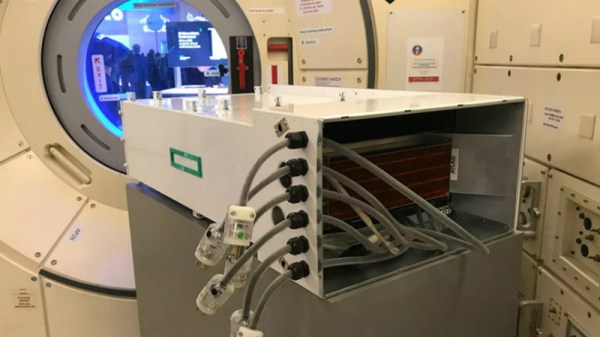
But there’s been at least one positive side effect of the return cargo schedule being pushed back. The “Spaceborne Computer”, developed by Hewlett Packard Enterprise (HPE) and NASA to test high-performance computing hardware in space, is getting an unexpected extension to its time on the Station. Launched in 2017, the diminutive 32 core supercomputer was only meant to perform self-tests and be brought back down for a full examination. But now that its ticket back home has been delayed for the foreseeable future, NASA is opening up the machine for other researchers to utilize, proving there’s no such thing as a free ride on the International Space Station.

Continue reading “The Space Station Has A Supercomputer Stowaway”

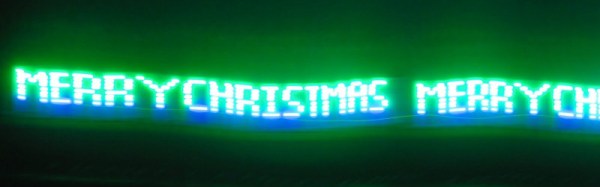
Christmas POV Display Makes Viewer Do The Work

Hackaday readers have certainly seen more than a few persistence of vision (POV) displays at this point, which usually take the form of a spinning LED array which needs to run up to a certain speed before the message becomes visible. The idea is that the LEDs rapidly blink out a part of the overall image, and when they get spinning fast enough your brain stitches the image together into something legible. It’s a fairly simple effect to pull off, but can look pretty neat if well executed.

But [Andy Doswell] has recently taken an interesting alternate approach to this common technique. Rather than an array of LEDs that spin or rock back and forth in front of the viewer, his version of the display doesn’t move at all. Instead it has the viewer do the work, truly making it the “Chad” of POV displays. As the viewer moves in front of the array, either on foot or in a vehicle, they’ll receive the appropriate Yuletide greeting.

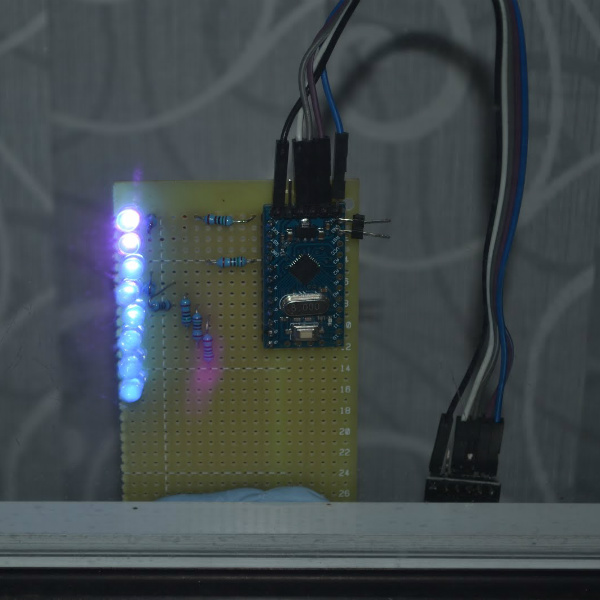
In a blog post, [Andy] gives some high level details on the build. Made up of an Arduino, eight LEDs, and the appropriate current limiting resistors on a scrap piece of perfboard; the display is stuck on his window frame so anyone passing by the house can see it.

On the software side, the code is really an exercise in minimalism. The majority of the file is the static values for the LED states stored in an array, and the code simply loops through the array using PORTD to set the states of all eight digital pins at once. The simplicity of the code is another advantage of having the meatbag human viewer figure out the appropriate movement speed on their own.

This isn’t the only POV display we’ve seen with an interesting “hook” recently, proving there’s still room for innovation with the technology. A POV display that fits into a pen is certainly a solid piece of engineering, and there’s little debate the Dr Strange-style spellcaster is one of the coolest things anyone has ever seen. And don’t forget Dog-POV which estimates speed of travel by persisting different images.

[Thanks to Ian for the tip.]

Easily Deboss Notebooks With A 3D Printed Stamp

While it’s arguably a bit closer to the “Arts & Crafts” region of the making spectrum upon which we don’t usually tread on account our l33t sense of superiority, we’ve got to admit that the quick and easy notebook customization demonstrated by [Sean Hodgins] is very compelling. We don’t put ink to dead trees with nearly the frequency we used to, but when we do it might as well be Hemingway-style with a little black Hackaday emblazoned notebook.

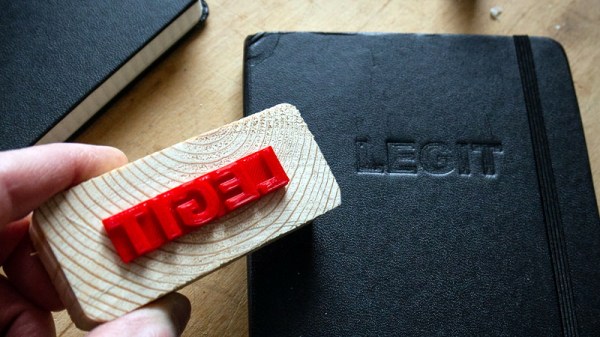
As demonstrated in the video after the break, the process starts by designing the stamp in your CAD package of choice. For optimal results [Sean] suggests fairly large capital letters, but with practice you should be able to get into some more creative fonts. Potentially you could even use the logo of your favorite hacking blog, but who are we to dictate what you do?

Whatever you chose, it needs to be mirrored and placed on a relatively thick backing. He recommends a 2 mm thick “plate” with the letters raised on top. You’ll want to print it at a high infill percentage, but even still it shouldn’t take more than 30 minutes or so to run off. Remember there tends to be diminishing returns on infill past 50%, so taking it all the way to 100% is not going to do much but expend more time and plastic.

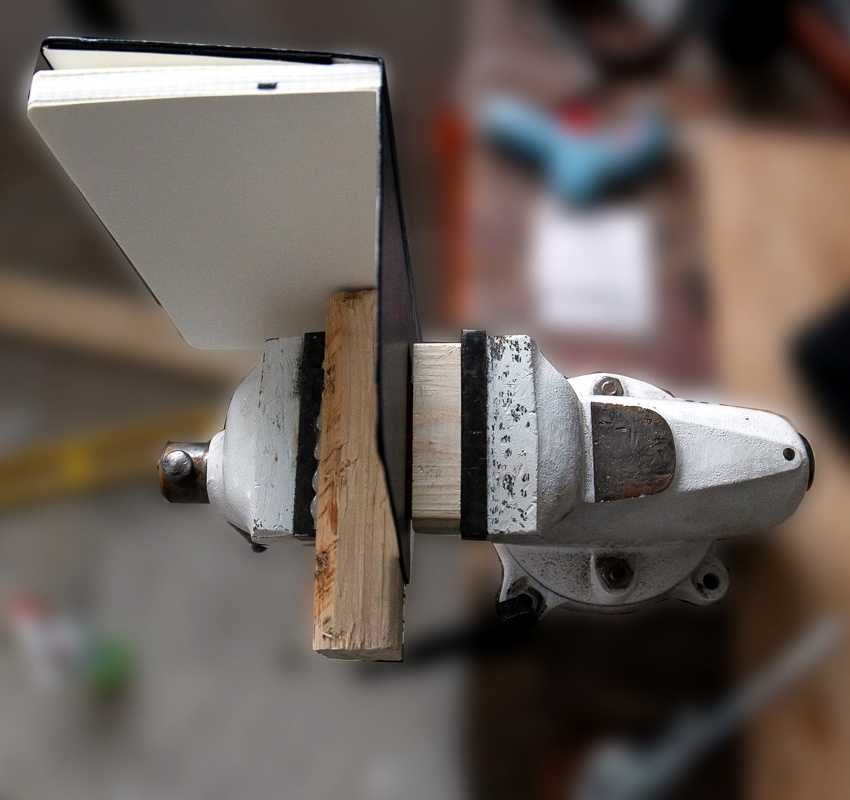
Once printed, [Sean] hot glues the stamp to a block of wood since putting pressure on the printed piece directly would likely crack it. Then it’s just a matter of getting your notebook, printed stamp, and blocks of wood lined up in to a suitably beefy bench vise. Getting everything aligned is one of those things that easier said than done, so expect to mess up the first couple until you get the hang of it.

When the alignment looks good, crank it down and let it sit for a few minutes. If you’re embossing the design into actual leather, wetting it a bit before putting the pressure on should help. The final effect is understated but undeniably very slick; and with the Holidays rapidly approaching this might be an excellent way to knock out some legitimately thoughtful gifts.

Ultimately the idea here is something of a lightweight version of the 3D printed press break dies used to bend aluminum or the punch and die set used for steel plates. At this point it seems there’s enough evidence to say that 3D printed objects are certainly strong enough (in compression, at least) to put some legitimate work in.

Continue reading “Easily Deboss Notebooks With A 3D Printed Stamp”

Negative Voltage Pushes AVR To New Heights

If we say that a hacker is somebody who looks at a “solved” problem and can still come up with multiple alternative solutions, then [Charles Ouweland] absolutely meets the grade. Not that we needed more evidence of his hacker cred given what we’ve seen from him before, but he recently wrote in to tell us about an interesting bit of problem solving which we think is a perfect example of the principle. He wanted to drive a salvaged seven segment LED display with an AVR microcontroller, but there was only one problem: the display needs 15V but the AVR is only capable of 5V. So what to do?

As it turns out, the first step to solving the problem was verifying there was actually a problem to begin with. [Charles] did some experimentation and found that the display didn’t actually need 15V to operate, and in fact would light up well enough at just 6.5V. This lowered the bar quite a bit, but it was still too high to power directly from the chip.

There were a few common ways to solve this problem, which no doubt the Hackaday reader is well aware of. But [Charles] wanted to take the path less traveled. More specifically, the path with the least amount of additional components he had to put on his PCB. He set out to find the absolute easiest way to make his 5V AVR light up a 6.5V LED, and ended up coming with a very clever solution that some may not even know is possible.

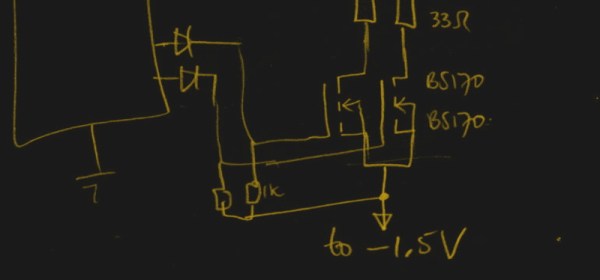
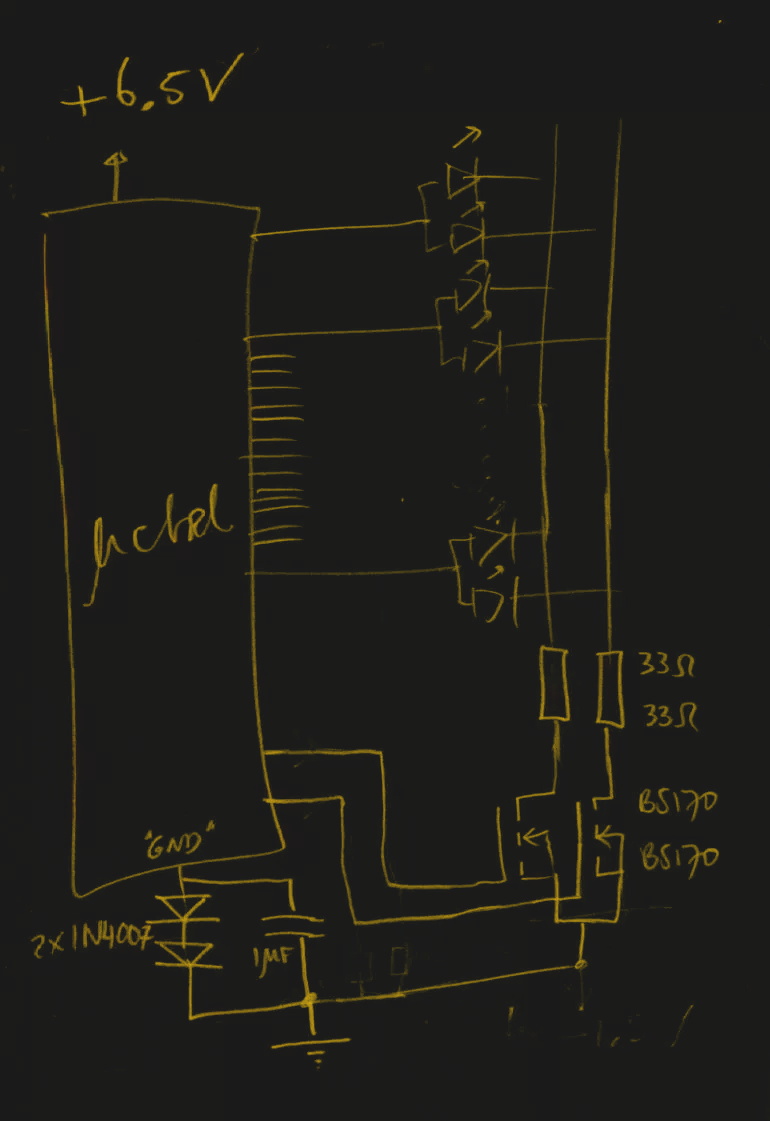
He reasoned that if he connected the source pins of two BS170 MOSFETs to a voltage of -1.5V, even when the AVR pin was 0V, they would be still be receiving 1.5V. This virtual “step ladder” meant that once the AVR’s pin goes high (5V), the relative voltage would actually be 6.5V and enough to drive his LEDs. Of course the only problem with that is that you need to have a source for -1.5V.

Getting a negative voltage would normally require adding more components to the design (which he set out to avoid in the first place), but then he came up with another clever idea. To pull the trick off, he actually feeds the AVR 6.5V, but raises the ground voltage by 1.5V with the addition of two 1N4007 diodes. This way the AVR gets a voltage within its capabilities and still can provide a relative 6.5V to the LEDs.

One might say [Charles] took the Kobayashi Maru approach, and simply redefined the rules of the game. But such is the power of the confounding negative voltage.