
Wonder Woman And The Real Lasso Of Truth

You might think it is strange that a story about technology would start off talking about Wonder Woman. When you realize the technology in question is a lie detector, you might think, “Oh, that’s right. Wonder Woman had the lasso of truth, so this is just a lame association.” You might think that, but you’d be wrong. Turns out, Wonder Woman and real life polygraphs have a much deeper connection; both the polygraph and Wonder Woman share a common creator.

It makes a good story to say that William Marston — an internationally famous psychologist — created the polygraph, but as you might expect it wasn’t the result of a single person’s effort. However, Marston played a key role and also was behind promoting the technology. So, too, even though he is credited as Wonder Woman’s sole creator, the truth is probably a bit more complex.

Continue reading “Wonder Woman And The Real Lasso Of Truth”

Linux Fu: Stupid SSH Tricks

If you connect to remote computers over the Internet, it is a pretty good chance you use some form of SSH or secure shell. On Linux or Unix you’ll use the ssh command. Same goes for Linux-like environments on Windows like Cygwin or WSL. For native Windows, you might be using Putty. In its simplest form, ssh is just a terminal program that talks to a server using an encrypted connection. We think it is very hard to eavesdrop on anyone communicating with a remote computer via ssh.

There are several tricks for using ssh — some are pretty straightforward and some are things you might not think of as being in the domain of a terminal program. You probably know that ssh can copy files securely, and there are easy and hard ways to set up logging in with no password.

However, you can also mount a remote filesystem via ssh (actually, there are several ways to do that). You can use ssh to securely browse the web in your favorite browser, or even use it to tunnel specific traffic by port or even use it as a makeshift VPN. In fact, there’s so much ground to cover that this won’t be the last Linux Fu to talk about ssh. But enough setup, let’s get to the tricks.

Continue reading “Linux Fu: Stupid SSH Tricks”

.NET To FPGA With Hastlayer

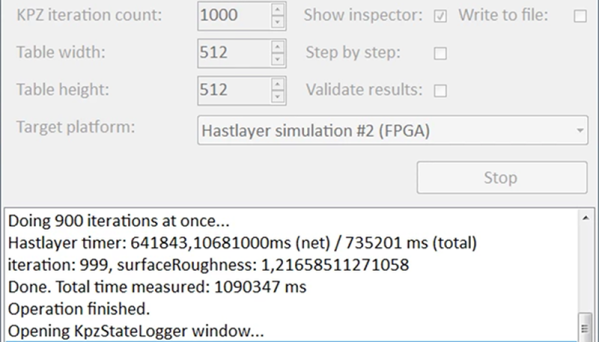
There are lots of ways to use FPGAs. One way is to convert compute-bound software into hardware. This can increase speed and — in some cases — reduce power consumption. Typically, you’ll do this by writing in a subset of C, but Hastlayer can convert .NET assemblies into FPGA configurations with some limitations.

The Hungarian company behind Hastlayer claims they’ll eventually have to charge money for something but for now, the tool is free and they are promising to always have some free option. The interesting thing is that the .NET assemblies are essentially object code so you aren’t compiling source but rather an intermediate language that you can generate with many different language tools.

Continue reading “.NET To FPGA With Hastlayer”

Yosys Fronts For Xilinx ISE

We always marvel at how open-source tools can often outstrip their commercial counterparts. Yosys, the open-source tool for Verilog synthesis, is a good example. Although the Xilinx ISE design suite is something close to abandonware, a lot of people still use it because it supports older FPGAs the newer tools don’t. Its Verilog parser is somewhat slow to catch up to new standards, and according to a recent GitHub update, Yosys can now provide files for ISE that target Spartan 6, Virtex 7, and Series 7 FPGAs. In addition, there is some support for Spartan 3, Virtex 2, 4, and 5, although those are not ready yet.

According to the post, you’ll want to use the synth_xilinx command along with the -ise option and a -family option that matches your target (that is, xc6s for Spartan 6).  On the output side, you’ll write an EDIF file using the write_edif command.

Continue reading “Yosys Fronts For Xilinx ISE”

Supercon SMD Challenge Gets 3D Printed Probes: Build Your Own

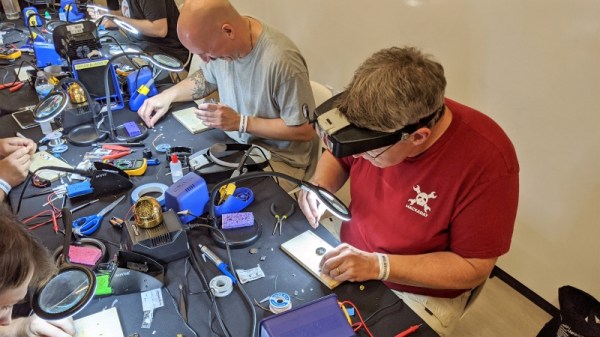
This year was the second SMD challenge at Supercon, so it stands to reason we probably learned a few things from last year. If you aren’t familiar with the challenge, you are served some pretty conventional tools and have to solder a board with LEDs getting progressively smaller until you get to 0201 components. Those are challenging even with proper tools, but a surprising number of people have managed to build them even using the clunky, large irons we provide.

During the first challenge, we did find one problem though. The LEDs are all marked for polarity. However, since we don’t provide super high power magnification, it was often difficult to determine the polarity, especially on the smaller parts. Last year, [xBeau] produced some quick LED testers to help overcome this problem. This year we refined them a bit.

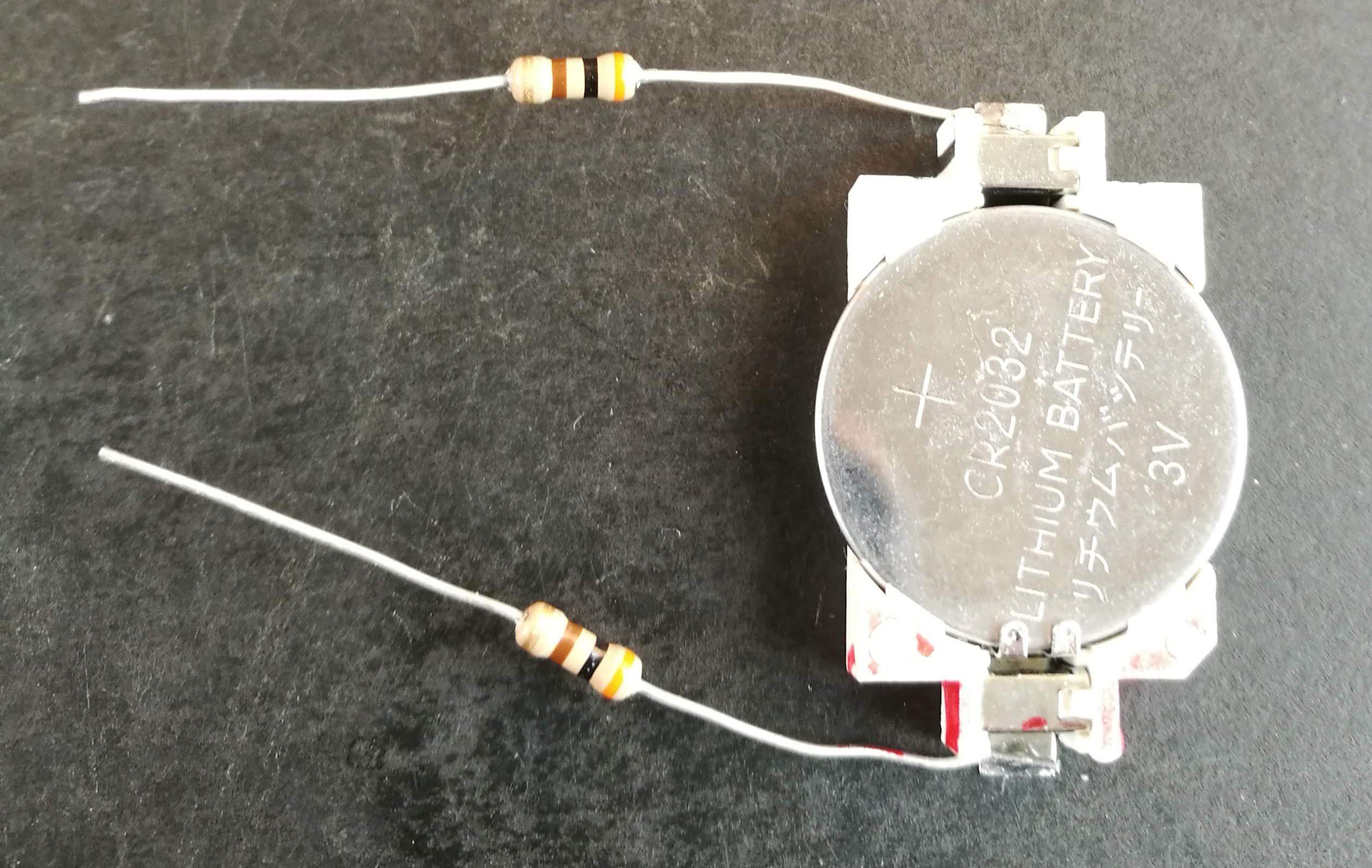
As you can see, the 2018 model was a very clever use of what was on hand. A CR2032 holder powered the probes and the probes themselves were two resistors. If you can get the LED to light with the probes you know which lead is the anode and which is the cathode. A little red ink makes it even more obvious. Continue reading “Supercon SMD Challenge Gets 3D Printed Probes: Build Your Own”

Code The Classics Is Coming

We feel sorry for youth of today. If you spend a few hours playing a modern video game and decide you want to write your own, there’s a big job ahead of you. Games now are as much performances as programs, with cinematic 3D renderings, polyphonic sound and music tracks, and detailed storylines. That wasn’t true 40 years ago, when you could play Pong and then think about writing your own version. The Raspberry Pi people must agree as they are taking preorders for a book called “Code the Classics.” In it, they interview designers of several classic arcade games and then show Python versions of the games you can run — and hack — yourself. You can see their video about the title, below.

The code is from Raspberry Pi founder [Eben Upton] and as you might expect the games aren’t necessarily faithful reproductions but inspired by the old arcade standards.

Continue reading “Code The Classics Is Coming”

Linux Fu: Debugging Bash Scripts

A recent post about debugging constructs surprised me. There were quite a few comments about how you didn’t need a debugger, as long as you had printf. For that matter, we’ve all debugged systems where you had nothing but an LED to flash or otherwise turn on to communicate with the user. However, it is hard to deny that a debugger can help with complex code.

To say you only need printf would be like saying you only need machine language. Technically accurate — you can do anything in machine language. But it sure makes things easier to have an assembler or some language to help you work out your problem. If you write a simple bash script, you can use the equivalent to printf — maybe that’s the echo command, although there is usually a printf command on a typical system, if you want to use it. However, there are other things you can do with bash including a pretty cool debugger if you know how to find it.

I assume you already know how to use echo and printf, but let’s dig into how to use trace execution line by line without the need for echo statements on every other line. Along the way, you’ll learn how to get started with the bash debugger.

Continue reading “Linux Fu: Debugging Bash Scripts”