Open Source IDE For FPGAs As QtCreator Learns Verilog

Classic battles: PC vs Mac, Emacs vs Vi, Tastes Great vs Less Filling, and certainly one that we debate around the Hackaday watercooler: command line or IDE? There’s something to be said for using good old command line tools, and even if you like to configure your favorite editor to be nearly an IDE, at least it is one you are familiar with and presumably leverage over several different uses.

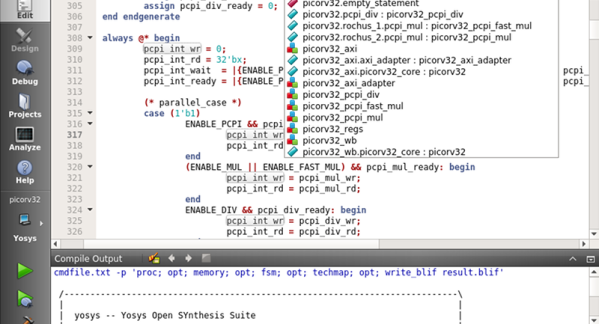
Most commercial FPGA tools come with a heavy-weight IDE. The open source tools for Lattice (IceStorm) typically is driven by the command line or a makefile. Until now. [Rochus-Keller] released VerilogCreator which is a plugin for QtCreator.

We were impressed because as IDEs go, QtCreator is both useful and lightweight, two things that don’t go together for many similar tools. [FPGAwars] has had an IDE based on Atom (apio-ide) although it hasn’t been updated in nearly a year. IceStudio sees more updates, of course, but it isn’t so much an IDE as a GUI-based code builder.

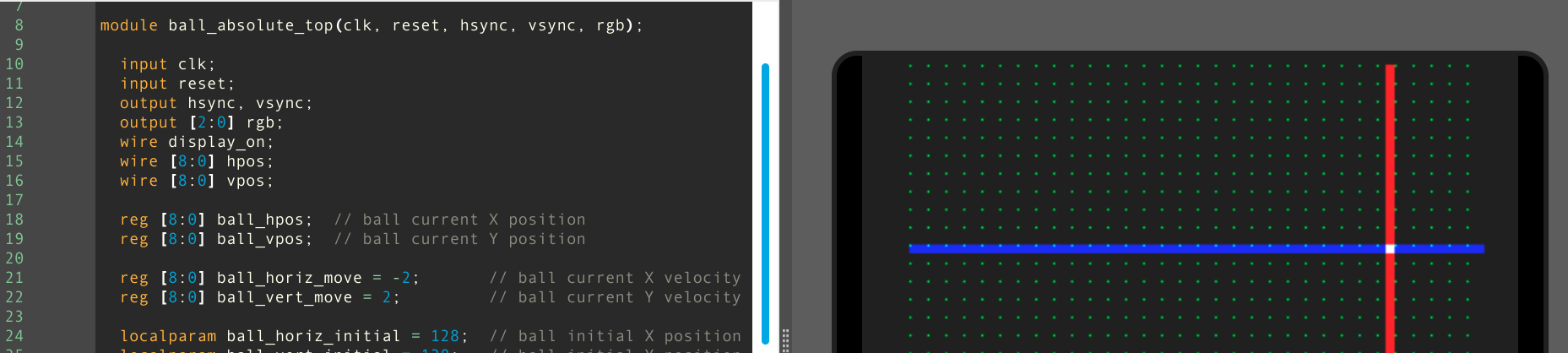
[Rochus-Keller] says there’s more to come. However, even at this early stage the IDE does syntax coloring, tooltips, inline messages, and can analyze source code allowing you to cross-reference symbols as you’d expect. There are configurations for Icarus to do simulations or you can use Verilator or Yosys — the synthesizer behind IceStorm. It appears it can also interact with Tcl-based workflows like those used by most FPGA vendor IDEs.

There’s quite a bit still on the to-do list, so we are excited to see where this is going. QtCreator isn’t hard to learn and it doesn’t’ feel as bloated as some of the big IDEs like Eclipse. If you want a quick introduction to QtCreator, we did that already. If you want to draw boxes instead of writing Verilog directly, try IceStudio.


1985 Electric Vehicle Restoration

We tend to think of electric vehicles as a recent innovation, however many successful products are not the first ones to appear on the market. We have a habit of forgetting the progenitors such as mechanical scanned TVs or the $10,000 Honeywell kitchen computer. A case in point is [Clive Sinclair]’s C5 electric vehicle from 1985. If you’ve heard of it at all, you probably recall it was considered a stellar disaster when it was released. But it is a part of electric vehicle history and you can see [RetroManCave] talk to [Dave] about how he restored and operates a C5 of his own in the video below. If you want to dig into the actual restoration, [Dave] has three videos about the teardown and rebuild on his channel.

Sinclair saw this as the first shot across the bow with a series of electric vehicles, but it was doomed from the start. It isn’t a car. In fact, it is more like a bicycle with a battery. It seats one occupant who is exposed to the elements. It had a very tiny trunk. It can go — optimistically — 15 miles per hour and runs out of juice after about 20 miles — if you helped out by pedaling. If you weren’t up for the exercise, you’d get less out of the lead-acid battery.

Continue reading “1985 Electric Vehicle Restoration”

Does Electronic Current Flow Like Water?

If you think about an asylum, there are two kinds of people in it: staff and patients. We aren’t sure which one [Nick Lucid] is in the latest The Science Asylum video that tries to answer the question: does electricity really flow like water?

If you think about it, that isn’t such a strange question. We talk about electrical current — just like current in a stream. Many introductory books on electricity try to relate voltage to water pressure, electric current to water flow, and resistance to changes in pipe volume. Of course, you probably figured out that analogy doesn’t — ahem — hold water to some level of detail, but just how far off is it? We won’t spoil the surprise so you can watch the video to find out, but there were several really interesting tidbits. How fast do electrons drift through a conductor? The speed of light? Actually, no — remember, drift velocity is the average speed of an individual electron, not the speed of the electric current.

Continue reading “Does Electronic Current Flow Like Water?”

Top Secret Teardown Reveals Soviet Missile Secrets

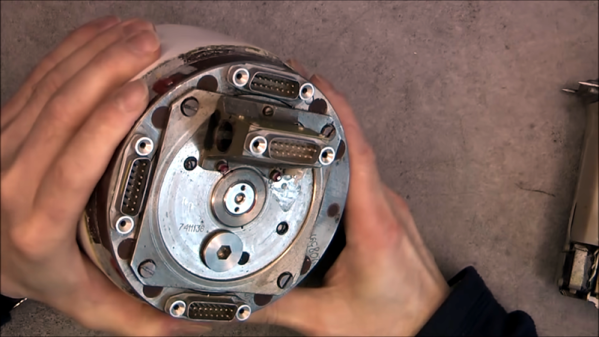
Technology has moved at such a furious pace that what would have been most secret military technology a few decades ago is now surplus on eBay. Case in point: [msylvain59] picked up a Soviet-era K-13 IR seeker used to guide air-to-air missiles to their targets. Inside is a mechanical gyroscope turning at over 4,000 RPM, a filter made of germanium to block visible light, and a photoresistor. It’s sobering to think you can get all of this in a few small packages these days, if not integrated into one IC.

Fitting on top of a missile, the device isn’t that large anyway, but it is nothing like what a modern device would look like. A complex set of electronics processes the signal and moves steering actuators that control fins and other controls to guide the missile’s flight. You can see a video of the device giving up its secrets, below.

Continue reading “Top Secret Teardown Reveals Soviet Missile Secrets”

Old Game Development IDE Goes FPGA

If you have a thing for old game development — things like the Atari 2600 or similar period arcade games — you might already know about the 8bitworkshop IDE. There you can develop code in your browser for those platforms. In a recent blog post, the site announced you can now also do FPGA development in the IDE.

According to the site:

Most computers are fast enough to render a game at 60 Hz, which requires simulating Verilog at almost 5 million ticks per second.

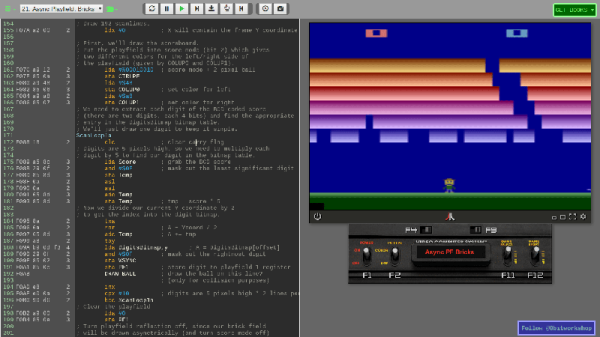
To activate Verilog, you need to select the hamburger menu to the top left, select Platform, and then under Hardware, check Verilog. What makes this different from, say, EDA Playground, is that the output can be waveforms or the output to a virtual TV monitor. For example, here’s one of the examples:

The Verilog code is generating horizontal and vertical sync along with an RGB output and the results appear on the monitor to the right. There is a handle at the bottom of the screen. If you drag it up you will see the logic analyzer output. Drag it down and you’ll see the screen again. The examples include an 8-bit and 16-bit CPU, and example games that can even read the mouse.

Honestly, we don’t think anyone would suggest using Verilog to write in-browser games. That isn’t really the point here. However, if you are trying to learn Verilog, it is great fun to be able to produce something other than just abstract waveforms from simulation. The only downside is that to move to a real piece of hardware, you’d need to duplicate the interfaces provided by the IDE. That would not be very hard, and — of course — if you are just using it to learn you can try a different project for the real world.

If you need help getting going in Verilog, we have a series of boot camps that can help. Those tutorials use EDA Playground, but they’d probably work here, too. If you try them in the IDE, be sure to let us know your experience.

Explaining Fourier Again

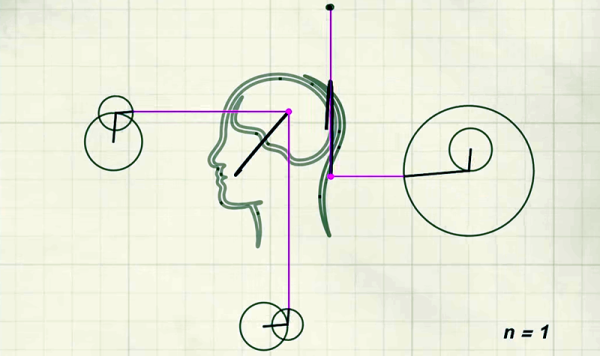
One of the nice things about living in the Internet age is that creating amazing simulations and animations is relatively simple today. [SmarterEveryDay] recently did a video that shows this off, discussing a blog post (which was in Turkish) to show how sine waves can add together to create arbitrary waveforms. You can see the English video, below.

We’ve seen similar things before, but if you haven’t you can really see how a point on a moving circle describes a sine wave. Through adding those waves, anything can then be done.

Continue reading “Explaining Fourier Again”

Radio Gets Ridiculous

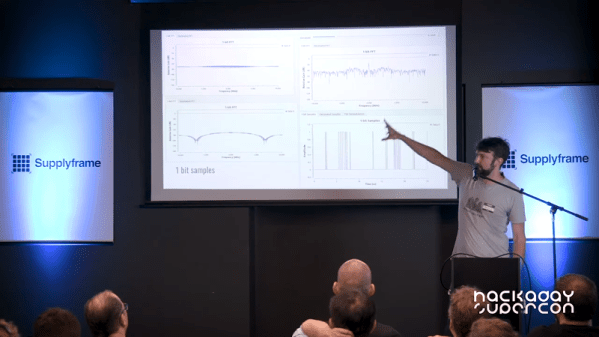
There were plenty of great talks at this year’s Supercon, but we really liked the title of Dominic Spill’s talk: Ridiculous Radios. Let’s face it, it is one thing to make a radio or a computer or a drone the way you are supposed to. It is another thing altogether to make one out of things you shouldn’t be using. That’s [Dominic’s] approach. In a quick 30 minutes, he shows you two receivers and two transmitters. What makes them ridiculous? Consider one of the receivers. It is a software defined radio (SDR). How many bits should an SDR have? How about one bit? Ridiculous? Then you are getting the idea.

Dominic is pretty adept at taking a normal microcontroller and bending it to do strange RF things and the results are really entertaining. The breadboard SDR, for example, is a microcontroller with three components: an antenna, a diode, and a resistor. That’s it. If you missed the talk at Supercon, you can see the newly published video below, along with more highlights from Dominic’s talk.

Continue reading “Radio Gets Ridiculous”