Vector Network Analyzer Uses SoC FPGA

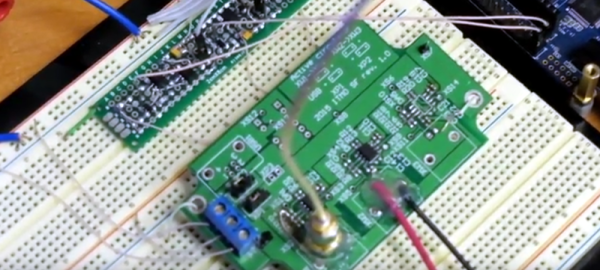
If you are working with AC circuits a vector network analyzer (VNA) is quite handy. As an entry to the InnovateFPGA competition for students, [Evgenii Vostrikov], [Danila Nikiforovskii], and [Daniil Smirnov] created a VNA using a DE10-Nano, high-speed analog to digital and digital to analog converters, and a circulator. Most of the details are in the video below, and on the project’s GitHub page.

The DE10-Nano has a dual-core ARM processor and an Altera FPGA in one package. That allows you to use the CPUs where that makes sense and still leverage the FPGA where you need high performance.

The circulator uses an op-amp to allow the test signal to route to the device under test, while steering any reflected signal back to the device for measurement. The design also uses a lock-in amplifier, something we’ve talked about a few times recently. This allows less expensive converters to generate magnitude and phase information.

Judging by the fan in the video, we suspect the setup gets a little toasty. The GitHub page has a lot of Russian on it, so we aren’t sure how much we could puzzle out since our Russian skills were mostly from watching the Adventures of Moose and Squirrel.

If you are interested in a VNA, they aren’t as expensive as they used to be. Particularly, if you roll your own and already have some things in your junk box.

Continue reading “Vector Network Analyzer Uses SoC FPGA”

Breadboarding: Git For A/B Testing Actual Bread

We will be the first to admit, we like to use Git for a lot of things that are probably off the beaten path. But now thanks to [hendricius] you can find out how to make your own bread on GitHub. Let’s get one thing straight. This isn’t the breadmaker fad from a while back, although we are surprised we don’t see more hacked together breadmakers with Internet connectivity. This is old-fashioned bread baking with a bowl, some ingredients, and an oven or another heat source.

You might think this is just using Git as a repository for recipes, but it is more than that. According to [hendricius]:

Learn how to master the art of baking the programmer way. If you love programming, you will also enjoy breaking some bread. A/B test, iterate and ultimately become a self-taught baker. This repository is dedicated to becoming your bread manifesto with useful tricks and hacks. Furthermore, the goal is to illustrate how easy making bread is and that you can get started today without expensive tools.

Continue reading “Breadboarding: Git For A/B Testing Actual Bread”

Harmony Hub Hacked And Patched

When we say “hack” here we most often mean either modifying something to do something different or building something out of parts. But as we build more Internet-connected things, it is worthwhile to think about the other kind of hack where people gain unauthorized access to a system. For example, you wouldn’t think a remote control would be a big deal for hackers. But the Logitech Harmony Hub connects to the Internet and runs Linux. What’s more is it can control smart devices like door locks and thermostats, so hacking it could cause problems. FireEye’s Mandian Red Team set out to hack the Harmony and found it had a lot of huge security problems.

The remote didn’t check Logitech’s SSL certificate for validity. It didn’t have a secure update process. There were developer tools (an SSH server) left inactive in the production firmware and — surprisingly — the root password was blank! The team shared their findings with Logitech before publishing the report and the latest patch from the company fixes these problems. But it is instructive to think about how your Raspberry Pi project would fare under the same scrutiny.

In fact, that’s the most interesting part of the story is the blow-by-blow description of the attack. We won’t spoil the details, but the approach was to feed the device a fake update package that turned on a dormant ssh server. Although they started by trying to solder wires to a serial port, that wasn’t productive and the final attack didn’t require any of that.

We’ve looked at some ways to harden Linux systems like the Raspberry Pi before, but honestly, it is an ongoing battle. We’ve seen plenty of devices with cybersecurity holes in them — some not found by good guy hackers first.

3D Printed Bicycle Tire Not Full Of Hot Air

To show off its new TPU filament called PRO FLEX, BigRep GmbH posted a video showing a 3D printed bike tire that uses a flexible plastic structure instead of air. The video shows them driving the bike around Berlin.

According to the company, the filament will allow the creation of a large number of industrial objects not readily built with other types of plastic. Their release claims the material has high temperature resistance, low temperature impact resistance, and is highly durable. Applications include gear knobs, door handles, skateboard wheels, and other flexible parts that need to be durable.

The material has a Shore 98 A rating. By way of comparison, a shoe heel is typically about 80 on the same scale and an automobile tire is usually around 70 or so. The hard rubber wheels you find on shopping carts are about the same hardness rating as PRO FLEX.

Obviously, a bicycle tire is going to take a big printer. BigRep is the company that makes the BigRep One which has a large build volume. Even with a wide diameter tip, though, be prepared to wait. One of their case studies is entitled, “Large Architectural Model 3D Printed in Only 11 Days.” Large, in this case, is a 1:50 scale model of a villa. Not tiny, but still.

We’ve looked at other large printers in the past including 3DMonstr, and the Gigimaker. Of course, the latest trend is printers with a practically infinite build volume.

Continue reading “3D Printed Bicycle Tire Not Full Of Hot Air”

Algorithms For Visual Learners

Computer programming is a lot like chess. It is fairly simple to teach people the moves. But knowing how the pieces move isn’t the reason you can win. You have to understand how the pieces work together. It is easy to learn the mechanics of a for loop or a Java interface. But what makes programs work are algorithms. There are many books and classes dedicated to algorithms, but if you are a visual learner, you might be interested in a site that shows visualizations of algorithms called VisuAlgo.

The site is from [Dr. Steven Halim] and is meant for students at the National University of Singapore, but it is available “free of charge for Computer Science community on earth.” We suspect if any astronauts or cosmonauts wanted to use it in space, they’d be OK with that, too.

The animations and commentary take you through algorithms ranging from the common — sorting and linked lists — to the obscure — Steiner and Fenwick trees. Each animation frame has some commentary, so it isn’t just pretty pictures. The site is available in many languages, too.

Many of the animations allow you to set up problems and execute them using a C-like pseudo language. When it executes, you can watch the execution pointer and a box comments on the current operation. For example, in the linked list unit, you can create a random doubly linked list and then search it for a particular value. Not only can you see the code, but the graphical representation of the list will update as the code runs.

The site allows you to register for free to get additional features, but we didn’t and it was still a great read about many different data structures. Also, a few of the commentary slides require you to show you are actually a computer science professor — we assume there’s some copyright issue involved because it is only a few.

This site is a great example of how many free educational resources are out there on the web. It isn’t just computer science either. MITx — or more generally, edX — has some great hardware classes and many other topics

Ham Reviews MiniVNA

[KB9RLW] wanted to build a vector network analyzer (VNA), but then realized he could buy a ready-made one without nearly the cost it would have been only a few years ago. The network in this case, by the way, is an electrical network, not a computer network. You can use a VNA to characterize components, circuits, antennas, and even feed lines at different frequencies. The miniVNA Pro is economical and can exercise circuits from 1 MHz to 3 GHz. You can see the review in the video below.

There are a few ways to actually create a VNA, but in concept, it is a sweep generator, a detector, and a means to plot the response at each frequency in the sweep. So you’d expect, for example, a resonant frequency to show a peak at resonance and a band reject filter to show a low point.

One of the things interesting about the device is that it uses Java software. That means it doesn’t care much what platform you want to use. The software can show two different plots at once, so [Kevin] hooks it to his 20 meter antenna and shows how it can plot the SWR and impedance around the frequency of interest.

The instrument can be USB powered with the same cable you use to connect the PC. However, it also has an internal rechargeable battery. That battery charges on USB and can operate the device with Bluetooth. We can imagine that being handy when you want to climb up a tower and connect it directly to an antenna as long as you stay in Bluetooth range of the PC. There’s also a phone app, so you can go that route, if you prefer and [Kevin] shows the device working with Android. Of course, you could probably rig a Raspberry Pi on your belt and then use WiFi to let someone on the ground remote desktop in to run measurements. A lot of possibilities.

If you want to roll your own, that’s possible, of course. If you want to get by a bit cheaper, there are less expensive options.

Continue reading “Ham Reviews MiniVNA”

Hardware Acceleration In The Cloud

Computers are great at a lot of things. However, general-purpose computers can benefit from help on certain tasks, which is why your video card and sound card both have their own specialized hardware to offload the CPU. If Accelize has its way, some of your hardware acceleration will be done in the cloud. Yes, we know. The cloud is the buzzword of the week and we are tired of hearing about it, too. However, this service is a particularly interesting way to add FPGA power to just about any network-connected CPU.

Currently, there are only four accelerators available, including a hardware-assisted random number generator, a GZIP accelerator, an engine for rapidly searching text, and a BMP to JPEG converter. The company claims, for example, that the search engine can find 2500 entries in the 60 GB Wikipedia archive in 6 minutes. They claim a traditional CPU would take over 16 days to do the same task. The BMP to JPEG converter can process faster than required to feed real-time HD video.

The cloud, in this case, is FPGA resources hosted in the Amazon cloud or in the OVH public cloud. They’ll clearly charge for the service at some point using a “coin” system. However, right now they are letting you sign up with nothing more than an e-mail address and crediting your account with 50,000 coins. Apparently, coins are 1,000 for one dollar.

Continue reading “Hardware Acceleration In The Cloud”