The 35 Year Music Synthesizer That Spawned Chiptune

If you are a certain age, MOS6581 either means nothing to you, or it is a track from Carbon Based Lifeforms. However, if you were a Commodore computer fan 35 years ago, it was a MOS Technologies SID (Sound Interface Device). Think of it as a sound “card” for the computers of the day. Some would say that the chip — the power behind the Commodore 64’s sound system — was the sound card of its day. Compared to its contemporaries it had more in common with high-end electronic keyboards.

The Conversation has a great write up about how the chip was different, how it came to be, the bug in the silicon that allowed it to generate an extra voice, and how it spawned the chiptune genre of music. The post might not be as technical as we’d do here at Hackaday, but it does have oscilloscope videos (see below) and a good discussion of what it took to create music on the device.

Continue reading “The 35 Year Music Synthesizer That Spawned Chiptune”

Veni, Vidi, ViciLogic Teaches You Digital Logic Interactively

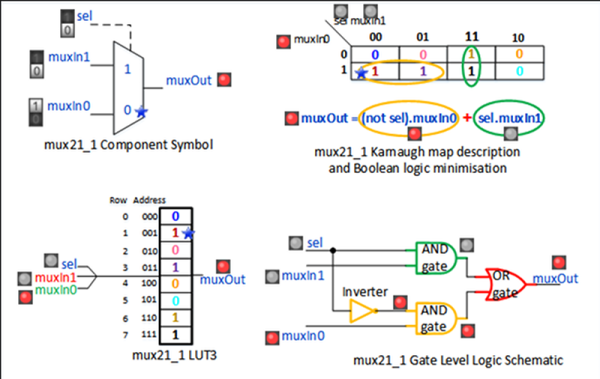
This is about the time of the year you realize you aren’t going to keep all of those new year’s resolutions you made. However, if one of them was to learn VHDL and FPGAs, you might be in luck. Vicilogic has a free course in Fundamentals of Digital Systems. You do have to register, but it didn’t even verify our e-mail address, so it shouldn’t be too onerous to sign up.

Associated with the National University of Ireland Galway, the training is high quality and offers animated demos in your browser of the digital circuitry. You can even control the demos yourself. You’d think the work was occurring in some browser script, but according to the site, the demos are tied to real FPGA boards. You can supposedly look in on them as you use them with a video stream, but we never saw that working so your mileage may vary. If you want a preview of what it looks like, check out the video below. There’s guided exercises and also quizzes where you have to interact with the demos.

Continue reading “Veni, Vidi, ViciLogic Teaches You Digital Logic Interactively”

Linux-Fu: Applications On The Web

Did you know you can run remote Linux GUI programs in a browser with HTML5 support? It’s even secure because you can use SSH tunneling and that little trick means you don’t even need to open additional ports. If this sounds like gibberish, read on, it’s actually pretty easy to get up and running.

I recently was a guest on a Houston-based podcast, and the hosts asked me if the best thing about writing for Hackaday was getting to work with the other Hackaday staff. I told them that was really good, but what I like best was interacting with people (well, most people) in the comments. That sometimes you’d post an article and someone would bring a topic up in comments that would really knock your socks off. This is how I wound up with this nearly ideal remote access solution, that requires nothing on the remote side but a web browser.

A while back I posted about keeping programs running after log off on a Linux box. The post was mostly about non-GUI programs but you could use NX or VNC to handle it. In the comments, someone mentioned how unhappy they’d been with recent copies of NX and another commenter called [Screen for X11] posted about a tool called xpra.

Continue reading “Linux-Fu: Applications On The Web”

Real World RF Filter Design And Construction

We bet when [devttyS0] made his latest video about RF filter design (YouTube, embedded below), he had the old saying in mind: in theory, there’s no difference between theory and practice, but in practice, there is. He starts out pointing how now modern tools will make designing and simulating any kind of filter easy, but the trick is to actually build it in real life and get the same performance. You can see the video below.

One of the culprits, of course, is we tend to design and simulate with perfect components. Wires have zero resistance, capacitance, and inductance. Inductors and capacitance have no parasitic elements in our rosy design world. Even the values of components will vary from their ideal values and may change over time.

Continue reading “Real World RF Filter Design And Construction”

Hack Your Own Lisp Language Using… Well… Anything

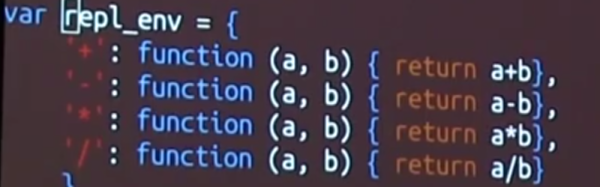
Lisp is one of those interesting computer languages that you either love or hate. But it has certainly stood the test of time. Of all the ancient languages that are still in practical use, only FORTRAN is older, and only by one year. If you ever wanted to learn Lisp, [Kanaka] has an interesting approach: Study how to build your own Lisp in your favorite language.

What if your favorite language is something obscure? [Kanaka’s] GitHub page has no fewer than 64 different implementations of Mal (Make a Lisp), each in a different language. Unsurprisingly, C and Python are on the list. However, so is Forth and Go and Awk. Not strange enough for you? How about Make? Yes, Make, like you use to build programs. Bash, Postscript, and even VHDL have entries, although–surprisingly–no Verilog; we don’t know why.

Each implementation of Mal is separated into eleven incremental, self-contained, and testable steps that demonstrate core concepts of Lisp. The last step can actually run a copy of itself–typical for a mind-bending language like Lisp. There is a guide to help you navigate through the process in the language of your choice. The suggestion is to not look at the code in the repository until after you’ve written it yourself. You can see [Kanaka] (also known as [Joel Martin]) giving a recent talk about the Mal process in the videos below.

Continue reading “Hack Your Own Lisp Language Using… Well… Anything”

The $2 32-Bit Arduino (with Debugging)

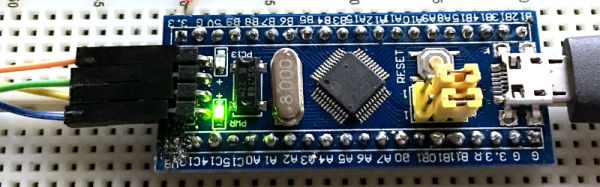
I have a bit of a love/hate relationship with the Arduino. But if I had two serious gripes about the original offering it was the 8-bit CPU and the lack of proper debugging support. Now there’s plenty of 32-bit support in the Arduino IDE, so that takes care of the first big issue. Taking care of having a real debugger, though, is a bit trickier. I recently set out to use one of the cheap “blue pill” STM32 ARM boards. These are available for just a few bucks from the usual Chinese sources. I picked mine up for about $6 because I wanted it in a week instead of a month. That’s still pretty inexpensive. The chip has a lot of great debugging features. Can we unlock them? You can, if you have the right approach.

The Part

For a few bucks, you can’t complain about the hardware. The STM32F103C8T6 onboard is a Cortex-M3 processor that runs at 72 MHz. There’s 64K of flash and 20K of RAM. There’s a minimicro-USB that can act as a programming port (but not at first). There’s also many 5 V-tolerant pins, even though this a 3.3 V part.

You can find a lot more information on this wiki. The board is a clone–more or less–of a Maple Mini. In fact, that’s one way you can use these. You can use the serial or ST-Link port to program the Maple bootloader (all open source) and use it like a Maple. That is, you can program it via the USB cable.
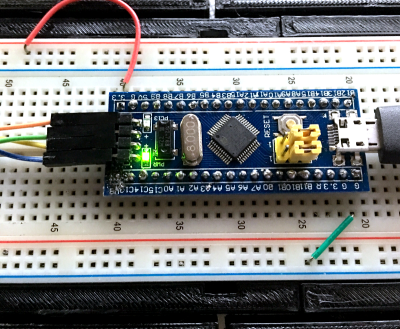
From my point of view, though, I don’t want to try to debugging over the serial port and if I have the ST-Link port already set up, I don’t care about a bootloader. You can get hardware that acts as a USB to ST-Link device inexpensively, but I happen to have an STM32VLDISCOVER board hanging around. Most of the STM32 demo boards have an ST-Link programmer onboard that is made to use without the original target hardware. On some of the older boards, you had to cut traces, but most of the new ones just have two jumpers you remove when you want to use the programmer to drive another device.

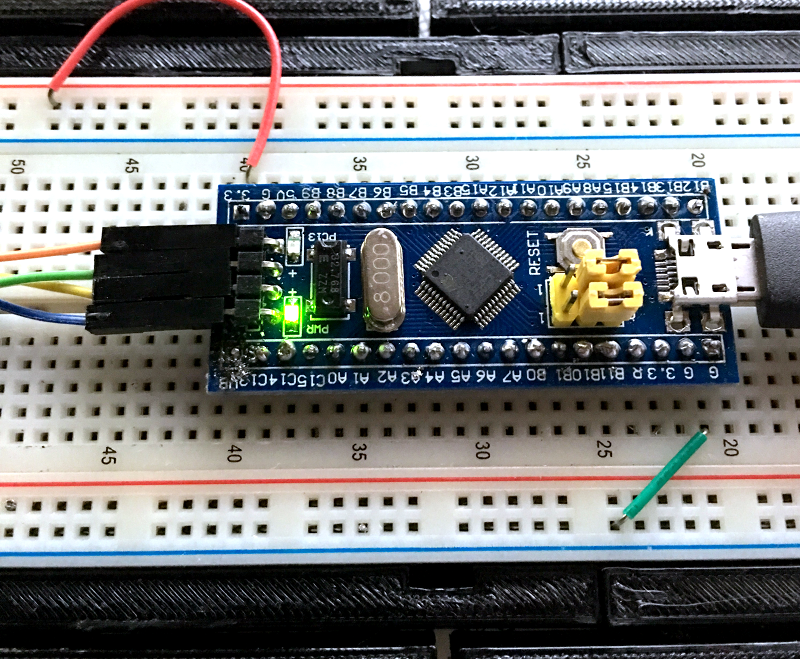
The “blue pill” designation is just a common nickname referring to the Matrix, not the pharmaceuticals you see on TV ads. The board has four pins at one edge to accommodate the ST-Link interface. The pin ordering didn’t match up with the four pins on the STM32VLDISCOVER, so you can’t just use a straight four-pin cable. You also need to bring power over to the board since it will have to power the programmer, too. I took the power from the STM32VLDISCOVER board (which is getting its power from USB) and jumpered it to my breadboard since that was handy.

Continue reading “The $2 32-Bit Arduino (with Debugging)”

Lint For Shell Scripters

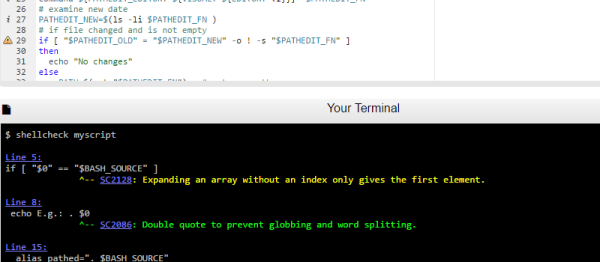
It used to be one of the joys of writing embedded software was never having to deploy shell scripts. But now with platforms like the Raspberry Pi becoming very common, Linux shell scripts can be a big part of a system–even the whole system, in some cases. How do you know your shell script is error-free before you deploy it? Of course, nothing can catch all errors, but you might try ShellCheck.

When you compile a C program, the compiler usually catches most of your gross errors. The shell, though, doesn’t look at everything until it runs which means you might have an error just waiting for the right path of an if statement or the wrong file name to occur. ShellCheck can help you identify those issues before deployment.

If you don’t like pasting your script into a Web page, you can install the checker locally by visiting GitHub. The readme file there also explains what kind of things the tool can catch. It can even integrate with common editors (as seen in the video below).

Continue reading “Lint For Shell Scripters”