Raspberry Pi Locator Website To Shut Down In July

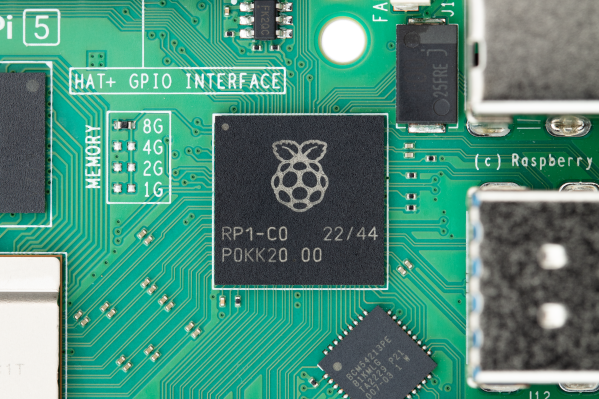
As announced by [André] on Bluesky, next month the much loved Rpilocator.com website will cease displaying the stock status and pricing of Raspberry Pi computers from various online retailers.

One of the main reasons is that the indexing bot used by the site has been blocked by most shopping sites. It’s not clear whether this blocking is on purpose or just another consequence of website owners protecting themselves from the onslaught of obnoxious ‘AI’ scraping bots. But in any event, the effort of finding workarounds that may only work for a few days or weeks was becoming too much.

According to [André] there are still about 11,000 users of the site each month, which even when accounting for the human-bot ratio is still a sizable number of visitors who’ll now have to get their fix somewhere else. He also indicates that he receives numerous emails from presumably real people about the site to point out small issues they have noticed.

Although the site may still be back in the future, it’s also important to recognize how much the single-board computer landscape and raison d’être for this tracking site have shifted since the 2020s Chip Crisis days. Currently it’s less about finding where these boards are in stock, and more about taking the hits to one’s wallet as memory prices continue to spiral out of control. Making what were once fun, cheap little hobby boards into luxury items that cut into your rent-food-and-gas budget.
A T9 Keyboard For Your Smartphone

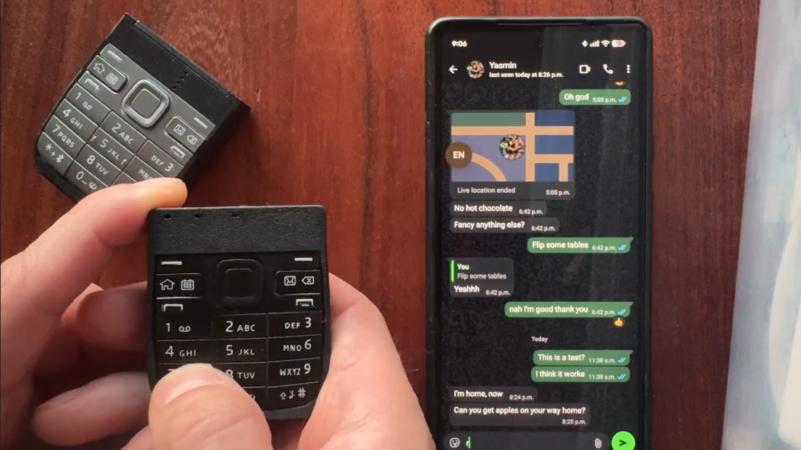
These days, most of us are fortunate enough to use smartphones with decent touchscreen keyboard capabilities. However, once upon a time, if you wanted to type something on a phone, you had to tap it out on the number keys instead. [Jarrett] is bringing that back with a custom T9 keyboard for modern phones. 

The build is designed around the keypad of the Nokia E52, a Symbian smartphone released in 2009—two years after Apple changed the game with the first iPhone. The phone keypad itself is laid over a custom PCB with Alps SKRK tactile switches corresponding to each individual key. Each is wired with a diode and the switches are scanned as a row/column array as is typical for keyboards. Reading the matrix is an ESP32-C6 microcontroller, which counts the keypresses and spits out the right letters over its Bluetooth connection to an attached smartphone or other device. Power is via a small lithium-ion battery, looked after by a TP4200 charger chip.

Overall, the keyboard works as you’d expect, allowing T9-style input to any compatible device that works with Bluetooth keyboards. [Jarrett] does have one regret, with the 0.98 N actuation force switches used leaving he keypad feeling a little mushy. The firmer 1.57 N switches were suspected to give a more satisfying response under thumb, which was a nice upgrade in the second revision build.

We’ve seen other builds in this vein before, too, albeit with bigger keys. If you’re coming up with your own esoteric input methods, don’t hesitate to notify the tipsline.

One Commodore, Five Displays

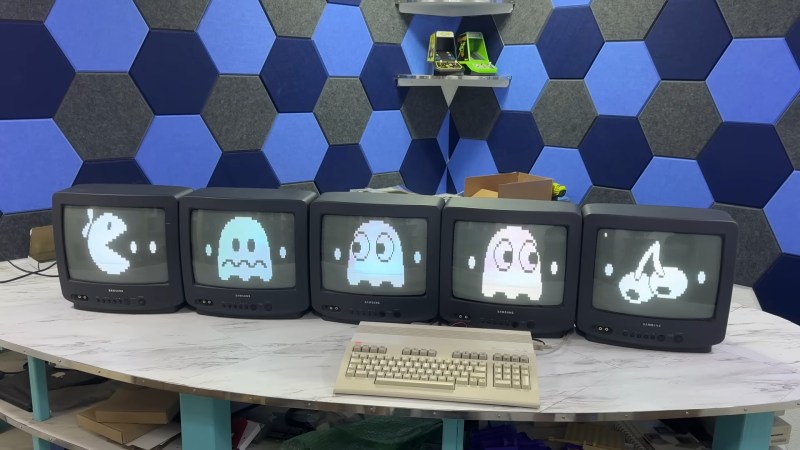
If you had one monitor back in the 8-bit era, instead of having to wait to use the family TV, you were already amongst the blessed. If you had five, maybe you worked at a computer store– but if you did, you could have done what [The 8-Bit Guy] demonstrates in a recent YouTube video and plug all five (5) monitors into a Commodore 128.

The computer isn’t modified in any way– well, except for the now standard use of an SD card disk emulator– so what gives? Well, you probably guessed he’s splitting up the colour signal into multiple monochrome images, but since the C128 actually has an RGBI, that I– intensity– actually gives another signal that can be broken out. That makes for four screens being driven from that port via composite, all sharing the same sync. The hardware for that was actually designed for [The 8-Bit Guy] by [Joe Burks] who open sourced the design on GitHub. He’s also selling them on Lectronz.

The fifth screen, of course, is driven by the VIC-II chip that Commodore provided for composite output to begin with. The interesting part is as much the software as the hardware, and while [The 8-Bit Guy] explains some of the thinking behind what he’s doing, he doesn’t link to any BASIC. If you know your way around a Commodore, you should be able to encode the multi-colour images required to do the splits.

For the people who prefer “real computers” — that is IBM compatible PCs– [The 8-Bit Guy] goes a bit outside of his 8-bit comfort zone to demonstrate that this same trick works quite well with the 16-color modes of EGA. With sixteen colours split between the two monitors, you of course get two colours each– combine the dithering with the blur of an old CRT, and it looks better than it has any right to. Just note that you need to have the right EGA card, as some blocked the 16-colour modes when set to output IRGB/CGA– he used a Trident card to good effect. The software here, though, was just Deluxe Paint, which can’t stop winning, even after four decades. 

The hack seems simple enough, and perhaps everyone knew about it back in the day, but this is the first time seeing it for this author. So we’ll leave it to the comments: have you ever seen a 5-display Commodore, or 4-screen EGA output done like this?

Of course CGA had some competition back in the 80s, and it would be fun to see how many retro standards this trick would work on; at the end of the video [The 8-Bit Guy] discusses splitting VGA signals, but that’s only three screens and way too new for him. If one of you takes up his challenge, please let us know. 

A heat map of the US showing the difference in emissions between an EV and ICE or EV and PHEV by county. Rural areas, particularly in Colorado in Wyoming seem close to no difference (in blue) whereas densely-populated areas on the coasts are colored on the red end of spectrum exceeding a 70% emissions reduction over ICE vehicles.

EVs Always Beat Combustion Emissions Performance

A pervasive story is that electric vehicles (EVs or BEVs) are actually dirtier than combustion vehicles if charged by a fossil fuel-based electricity grid. A new study reaffirms others that show, at least in the US, EVs have lower lifetime emissions than an internal combustion engine (ICE) vehicle, regardless of the grid mix.

Comparing data on the mix of generation types by ZIP code using data from OpenGrid and eGRID, the researchers were able to create maps and comparisons of the efficiency of ICE, hybrid, plug-in hybrid (PHEV), and electric vehicles. If you want to compare some specific examples, there’s an interactive chart using the research data at carboncounter.com.

PHEVs can achieve 80-90% of the emissions reductions of a full EV in urban environments, but become less beneficial as distances increase or if drivers choose not to charge the battery. The researchers have extensive breakdowns of the comparisons including total cost to operate the vehicle compared with emissions if you want to look more in the paper. Emissions benefits are particularly noticeable in larger vehicle classes or with drivers who put more miles on their cars.

Although it’s unlikely to change anytime soon, they also note that if the industry trend toward larger and larger vehicles were to be reversed, emissions targets could be hit with much fewer hybrids and EVs at the current grid mix. The advantage of full EVs is that they get cleaner as the grid gets cleaner, unlike combustion vehicles that typically get worse as their emissions systems degrade.

If you’re not ready for an EV, maybe you’d like to reuse a pack for a house battery. If you’re feeling more adventurous, then maybe try out an EV conversion that still needs oil changes?

A Commodore Boombox: The 1530 As You’ve Never Heard It Before

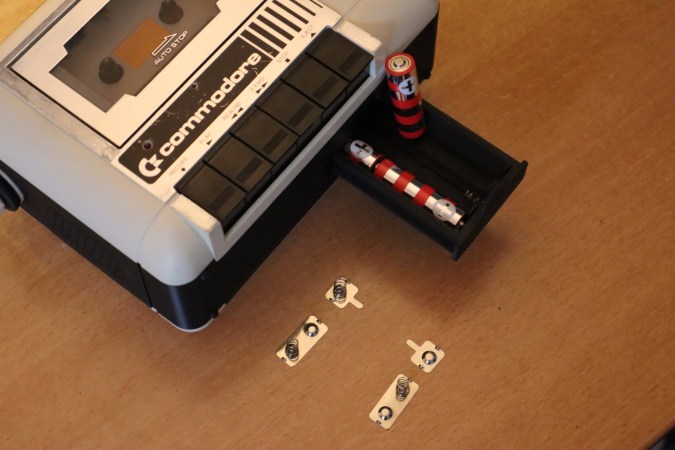
No, this isn’t another product from [PeriFractic]’s revived company, though we hope he’s taking notes. This is, in fact, a hack on the beloved 1530 Datasette, using the tape mechanism and case to create a portable audio device for your precious remaining mix tapes. Well, [Jan Derogee]’s precious mix tapes, at any rate; we aren’t the government, we don’t know if you have any tapes, mixed or otherwise.

[Jan] started, obviously enough, with a Datasette, but they key was apparently to use a Made-in-Japan model–  the Made-in-Taiwan units are a later development and victims of the old Commodore’s infamous obsession with cost-cutting. The main difference is that the Japanese-built Datasettes have two sets of screws: one to hold the tape mechanism in place, and the other to hold two halves of the case together. The Taiwanese units make one set do double duty. Doubtless more was saved through streamlining assembly than the cost of four screws, but either way it made those models difficult to work with for [Jan]’s purposes.

As you likely can tell from the photo, he simply splits the case, allowing the tape transport to remain in place with those  Japanese screws, and inserts a 3D printed spacer to hold speakers, audio amplifiers, and a bay for AA batteries. For the people who really care about such things, the mod appears to be fully reversible, though you won’t be able to use it as data entry for your C64 until you do reverse it. Given how slow and dodgy tape loads could be, though, that’s not likely to bother many people, since it’s so much easier to load media onto the old breadbox from an emulated tapedeck.

If, on the other hand, you can’t stand the idea of using a Datasette for anything but data storage, maybe you should try connecting yours to a modern PC to remind yourself what it was really like. In either case, you can check out the 1530 Boombox at the link above or the video embedded below. For the actual Commodore product we didn’t see coming, click here for the phone. 

Reviving MSN Messenger’s I-Buddy USB Accessory

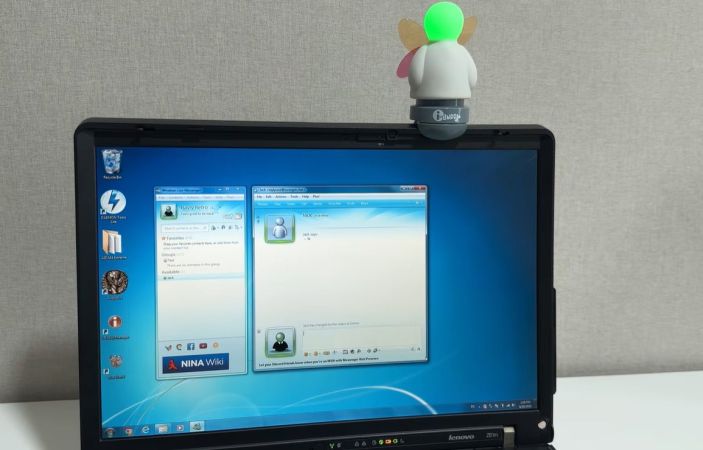
Some of our esteemed readers were not yet out of diapers back in 2013 when Microsoft decided to put MSN Messenger out to pasture, but the memories that this instant messenger’s (IM) interface and notification sounds have left are hard to erase. This also includes some of the weirdest accessories that this IM spawned, such as the USB-connected i-Buddy. Recently [Rayly Retro] got his mittens on a new-in-box one to revive alongside an era-appropriate Windows 7 PC.

What the i-Buddy gets you is the ability to light up the head in seven different colors, twist the torso and flap the butterfly wings, all of which can correspond to certain events in the MSN IM or for more general notifications, as set by software running on the connected PC. Interestingly, this i-Buddy is recognized by Windows as a USB HID, so no special driver is needed. A range of ways to program it exist too, including a .NET-based library from back when it was still being sold for around $20.

Although the MSN Messenger network’s servers have long since been dumped into an e-waste dumpster over at Microsoft HQ, an alternative exists in the form of the Escargot service using which a range of official clients can work again.

In the video it’s demonstrated how to create a user account with the Escargot site and how to patch the messenger – here Window Live Messenger 2009 – before signing in. With that step completed, getting the i-Buddy up and running is next. This took a lot of struggling, since the version of the i-Buddy software that comes with the device didn’t like Windows 7 much. Fortunately an old forum post led to a download of version 2.10, using which the gadget jumped to life, happily lighting up and flapping its wings.

Continue reading “Reviving MSN Messenger’s I-Buddy USB Accessory”

A BIOS For Your ESP32-C6

An old-style PC BIOS served the function of a bootloader in loading the operating system kernel, and of an API in providing a set of standard system calls through which software could interact with the hardware. Though it as been long-ago superseded by operating system level calls and UEFI bootloaders, it was a simple and easy-to-understand firmware for the PCs of the day.

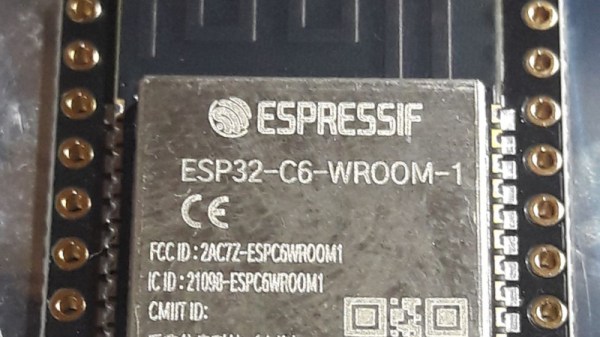
Microcontrollers usually don’t have anything quite like a BIOS because their software is more often compiled as-is without the need for one. But here’s [Rompass] who has bucked that trend, with a BIOS for the ESP32-C6.

Of course this isn’t the PC BIOS we all know, and you’ll not be running DOS on it. Instead it’s a subsystem that serves the purposes outlined above and provides an environment for dynamically loaded executables from RAM rather than an operating system kernel. The executables are compiled in the normal way for the ESP32, and can be loaded over the network if necessary.

We don’t know how popular a firmware like this one will become, but for us it’s symptomatic of how the line between a microcontroller and a microprocessor is becoming blurred. The next few years are going to continue this trend, as inexpensive microcontroller application processors such as the C6’s P4 bigger brother move into the mainstream.


Header image: Popolon, CC BY-SA 4.0.