High-End Case Mods To A PlayStation 5

Modern consoles bring joy to televisions around the globe, but they’re fundamentally mass-produced totems to gaming excellence. That wasn’t good enough for [Matt], who decided that his PlayStation 5 needed a total case makeover. (Video, embedded below.)

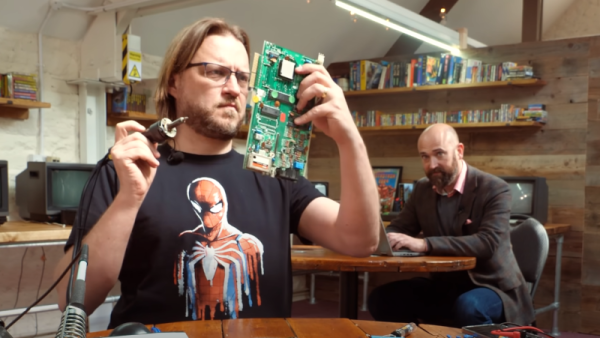
The material of choice is brass. Capable of being polished to a mirror-like shine while being readily workable and available, it’s perfect for making a PlayStation 5 look just a little more deluxe. While [Matt] has worked with brass before, replicating the PS5’s case in the metal pushed him to learn new skills. The main center divider was easy enough, with paper used to create a cutting template to match the form which bends through 90 degrees. The real challenge, however, was the side panels. With complex curves across several axes, manually bending metal plates to match the shape proved impossible. Instead, a custom wooden and plaster jig was made, onto which brass plates could be clamped to match the curves. A blowtorch was then used to release the plate’s internal stresses in a process called normalisation.

[Matt] does a great job of making the whole thing look easy. With that said, the final results are stunning enough that we’re sure it would be difficult to replicate without a lot of experience and attention to detail. In particular, the deft way the side panel clips were dealt with had us nodding in sage approval. The final console makes a great companion for the brass-housed monitor [Matt] created for his [DIY Perks] channel quite recently. Video after the break.

Continue reading “High-End Case Mods To A PlayStation 5”

Putting Perseverance Rover’s View Into Satellite View Context

It’s always fun to look over aerial and satellite maps of places we know, seeing a perspective different from our usual ground level view. We lose that context when it’s a place we don’t know by heart. Such as, say, Mars. So [Matthew Earl] sought to give Perseverance rover’s landing video some context by projecting onto orbital imagery from ESA’s Mars Express. The resulting video (embedded below the break) is a fun watch alongside the technical writeup Reprojecting the Perseverance landing footage onto satellite imagery.

Some telemetry of rover position and orientation were transmitted live during the landing process, with the rest recorded and downloaded later. Surprisingly, none of that information was used for this project, which was based entirely on video pixels. This makes the results even more impressive and the techniques more widely applicable to other projects. The foundational piece is SIFT (Scale Invariant Feature Transform), which is one of many tools in the OpenCV toolbox. SIFT found correlations between Perseverance’s video frames and Mars Express orbital image, feeding into a processing pipeline written in Python for results rendered in Blender.

While many elements of this project sound enticing for applications in robot vision, there are a few challenges touched upon in the “Final Touches” section of the writeup. The falling heatshield interfered with automated tracking, implying this process will need help to properly understand dynamically changing environments. Furthermore, it does not seem to run fast enough for a robot’s real-time needs. But at first glance, these problems are not fundamental. They merely await some motivated people to tackle in the future.

This process bears some superficial similarities to projection mapping, which is a category of projects we’ve featured on these pages. Except everything is reversed (camera instead of video projector, etc.) making the math an entirely different can of worms. But if projection mapping sounds more to your interest, here is a starting point.

[via Dr. Tanya Harrison @TanyaOfMars]

Continue reading “Putting Perseverance Rover’s View Into Satellite View Context”

The Sixtyforgan Proves That Church Organs Are Definitely Chiptune

Church organs may be mechanically complicated and super old-school, but they share something in common with the earliest computer sound chips. In theory, and largely in practice, they produce very simple waveforms. The primary reason that church organs seem so full and rich compared to your old Commodore 64 is that they have the benefit of a whole church’s worth of reverb to fatten out the sound. [Linus] demonstrates this with the Sixtyforgan.

The Sixtyforgan is a Commodore 64 hooked up to a spring reverb tank. By running the relatively basic waveforms from the Commodore’s SID chip through this reverb, it’s possible to generate sounds that are eerily similar to those you might hear at your local Sunday service. While we won’t expect chiptune luminaries like [chipzel] to start busting out songs of praise at events like Square Sounds, it’s kind of awesome to think of the composers of antiquity rocking out to some mad Game Boy jams way back when.

It’s a great demonstration of the Commodore’s musical abilities, and we particularly like the application of the chromatic button layout borrowed from the accordion. We’d love to see this setup combined with an orchestra of the retro computers, like this demonstration playing The Sugar Plum Fairy. Alternatively, Billy Corgan on the Sixtyforgan playing Tiberius would be pretty great, too. Pretty sounding video after the break.

Continue reading “The Sixtyforgan Proves That Church Organs Are Definitely Chiptune”

Moving Things With Electricity

We use electricity to move things with the help of motors and magnets all the time. But if you have enough voltage, you can move things with voltage alone. As [James] found out, though, it works best if your objects — ping pong balls, in his case — are conductive.

He wanted to add a Van de Graaff generator to add to his “great ball machine” which already has some cool ways to move ping pong balls. However, to get the electrostatic motion, [James] had to resort to spraying the balls with RF shielding spray.

Continue reading “Moving Things With Electricity”

Oh Brother, Would You Look At This Cistercian Clock

We were beginning to think we’d seen it all when it comes to RGB clocks, but [andrei.erdei] found a fast path back into our hearts and minds. This clock is a digital representation of an ancient numeral system used by 13th century Cistercian monks before the Indo-Arabic system that we know and love today took over. It’s a compact system (at least for numbers 1-9,999) that produces numerals which sort of look like 16-segment displays gone crazy.

Image via Wikipedia

Every numeral has a line down the middle, and the system uses the four quadrants of space around it to display the ones, tens, hundreds, and thousands positions starting in the upper right corner.

[andrei] adapted the system to show time by assigning tens of hours to the thousands quadrant in the bottom left, hours to the hundreds quadrant in the bottom right, tens of minutes in the upper left, and minutes in the top right. The tricky part is that the system has no zero, but [andrei] just darkens the appropriate quadrant to represent zero.

The timekeeping is done with an ESP-01, and there are a total of 31 RGB LEDs including the middle bit, which blinks like a proper digital clock and doubles as a second hand. As usual, [andrei] has provided everything you’d need to build one of these for yourself. We admit that the system would take a little time to learn, but even if you never bothered to learn, this would make a nice conversation piece or focal point for sitting and staring. Take a minute to check it out in action after the break.

We love a good clock build no matter how it works. Sink your teeth into this clock that’s driven by a tuning fork.

Continue reading “Oh Brother, Would You Look At This Cistercian Clock”

Put The Perfect Point On Your Tungstens With This Die Grinder Attachment

Aspiring TIG welders very quickly learn the importance of good tungsten electrode grinding skills. All it takes is a moment’s distraction or a tiny tremor in the torch hand to plunge the electrode into the weld pool, causing it to ball up and stop performing its vital function. Add to that the fussy nature of the job — tungstens must only be ground parallel to the long axis, never perpendicular, and at a consistent angle — and electrode maintenance can become a significant barrier to the TIG beginner.

A custom tungsten grinder like this one might be just the thing to flatten that learning curve. It comes to us by way of [The Metalist], who turned an electric die grinder into a pencil sharpener for tungsten electrodes. What we find fascinating about this build is the fabrication methods used, as well as the simplicity of the toolkit needed to accomplish it. The housing of the attachment is built up from scraps of aluminum tubing and sheet stock, welded together and then shaped into a smooth, unibody form that almost looks like a casting. Highlights include the mechanism for adjusting the angle of the grind as well as the clever way to slit the body of the attachment so it can be clamped to the nosepiece of the die grinder. We also thought the inclusion of a filter to capture tungsten dust was a nice touch; most TIG electrodes contain a small amount of lanthanum or thorium, so their slight radioactivity is probably best not inhaled.

We love builds like this that make a tedious but necessary job a little quicker and easier to bear, and anything that stands to make us a better welder — from simple purpose-built fixtures to large-scale rotary tables — is OK in our book.

Continue reading “Put The Perfect Point On Your Tungstens With This Die Grinder Attachment”

Bluetooth PS3 Controllers Modernize The Nintendo GameCube

While the PlayStation 3 and Gamecube come from opposing sides of the aisle, and in fact aren’t even from the same generation of hardware, this DIY adapter built by [Jeannot] allows Nintendo’s console to use Sony’s Bluetooth controllers with surprisingly little fuss. This might seem unnecessary given the fact that Nintendo put out an official wireless controller for the system, but given how expensive they are on the second-hand market, you’d need to have pretty deep pockets for an untethered four-player session. Plus, there’s plenty of people who simply prefer the more traditional control layout offered by Sony’s pad.

The internals of the 3D printed adapter are actually quite straightforward, consisting of nothing more than an Arduino Nano wired to a MAX3421E USB host shield. A common USB Bluetooth adapter is plugged into the shield, and the enclosure has an opening so it can be swapped out easily; which is important since that’s what the PS3 controller is actually paired to.

A Gamecube controller extension cable must be sacrificed to source the male connector, though if you wanted to fully commit to using Bluetooth controllers, it seems like you could turn this into an internal modification fairly easily. That would let you solder right to the controller port’s pads on the PCB, cutting the bill of materials down ever further.

[Jeannot] says the firmware is the product of combining a few existing libraries with a fair amount of experimentation, but as demonstrated in the video below, it works well enough to navigate the console’s built-in menu system. Future enhancements include getting the stick sensitivity closer to the values for the Gamecube’s standard controller, and adapting the code to work with newer PS4 controllers.

We’ve seen a fair amount of projects dedicated to the Gamecube’s official wireless controller, the Wavebird. From reverse engineering its RF communications protocol to adapting it for use with Nintendo’s latest console. There’s little debate that the Wavebird is a fine piece of engineering, but with how cheap and plentiful PlayStation controllers are, they tend to be the one hackers reach for when they want a dual-stick interface for their latest creation.

Continue reading “Bluetooth PS3 Controllers Modernize The Nintendo GameCube”