A Simpler Method To Make Optical Fiber With 3D Printing

There are a lot of remarkable uses for optical fiber, chief among them being telecommunications and imaging. While fiber can be produced for a better price than copper wire equivalents, they’re still not easy or cheap to manufacture.

Silica fibers require spinning tubes on a lathe, which requires the fiber’s core to be precisely centered. A new method by researchers based at the University of Technology, Sydney offers a simpler method using additive manufacturing.

There are still challenges in producing silica fiber, however – unlike commonly drawn polymer materials, silica requires high temperatures, up to 1900 degrees Celsius, to 3D print. Past attempts at glass printing using fused deposition modeling with high-temperature nozzles to pump out molten silica have been slowed by the viscosity of molten glass.

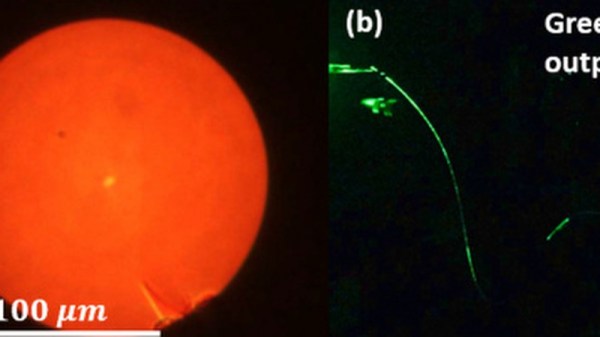
In order to overcome the temperature problem, composite materials consisting of a polymer with a lower melting point and silica nanoparticles are used instead. In addition, the researchers opted to use a direct laser writing printer. The technique involves drawing the molten material and pulling out the optical fiber. After the polymer and impurities are debinded and removed, it’s only an issue of sintering the silica to fuse the forms back together.

The method has been used to fabricate a preform that can be used for multi- or single-node fibers. While the technique isn’t perfected quite yet, it holds promise for reduced fabrication and material costs, as well as eliminating labor risks from the lathe-based work.

[Thanks to Qes for the tip!]
Will The Real UNIX Please Stand Up?

Ken Thompson and Dennis Ritchie at a PDP-11. Peter Hamer [CC BY-SA 2.0]
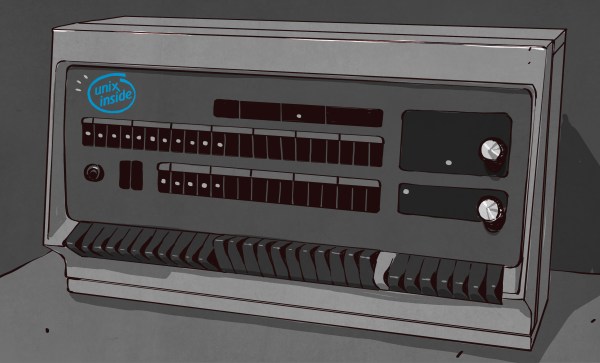
Last week the computing world celebrated an important anniversary: the UNIX operating system turned 50 years old. What was originally developed in 1969 as a lighter weight timesharing system for a DEC minicomputer at Bell Labs has exerted a huge influence over every place that we encounter computing, from our personal and embedded devices to the unseen servers in the cloud. But in a story that has seen countless twists and turns over those five decades just what is UNIX these days?

The official answer to that question is simple. UNIX® is any operating system descended from that original Bell Labs software developed by Thompson, Ritchie et al in 1969 and bearing a licence from Bell Labs or its successor organisations in ownership of the UNIX® name. Thus, for example, HP-UX as shipped on Hewlett Packard’s enterprise machinery is one of several commercially available UNIXes, while the Ubuntu Linux distribution on which this is being written is not.

When You Could Write Off In The Mail For UNIX On A Tape

The real answer is considerably less clear, and depends upon how much you view UNIX as an ecosystem and how much instead depends upon heritage or specification compliance, and even the user experience. Names such as GNU, Linux, BSD, and MINIX enter the fray, and you could be forgiven for asking: would the real UNIX please stand up?

Continue reading “Will The Real UNIX Please Stand Up?”

Projector And NES Mini Hide Out Inside The Real Thing

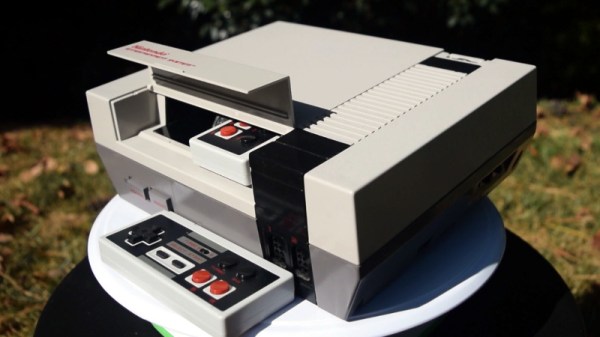
Taking a page out of the Xzibit Engineering Handbook, [Geeksmithing] recently decided that the gutted carcass of an original Nintendo Entertainment System would make a perfect home for…a smaller NES. Well, that and two wireless controllers. Plus a projector. Oh, and batteries so it can be used on the go. Because really, at that point, why not?

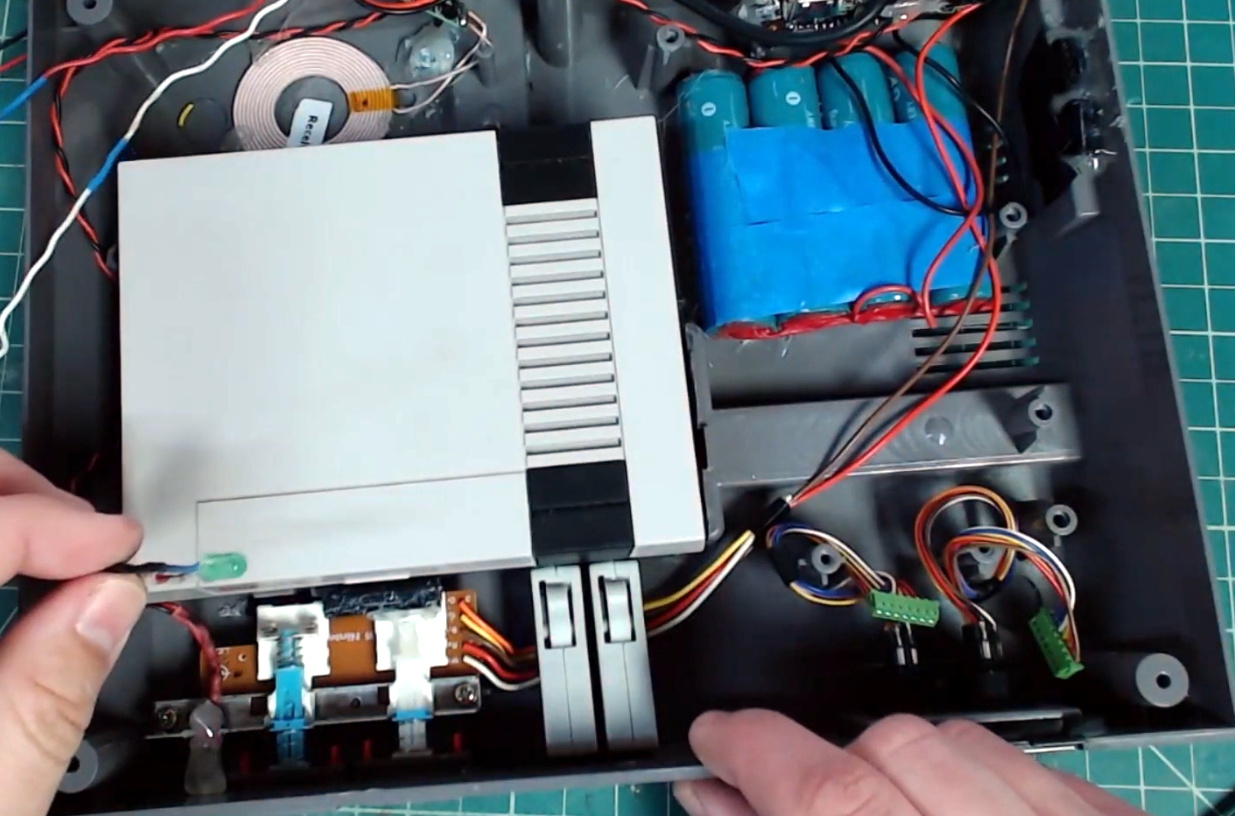
The video after the break starts with a cleverly edited version of a legitimate NES commercial from the gaming glory days of the 1980s, and segues into an rundown of all the modern hardware [Geeksmithing] crammed into the case of this legendary console. It helps that the official NES Classic used for the project is so much smaller than its more than thirty year old predecessor, leaving plenty of room inside to get creative. We particularly like the dual wireless controllers which are conveniently hiding inside the original cartridge slot.

Frankly, that alone would have made this project worthwhile in our book, but [Geeksmithing] didn’t stop there. He also added in a pico projector that’s normally covered up by the black facia on the rear of the console, complete with a “kickstand” to tip the system up to the appropriate angle. Continuing with the theme of enabling ad-hoc NES play sessions, he also packed in enough batteries to keep the system running for a respectable amount of time. There’s even put an inductive charging coil in the bottom of the system so he can top off the batteries just by dropping the system on a modified SNES mousepad.

Last time [Geeksmithing] checked in, he was embedding a Raspberry Pi into a Super Mario Thwomp that was made from real concrete. We can’t wait to see what he comes up with next.

Continue reading “Projector And NES Mini Hide Out Inside The Real Thing”

Razer Laptop Gets A Sneaky Fan Mod

Some people love fan noise, using it to help get to sleep or just create some ambience in a room. Others hate it, like [Dimitris], and will take severe measures to eliminate it where possible. When his Razer Blade laptop was incessantly whirring away, it was time to get to work.

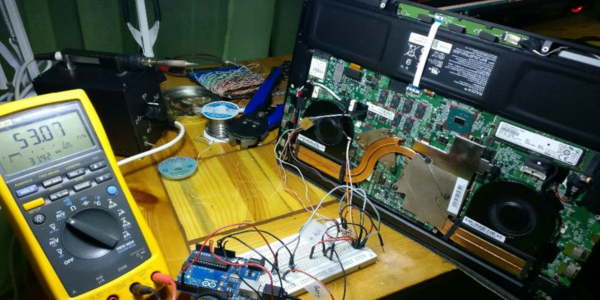
The Razer laptop uses a controller that outputs a variable duty cycle signal to control fan speed. Unfortunately, the fans never fully switch off, even when the laptop is cold, leading to frustrating excessive noise. [Dimitris] implemented an ATtiny85 to intercept this signal, giving him full control over the fans. Two modes are implemented, one which keeps the fans off when the duty cycle is at its minimum, and the other that attempts to keep the fans at a minimum speed wherever possible.

While modifying the critical cooling system of a high-performance laptop is a risky business, it’s a decent price to pay for some peace and quiet. We’ve seen quite the opposite to this mod, too – like this Xbox 360 outfitted with additional cooling.

Traffic Updates On The Seven Seas: Open Source Chart Plotter Using A Raspberry Pi

As the Raspberry Pi in its various forms continues to flow into the wild by the thousands, it’s interesting to see its user base expand outside beyond the hacker communities. One group of people who’ve also started taking a liking to it is sailing enthusiasts. [James Conger] is one such sailor, and he built his own AIS enabled chart plotter for a fraction of the price of comparable commercial units.

AIS transponders in the Mediterranean. VesselFinder

Automatic Identification System (AIS) is a GPS tracking system that uses transponders to transmit a ship’s position data to other ships or receiver stations in an area. This is used for collision avoidance and by authorities (and hobbyists) to keep an eye on shipping traffic, and allow for stricken vessels to be found easily. [James]’ DIY chart plotter overlays the received AIS data over marine charts on a nice big display. A Raspberry Pi 3B+, AIS Receiver Hat, USB GPS dongle and a makes up the core of the system. The entire setup cost about $350. The Pi runs OpenCPN, an open source chart plotter and navigation software package that [John] says is rivals most commercial software. As most Pi users will know the SD card is often a weak link, so it’s probably worth having a backup SD card with all the software already installed just in case it fails during a voyage.

We’ve seen AIS receiver stations built using the RTL-SDR, as well as a number of projects around the AIS equivalent in aviation, ADS-B. Check out [John]’s video after the break. Continue reading “Traffic Updates On The Seven Seas: Open Source Chart Plotter Using A Raspberry Pi”

Investigating Retroreflectors With One Heck Of A Microscope

Retroreflectors are interesting materials, so known for their nature of reflecting light back to its source. Examples include street signs, bicycle reflectors, and cat’s eyes, which so hauntingly pierce the night. They’re also used in the Tilt Five tabletop AR system, for holographic gaming. [Adam McCombs] got his hands on a Tilt Five gameboard, and threw it under the microscope to see how it works.

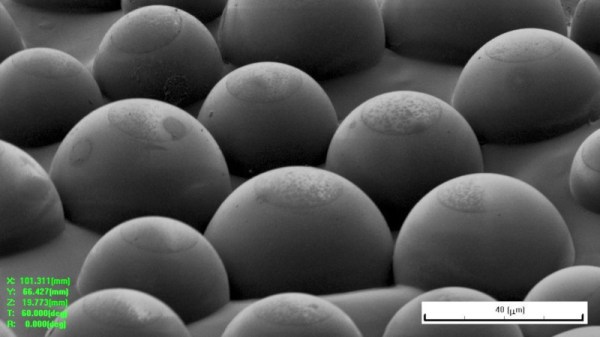
Using the ion beam, a trench was dug around the side of one of the spheres, revealing the interface between the adhesive and the sphere itself.

[Adam] isn’t mucking around, fielding a focused ion beam microscope for the investigation. This scans a beam of galium metal ions across a sample for imaging. With the added kinetic energy of an ion beam versus a more typical electron beam, the sample under the microscope can be ablated as well as imaged. This allows [Adam] to very finally chip away at the surface of the retroreflector to see how it’s made.

The analysis reveals that the retroreflecting spheres are glass, coated in metal. They’re stuck to a surface with an adhesive, which coats the bottom of the spheres, and acts as an etch mask. The metal coating is then removed from the sphere’s surface sticking out above the adhesive layer. This allows light to enter through the transparent part of the sphere, and then bounce off the metal coating back to the source, creating a sheet covered in retroreflectors.

[Adam] does a great job of describing both the microscopy and production techniques involved, before relating it to the fundamentals of the Tilt Five AR technology. It’s not the first time we’ve heard from [Adam] on the topic, and we’re sure it won’t be the last!

Downdraft Device Dismisses Dust

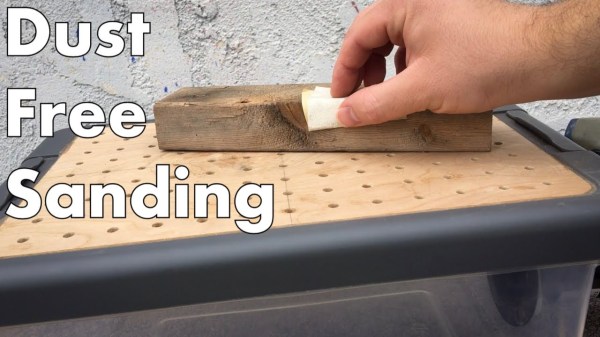
Woodworking is messy business, especially the sanding part. But even if you don’t care what happens to your shop floor, you don’t want dead tree particulate matter in your lungs. Wearing a mask or even a respirator is a good start, but a dust collection system is better. Someday, [XYZ Create] might have a shop-wide sawdust-slurper installed. In the meantime, he made a downdraft table out of scrap plywood and a plastic storage box.

The only thing he didn’t already have on hand was a port that matched his shop vacuum. We like his workaround to avoid drilling a huge hole in plastic that would certainly crack — use a hose clamp to get the OD of the port, heat up the clamp on a hot plate, and let it melt a hole into the box. Hopefully, he at least opened a window. [XYZ Create] glued four pieces of scrap plywood together for the top, and drilled all 117 holes by hand. Who needs pegboard?

Not fancy or big enough for your needs? Here’s one with a built-in filtration system.

Continue reading “Downdraft Device Dismisses Dust”