ILLIAC Was HAL 9000’s Granddaddy

Science fiction is usually couched in fact, and it’s fun to look at an iconic computer like HAL 9000 and trace the origins of this artificial intelligence gone wrong. You might be surprised to find that you can trace HAL’s origins to a computer built for the US Army in 1952.

If you are a fan of the novel and movie 2001: A Space Oddessy, you may recall that the HAL 9000 computer was “born” in Urbana, Illinois. Why pick such an odd location? Urbana is hardly a household name unless you know the Chicago area well. But Urbana has a place in real-life computer history. As the home of the University of Illinois at Urbana–Champaign, Urbana was known for producing a line of computers known as ILLIAC, several of which had historical significance. In particular, the ILLIAC IV was a dream of a supercomputer that — while not entirely successful — pointed the way for later supercomputers. Sometimes you learn more from failure than you do successes and at least one of the ILLIAC series is the poster child for that.

The Urbana story starts in the early 1950s. This was a time when the 1945 book “First Draft of a Report on the EDVAC” was sweeping through the country from its Princeton origins. This book outlined the design and construction of the Army computer that succeeded ENIAC. In it, Von Neumann proposed changes to EDVAC that would make it a stored program computer — that is, a computer that treats data and instructions the same.
Continue reading “ILLIAC Was HAL 9000’s Granddaddy”

Teardown: D50761 Aircraft Quick Access Recorder

Everyone’s heard of the “black box”. Officially known as the Flight Data Recorder (FDR), it’s a mandatory piece of equipment on commercial aircraft. The FDR is instrumental in investigating incidents or crashes, and is specifically designed to survive should the aircraft be destroyed. The search for the so-called “black box” often dominates the news cycle after the loss of a commercial aircraft; as finding it will almost certainly be necessary to determine the true cause of the accident. What you probably haven’t heard of is a Quick Access Recorder (QAR).

While it’s the best known, the FDR is not the only type of recording device used in aviation. The QAR could be thought of as the non-emergency alternative to the FDR. While retrieving data from the FDR usually means the worst has happened, the QAR is specifically designed to facilitate easy and regular access to flight data for research and maintenance purposes. Its data is stored on removable media and since the QAR is not expected to survive the loss of the aircraft it isn’t physically hardened. In fact, modern aircraft often use consumer-grade technology such as Compact Flash cards and USB flash drives as storage media in their QAR.

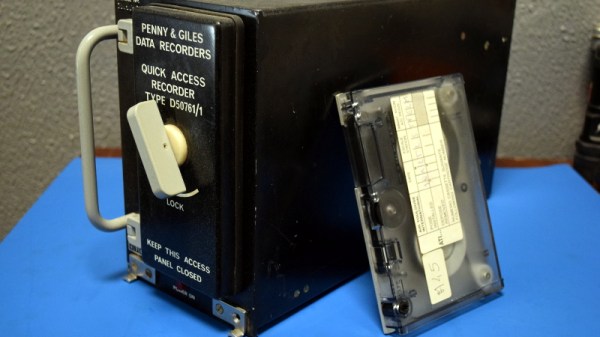
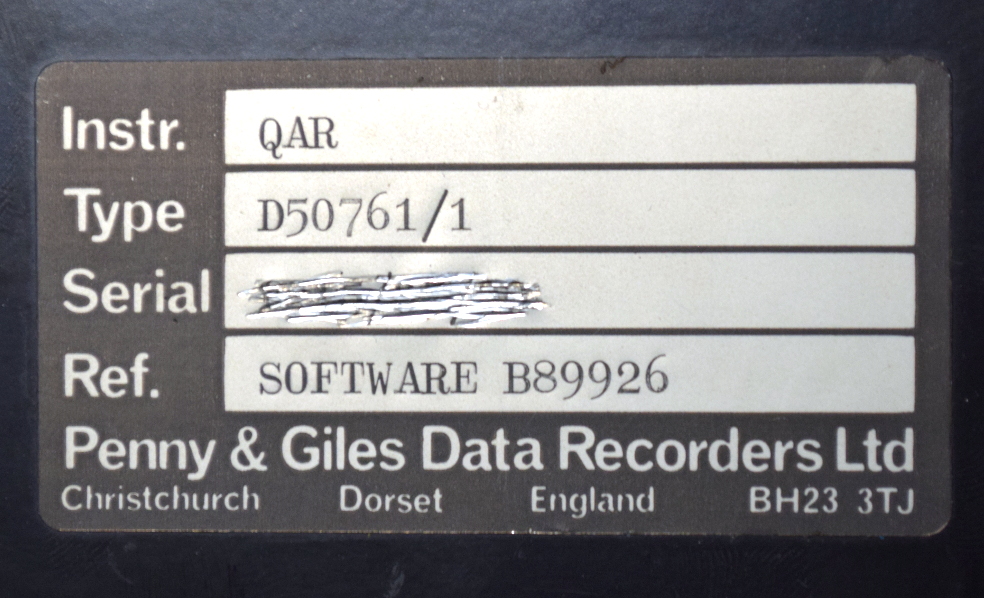
Through the wonders of eBay, I recently acquired a vintage Penny & Giles D50761 Quick Access Recorder. This was pulled out of an aircraft which had been in service with the now defunct airline, Air Toulouse International. Let’s crack open this relatively obscure piece of equipment and see just what goes into the hardware that airlines trust to help ensure their multi-million dollar aircraft are operating in peak condition.

Continue reading “Teardown: D50761 Aircraft Quick Access Recorder”

Recovering Data From A Vintage MFM Drive

Even if you aren’t a vintage computer aficionado, you’re probably aware that older computer hard drives were massive and didn’t hold much data. Imagine a drive that weighs several pounds, and only holds 1/1000th of what today’s cheapest USB flash drives can. But what you might not realize is that if you go back long enough, the drives didn’t just have lower capacity, they utilized fundamentally different technology and relied on protocols which are today little more than historical footnotes.

A case in point is the circa 1984 Modified Frequency Modulation (MFM) drive which [Michał Słomkowski] was tasked with recovering some files from. You can’t just pop this beast into a USB enclosure; copying files from it required an interesting trip down computing’s memory lane, with a sprinkling of modern techniques that are sure to delight hackers who still like to dip their toes into the MS-DOS waters from time to time.

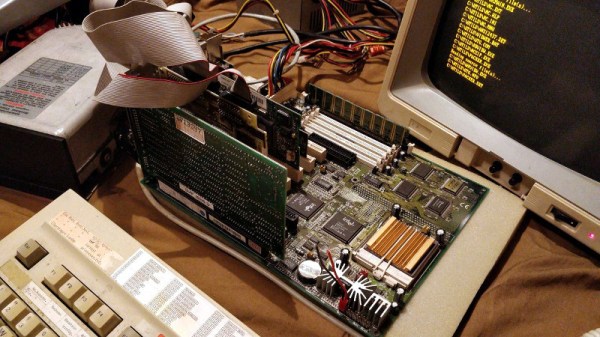
The drive, a MiniScribe 2012, has its own WD1002A-WX1 8-bit ISA controller card. [Michał] is the kind of guy who just so happens to have an ISA-compatible AT motherboard laying around, but he didn’t have the correct cooler for its Pentium processor. He stuck a random heatsink down onto it with a rubber band and set the clock speed as low as possible, which worked well enough to get him through the copying process.

Not wanting to fiddle with floppies, [Michał] then put together a setup which would let him PXE boot MS-DOS 6.22 under Arch Linux. He used PXELINUX, part of the syslinux package, and created an entry for DOS in the configuration file under the pxelinux.cfg directory. He then installed netboot which combines a DHCP and TFTP server into one simple package, and configured it for the MAC address of the AT machine’s 3com 3C905C-TXM network card.

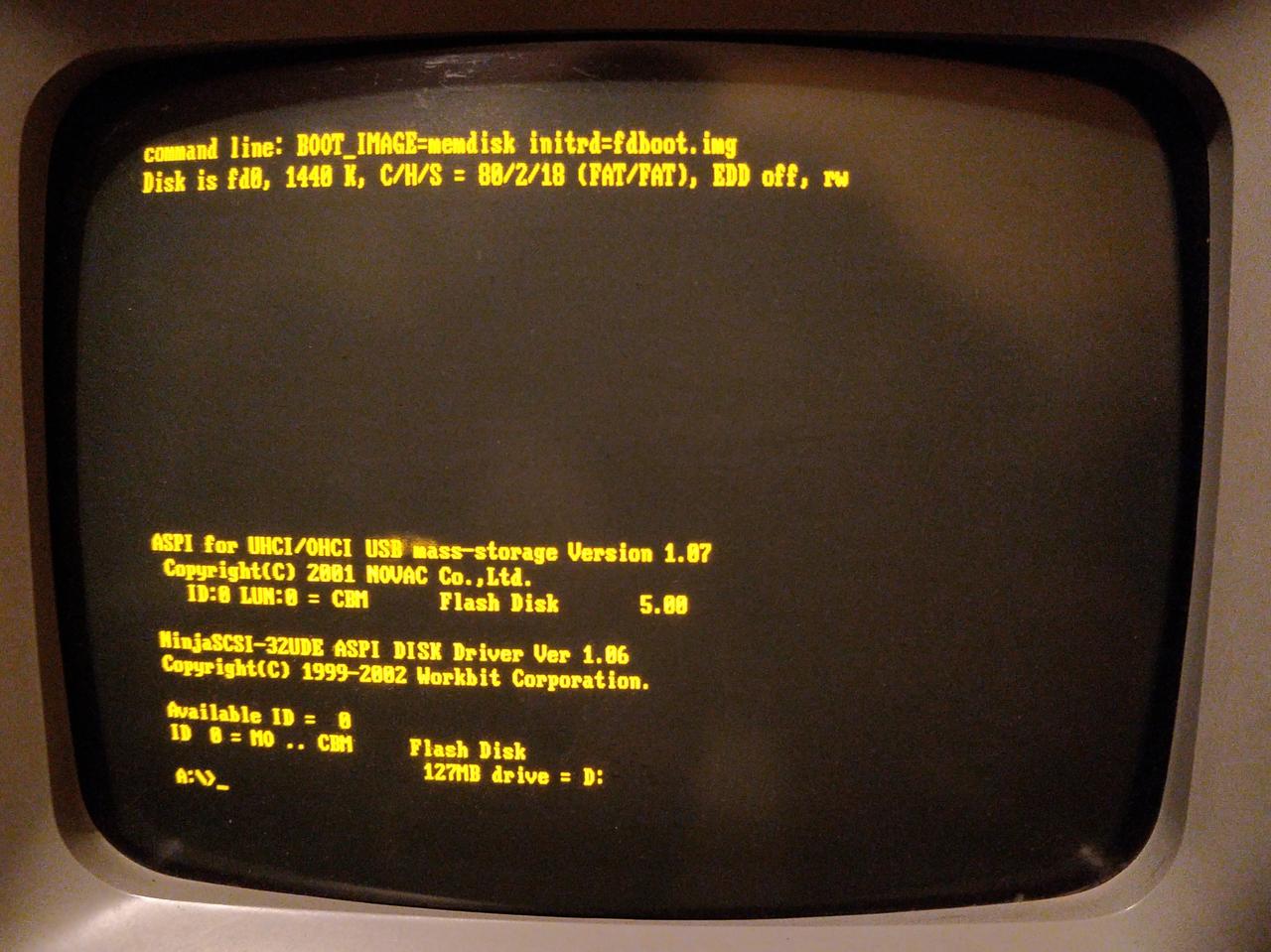
With the hardware and operating system up and running, it was just a matter of getting the files off of the MFM drive and onto something a bit more contemporary. He tried to copy them to a secondary IDE drive, but it seemed there was some kind of conflict as both drives wouldn’t operate at the same time. So he pulled another solution from his bag of tricks: using a USB mass storage device on MS-DOS. By emulating a SCSI drive, he was able to get a standard flash drive plugged into a PCI USB card working, which ultimately dragged these ~35 year old files kicking and screaming into the 21st century.

We love keeping old hardware alive here at Hackaday, and documented methods to not only PXE boot DOS but use USB storage devices when you get it up and running will hopefully inspire some more hackers to blow the dust off that old 386 in the attic.

Sega Teradrive Computer Isozone

Putting The Sega Teradrive Into Overdrive

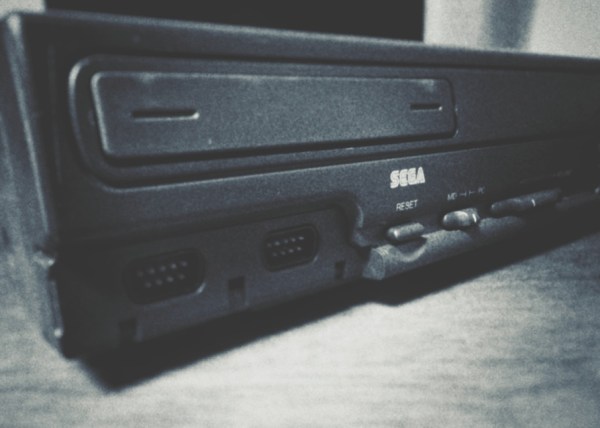
During the 80s and 90s it seemed like Japan got all the good stuff when it came to videogames. In the US there were consoles called the NES, the TurboGrafx-16, and the Genesis. While in Japan they had cooler names like: the Famicom, the PC Engine, and the Mega Drive. The latter was incorporated into a plethora of different form factors, including the little known IBM PC/Mega Drive combo known as the Sega Teradrive. Finding a rare Japanese 1990s PC stateside is a feat in and of itself, and thanks to an electronics hobbyist named [Ronnie] there is at least one Teradrive out there still running strong thanks to an upgraded CPU mod.

Sega Teradrive Motherboard CPU

In theory, the Sega Teradrive was a dream-machine; combining the utility of an IBM PC with the fun of a Sega Mega Drive. The dual functionality extended to the video modes where both VGA and composite video were supported. However, the reality was that the final design was less than desirable. The Teradrive shipped in 1991 with an Intel 80286, 16-bit processor which was already two processor generations behind at the time. The meager 10Mhz clock speed was on the lower end of the performance spectrum which meant that many DOS titles ran poorly…or not at all.

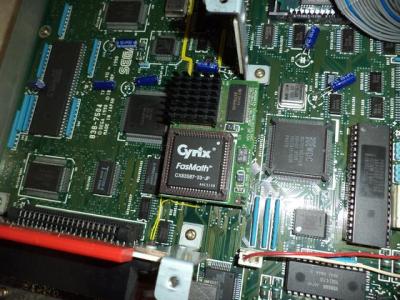
Not satisfied with those specs, [Ronnie] modded his Teradrive with an adapter board containing an Intel 80486 processor clocked at 66Mhz. The upgrade, accompanied with a complete re-cap of the motherboard, brings the IBM PC to 486DX status. This opened up a few new possibilities including the Thundercats Demo in the video below:

Continue reading “Putting The Sega Teradrive Into Overdrive”

Reading Old Data Tapes, The Hard Way

Those who were around for the pre-floppy days of computer mass storage were likely to have made the mistake of slipping a cassette tape containing data into a stereo tape deck. Instead of hearing the expected Awesome Mix, the speakers gave off an annoying bleat, warbling between two discordant tones and no doubt spoiling the mood.

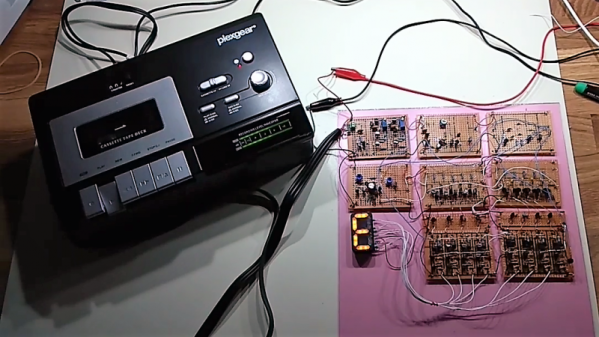
What you likely heard was the Kansas City standard, an early attempt to provide the budding microcomputer industry with a mass-storage standard. It was successful enough that you can still find KCS tapes in need of decoding to this day. That job would be a snap with a microcontroller, which is exactly why [matseng] chose to do it the hard way and built a KCS decoder with nothing but discrete components.

The goal was to decode the frequency-shift-keyed (FSK) signal into an 8-bit parallel output, and maybe drive a seven-segment display as the characters came off the tape at a screaming 300 baud. Not an IC is in sight in the schematics; as [matseng] says, it’s nothing but “Qs, Rs, and Cs.” All the amps, flip-flops, and counters needed are built from a forest of transistors, and even the seven-segment display is a DIY affair of LEDs in a 3D-printed and hot-glue frame. The video below shows the display doing its best to show the alphanumeric characters encoded on the audio tape. And for who absolutely need a dose of Arduino, [matseng] used one along with a dead-bug low-pass filter to emulate KCS signals, for easier development.

We always appreciate hackers who take the road less traveled to arrive at a solution, but if you’re pressed for time to decode some KCS tapes, fear not – all you need is a PC and Audacity.

Continue reading “Reading Old Data Tapes, The Hard Way”

Displaying Bitmaps On The Apple II

The Apple II was the popular darling that truly kicked off the ascention of the company that would later bring you darlings such as the iMac, iPod, and iPhone. The brainchild of the legendary Steve Wozniak, it was a low-cost home computer that made use of some interesting compromises to create video output with the bare minimum components. This can make it difficult if you want to output full-bitmap graphics on the Apple II – but it is certainly possible.

[cybernesto] set about completing this task, and released VBMP on GitHub. Programmed in assembly, it builds upon the work of democoder Arnaud Cocquière to display bitmap images on the vintage 6502-powered machine. Capable of displaying monochrome images in 560 x 192 or sixteen colors in 140 x 192, it loads slowly but does get the job done.

We’ve seen similar development underway elsewhere, too – on this vintage satellite tracker project. [Keplermatic] reports that their code runs at a similar speed to the VBMP loader, despite doing several things differently. It’s also available over at GitHub, for your reading pleasure.

If you’re looking to achieve something similar with your vintage hardware, it’s worth a look. Having the source available makes integrating it into further projects a snap. Learning to program these older machines can be challenging, but that’s half the fun – and when you build something awesome, be sure to drop it on the tips line.

Ants, Dirt, Rain, And The Commodore 64 That Wouldn’t Quit

Some electronics gear is built for the roughest conditions. With rugged steel cases, weatherproof gaskets, and cables passing through sealed glands, these machines are built to take the worst that Mother Nature can throw at them, shrugging off dust, mud, rain, and ice. Consumer-grade computers from the start of the home PC era, however, are decidedly not such machines.

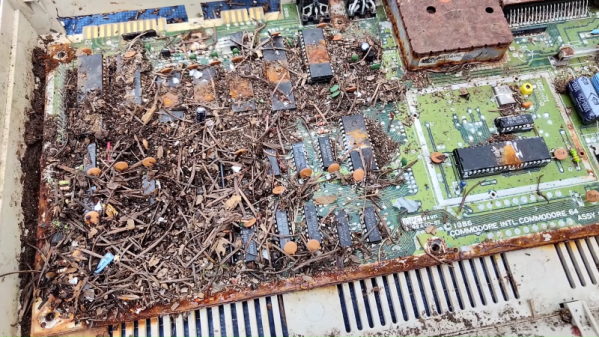
Built to a price point and liable to succumb to a spilled Mountain Dew, few machines from that era that received any kind of abuse lived to tell the tale. Not so this plucky Commodore 64C, which survived decades exposed to the elements. As [Adrian Black] relates in the video below, this machine was on a scrap heap in an Oregon field, piled there along with other goodies by one of those “pickers” that reality TV loves so much. The machine was a disaster. It hadn’t been soaked in oil, but it was loaded with pine needles and an ant colony. The worst part, though, was the rust. The RF shielding had corroded into powder in some places, leaving reddish rust stains all over the place. Undeterred, [Adrian] gave the machine a good bath, first in water, then in isopropanol. Liberal applications of Deoxit helped with header connections, enough to see that the machine miraculously booted. It took some finagling, especially with the 6526 I/O controller, but [Adrian] was eventually able to get everything on the motherboard working, even the sound chip.

Whether this machine survived due to good engineering or good luck is debatable, but it’s a treat to see it come back to life. We hope a full restoration is in the works, not least as a way to make up for the decades of neglect.

Continue reading “Ants, Dirt, Rain, And The Commodore 64 That Wouldn’t Quit”