You Got A 3D Printer, Now What?

Given the incredibly low prices on some of the models currently on the market, it’s more than likely a number of Hackaday readers have come out of the holiday season with a shiny new desktop 3D printer. It’s even possible some of you have already made the realization that 3D printing is a bit harder than you imagined. Sure the newer generation of 3D printers make it easier than ever, but it’s still not the same “click and forget” experience of printing on paper, for instance.

In light of this, I thought it might be nice to start off the new year with some advice for those who’ve suddenly found themselves lost in a forest of PLA. Some of this information may seem obvious to those of us who’ve spent years huddled over a print bed, but as with many technical pursuits, we tend to take for granted the knowledge gained from experience. For my own part, the challenges I faced years ago with my first wooden 3D printer were wholly different than what I imagined. I assumed that the real challenge would be getting the machine assembled and running, but the time it took to build the machine was nothing in comparison to the hours and hours of trial and error it took before I gained the confidence to really utilize the technology.

Of course, everyone’s experience is bound to be different, and we’d love to hear about yours in the comments. Grand successes, crushing defeats, and everything in between. It’s all part of the learning process, and all valuable information for those who are just starting out.

Continue reading “You Got A 3D Printer, Now What?” →

Henrietta Lacks And Immortal Cell Lines

In early 1951, a woman named Henrietta Lacks visited the “colored ward” at Johns Hopkins hospital for a painful lump she found on her cervix. She was seen by Dr. Howard W. Jones, who indeed found a tumor growing on the surface of her cervix. He took a tissue sample, which confirmed Henrietta’s worst fears: She had cancer.

The treatment at the time was to irradiate the tumor with radium tubes placed in and around the cervix. The hope was that this would kill the cancerous cells while preserving the healthy tissue. Unbeknownst to Henrietta, a biopsy was taken during her radium procedure. Slivers of her tumor and of healthy cervix cells were cut away. The cancer cells were used as part of a research project. Then something amazing happened: the cancerous cells grew and continued to grow outside of her body.

As Henrietta herself lay dying, the HeLa immortal cell line was born. This cell line has been used in nearly every aspect of medical research since the polio vaccine. Millions owe their lives to it. Yet, Henrietta and her family never gave consent for any of this. Her family was not informed or compensated. In fact, until recently, they didn’t fully grasp exactly how Henrietta’s cells were being used.

Continue reading “Henrietta Lacks And Immortal Cell Lines” →

First Light: The Story Of The Laser

Lasers are such a fundamental piece of technology today that we hardly notice them. So cheap that they can be given away as toys and so versatile that they make everything from DVD players to corneal surgery a reality, lasers are one of the building blocks of the modern world. Yet lasers were once the exclusive province of physicists, laboring over expansive and expensive experimental setups that seemed more the stuff of science fiction than workhouse tool of communications and so many other fields. The laser has been wildly successful, and the story of its development is an intriguing tale of observation, perseverance, and the importance of keeping good notes.

Continue reading “First Light: The Story Of The Laser” →

Let’s Talk Intel, Meltdown, And Spectre

This week we’ve seen a tsunami of news stories about a vulnerability in Intel processors. We’re certain that by now you’ve heard of (and are maybe tired of hearing about) Meltdown and Spectre. However, as a Hackaday reader, you are likely the person who others turn to when they need to get the gist of news like this. Since this has bubbled up in watered-down versions to the highest levels of mass media, let’s take a look at what Meltdown and Spectre are, and also see what’s happening in the other two rings of this three-ring circus.

Meltdown and Spectre in a Nutshell

These two attacks are similar. Meltdown is specific to Intel processors and kernel fixes (basically workarounds implemented by operating systems) will result in a 5%-30% speed penalty depending on how the CPU is being used. Spectre is not limited to Intel, but also affects AMD and ARM processors and kernel fixes are not expected to come with a speed penalty.

Friend of Hackaday and security researcher extraordinaire Joe Fitz has written a superb layman’s explanation of these types of attacks. His use of the term “layman” may be a little more high level than normal — this is something you need to read.

The attack exploits something called branch prediction. To boost speed, these processors keep a cache of past branch behavior in memory and use that to predict future branching operations. Branch predictors load data into memory before checking to see if you have permissions to access that data. Obviously you don’t, so that memory will not be made available for you to read. The exploit uses a clever guessing game to look at other files also returned by the predictor to which you do have access. If you’re clever enough, you can reconstruct the restricted data by iterating on this trick many many times.

For the most comprehensive info, you can read the PDF whitepapers on Meltdown and Spectre.

Update: Check Alan Hightower’s explanation of the Meltdown exploit left as a comment below. Quite good for helping deliver better understanding of how this works.

Frustration from Kernel Developers

These vulnerabilities are in silicon — they can’t be easily fixed with a microcode update which is how CPU manufacturers usually workaround silicon errata (although this appears to be an architectural flaw and not errata per se). An Intel “fix” would amount to a product recall. They’ve already said they won’t be doing a recall, but how would that work anyway? What’s the lead time on spinning up the fabs to replace all the Intel chips in use — yikes!

So the fixes fall on the operating systems at the kernel level. Intel should be (and probably is behind the scenes) bowing down to the kernel developers who are saving their bacon. It is understandably frustrating to have to spend time and resources patching these vulnerabilities, which displaces planned feature updates and improvements. Linus Torvalds has been throwing shade at Intel — anecdotal evidence of this frustration:

“I think somebody inside of Intel needs to really take a long hard look at their CPU’s, and actually admit that they have issues instead of writing PR blurbs that say that everything works as designed.”

That’s the tamest part of his message posted on the Linux Kernel Mailing List.

Stock Sales Kerfuffle is Just a Distraction

The first thing I did on hearing about these vulnerabilities on Tuesday was to check Intel’s stock price and I was surprised it hadn’t fallen much. In fact, peak to peak it’s only seen about an 8% drop this week and has recovered some from that low.

Of course, it came out that back in November Intel’s CEO Bryan Krzanich sold off his Intel stock to the tune of $24 Million, bringing him down to his contractual minimum of shares. He likely knew about Meltdown when arranging that sale. Resist the urge to flame on this decision. Whether it’s legal or not, hating on this guy is just a distraction.

What’s more interesting to me is this: Intel is too big to fail. What are we all going to do, stop using Intel and start using something else? You can’t just pull the chip and put a new one in, in the case of desktop computers you need a new motherboard plus all the supporting stuff like memory. For servers, laptops, and mobile devices you need to replace the entire piece of equipment. Intel has a huge market share, and silicon has a long production cycle. Branch prediction has been commonplace in consumer CPUs going back to 1995 when the Pentium Pro brought it to the x86 architecture. This is a piece of the foundation that will be yanked out and replaced with new designs that provide the same speed benefits without the same risks — but that will take time to make it into the real world.

CPUs are infrastructure and this is the loudest bell to date tolling to signal how important their design is to society. It’s time to take a hard look at what open silicon design would bring to the table. You can’t say this would have been prevented with Open design. You can say that the path to new processors without these issues would be a shorter one if there were more than two companies producing all of the world’s processors — both of which have been affected by these vulnerabilities.


Finding Your Motorbike Using Wi-Fi

An urban planner once told me that every car requires at least four times as much space as they actually occupy. Each needs a spot on the roads, and three available parking spaces: one at home, one at work, and one to shop. Motorcycles are much smaller, but they still spend most of their time parked.

Motorcycles are the primary means of transport in Southeast Asia, and learning to safely drive one is an essential part of adapting to life here. Assuming it’s not pouring rain and you’re not flooded past your ankles, it’s actually quite a pleasant experience… until you have to park.

Unlike the parking lots you may be familiar with, there’s no expectation that your bike won’t be moved. In fact, it might very well end up on another floor, in another parking lot, or behind hundreds of impassable parked bikes on the roof. In the latter case, the attendant will shrug and suggest you come back in a few hours. Eventually, this won’t even register as a frustration – you will simply reason that there are plenty of other things that are more convenient here, like the weather (recent typhoon aside) or unlimited symmetrical fiber to the home for USD 5 a month.

That being said, with a little technology the problem could be lessened a bit while waiting for automated parking lots to become commonplace. On rare occasions I see people with little radio emitters that make their headlights flash, but they’re not terribly common here and require carrying yet another thing on my already full key chain (homes here typically use several different locks). It seemed pretty easy to pull off something similar using my smart phone with an ESP8266 running NodeMCU. I had been meaning to try out the sleep modes to save battery power anyway, so off I went.

Continue reading “Finding Your Motorbike Using Wi-Fi” →

Guide: Why Etch A PCB When You Can Mill?

I recall the point I started taking electronics seriously, although excited, a sense of dread followed upon the thought of facing the two main obstacles faced by hobbyists and even professionals: Fabricating you own PCB’s and fiddling with the ever decreasing surface mount footprints. Any resistance to the latter proves futile, expensive, and frankly a bit silly in retrospect. Cheap SMD tools have made it extremely easy to store, place, and solder all things SMD.

Once you’ve restricted all your hobbyist designs/experiments to SMD, how do you go about producing the PCBs needed for prototyping? Personally, I dread the thought of etching my own boards. The process is laborious and involves messy chemicals and specially sensitized PCB’s — none of which interest me. I’ve only ever done it a few times, and have promised myself never to do it again. Professional but cheap PCB manufacturing is more like it board pooling services such as OSH park have made this both easy and affordable — if you can wait for the turnaround.

So what are the alternatives? If you are really serious about swift prototyping from your own Lab, I put forth the case of milling your own PCB’s. Read on as I take you through the typical workflow from design to prototype and convince you to put up with the relatively high start up cost of purchasing a PCB mill.

Continue reading “Guide: Why Etch A PCB When You Can Mill?” →

Upgrading A 3D Printer With OctoPrint

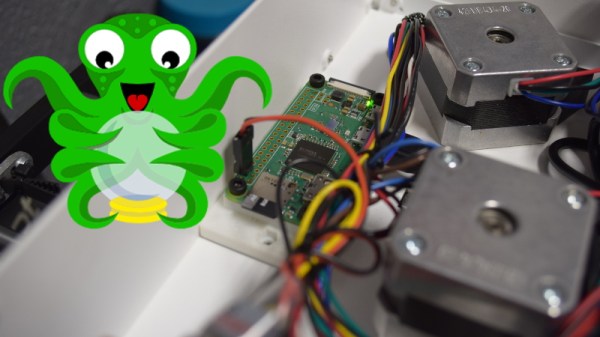
If you’ve been hanging around 3D printing communities, or reading the various 3D printing posts that have popped up here on Hackaday, you’ve almost certainly heard of OctoPrint. Created and maintained by Gina Häußge, OctoPrint allows you to turn an old computer (or more commonly a small ARM board like the Raspberry Pi or BeagleBone) into a network-accessible control panel for your 3D printer. Thanks to a thriving collection of community developed plugins, it can even control other hardware such as lights, enclosure heaters, smart plugs, or anything else you can think to hook onto the GPIO pins of your chosen ARM board. The project has become so popular that the new Prusa i3 MK3 has a header on the control board specifically for connecting a Pi Zero W running OctoPrint.

Even still, I never personally “got” OctoPrint. I was happy enough with my single printer connected to my computer and controlled directly from my slicer over USB. The majority of the things I print are of my own design, so when setting up the printer it only seemed logical that I would have it connected to the machine I’d be doing my designing on. If I’m sitting at my computer, I just need to rotate my chair to the right and I’m at my printer. What do I need to control the thing over WiFi for?

But things got tricky when I wanted to set up a second printer to help with speeding up larger projects. I couldn’t control them both from the same machine, and while I could print from SD on the second printer if I really had to, the idea seemed painfully antiquated. It would be like when Scotty tried talking into the computer’s mouse in “Voyage Home”. Whether I “got it” or not, I was about to dive headfirst into the world of OctoPrint.

Continue reading “Upgrading A 3D Printer With OctoPrint” →