The Quest 2 wireless VR headsetby Oculus was recently released, and improves on the one-and-a-half year old Quest mainly in terms of computing power and screen resolution. But Oculus is owned by Facebook, a fact that Facebook is increasingly keen on making very clear. The emerging scene is one that looks familiar: a successful hardware device, and a manufacturer that wants to keep users in a walled garden while fully controlling how the device can be used. Oculus started out very differently, but the writing has been on the wall for a while. Rooting and jailbreaking the Quest 2 seems inevitable, but what will happen then? Continue reading “As Facebook Tightens Their Grip On VR, Jailbreaking Looks More Likely”→
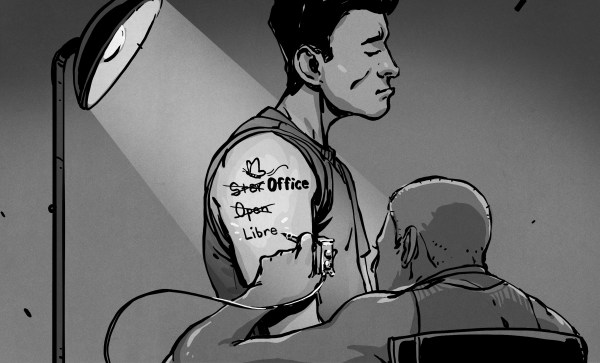
When it comes to open source office suites, most people choose OpenOffice or LibreOffice, and they both look suspiciously similar. That isn’t surprising since they both started with exactly the same code base. However, the LibreOffice team recently penned an open letter to the Apache project — the current keepers of OpenOffice — asking them to redirect new users to the LibreOffice project. Their logic is that OpenOffice has huge name recognition, but hasn’t had a new major release in several years. LibreOffice, on the other hand, is a very active project. We could argue that case either way, but we won’t. But it did get us thinking about how things got here.
It all started when German Marco Börries wrote StarWriter in 1985 for the Zilog Z80. By 1986, he created a company, Star Division, porting the word processor to platforms like CP/M and MSDOS. Eventually, the company added other office suite programs and with support for DOS, OS/2, and Windows, the suite became known as StarOffice.
The program was far less expensive than most competitors, costing about $70, yet in 1999 that price point prompted Sun Microsystems to buy StarOffice. We don’t mean they bought a copy or a license, they bought the entire thing for just under $74 million. The story was that it was still cheaper than buying a license for each Sun employee, particularly since most had both a Windows machine and a Unix machine which still required some capability.
Sun in Charge
Sun provided StarOffice 5.2 in 2000 as a free download for personal use, which gave the software a lot of attention. It eventually released much of the code under an open source license producing OpenOffice. Sun contributed to the project and would periodically snapshot the code to market future versions of StarOffice.
This was the state of affairs for a while. StarOffice 6.0 corresponded to OpenOffice 1.0. In 2003, release 1.1 turned into StarOffice 7. A couple of years later, StarOffice 8/OpenOffice 2.0 appeared and by 2008, we had StarOffice 9 with OpenOffice 3.0 just before Oracle entered the picture.
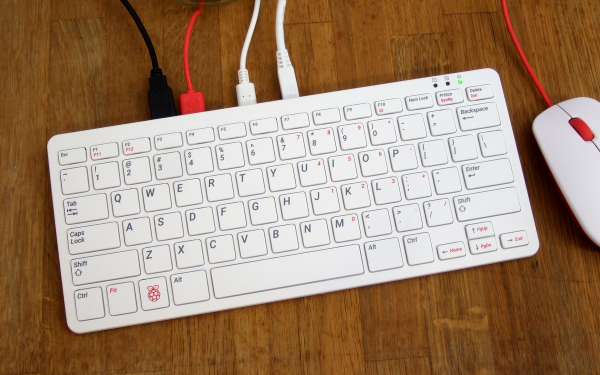
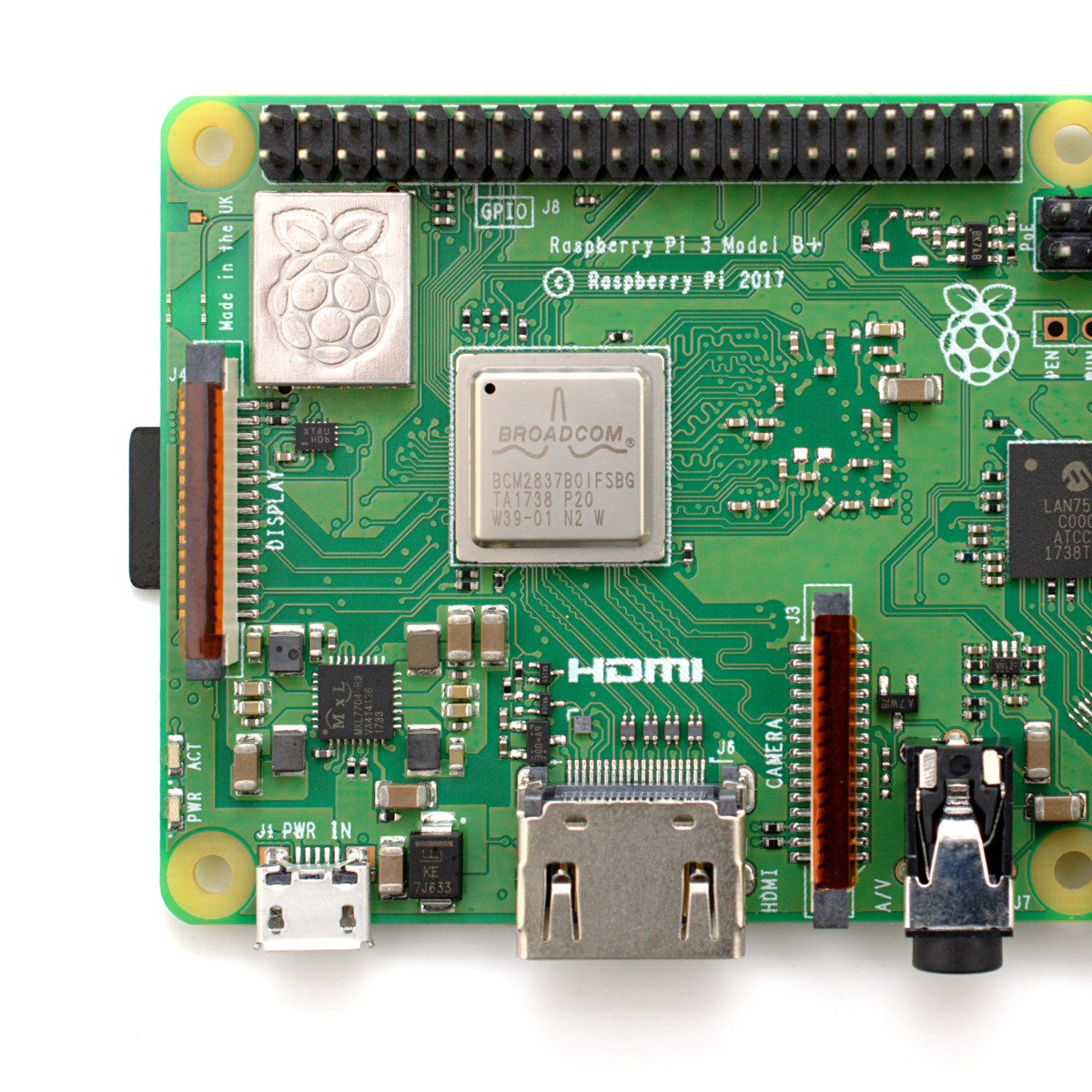
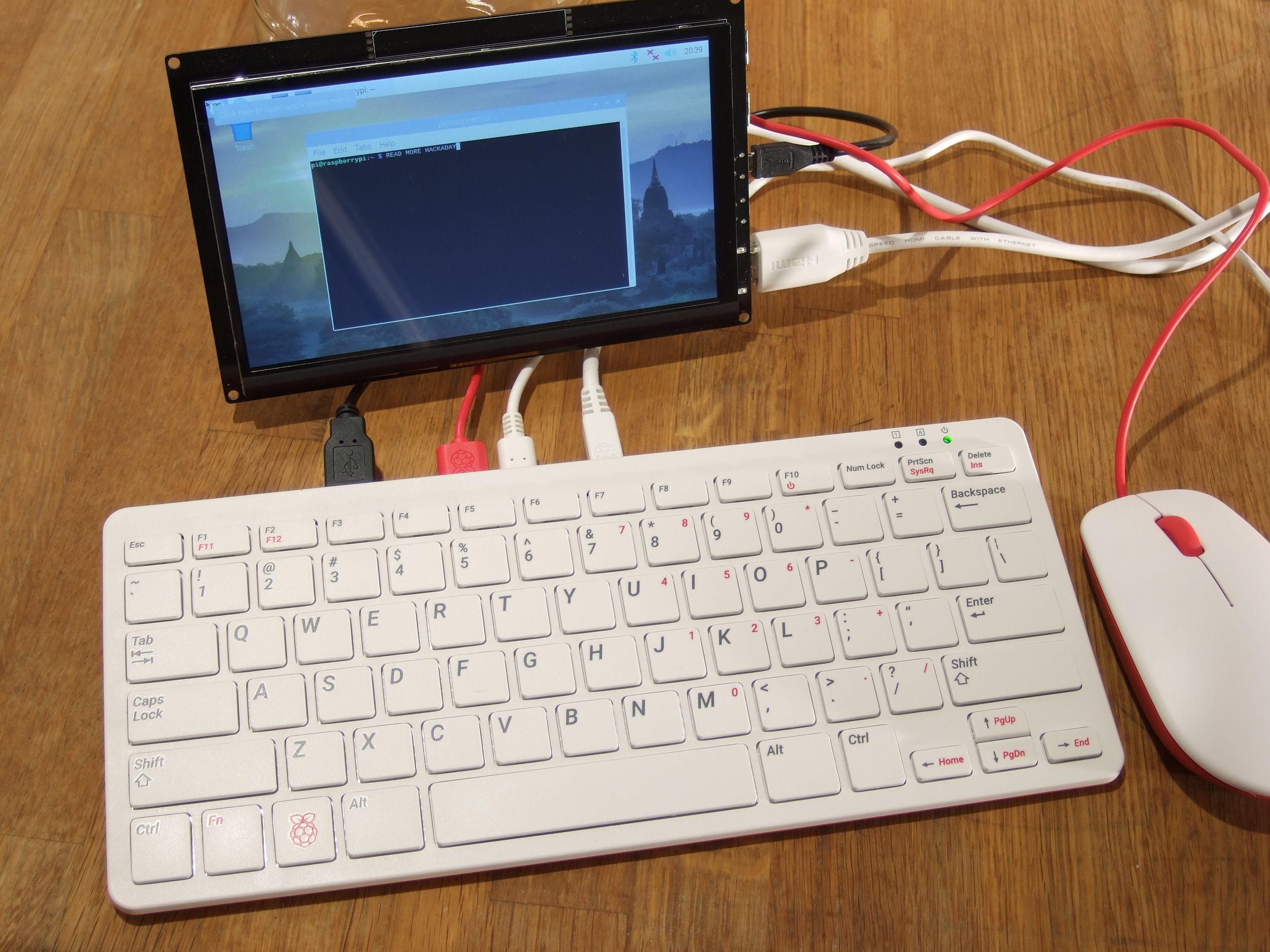
The newest Raspberry Pi 400 almost-all-in-one computer is very, very slick. Fitting in the size of a small portable keyboard, it’s got a Pi 4 processor of the 20% speedier 1.8 GHz variety, 4 GB of RAM, wireless, Ethernet, dual HDMI outputs, and even a 40-pin Raspberry Standard IDE-cable style header on the back. For $70 retail, it’s basically a steal, if it’s the kind of thing you’re looking for because it has $55 dollars worth of Raspberry Pi 4 inside.
In some sense, it’s getting dangerously close to fulfilling the Raspberry Pi Dream. (And it’s got one more trick up it’s sleeve in the form of a huge chunk of aluminum heat-sinked to the CPU that makes us think “overclocking”.)
We remember the founding dream of the Raspberry Pi as if it were just about a decade ago: to build a computer cheap enough that it would be within everyone’s reach, so that every school kid could have one, bringing us into a world of global computer literacy. That’s a damn big goal, and while they succeeded on the first count early on, putting together a $35 single-board computer, the gigantic second part of that master plan is still a work in progress. As ubiquitous as the Raspberry Pi is in our circles, it’s still got a ways to go with the general population.
The Raspberry Pi Model B wasn’t, and isn’t, exactly something that you’d show to my father-in-law without him asking incredulously “That’s a computer?!”. It was a green PCB, and you had to rig up your own beefy 5 V power supply, figure out some kind of enclosure, scrounge up a keyboard and mouse, add in a monitor, and only then did you have a computer. We’ve asked the question a couple of times, can the newest Raspberry Pi 4B be used as a daily-driver desktop, and answered that in the affirmative, certainly in terms of it having adequate performance.
But powerful doesn’t necessarily mean accessible. If you want to build your own cyberdeck, put together an arcade box, screw a computer into the underside of your workbench, or stack together Pi Hats and mount the whole thing on your autonomous vehicle testbed, the Raspberry Pi is just the ticket. But that’s the computer for the Hackaday crowd, not the computer for everybody. It’s just a little bit too involved.
The Raspberry Pi 400, in contrast, is a sleek piece of design. Sure, you still need a power supply, monitor, and mouse, but it’s a lot more of a stand-alone computer than the Pi Model B. It’s made of high-quality plastic, with a decent keyboard. It’s small, it’s light, and frankly, it’s sexy. It’s the kind of thing that would pass the father-in-law test, and we’d suggest that might go a long way toward actually realizing the dream of cheaply available universal (open source) computing. In some sense, it’s the least Hackaday Raspberry Pi. But that’s not saying that you might not want one to slip into your toolbag.
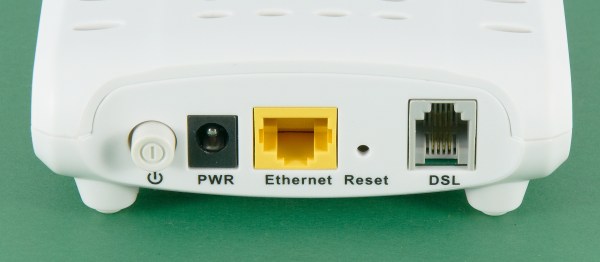
Are you reading this over AT&T DSL right now? If so, you might have to upgrade or go shopping for a new ISP soon. AT&T quietly stopped selling new traditional DSLs on October 1st, though they will continue to sell their upgraded fiber-to-the-node version. This leaves a gigantic digital divide, as only 28% of AT&T’s 21-state territory has been built out with full fiber to the home, and the company says they have done almost all of the fiber expansion that they intend to do. AT&T’s upgraded DSL offering is a fiber and copper hybrid, where fiber ends at the network node closest to the subscriber’s home, and the local loop is still over copper or coax.
At about the same time, a report came out written jointly by members of the Communications Workers of America union and a digital inclusion advocacy group. The report alleges that AT&T targets wealthy and non-rural areas for full fiber upgrades, leaving the rest of the country in the dark.
As the internet has been the glue holding these unprecedented times together, this news comes as a slap in the face to many rural customers who are trying to work, attend school, and see doctors over various videoconferencing services.
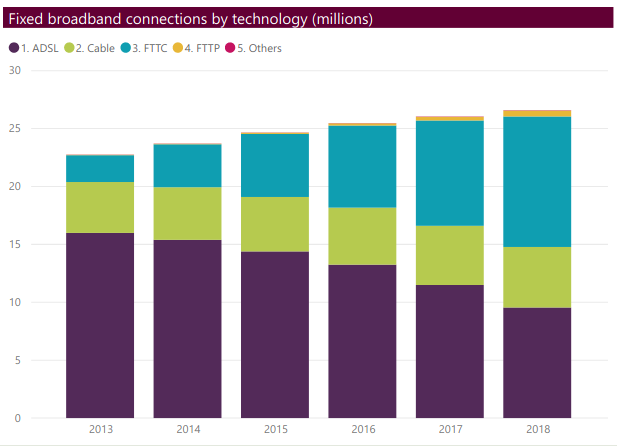
If you live in a big enough city, chances are you haven’t thought of DSL for about twenty years, if ever. It may surprise you to learn of the popularity of ADSL in the United Kindom. ADSL the main source of broadband in the UK until 2017, having been offset by the rise of fibre-to-the-cabinet (FTTC) connections. However, this Ofcom report shows that in 2018 ADSL still made up more than a third of all UK broadband connections.
Why do people still have it, and what are they supposed to do in the States when it dries up?
You probably know about cron, a program that lets you schedule programs to run at various times. We’ve also talked about incron, which is very similar but instead of time, it reacts to changes in the file system. If you ever wanted to write a program that, say, detects a change in a file and automatically uploads it to a programmer, backs it up, e-mails it somewhere, or anything else, then incron might be for you. Although we’ve talked about it before, incron has some peculiarities that make it very difficult to debug problems, so I thought I’d share some of the tricks I use when working with incron.
I was thinking about this because I wanted to set up a simple system where I have a single document directory under git control. Changing a markdown file in that folder would generate Word document and PDF equivalents. Conversely, changing a Word document would produce a markdown version.
This is easy to do with pandoc — it speaks many different formats. The trick is running it only on changed files and as soon as they change. The task isn’t that hard, but it does take a bit to debug since it’s a bit nontrivial.
Despite the impressive variety of thermoplastics that can be printed on consumer-level desktop 3D printers, the most commonly used filament is polylactic acid (PLA). That’s because it’s not only the cheapest material available, but also the easiest to work with. PLA can be extruded at temperatures as low as 180 °C, and it’s possible to get good results even without a heated bed. The downside is that objects printed in PLA tend to be somewhat brittle and have a low heat tolerance. It’s a fine plastic for prototyping and light duty projects, but it won’t take long for many users to outgrow its capabilities.
The next step up is usually polyethylene terephthalate glycol (PETG). This material isn’t much more difficult to work with than PLA, but is more durable, can handle higher temperatures, and in general is better suited for mechanical parts. If you need greater durability or higher heat tolerance than PETG offers, you could move on to something like acrylonitrile butadiene styrene (ABS), polycarbonate (PC), or nylon. But this is where things start to get tricky. Not only are the extrusion temperatures of these materials greater than 250 °C, but an enclosed print chamber is generally recommended for best results. That puts them on the upper end of what the hobbyist community is generally capable of working with.
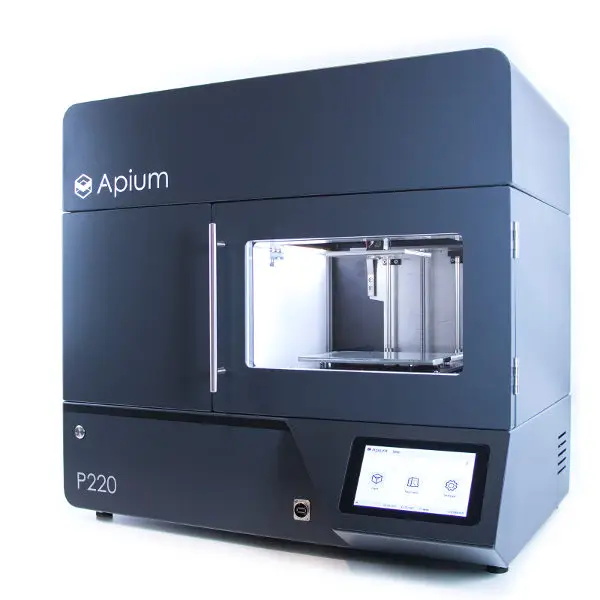
Industrial 3D printers like the Apium P220 start at $30,000.
But high-end industrial 3D printers can use even stronger plastics such as polyetherimide (PEI) or members of the polyaryletherketone family (PAEK, PEEK, PEKK). Parts made from these materials are especially desirable for aerospace applications, as they can replace metal components while being substantially lighter.
These plastics must be extruded at temperatures approaching 400 °C, and a sealed build chamber kept at >100 °C for the duration of the print is an absolute necessity. The purchase price for a commercial printer with these capabilities is in the tens of thousands even on the low end, with some models priced well into the six figure range.
Of course there was a time, not quite so long ago, where the same could have been said of 3D printers in general. Machines that were once the sole domain of exceptionally well funded R&D labs now sit on the workbenches of hackers and makers all over the world. While it’s hard to say if we’ll see the same race to the bottom for high temperature 3D printers, the first steps towards democratizing the technology are already being made.
I’m moving, and in the process of packing all of my belongings into storage boxes to disappear into a darkened room for the next year. Perhaps I could become one of those digital nomads I hear so much about and post my Hackaday stories from a sun-kissed beach while goldfish shoals nibble at my toes. But here in a slightly damp British autumn, box after box of a lifetime’s immersion in tech needs sorting and directing. Why on earth did I hang on to three Philips N1500 VCR system video cassette recorders from the early 1970s! (Don’t worry, those have found a good home.)
Say Hello To An Old Friend Of Mine
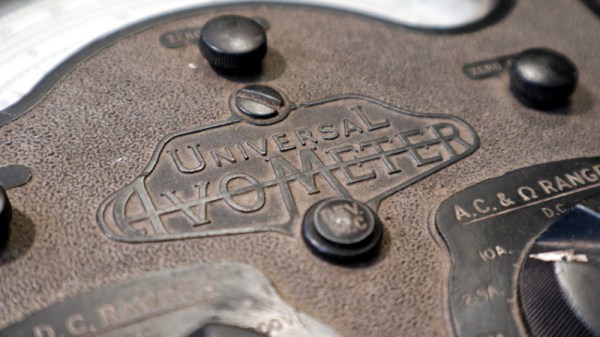
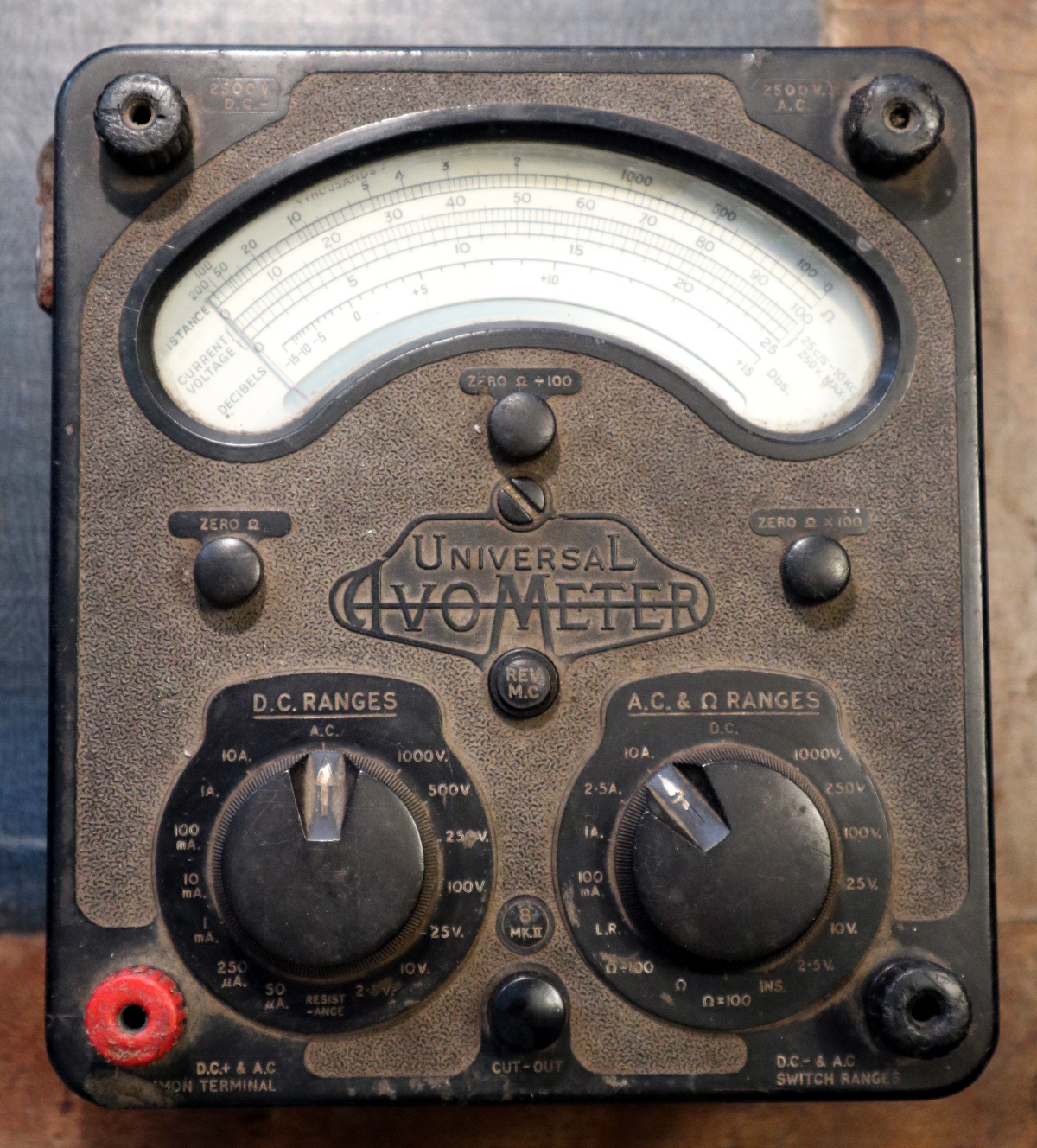
Instantly recognisable, the AVO 8
As I was packing up my bench, I happened upon a multimeter. I have quite a few multimeters and this isn’t the first time I’ve written about these indispensable instruments, but this one’s a little special.
It’s a treasure from my youth, that most venerable of British test equipment: the AVO 8. This was the ubiquitous multimeter to be found in all manner of electrical and electronic workshops across most of the 20th century, and remains to this day one of the highest quality examples of its type.
It’s a relatively huge Bakelite box about 190mm x 170mm x 100mm in size, and it is instantly recognisable by its dual rotary selector switches and the window for viewing the needle, which forms a characteristic circular arc kidney shape.
The earliest ancestors of my meter appeared in the 1920s, and the first model 8 in the early 1950s. Mine is a Mk III that a penciled date on the inside of its meter movement tells me was made in November 1965 and which I bought reconditioned from Stewart of Reading in about 1991, but manufacture continued until the last Mk VIII rolled off the production line in 2008. It’s to my shame that my AVO is a bit dusty and that maybe I haven’t used it much of late, but as I picked it up all the memories of using it to fix dead TV sets and set up optimistic experiments in radio came flooding back. If there’s one instrument that connects me to the youthful would-be electronic engineer that I once was, then here it is. Continue reading “Ode To An AVO 8 Multimeter”→