Before I got a license and a car, getting to and from high school was an ordeal. The hour-long bus ride was awful, as one would expect when sixty adolescents are crammed together with minimal supervision. Avoiding the realities going on around me was a constant chore, aided by frequent mental excursions. One such wandering led me to the conclusion that we high schoolers were nothing but cargo on a delivery truck designed for people. That was a cheery fact to face at the beginning of a school day.
What’s true for a bus full of students is equally true for every city bus, trolley, subway, or long-haul motorcoach you see. People can be freight just as much as pallets of groceries in a semi or a bunch of smiling boxes and envelopes in a brown panel truck. And the same economic factors that we’ve been insisting will make it far more likely that autonomous vehicles will penetrate the freight delivery market before we see self-driving passenger vehicles are at work with people moving. This time on Automate the Freight: what happens when the freight is people?
Machinists like to live on the edge, but they always want to know precisely where it is. If you’ve watched any machining videos (*cough*) then you’ve seen heavy use of digital readouts on machines. A “DRO” (as the cool kids call them) is a little computer that knows where the slides are, and thus where your cutter is on the piece. However, there’s a catch. DROs don’t know the absolute position of the spindle, they know the relative position of it. The bottom line is that a DRO is just a fancier version of the graduated scales on the hand wheels. The key difference is that the DRO doesn’t suffer from backlash, because it is measuring the slides directly (via glass scales similar to your digital caliper) rather than inferring position from rotations of the leadscrews. With traditional hand wheels, you have to compensate for backlash every time you change direction, and a DRO saves you from that (among other convenience features).
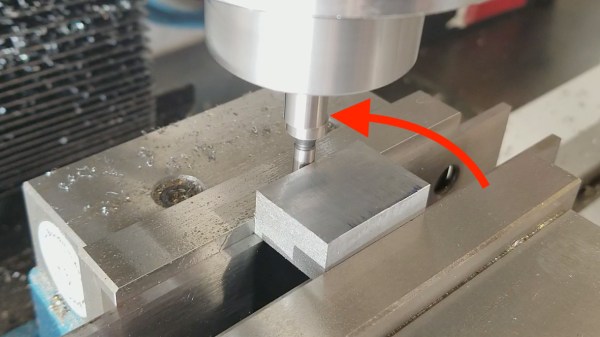
The point is that, whether old school or new, you still only get a relative coordinate system on your part. You need to establish an origin somehow. A useful way to do this is to set an origin at one corner of the part, based on its physical edges. How do you tell the DRO (or hand wheels) where the edges are? Enter the edge finder.
Before swearing my fealty to the Jolly Wrencher, I wrote for several other sites, creating more or less the same sort of content I do now. In fact, the topical overlap was enough that occasionally those articles would get picked up here on Hackaday. One of those articles, which graced the pages of this site a little more than seven years ago, was Getting Started with RTL-SDR. The original linked article has long since disappeared, and the site it was hosted on is now apparently dedicated to Nintendo games, but you can probably get the gist of what it was about from the title alone.
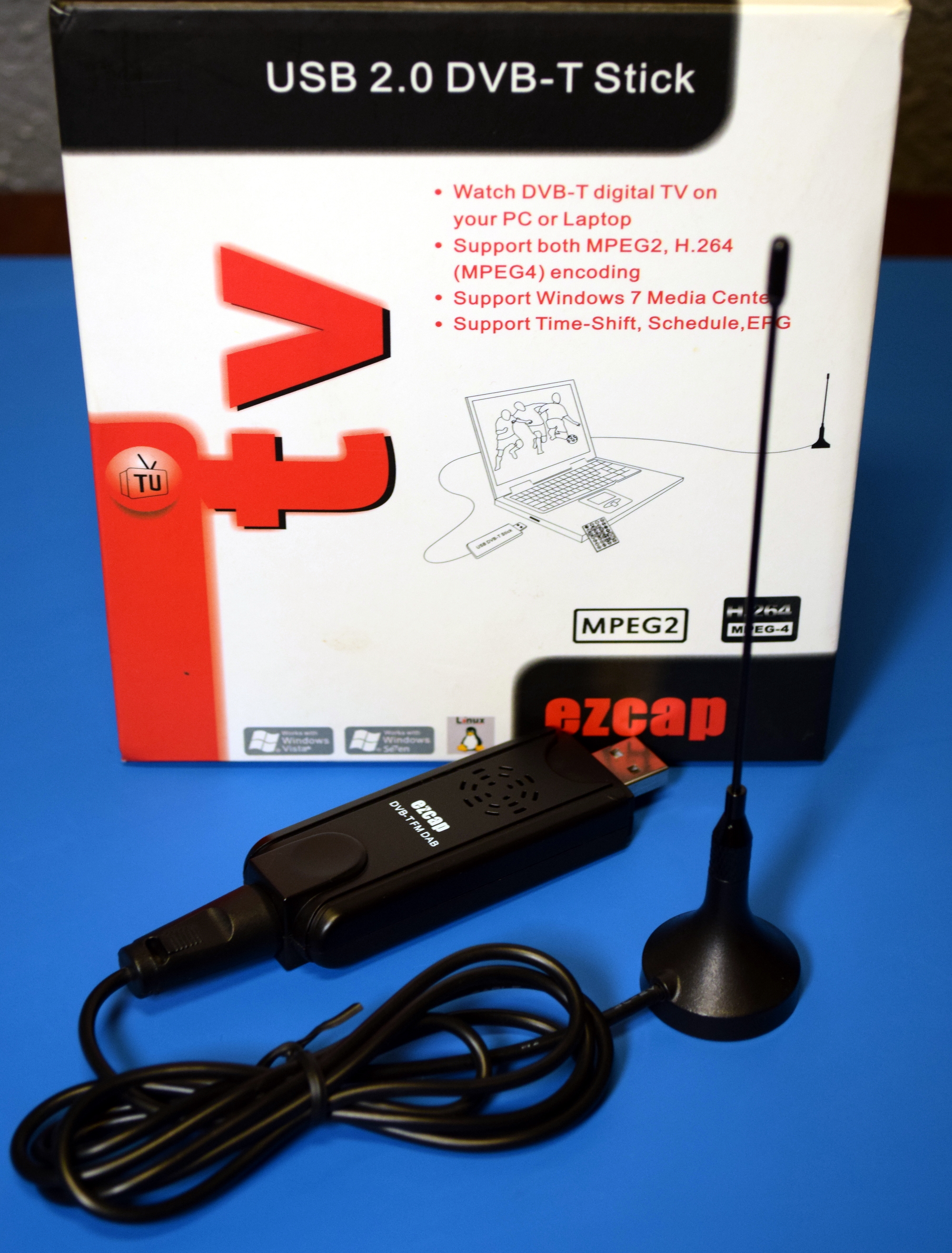
An “Old School” RTL-SDR Receiver
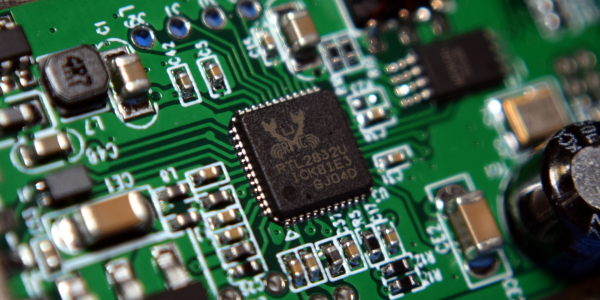
When I wrote that article in 2012, the RTL-SDR project and its community were still in their infancy. It took some real digging to find out which TV tuners based on the Realtek RTL2832U were supported, what adapters you needed to connect more capable antennas, and how to compile all the software necessary to get them listening outside of their advertised frequency range. It wasn’t exactly the most user-friendly experience, and when it was all said and done, you were left largely to your own devices. If you didn’t know how to create your own receivers in GNU Radio, there wasn’t a whole lot you could do other than eavesdrop on hams or tune into local FM broadcasts.
Nearly a decade later, things have changed dramatically. The RTL-SDR hardware and software has itself improved enormously, but perhaps more importantly, the success of the project has kicked off something of a revolution in the software defined radio (SDR) world. Prior to 2012, SDRs were certainly not unobtainable, but they were considerably more expensive. Back then, the most comparable device on the market would have been the FUNcube dongle, a nearly $200 USD receiver that was actually designed for receiving data from CubeSats. Anything cheaper than that was likely to be a kit, and often operated within a narrower range of frequencies.
Today, we would argue that an RTL-SDR receiver is a must-have tool. For the cost of a cheap set of screwdrivers, you can gain access to a world that not so long ago would have been all but hidden to the amateur hacker. Let’s take a closer look at a few obvious ways that everyone’s favorite low-cost SDR has helped free the RF hacking genie from its bottle in the last few years.
I have a problem. If I go to a swap meet , or even a particularly well stocked yard sale, I feel compelled to buy something. Especially if that something happens to be an oddball piece of electronics. While on the whole I’m a man of few vices, I simply can’t walk away from a good deal; doubly so if it has a bunch of buttons, LEDs, and antennas on it.
Table for one, by the window.
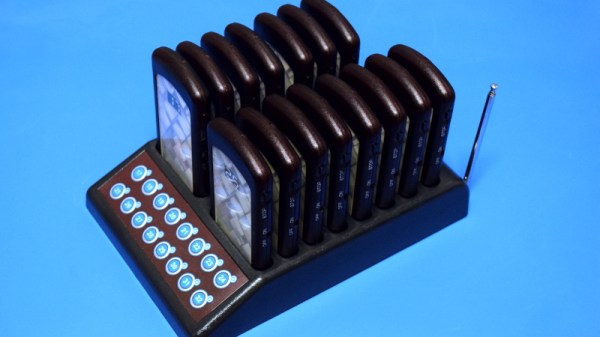
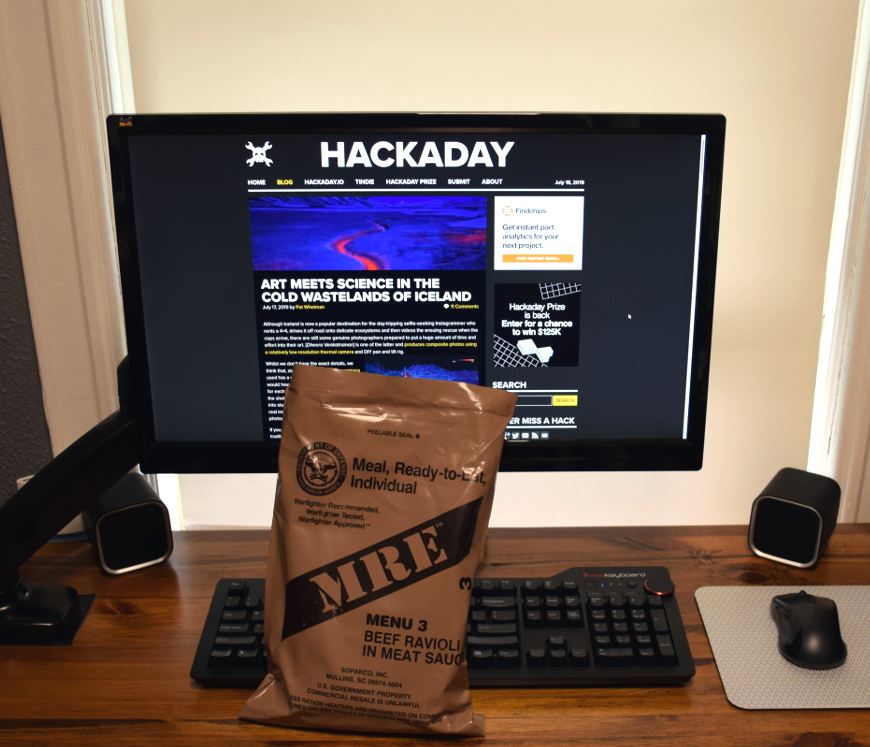
Which is exactly how I came into the possession of a Catel CPT300 restaurant paging system for just $20 a few months ago. I do not, as you may have guessed, operate a restaurant. In fact, as many of my meals take the form of military rations eaten in front of my computer, I’m about as far away from a restaurateur as is humanly possible. But I was so enamored with the rows of little plastic pagers neatly lined up in their combination charging dock and base station that I had to have it.
The man selling it swore the system worked perfectly. Even more so after he plugged it in and it didn’t do anything. But appearances can be deceiving, and his assurance that all the pagers needed was a good charge before they’d burst back to life seemed reasonable enough to me. Of course, it hardly mattered. The regular Hackaday reader at this point knows the fate of the CPT300 was to be the same whether or not it worked.
Incidentally, those cute little pagers would not burst back to life with a good charge. They may well have burst into something, but we’ll get to that in a moment. For now, let’s take a look at a gadget that most of us have used at one time or another, but few have had the opportunity to dissect.
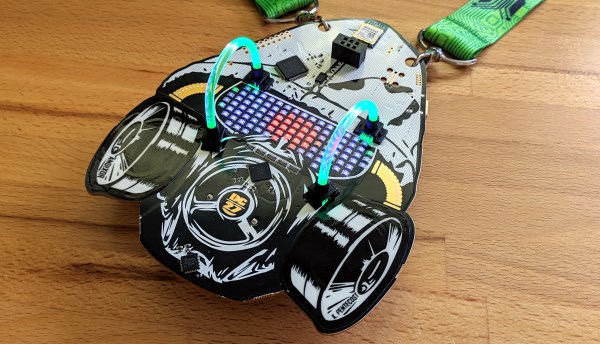
The newest offering from the AND!XOR team is out and it delivered exactly what hardware badges were missing: light pipes. No joke, the DEF CON 27 edition AND!XOR badge will be most recognizable because of two arcs of light pipe material blinging RGB goodness in three dimensions. But if you can peel your eyes away from that oddity there’s a lot to love about the new design.
USB stands for Universal Serial Bus and ever since its formation, the USB Implementers Forum have been working hard on the “Universal” part of the equation. USB Type-C, which is commonly called USB-C, is a connector standard that signals a significant new chapter in their epic quest to unify all wired connectivity in a single specification.
Many of us were introduced to this wonder plug in 2015 when Apple launched the 12-inch Retina MacBook. Apple’s decision to put everything on a single precious type-C port had its critics, but it was an effective showcase for a connector that could handle it all: from charging, to data transfer, to video output. Since then, it has gradually spread to more devices. But as the recent story on the Raspberry Pi 4’s flawed implementation of USB-C showed, the quest for a universal connector is a journey with frequent setbacks.
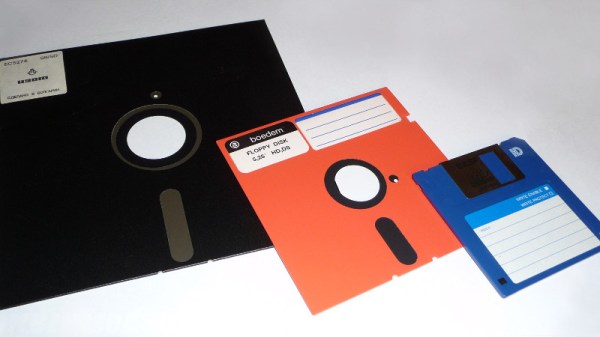
About a week ago, Linus Torvalds made a software commit which has an air about it of the end of an era. The code in question contains a few patches to the driver for native floppy disc controllers. What makes it worthy of note is that he remarks that the floppy driver is now orphaned. Its maintainer no longer has working floppy hardware upon which to test the software, and Linus remarks that “I think the driver can be considered pretty much dead from an actual hardware standpoint“, though he does point out that active support remains for USB floppy drives.
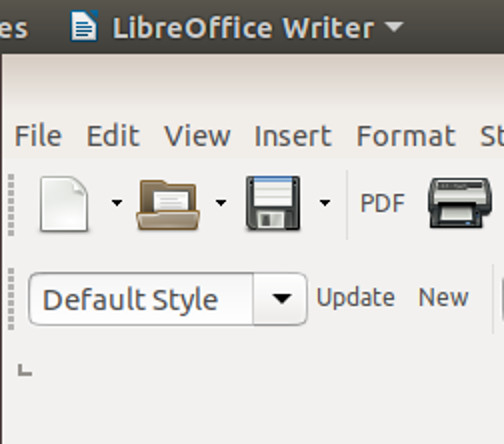
It’s a very reasonable view to have arrived at because outside the realm of retrocomputing the physical rather than virtual floppy disk has all but disappeared. It’s well over a decade since they ceased to be fitted to desktop and laptop computers, and where once they were a staple of any office they now exist only in the “save” icon on your wordprocessor. The floppy is dead, and has been for a long time.
The save icon in LibreOffice and other desktop software is probably the last place the floppy exerts a hold over us.
Still, Linus’ quiet announcement comes as a minor jolt to anyone of A Certain Age for whom the floppy disk and the computer were once inseparable. When your digital life resided not in your phone or on the cloud but in a plastic box of floppies, those disks meant something. There was a social impact to the floppy as well as a technological one, they were a physical token that could contain your treasured ephemeral possessions, a modern-day keepsake locket for the digital age. We may have stopped using them over a decade ago, but somehow they are still a part of our computing DNA.
So while for some of you the Retrotechtacular series is about rare and unusual technology from years past, it’s time to take a look at something ubiquitous that we all think we know. Where did the floppy disk come from, where is it still with us, and aside from that save icon what legacies has it bestowed upon us?