Game On With These Open Source Arduino Buzzers

Planning a game of Hacker Jeopardy at your next meetup? You’re going to want some proper buzzers to complete the experience, but why buy when you can build? [Flute Systems] has released an open source DIY game buzzer system based on the Arduino that will help instantly elevate your game. Certainly beats just yelling across the room.

The design has been made to be as easily replicable as possible: as long as you’ve got access to a 3D printer to run off the enclosures for the buzzers and base station, you’ll be able to follow along no problem. The rest of the project consists of modular components put together with jumper wires and scraps of perfboard. Granted it might not be the most elegant solution, but there’s something to be said for projects that beginners and old salts alike can complete.

Each buzzer consists of an Arduino Pro Mini 3.3 V, a nRF24L01, and of course a big pushbutton on the top. Each one is powered by a 110 mAh 3.7 V LiPo battery, though [Flute Systems] notes that the current version of the buzzer can’t actually recharge it. You’ll need to pull the pack out and charge it manually once and awhile. Thankfully, the printed enclosure features a very clever twist-lock mechanism which makes it easy to open anytime you need to poke at the internals.

The base station uses the 5 V version of the Pro Mini, with a Adafruit PowerBoost 1000C to step up the voltage from its 2,000 mAh battery. Of course it also has a nRF24L01, and also adds a buzzer and twin four digit seven-segment LED displays. [Flute Systems] says you can expect about five hours of runtime for the base station.

An especially nice feature of this setup is that the eight digit display allows the base station to show the number of each button in the order it was received. So rather than just getting a display of who buzzed in first, you can see the chronological order in which all eight buttons were pressed. Coming up with clever applications for this capability is left as an exercise for the reader.

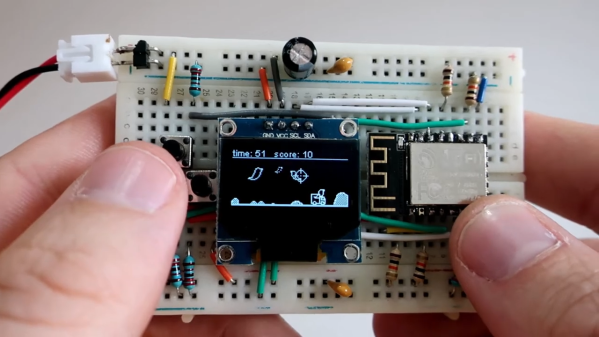
Of course, there’s more than one way to build a buzzer. If you don’t like the way [Flute Systems] did it, then check out this version that uses 900 MHz radios and an OLED to show the results.

Adding A Co-Processor To Help SNES Games With Slowdown

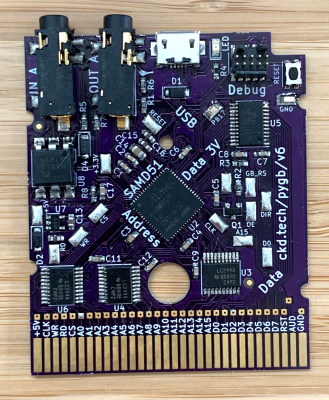
The Super Nintendo port of Gradius III is notable for being close to the arcade original, with its large, bright and colorful graphics. However, due to the limitation of the console’s hardware, the port is also well known for having constant slowdowns during gameplay, particularly during later sections. [Vitor] hacked away at the game and made a patched version of the ROM use a co-processor to eliminate those issues.

The slowdown seen here in Gradius is not uncommon to SNES players, many games of that era suffer from it when several sprites appear on the screen at once. This is partially due to the aging CPU Nintendo chose, supposedly in order to maintain NES backwards compatibility before the idea got scrapped. Unable to complete its tasks by the time the next frame needs to be shown, the hardware skips frames to let the processor catch up before it can continue. This is perceived as the aforementioned slowdown.

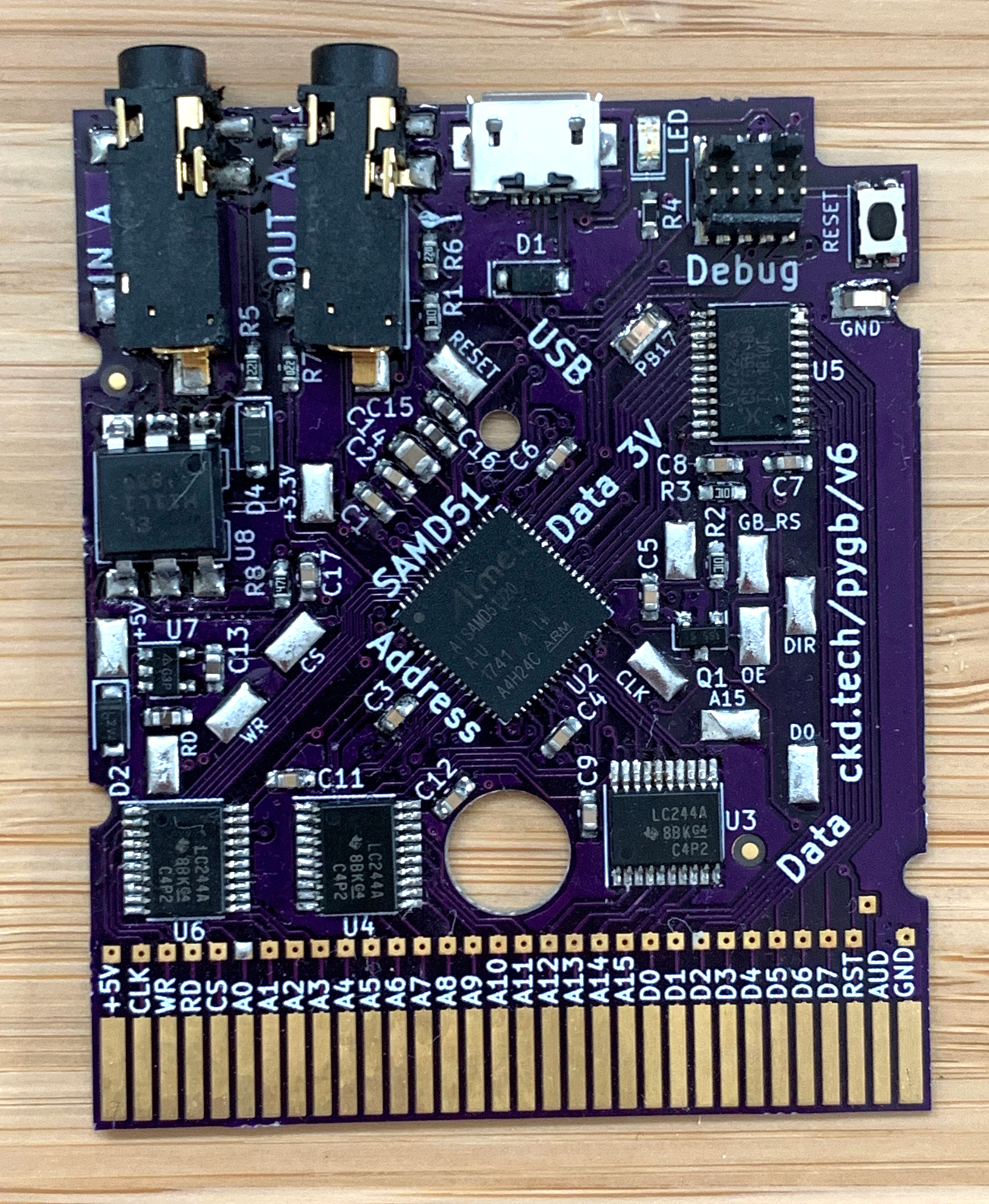
Around the later stage of the SNES’s life, games started using additional chips inside the cartridges in order to enhance the console’s performance. One of them is the SA1, which is a co-processor with the same core as the main CPU, only with a higher clock rate. By using it, games had more time to run through the logic and graphics manipulation before the next frame. What [Vitor] did was port those parts of Gradius III to the SA1, essentially making it just like any other enhanced cartridge from back in the day.

Unlike previous efforts we’ve seen to overclock the SNES by giving it a longer blanking time, this method works perfectly on real unmodified hardware. You can see the results of his efforts after the break, particularly around stage 2 where several bubbles fill the screen on the second video.

Continue reading “Adding A Co-Processor To Help SNES Games With Slowdown”

Doing What Id Couldn’t: Returning Music To Jaguar Doom

While the rest of the world has by and large forgotten the Atari Jaguar, the generously marketed console still has a fan base, and even some dedicated hackers prodding away at it. [Cyrano Jones] is one of them, and he managed something many considered unthinkable: restoring in-game music to the Jaguar port of Doom.

The Jaguar version of the classic shooter was developed by id Software themselves, and is generally considered one of the better console ports. For example, the large number of buttons on the Jaguar controller allowed players to select weapons directly rather than having to cycle through them. Unfortunately, the complete lack of music during gameplay was a glaring omission that took several points off of an otherwise fairly solid presentation.

The common culprit blamed for this was that the Jaguar’s DSP was already being used for math processing, so it didn’t have any cycles left for music playback. Coupled with a tight deadline, id probably cut their losses and released it without in-game music rather than try and spend more time engineering a solution. To compensate for the lack of in-game music, id did include the famous soundtrack in the intermission screens rather than entirely strip it out.

As [Cyrano] found out by studying the source code that’s been available since 2003, sound effects in the Jaguar version of Doom are played using something called a “ring buffer”: a cyclical fixed-length data buffer which constantly gets outputted as audio. With a patch of unused memory he could fit a second ring buffer in, rendering the music to it with close to no performance hit elsewhere in the code and then mixing both buffers for the final audio output. It looks as though id already had some of this solution in place, but with enough issues that forced them to abandon the idea in order to release the game on time.

Software hacks are not the only things that the Jaguar fan base can do though, and a fine example of a hardware one is this custom mod showing what it could’ve looked like with the CD add-on in an integrated unit.

Continue reading “Doing What Id Couldn’t: Returning Music To Jaguar Doom”

Headphones Pexels Sega Square Sony MP3

MDFourier Project Seeks The Genesis Of SEGA 16-bit Sound

It always sounded a bit crunchy, but crunchy in a good way. SEGA’s 16-bit console, whether you call it the Genesis or Mega Drive, always had a unique sound thanks to it’s Yamaha YM2612 sound chip. The chip’s ability to reproduce shredding guitars and blasting bass drums was a joy to hear when placed in the hands of capable game developers. Games such as Toe Jam & Earl, Streets of Rage 2, and Sonic the Hedgehog 3 provided some of the most incredible game soundtracks of the ’90s; and while the retail shelf life of those games may have passed, their influence on sound design should not. One individual that is seeking to preserve that quintessential SEGA sound is [Artemio] whose MDFourier project seeks to capture it for future generations to hear.

Sega Mega Drive model 1 motherboard. (Bertram, Wikimedia Commons)

MDFourier is a crowd sourced project. Users are asked to use two pieces of software to first generate common audio through a videogame console, and another to analyze the output as to form an audio signature of that machine. Of course SEGA were not always known for their stellar manufacturing record. Throughout the dozen or so board revisions of the Model 1 console there were factory bodge wires, there was also the Model 2 console, Model 3 console, Nomad handheld, Mega Jet, CDX/Multi-Mega, and Wondermega karaoke machine. Each new revision of machine created a slightly new soundscape, and no single piece of emulation software takes them all into account. [Artemio] wants to aggregate all of this data in order to improve SEGA Genesis/Mega Drive emulators, FPGA implementations, or whatever else the future may hold.

Fans of the suite of SEGA consoles, or even fans of great documentation, can take a look at some of initial results as well as the written procedure for contributing to the MDFourier project. For those seeking a more visual step-by-step approach there is this video from YouTube channel RetroRGB below: If you’d like that Sega sound for your MIDI instrument, take a look at this MIDI synth using a Genesis sound chip.

Continue reading “MDFourier Project Seeks The Genesis Of SEGA 16-bit Sound”

Tiny ThinkPad Plays Tiny Games

[Paul Klinger] can’t seem to get enough of building tiny, amazing gaming rigs, and we love him for that. They combine two of our favorites: miniatures and portable gaming. His newest creation honors the form of the formidable ThinkPad.

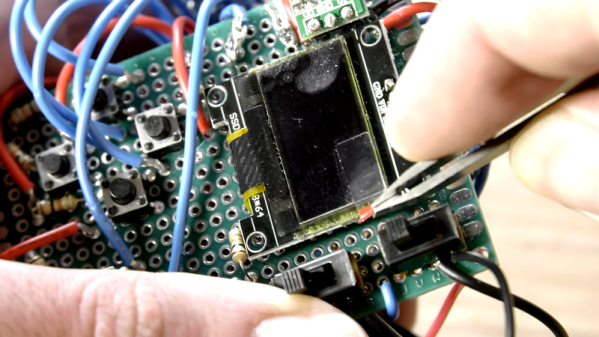
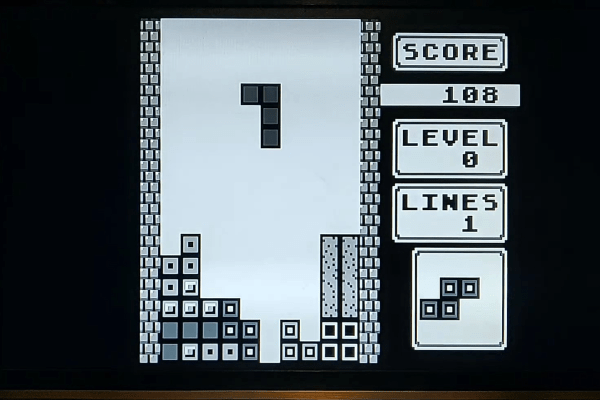
Of course it has the red nipple and lid LED—wouldn’t be a ThinkPad without ’em. ThinkTiny’s nipple is a 5-way joystick that plays Snake, Tetris, Lunar Lander, and more on an OLED screen. Like its predecessor the Tiny PC, [Paul] used an ATtiny1614, which (FYI) has a new one-wire UDPI interface. He can easily reprogram it through pogo pin holes built into the case.

There are some nice stylistic details at play here, too. The lid LED is both delivered and diffused by a 2mm grain of fiber-optic cable. And [Paul] printed the cover with a color change to transparent filament to make the Think logo and the charging LEDs shine through. Maneuver your way past the break to see it in action.

If you haven’t leveled up to AVR programming yet, introduce yourself to Arduboy.

Continue reading “Tiny ThinkPad Plays Tiny Games”

Run Your Own Phone To Bring The Dreamcast Back Online

Playing a video game online is almost second nature now. So much so that almost all multiplayer video games have ditched their split-screen multiplayer modes because they assume you’d rather just be alone at your house than hanging out with your friends. This wasn’t always the case though. In the early days of online multiplayer, systems had to rely on dial-up internet before broadband was readily available (and still had split screen if you didn’t even have that). Almost no one uses dial up anymore though, so if you still like playing your old Dreamcast you’re going to have to do some work to get it online again.

Luckily for all of us there’s a Raspberry Pi image to do almost anything now. This project from [Kazade] uses one to mimic a dial-up connection for a Dreamcast so you can connect with other people still playing Quake 20 years later. It’s essentially a network bridge, but you will need some extra hardware because phone lines use a high voltage line that you’ll have to make (or buy) a solution for. Once all the hardware is set up and working, you’ll need to make a few software configuration changes, but it’s a very straightforward project.

Granted, there have been ways of playing Dreamcast games online before, but this new method really streamlines the process and makes it as simple as possible. The Dreamcast was a great system, and there’s an argument to be made that the only reason it wasn’t more popular was that it was just slightly too far ahead of its time.

Thanks to [Rusty] for the tip!

Gesture Controlled Doom

DOOM will forever be remembered as one of the founding games of the entire FPS genre. It also stands as a game which has long been a fertile ground for hackers and modders. [Nick Bild] decided to bring gesture control to iD’s classic shooter, courtesy of machine learning.

The setup consists of a Jetson Nano fitted with a camera, which films the player and uses a convolutional neural network to recognise the player’s various gestures. Once recognised, an API request is sent to a laptop playing Doom which simulates the relevant keystrokes. The laptop is hooked up to a projector, creating a large screen which allows the wildly gesturing player to more easily follow the action.

The neural network was trained on 3300 images – 300 per gesture. [Nick] found that using a larger data set actually performed less well, as he became less diligent in reliably performing the gestures. This demonstrates that quality matters in training networks, as well as quantity.

Reports are that the network is fairly reliable, and it appears to work quite well. Unfortunately, playability is limited as it’s not possible to gesture for more than one key at once. Overall though, it serves as a tidy example of how to do gesture recognition with CNNs.

If you’re not convinced by this demonstration, you might be interested to learn that neural networks can also be used to name tomatoes. If you don’t want to roll your own pose detection, check out this selfie drone that uses CMU’s OpenPose library. Video after the break.

Continue reading “Gesture Controlled Doom”