Analyzing Hobby Motors With An Oscilloscope

We always like finding new excuses reasons to use our test equipment, so we couldn’t help but be intrigued by this tip from [Joe Mosfet]. He uses the ever-popular Rigol DS1054Z to demonstrate the differences between a handful of brushless motors when rotated by his handheld drill at a constant RPM. Not only is he able to identify a blown motor, but it allows him to visualize their specifications which can otherwise seem a bit mystifying.

One wire from each motor is used as the ground, and channels one and two are connected to the remaining wires. Despite the DS1054Z having four channels, [Joe] is actually only using two of them here. The third channel being displayed is a virtual channel created by a math function on the scope.

After wiring them up, each motor got put into the chuck of his drill and spun up to 1430 RPM. The resulting waveforms were captured, and [Joe] walks us through each one explaining what we’re seeing on the scope.

The bad motor is easy to identify: the phases are out of alignment and in general the output looks erratic. Between the good motors, the higher the Kv rating of the motor, the lower voltage is seen on the scope. That’s because Kv in the context of brushless motors is a measurement of how fast the motor will spin for each volt. The inverse is also true, and [Joe] explains that if he could spin his 2450Kv motor at exactly 2450 RPM, we should see one volt output.

Beyond demonstrating the practical side of Kv ratings, [Joe] also theorizes that the shape of the wave might offer a glimpse into the quality of the motor’s construction. He notes his higher end motors generate a nice clean sine wave, while his cheaper ones show distortion at the peaks. An interesting note, though he does stress he can’t confirm there’s a real-world performance impact.

Last year we featured a similar method for identifying bad brushless motors using a drill press and an oscilloscope, but we liked that [Joe] went through the trouble of testing multiple motors and explaining the differences in their output.

[via /r/multicopter]

Laser Galvo Control Via Microcontroller’s DAC

Mirror galvanometers (‘galvos’ for short) are the worky bits in a laser projector; they are capable of twisting a mirror extremely quickly and accurately. With two of them, a laser beam may be steered in X and Y to form patterns. [bdring] had purchased some laser galvos and decided to roll his own control system with the goal of driving the galvos with the DAC (digital to analog) output of a microcontroller. After that, all that was needed to make it draw some shapes was a laser and a 3D printed fixture to hold everything in the right alignment.

The galvos came with drivers to take care of the low-level interfacing, and [bdring]’s job was to make an interface to translate the 0 V – 5 V output range of his microcontroller’s DAC into the 10 V differential range the driver expects. He succeeded, and a brief video of some test patterns is embedded below.

Continue reading “Laser Galvo Control Via Microcontroller’s DAC”

Tearing Down A $1000 E-Ink Display

Back in 2016, Chinese company Dasung blew past their Indiegogo goal to fund the Paperlike: the world’s first general purpose E-Ink display. Rather than being stuck in a reader from your favorite purveyor of DRM like previous displays, the Paperlike could be used with whatever device you wanted; albeit in black and white and at a relatively low refresh rate. It promised to allow reading and writing on your computer or tablet without needing a backlight. The price was steep at $800 USD for a 13″ display, but clearly enough people were interested to make the device a reality.

At least they have a sense of humor about it.

You can count [Kev Zettler] among the Paperlike devotees. He’s such a fan of the technology that he’s on the road to building a DIY E-Ink laptop using the latest generation Paperlike Pro. But before he can do that, he’s got to take the thing apart and see how it ticks. While a lot of the proprietary magic that makes the display work is still a mystery, he does his best to document the internals for those of us who are a bit to shy to take a screwdriver to a display that costs $1,000.

It looks like the Paperlike Pro is designed (either intentionally or otherwise) to look a bit like the Amazon Kindle, and the construction method is unfortunately the same. The front panel is glued on, and needs to be peeled off by getting under it with something sharp and prying it off carefully. For a $100 e-reader we can deal with that, but for as much as the Paperlike Pro costs that kind of disassembly gives us the chills.

He’s identified the bare display module as a 13.3 inch ED133UT2, which led him down an interesting path investigating other displays in the same family. It turns out the one Dasung went with is essentially the low end of the spectrum. The display has glare issues and is permanently bonded to a piece of glass, whereas other models in the same family boast not only flexibility but anti-glare coatings. There’s even one with integrated touch screen. [Kev] mentions that one of those displays would be much better for his E-Ink laptop project, but we’re assuming he’s not going to toss this thing in the bin just because there’s better options out there.

Beyond the display itself there’s a custom Dasung control board that [Kev] says is a bit too complex for him to decipher, made especially difficult thanks to the fact that the chips have had their labels removed. One interesting discovery though was the USB port which is officially supposed to be just for power has all four wires connected to the main board, raising the possibility of some future software hacking.

You might not know this, but hackers absolutely love E-Ink. We’ve covered some very impressive projects utilizing this paper-like tech in the past, from an entry in our 2017 Hackaday Prize to the chemistry involved in homebrewing your own displays.

Cloning The Echo Show With A Fabric Wrapped Pi

After seeing an Echo Show in the flesh plastic, [anonteapot] was inspired to create his own take on Amazon’s latest on-ramp to their ecosystem. He had the Raspberry Pi and a touch screen, but not much else. He doesn’t even have a dedicated work area at home, much less something as exotic as a 3D printer to run off a custom case. For this decidedly low-tech build, all that was required tool-wise was a razor blade knife and a screwdriver.

The majority of the device, which he refers to as the PiShow, is made of hand-cut pieces of MDF. In fact, the whole build relied on his ability to neatly cut pieces of MDF with hand tools on his bedroom floor. We wouldn’t suggest such a setup as a general rule, but respect for pushing ahead without so much as a table to work on.

To connect the pieces of MDF, he used angle brackets from the hardware store. These were originally 90 degrees, but he bent them by hand to achieve the angles seen in the final device. He notes that there was no specific angles he was aiming for when putting the box together; he simply wanted something that looked cool and was large enough internally to hold his electronics.

Covering the PiShow is some jersey material that [anonteapot] bought at a local fabric store. It has a little stretch to it so he was able to pull it tight over the MDF frame and keep the wrinkles out. As a general rule we don’t see many projects here at Hackaday that are wrapped in fabric, but we’ve got to admit, it makes for a nice final look.

The trickiest part of the build ended up being the side panels. While the rest of the frame was relatively simple, the sides needed to precisely conform to some fairly complex geometry. Luckily the side panels aren’t actually holding any weight, so he decided to just cut them out of cardboard. There’s a bit of a gap at the top, but he’s going to try and rectify that with a visit from his glue gun soon.

Internally things are sort of just hanging around inside the case, but since this device is never going to move off of the nightstand, it probably doesn’t need to be terribly secure. In truth, getting all the hardware mounted up cleanly with the construction methods available to [anonteapot] would have been a bit tricky anyway.

This is the first time we’ve seen somebody take a swing at replicating the Echo Show, usually we just see people trying to cram the Echo Dot into something else. If the software side is more your thing, be sure to check out this excellent guide on Alexa Skills development by our very own [Al Williams].

Particle Introduces New Hardware, Adds Mesh Support

Particle, makers of the WiFi and Cellular IoT modules everyone loves, is introducing their third generation of hardware. The Particle Argon, Boron, and Xenon are Particle’s latest offering in the world of IoT dev boards, and this time they’re adding something amazing: mesh networking.

New Particle boards named Argon, Boron, and XenonThe three new boards are all built around the Nordic nRF52840 SoC and include an ARM Cortex-M4F with 1MB of Flash and 256k of RAM. This chip supports Bluetooth 5 and NFC. Breaking the new lineup down further, the Argon adds WiFi with an ESP32 from Espressif, the Boron brings LTE to the table with a ublox SARA-U260 module, and the Xenon ditches WiFi and Cellular, relying only on Bluetooth, but still retaining mesh networking. This segmentation makes sense; Particle wants you to buy a ton of the Xenon modules to build out your network, and use either the Argon or Boron module to connect to the outside world.

The form factor of the boards conforms to Adafruit Feather standard, a standard that’s good enough, and much better than gigantic Arduino shields with offset pins.

Of particular interest is the support for mesh networks. For IoT solutions (whatever they may be), mesh networking is nearly a necessity if you have a sufficient number of nodes or are covering a large enough area. The technology going into this mesh networking is called Particle Mesh, and is built on OpenThread. While it’s a little early to see Particle’s mesh networking in action, we’re really looking forward to a real-world implementation.

Preorder pricing for these boards sets the Argon module at $15, the Boron at $29, and the Xenon at $9. Shipping is due in July.

Pi Zero Gives Telescope Hands Free Focus

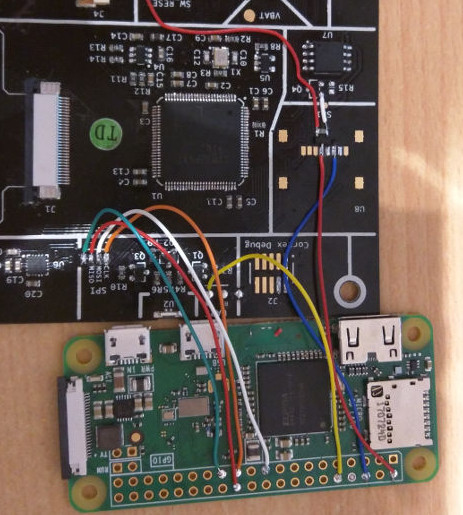
It seems like [Jason Bowling] never gets tired of finding new ways to combine the Raspberry Pi with his love of the cosmos. This time he’s come up with a very straightforward way of focusing his Celestron 127SLT with everyone’s favorite Linux SBC. He found the focus mechanism on the scope to be a bit fiddly, and operating it by hand was becoming a chore. With the Pi Zero and a stepper motor, he’s now able to focus the telescope with more accuracy and repeatability than clumsy human fingers will be able to replicate.

On this particular type of telescope, the focus knob is a small knob on the back of the scope (rather than on the eyepiece), which just so happens to be the perfect size to slide a 15mm bore pulley over. With a pulley on the focus knob, he just needed to mount a stepper motor with matching toothed pulley next to it and find a small enough belt to link them together. Through the magic of Amazon and McMaster-Carr he was able to find all the parts without having to make anything himself, beyond the bent piece of aluminum he’s using as a stepper mount.

To control the stepper, [Jason] is using an EasyDriver connected up to the Pi’s GPIO, which along with a 5V regulator (which appears to be a UBEC from the RC world) is held in a tidy weather proof box mounted to the telescope’s tripod. The regulator is necessary because the whole setup is powered by a 12V portable “jump start” battery pack for portability. Handy when you’re stargazing in the middle of a field somewhere.

[Jason] promises a future blog post where he details how he used Flask to create a web-based control for the hardware, which we’ll be keeping an eye out for. In the meantime, he reports that his automated focus system is working perfectly and keeps the image stable in the eyepiece even while moving (something he was never able to do by hand).

Last year this same scope had a Raspberry Pi camera mounted to it to deliver some very impressive pictures without breaking the bank. We’re interested in seeing how [Jason] ties these systems together going forward.

Reverse Engineering A Bitcoin Miner

If you’re brave enough to have dipped your toes into the Wild West that is cryptocurrency, you probably know that people have long since abandoned trying to mine on their desktop computers. Farms of GPUs are all the rage now, but dedicated mining hardware has also enjoyed a following among those who are serious about their fictitious money. The state-of-the-art for such devices is moving just as rapidly as cryptocurrency itself is, which means older mining gear can now be picked up fairly cheap on the second-hand market. This is an excellent opportunity for those who want to experiment with this type of hardware and potentially utilize it for some other purpose, but first you’ve got to figure out how the thing works.

To that end, [Tomasz Wątorowski] wrote in to the tip line to tell us about the progress he’s made reverse engineering the control protocol for the Antminer S1. As is often the case, the documentation didn’t have all the details he needed, but it did have a schematic of the BM1380 chip at the heart of the device.

Performance of the Antminer S1 controlled via UART

The Antminer S1 contains 64 BM1380 chips on an internal UART bus. With the information from the schematic, [Tomasz] was able to tap into this UART bus with a USB adapter and start listening in on the conversation. He compiled a collection of commands and learned enough to be dangerous (which is always the goal here at Hackaday).

For example, he found that the could set the frequency of the BM1380 as high as he wished without any consideration for thermal overload. This could potentially allow somebody to run  the hardware to the point of destruction, à la Stuxnet.

Once he figured out how to give the hardware hashes to work on over the UART interface, he setup a little head-to-head competition between the software he wrote to command the Antminer S1 and the official control software. No drop in performance was found between his software and the real deal, which sounds like a win in our book.

Even if he can’t improve on the performance of this particular piece of outdated mining hardware, it still beats doing it by hand on a piece of paper.