Using Lookup Tables To Make The Impossible Possible

Embarrassing confession time: I never learned my multiplication tables in grade school. Sure, I had the easy tables like the twos and the fives down, but if asked what 4 x 7 or 8 x 6 was, I’d draw a blank. As you can imagine, that made me a less than stellar math student, and I was especially handicapped on time-limited tests with lots of long multiplication problems. The standard algorithm is much faster when you’ve committed those tables to memory, as I discovered to my great woe.

I was reminded of this painful memory as I watched Charles Lohr’s 2019 Supercon talk on the usefulness and flexibility of lookup tables, or LUTs, and their ability to ease or even completely avoid computationally intensive operations. Of course most LUT implementations address problems somewhat more complex than multiplication tables, but they don’t have to. As Charles points out, even the tables of sines and logarithms that used to populate page after page in reference books have been ported to silicon, where looking up the correct answer based on user input is far easier than deriving the answer computationally.
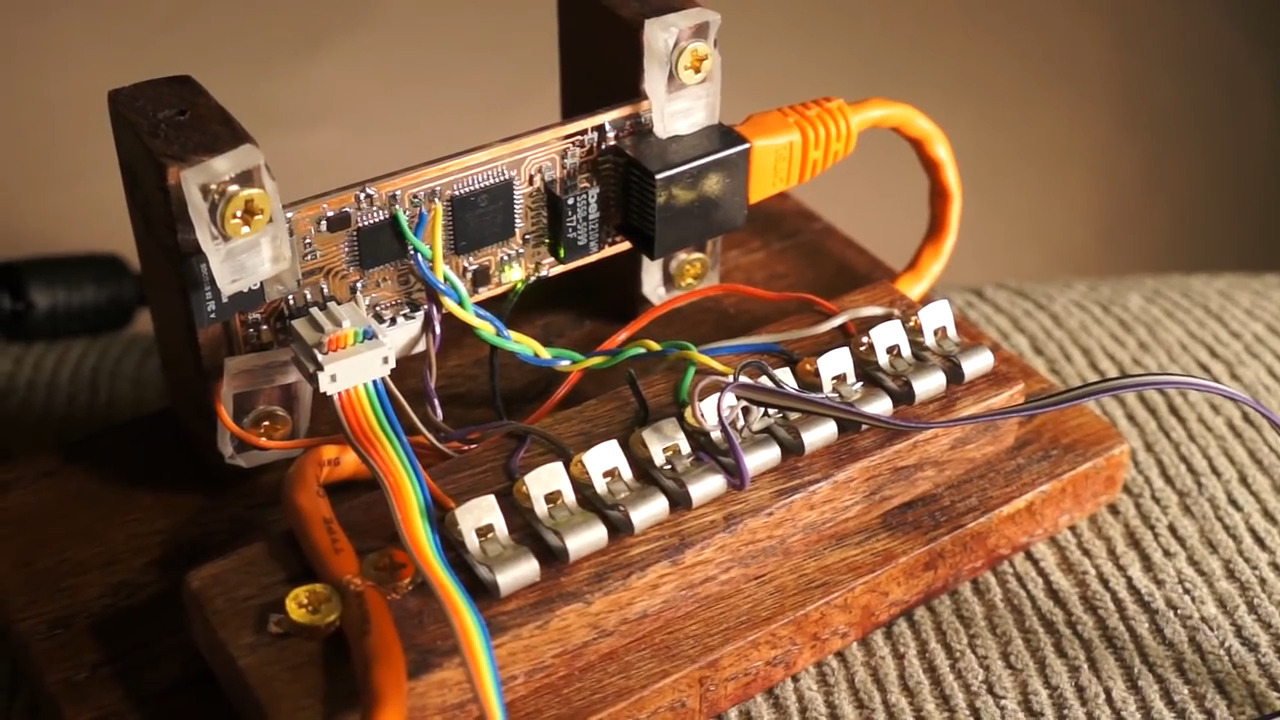
Yes, this is a Minecraft server all thanks to LUTs.

One of the most interesting examples of how LUTs can achieve the seemingly impossible lies in an old project where Charles attempted to build a Minecraft server on an ATMega168. Sending chunks (the data representations of a portion of the game world) to clients is the essential job of a Minecraft server, and on normal machines that involves using data compression. Rather than trying to implement zlib on an 8-bit microcontroller, he turned to a LUT that just feeds the raw bytes to the client, without the server having the slightest idea what any of it means. A similar technique is used by some power inverters, which synthesize sine wave output by feeding one full cycle of values to a DAC from a byte array. It’s brute force, but it works.

Another fascinating and unexpected realization is that LUTs don’t necessarily have to be software. Some can be implemented in completely mechanical systems. Charles used the example of cams on a shaft; in a car’s engine, these represent the code needed to open and close valves at the right time for each cylinder. More complicated examples are the cams and gears once found in fire control computers for naval guns, or the programming cards used for Jacquard looms. He even tips his hat to the Wintergatan marble machine, with its large programming drum and pegs acting as a hardware LUT.

I found Charles’ talk wide-ranging and fascinating. Originally I thought it would be an FPGA-heavy talk, but he didn’t actually get to the FPGA-specific stuff until the very end. That worked out fine, though — just hearing about all the cool problems a LUT can solve was worth the price of admission.

And for the curious, yes, I did eventually end up memorizing the multiplication tables. Oddly, it only clicked for me after I started playing with numbers and seeing their relationships using my first calculator, which ironically enough probably used LUTs to calculate results.

Continue reading “Using Lookup Tables To Make The Impossible Possible”
Don’t DIY This Surgical Robot At Home

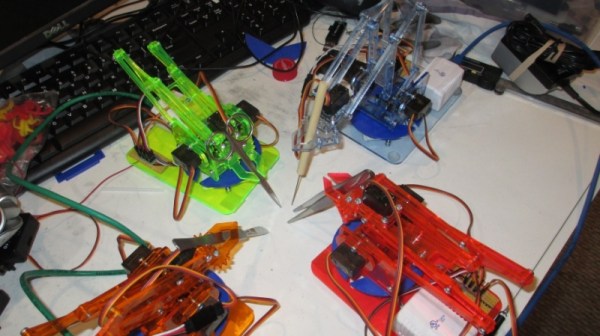
The LVL1 Hackerspace in Louisville hosted a hackathon for useless and impractical devices a couple of years ago and this makeshift Duh-Vinci Surgical Robot was one of the “successful” results. While it’s not necessarily a project that should ever be used for its intended purpose, its miniature setup is certainly an interesting one.

The project builds on top of the MeArm Open Source Robot and a camera controlled by a Blynk board. Servos are wired into the base of each of the robotic arms for freedom in rotating. A separate microcontroller is used for the motor controllers for the arms and for the camera, partially due to the current draw for the camera power supply. The remote control system runs on an Android tablet and is used to control each of the arms.

The ESP32-Cam supplied video input is configured as a RTSP stream. As for the operation, while the movements are jerky and the range of dexterity limited, the robot is technically able to handle the sharps. Its final setup looks a bit like a deranged game of Hungry Hungry Hippos meets Operation and definitely not something to be making its way to surgical tables anytime soon.

Continue reading “Don’t DIY This Surgical Robot At Home”

Mini Space Station Keeps Tabs On The Real One

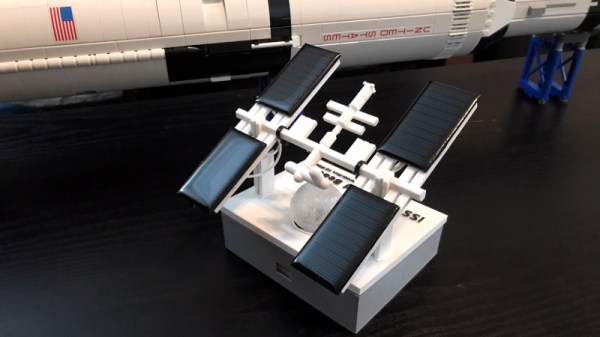
Over the years, we’ve seen a number of projects that can blink an LED or otherwise notify you when the International Space Station is overhead. It’s a neat trick that brings space a little closer to home, but not exactly a groundbreaking achievement in 2020. That said, we think this version built by [Lance] deserves some special recognition for the unbearably adorable miniature ISS he designed it around.

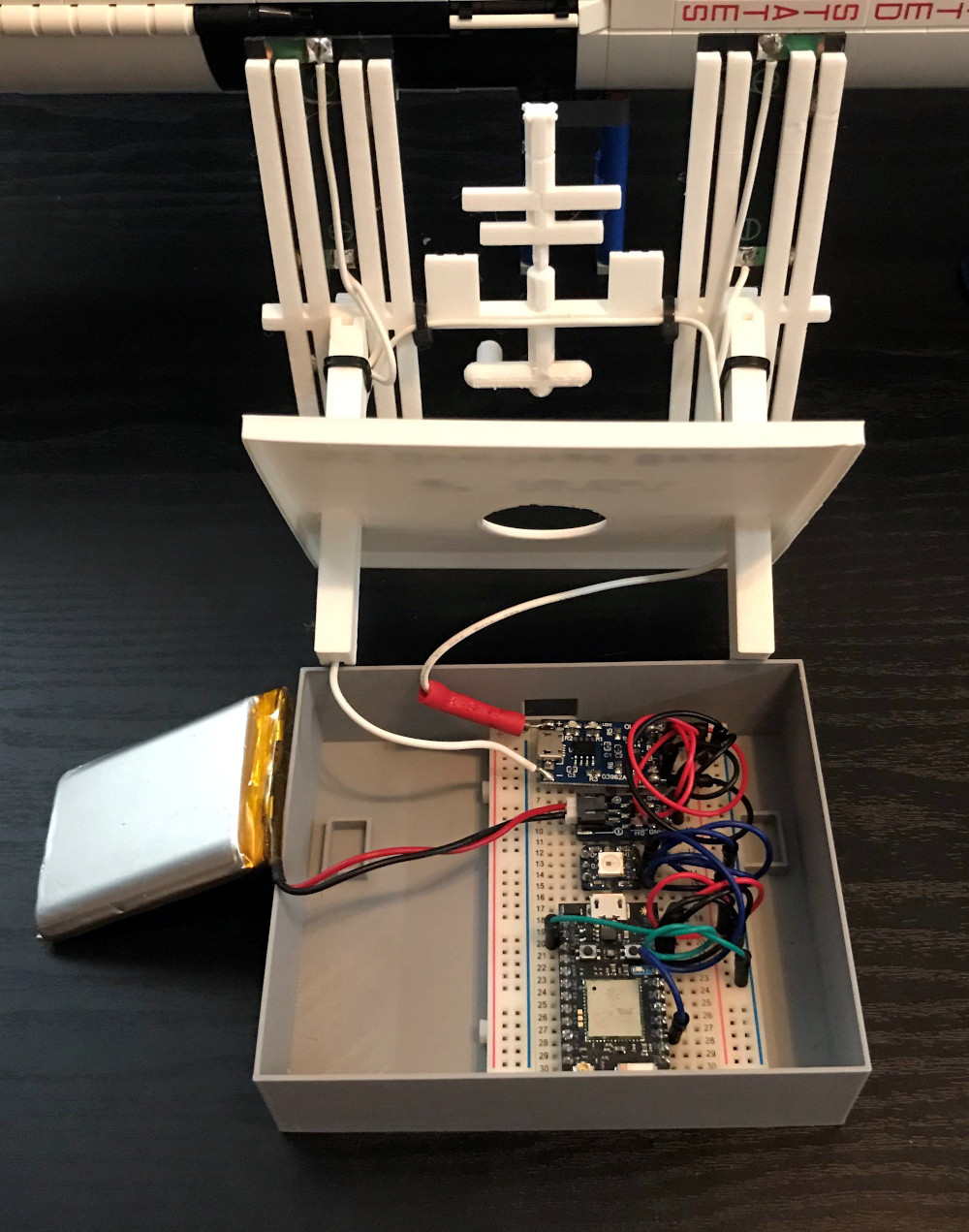
Especially once you realize that its tiny little solar panels are actually functional. Well, more or less. [Lance] says conditions have to be pretty ideal for the panels to actually charge up the internal battery, so there’s the option to top things off with a USB cable if need be. To try and reduce power consumption as much as possible, he uses some pretty aggressive power saving tricks which are interesting in their own right.

As the ISS silently passes over your head several times per day, the notifier can’t spend too much time sleeping on the job. The Particle Photon needs to wake up regularly to pull down the time of the next pass given the current geographical position, then go back to sleep until right before showtime. When the Station is nearby, it blinks an Adafruit Smart NeoPixel positioned under a small 3D printed model of the Earth, and finally goes back to sleep until the process starts over.

If you’re looking for something a little less complicated, this two dimensional representation of the Space Station might be more your speed. Then again, an even more complicated take on the idea using lasers sounds pretty good too.

An ESP8266 Environmental Monitor In Your USB Port

At this point, we’ve all seen enough ESP8266 “weather stations” to know the drill: you just put the ESP and a temperature sensor inside a 3D printed case, and let all those glorious Internet Points™ flow right on in. It’s a simple, and perhaps more importantly practical, project that seems to never get old. But that doesn’t mean there isn’t room for innovation.

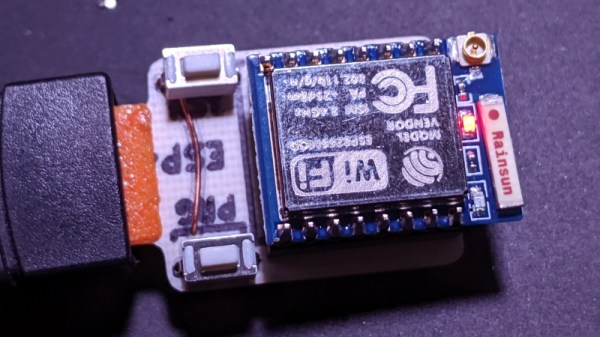
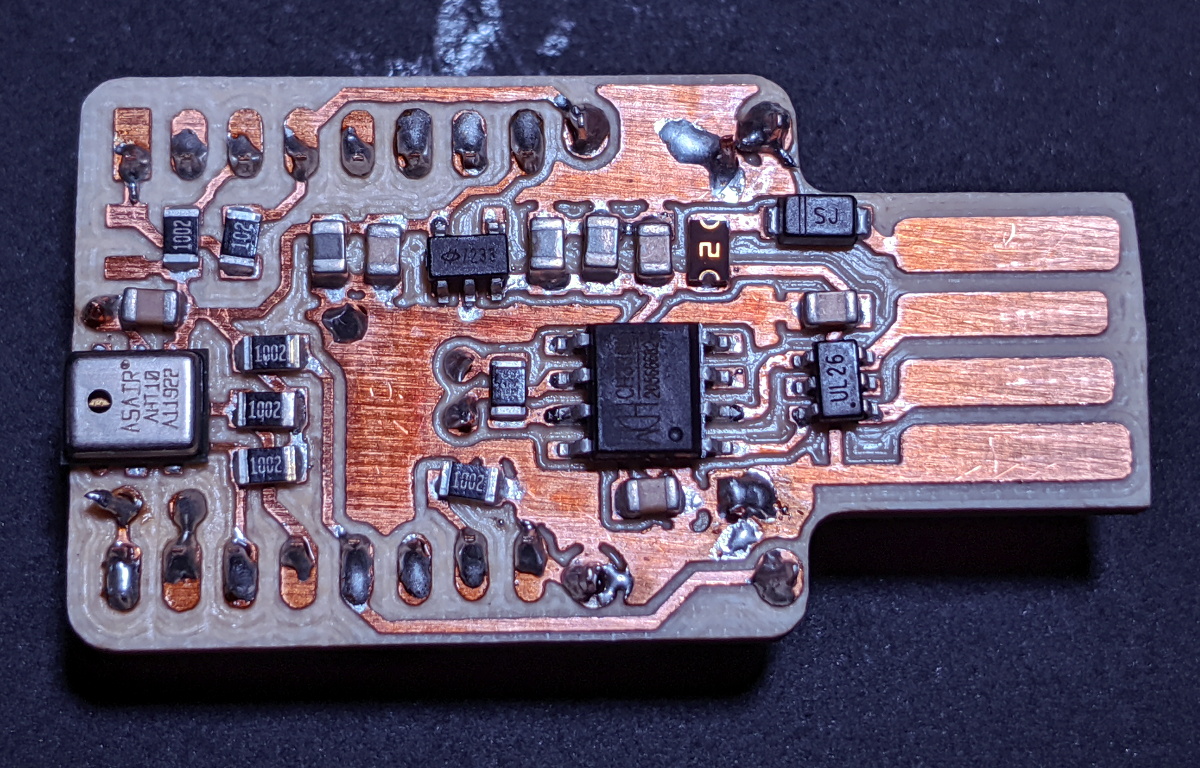
Annoyed by the unnecessary bulk of existing solutions, [cperiod] has come up with an ESP8266 temperature and humidity sensor that can plug directly into a standard USB port. Slotted into a USB wall charger or power bank, this diminutive board can provide inconspicuous remote environmental monitoring wherever you need it. For extra hacker points, the board was even produced at home on a PCB mill.

In addition to the ESP-7 or 12 module (which plugs in via a header, should you need to swap it out), the board features a CH330N USB to UART chip and HT7233 voltage regulator. For the sensor itself, [cperiod] has bucked convention a bit and went with the I2C-connected AHT10 over something more common like a member of the BME family.

Unfortunately, this design suffers from the same issue we’ve seen in other compact environmental monitoring solutions; namely, that the heat generated by the chip itself skews the temperature readings. To combat this, aggressive power saving functions are baked into the firmware to make sure the ESP is in a deep sleep as much as possible. While not a perfect solution, it does prevent the ESP from warming the PCB up so much that it invalidades the reported data.

By now, the particularly astute reader may have realized that all the additional components used for the USB side of this board aren’t strictly necessary. After all, if you can pull the ESP module out of the header and program it separately, then you don’t actually need to include that capability in each sensor node. While true, we’re hardly the ones to complain when a hacker showboats a bit on their designs.

AirBass Lets You Jam Wherever

If you play an instrument, you know how rewarding it is to watch and hear yourself reproduce your favorite songs and make new melodies. But you also know how steep the learning curve can be, how difficult it is to learn positions and notes while your body adjusts to the physical side. For stringed instruments, that means gaining muscle memory, growing fingertip calluses, and getting used to awkward arm positions.

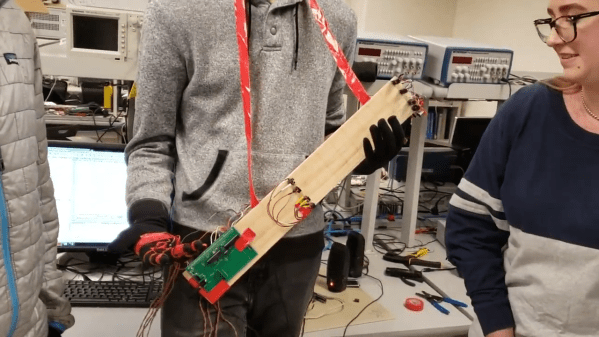
For their final project in [Bruce Land]’s class on designing with microcontrollers, [Caitlin, Jackson, and Peter] decided to make a more accessible bass guitar. For starters, it can be placed flat on a table similar to a pedal steel guitar to get around those awkward arm positions. Instead of plucking or slapping the strings, the player wears a glove with a flex resistor on each finger, and plays the string by curling and uncurling their finger.

We think the team’s implementation of the left hand duties and fretboard is pretty clever. Each of the four strings has a break-beam detection circuit, and a single distance sensor decides where the finger is along the fretboard. Another great thing about this backpack-sized bass is that it never needs tuning. If you stay tuned, you can hear [Peter] play “Smoke On the Water” after the break.

There’s more than one way to make an air guitar — this one that does it with LIDAR.

Continue reading “AirBass Lets You Jam Wherever”

2D-Platform Seeks Balance With A Touch Screen

It’s the [Bruce Land]-iest season of all, when the Cornell professor submits the projects his microcontroller class students have been working on all semester. Imagination does not seem to be in short supply with these students, and we always look forward to these tips this time of year.

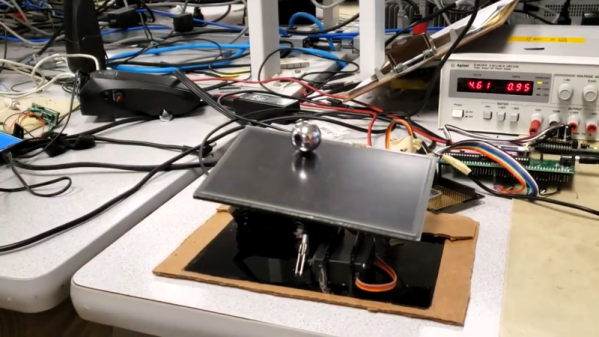
[Greg] and [Sam]’s touch-screen two-dimensional ball balancer is a good example of what [Land]’s students turn out. The resistive touch screen is supported by a 3D-printed gimballed platform and tilted in two axes by hobby servos. [Greg] and [Sam] chose to read the voltage outputs from the touch screen directly using the ADC on a PIC32, toggling between the two axes at 2 kHz. Two PID control loops were implemented to keep the ball as centered as possible on the platform, and the video below shows that there’s still some loop tuning to do. But given the positional inaccuracies of hobby servos and the compliance in the gimbal, we’re impressed that they were able to keep the system under control at all.

Of course we’ve seen ball-balancers before, but most of them have closed the loop using either cameras or microphones. Seeing direct sensing on the platform like this is a nice change of pace. Continue reading “2D-Platform Seeks Balance With A Touch Screen”

A Wireless Method For Pressing Tofu

Tofu is a fairly common food in East and Southeast Asian cuisines, but it has also been making its way around vegetarian circles as a meat substitute. While it may be a more environmentally friendly source of protein than meat, it does have the unfortunate side effect of being fairly tedious to cook. To reach the right consistency, tofu requires hours of pressing to drain excess water, which tends to be tedious for most amateur cooks.

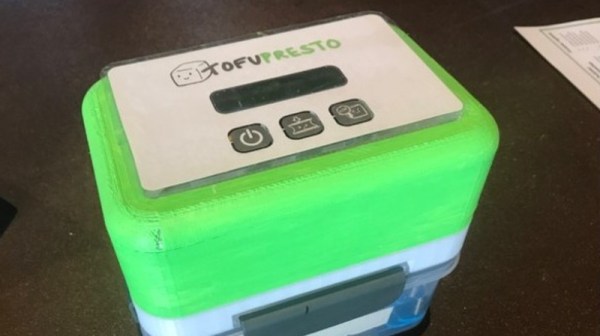
A team of students at HackMIT developed a contraption that incrementally presses tofu for you, using signals sent over WiFi to initialize the device. Several 3D-printed components extend an existing food container, along with a stepper motor, motor shield, Adafruit Feather HUZZAH, and a screen.

The motor steps at a rate of 30rpm once a signal is sent from a mobile application, causing four connected threaded rods to begin rotating. The tofu tray travels upwards to press against its lid, draining out excess water. A central gear box containers complementary cutouts that allow the tofu platform to travel vertically when shafts are rotated, pushed by nuts below the platform. The students also included a screen indicating time remaining, as well as a notification sent to the user once the tofu is finished being pressed.

It’s certainly a useful solution that will hopefully increase the popularity of tofu-based recipes!