Candy-Colored Synth Sounds Sweet

Let’s face it, synthesizers are awesome. But commercial synths are pretty expensive. Even the little toy ones like the KORG Volca and the MicroKORG will run you a few hundred bucks. For the most part, they’re worth the price because they’re packed with features. This is great for experienced synth wizards, but can be intimidating to those who just want to make some bleeps and bloops.

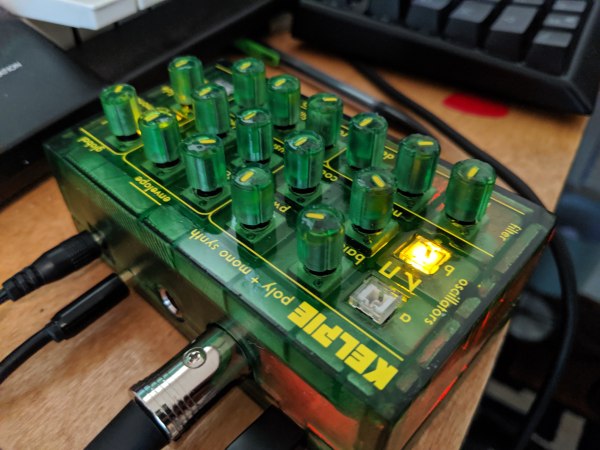
[Kenneth] caught the mini-synth bug, but can’t afford to catch ’em all. After a visit to the Moog factory, he was inspired to engineer his own box based on the Moog Sirin. The result is KELPIE, an extremely portable and capable synth with 12 voices, 16 knobs, and 4 LED buttons. KELPIE is plug and play—power and a MIDI device, like a keyboard, are the only requirements. It has both 1/8″ and 1/4″ jacks in addition to a standard MIDI DIN connection. [Kenneth] rolled his own board based on the Teensy 3.2 chip and the Teensy audio shield.

Part of the reason Kenneth built this synthesizer is to practice designing a product from the ground up. Throughout the process, he has tried to keep both the production line and the DIYer in mind: the prototype is a two-part resin print, but the design could also be injection molded.

We love that KELPIE takes its visual design cues from the translucent candy-colored Game Boys of the late 90s. (We had the purple one, but always lusted after the see-through kind.)  Can we talk about those knobs? Those are resin-printed, too. To color the indicators, [Kenneth] used the crayon technique, which amounts to dripping molten crayon into the groove and scraping it off once hardened. Don’t delay; glide past the break to watch a demo.

Continue reading “Candy-Colored Synth Sounds Sweet”

A Colorful Way To Play Chess On An ATmega328

We’ve all seen those chess computers that consist out of a physical playing field, and a built-in computer that would indicate where you should put its pieces while inputting the position of your pieces in some way. These systems are usually found in a dusty cardboard box in a back room’s closet, as playing like this is fairly cumbersome, and a lot depends on the built-in chess computer.

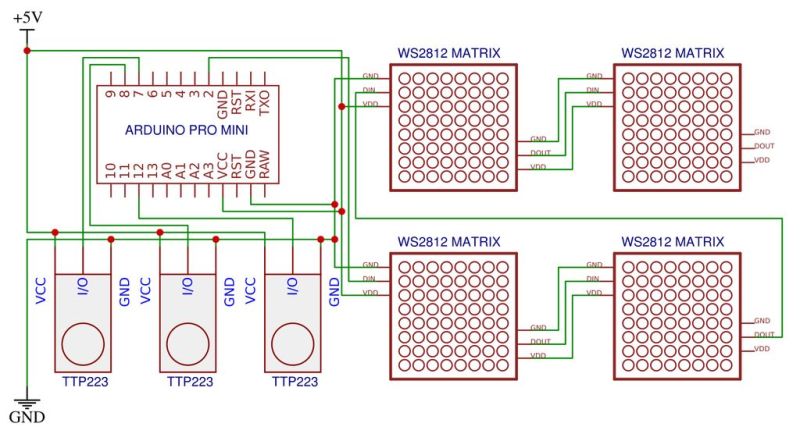
This take by [andrei.erdei] on this decades-old concept involves an ATmega328p-based Arduino Pro Mini board, a nice wooden frame, and 4 WS2812-based 65×65 mm RGB 8×8 LED matrices, as well as some TTP223 touch sensors that allow one to control the on-board cursor. This is the sole form of input: using the UP and RIGHT buttons to select the piece to move, confirm with OK, then move to the new position. The chess program will then calculate its next position and indicate it on the LED matrix.

Using physical chess pieces isn’t required either: each 4×4 grid uses a special pattern that indicates the piece that occupies it.  This makes it highly portable, but perhaps not as fun as using physical pieces. It also kills the sheer joy of building up that collection of enemy pieces when you’ve hit that winning streak. You can look at the embedded gameplay video after the break and judge for yourself.

Continue reading “A Colorful Way To Play Chess On An ATmega328”

Qt Arrives For Small Computers

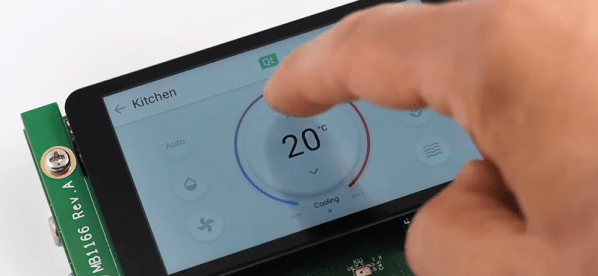
There was a time when writing embedded systems meant never having to deal with graphical user interfaces, and spending long hours trying to free up a dozen bytes of ROM to add a feature. Nowadays, an embedded system is likely to have a screen and what would have been a huge amount of memory even for a PC a scant decade ago. Qt has long been a popular choice for building software on desktop platforms, and — while not as popular — has even run on phones for a while. Now there’s Qt for MCUs which is clearly targeting the IoT market that everyone is trying to capture. You can see the glitzy video for the new product, below.

We generally like Qt, and the move recently has been towards an HTML-like markup language called QML instead of directly manipulating widgets. We guess that’s a good thing. However, Qt isn’t just for user interfaces. It provides a wide range of services in a straightforward way

Continue reading “Qt Arrives For Small Computers”

Temperature Logging On The Last Frontier

In Alaska, the impact of climate change is easy to see. Already the melting permafrost is shifting foundations and rocking roads. Hotter summers are also turning food caches from refrigerators into ovens.

A permanent food cache. Via Wikipedia

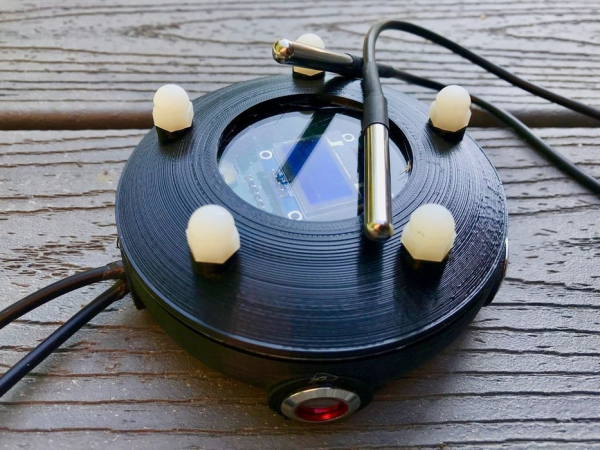
[rabbitcreek]’s friend builds food caches with kids as part of a program to teach them traditional native activities. Food caches are usually inside buried boxes or small cabins raised on poles. Both are designed to keep hangry bears out. As you might expect, monitoring the temperature at these remote sites is crucial, so the food doesn’t spoil. His friend wanted a set-and-forget temperature monitoring system that could collect data for eight months over the winter.

The Alaska Datalogger carried a pretty serious list of requirements. It has to be waterproof, especially as ice and snow turn to water. Ideally, it should sip power and have a long battery life anyway. Most importantly, it has to be cheap and relatively easy for kids to build.

This awesome little data spaceship is designed around an O-ring used in domestic water purifiers. The greased up O-ring fits between two 3D printed enclosure halves that are shut tight with nylon bolts. Two waterproof temperature probes extend from the case—one inside the cache and the other outside in the elements. It’s built around an Adafruit Feather Adalogger and powered by an 18650 cell. The data is collected by visiting the site and pulling the SD card to extract the text file. There’s really no other way because the sites are far out of cell coverage. Or is there?

Though it probably wouldn’t survive the last frontier, this self-sufficient weather station is a simple solution for sunnier situations.

Returning Digital Watches To The Analog Age: Enter The Charliewatch

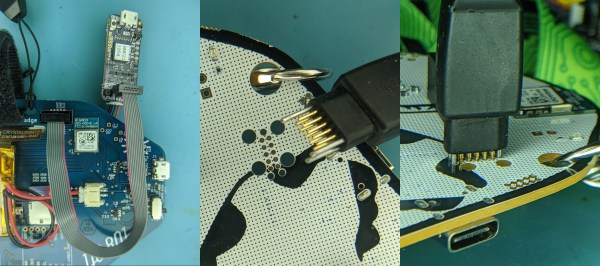
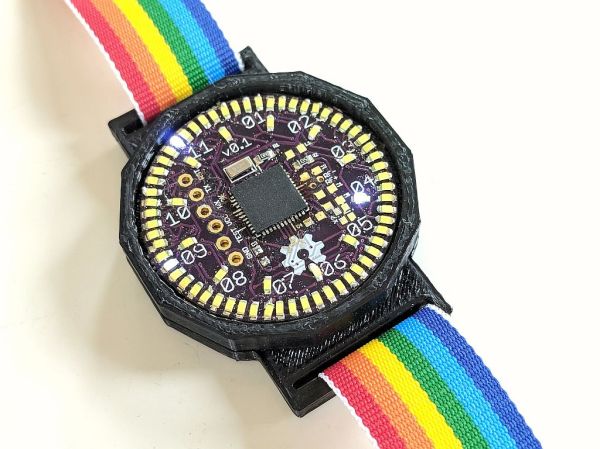
The Charliewatch by [Trammell Hudson] is one of those projects which is beautiful in both design and simplicity. After seeing [Travis Goodspeed]’s GoodWatch21 digital watch project based around a Texas Instruments MSP430-based SoC, [Trammell] decided that it’d be neat if it was more analog. This is accomplished using the CC430F5137IRGZR (a simpler member of the MSP430 family) and a whole bunch of 0603 SMD LEDs which are driven using Charlieplexing.

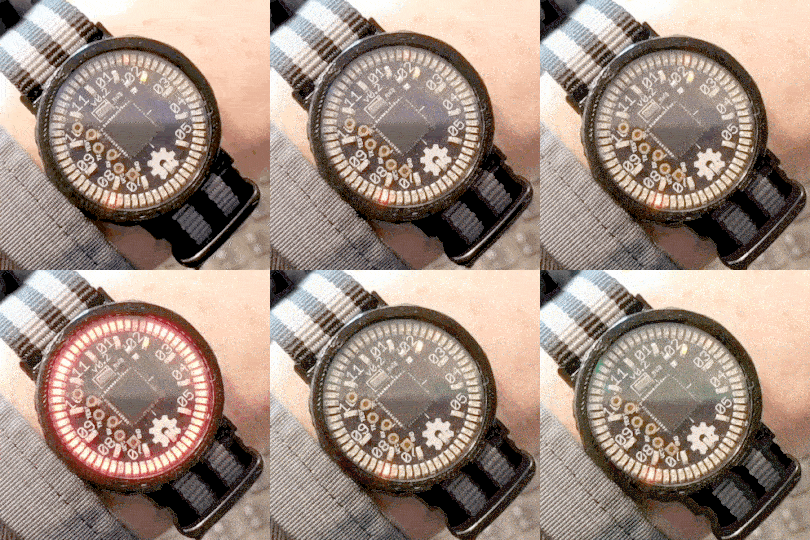
This time-honored method of using very few I/O pins to control many LEDs makes it possible to control 72 LEDs without dedicating 72 pins. The density makes animations look stunning and the digital nature melts away leaving a distinct analog charm.

A traditional sapphire crystal was sourced from a watchmaker for around 14€ as was the watch band itself. The rest is original work, with multiple iterations of the 3D printed case settling in on a perfect fit of the crystal, PCB, and CR2032 coin cell stackup. The watch band itself hold the components securely in the housing, and timekeeping is handled by a 32.768 kHz clock crystal and the microcontroller’s RTC peripheral.

The LEDs can be seen in both daylight and darkness. The nature of Charlieplexing means that only a few of the LEDs are ever illuminated at the same time, which does wonders for battery life. [Trammell] tells us that it can run for around six months before the coin cell needs replacing.

It’s completely open source, with project files available on the project’s Github page. We hope to see an army of these watches making appearances at all upcoming electronics-oriented events. Just make sure you lay off the caffeine as the process of hand-placing all those LEDs looks daunting.

A Friendly Reminder That You Might Be In Danger

Product recalls are one of those things that most people don’t pay attention to until things get really bad. If it’s serious enough for somebody to get hurt or even die, then the media will pick it up, but most of the time they simply pass by in silence. In fact, there’s a decent chance that you own a recalled product and don’t even know it. After all, it’s not like anyone is actually watching the latest product recalls in real-time.

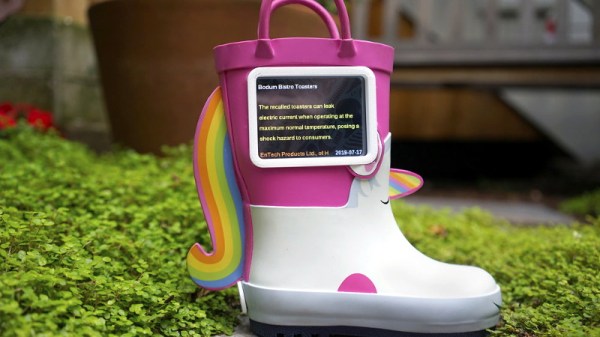
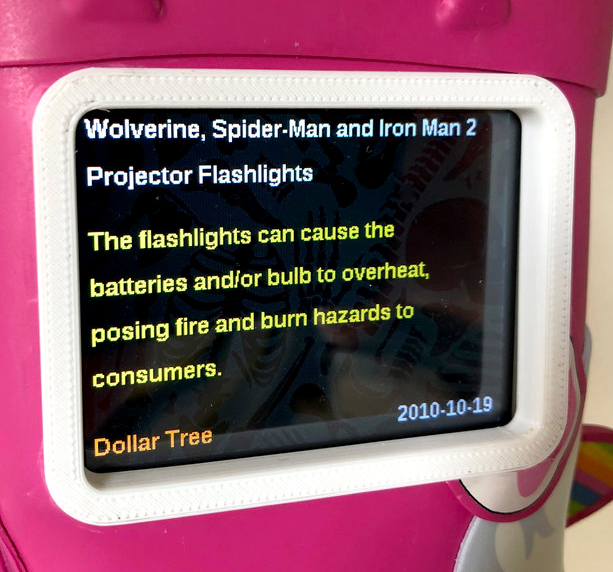
Well actually, there might be one guy. [Andrew Kleindolph] has created a cute and cuddly gadget using CircuitPython on the Adafruit PyPortal to display the latest release from the United States Consumer Product Safety Commission (USCPSC). In a wonderfully ironic touch, the child’s unicorn boot that the device lives in is itself a recalled product; apparently kids could pull off the “horn” and choke on it.

The PyPortal is basically built for this kind of thing, allowing you to easily whip up a display that will scrape data from whatever online source you’re willing to write the code for. All [Andrew] had to do was pair it with a battery so the boot could go mobile occasionally (we’re told they’re made for walkin’), and design some 3D printed accoutrements such as a screen bezel and charging port.

As these recalls (thankfully) don’t come out quite so fast that you need it to update more than once or twice a week, it seems like this could also be an excellent application for an Internet-connected e-ink display.

DIY Geiger Counter Is Sure To Generate Clicks

On the outside, a Geiger counter seems like a complicated thing. And you might think a device that detects a dangerous, mostly invisible threat like radiation should be complicated. But they’re actually pretty simple. The Geiger-Muller tube does most of the work, which boils down to detecting brief moments of conductivity caused by chain reactions of charged particles in radioactive materials.

[Prabhat_] wanted to build a unique-looking Geiger counter, and we’d say that this slick, Star Trek-esque result succeeds. A well-organized display shows the effective dose rate, counts per minute, and cumulative dose, which can be displayed in either microsieverts or millirems. We dig the 3D printed case design, because we like to see form follow function.

The counter is powered by an 18650 cell that’s DC-to-DC boosted to 400+ volts. A NodeMCU processes the signal coming in from the G-M tube and expresses it in both clicks and LED blinks, both of which can be toggled on or off from the home screen. The alert threshold can be customized in the settings, which means the point at which green changes to red.

Click-click-click past the break for [prabhat_]’s great walk-through video, where he tests it with uranium ore and a thoriated gas lantern mantle.

If you want to take the opposite approach and get to clicking ASAP, well, fire up your hot glue gun and dump out your scrap bin.

Continue reading “DIY Geiger Counter Is Sure To Generate Clicks”