Home Made Gears Save This Shredder

It’s very likely that a majority of readers will have had a gear fail in a piece of equipment, causing it to be unrepairable. This is a problem particularly with plastic gears, which shed teeth faster than a child who has discovered the financial returns of the Tooth Fairy.

[BcastLar] has a shredder with a gear that has, well, shredded. He’s posted a video series over three parts that while ostensibly about fixing his shredder, is in reality a three-part tutorial on how to create custom gears using FreeCAD. While the principles of a gear are readily apparent to most observers their intricacies hide significant complexity which he does a great job of explaining. How to measure the parameters of a given gear, explaining mysteries such as pitch angle or beta, he breaks everything down in easy to understand steps.

His tool of choice is FreeCAD, and while he explains that FreeCAD has the ability to make gears from scratch the tool employed in the videos is the Gear Workbench plugin. He shows how this software removes the complexity of creating a gear, and shows the process on his screen as he creates the custom shredder part.

Finally, the process of 3D printing the gear is explained. You might ask why not machine it, to which he responds that tooling for non-standard gear profiles is prohibitively expensive. We’ve placed all three videos below the break, and we think you might want to make yourself a cup of tea or something and work through them.

Thanks [Andy Pugh] for the tip.
Continue reading “Home Made Gears Save This Shredder”

New Part Day: This $10 Rocking Single Board Computer Does Everything You Want

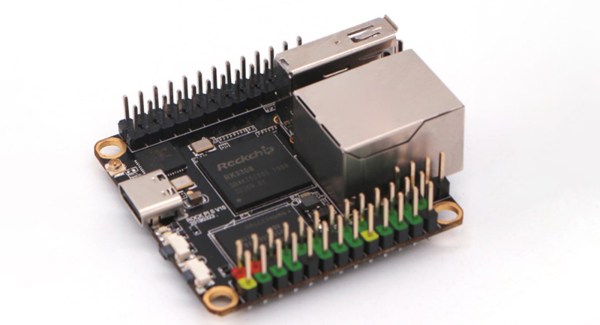
Single board computers are great, but what we really need are cheap single board computers. Running Linux on anything isn’t as good as running Linux on everything, and all that. To that end, here is the Rock Pi S, a $10 single board computer with Ethernet, WiFi, and it costs $10.

This one comes from the boffins at Radxa, already behind the footnote-worthy Rock Pi 4, a single board computer that appears to be heavily derived from the Raspberry Pi but with a 4 in the name so it’s obviously better. It also has 4 GeeBees of RAM, so it’s got that going for it too. Their latest product is the Rock Pi S, a board that seems as though it’s taking inspiration from the C.H.I.P.. The biggest selling point is of course the price: $10 for the version with 256MB of RAM and without WiFi or Bluetooth. Various other incarnations exist with permutations of 256MB or 512MB of RAM, and with or without WiFi and Bluetooth. The highest spec variant costs $16, but is sold out at the moment.

This tiny little single board computer fills a need in the marketplace; the Raspberry Pi Zero is cheap and small when it’s available, but sometimes you need Ethernet for various reasons and a real USB A port is great to have. We’re looking forward to the builds this tiny board enables and all the fantastic creations that will come from a community so very interested in single board computers.

Morse Code Catches Google Swiping Lyrics

We think of Morse code in terms of dots and dashes, but really it’s a kind of binary code. Those symbols might as well be 0s and 1s or any other pair of characters. That attribute is exactly what led to a sting operation a music lyric site called Genius.com pulled on Google. At issue was a case of song lyrics that had allegedly been stolen by the search giant.

Song lyric sites — just like Google — depend on page views to make revenue. The problem is that in a Google search the lyrics appear on the search page, so there is no longer much incentive to continue to the song lyric site. That’s free enterprise for you, right? It is, but there was a problem. It appears that Google — or, according to Google, one of their partners — was simply copying Genius.com’s lyrics. How does Genius know the song lyrics were copied? According to news reports in the Wall Street Journal and other sources, they used Morse code.

Continue reading “Morse Code Catches Google Swiping Lyrics”

Bringing Pneumatics To The Masses With Open Source Soft Robotics

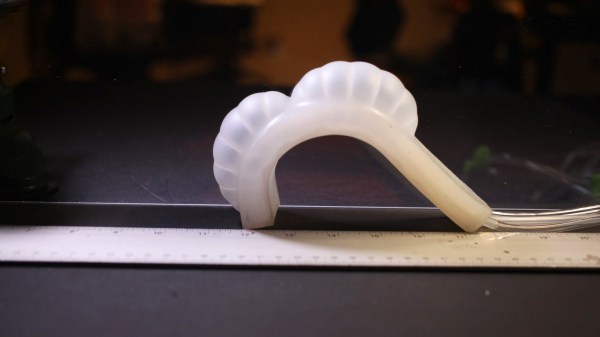
Soft robotics is an exciting field. Mastering the pneumatic control of pliable materials has enormous potential, from the handling of delicate objects to creating movement with no moving parts. However, pneumatics has long been overlooked by the hacker community as a mode of actuation. There are thousands of tutorials, tools and products that help us work with motor control and gears, but precious few for those of us who want to experiment with movement using air pressure, valves and pistons.

Physicist and engineer [tinkrmind] wants to change that. He has been developing an open source soft robotics tool called Programmable Air for the past year with the aim of creating an accessible way for the hacker community to work with pneumatic robotics. We first came across [tinkrmind]’s soft robotics modules at World Maker Faire in New York City in 2018 but fifty beta testers and a wide range of interesting projects later — from a beating silicone heart to an inflatable bra — they are now being made available on Crowd Supply.

We had the chance to play with some of the Programmable Air modules after this year’s Makerfaire Bay Area at Bring A Hack. We can’t wait to see what squishy, organic creations they will be used for now that they’re out in the wild.

If you need more soft robotics inspiration, take a look at this robotic skin that turns teddy bears into robots from Yale or these soft rotating actuators from Harvard.

See a video of the Programmable Air modules in action below the cut. Continue reading “Bringing Pneumatics To The Masses With Open Source Soft Robotics”

Perovskites: Not Just For Solar Cells Anymore

If you’ve been around long enough, you’ll know there’s a long history of advances in materials science that get blown far out of proportion by both the technical and the popular media. Most of the recent ones seem to center on the chemistry of carbon, particularly graphene and nanotubes. Head back a little in time and superconductors were all the rage, and before that it was advanced ceramics, semiconductors, and synthetic diamonds. There’s always some new miracle material to be breathlessly and endlessly reported on by the media, with hopeful tales of how one or the other will be our salvation from <insert catastrophe du jour here>.

While there’s no denying that each of these materials has led to huge advancements in science, industry, and the quality of life for billions, the development cycle from lab to commercialization is generally a tad slower than the press would have one believe. And so when a new material starts to gain traction in the headlines, as perovskites have recently, we feel like it’s a good opportunity to take a close look, to try to smooth out the ups and downs of the hype curve and manage expectations.

Continue reading “Perovskites: Not Just For Solar Cells Anymore”

The Day Hackaday’s Theme Was Broken

Today at about 10:00 AM Pacific time, Hackaday’s site host had an outage. All websites on the WordPress VIP Go platform were down, and that includes Hackaday. For about 45 minutes you couldn’t load any content, and for a bit more than two hours after that all we could display was a default WordPress theme with an alarmingly bright background.

At first, we were looking at a broken home page with nothing on it. We changed some things around on the back end and we had a black text on white background displaying our latest articles. Not ideal, but at least you could catch up on your reading if you happened to check in right at that time.

But wait! Unintended consequences are a real drag. Our theme doesn’t have comments built into the front page and blog page views, but the WordPress stock themes do. So comments left on those pages were being blasted out to your RSS feeds. I’d like to apologize for that. Once it was reported, we turned off comments on those pages and deleted what was there. But if you have a caching RSS reader you’ll still see those, sorry about that.

As I type this, all should be back to normal. The front end was restored around 1:00 PM Pacific time. We’ve continued our normal publishing schedule throughout, and we hope you have had a good laugh at this debacle. It might be a few days before I’m able to laugh about it though.

Windows 10 Goes To Shell

Windows 10 — the operating system people love to hate or hate to love. Even if you’re a Linux die-hard, it is a fair bet that your workplace uses it and that you have friends and family members that need help forcing you to use Windows at least some times. If you prefer a command line — or even just find a place where you have to use the command line, you might find the classic Windows shell a bit anemic. Some of that’s the shell’s fault, but some of it is the Windows console which is — sort of — the terminal program that runs various Windows text-based programs. If you have the creator update channel on Windows 10, though, there have been some recent improvements to the console and the Linux system that will eventually trickle down to the mainstream users.

What’s New?

So what’s new? According to Microsoft, they’ve improved the call interface to make the following things work correctly (along with “many others”):

  • Core tools: apt, sed, grep, awk, top, tmux, ssh, scp, etc.
  • Shells: Bash, zsh, fish, etc.
  • Dev tools: vim, emacs, nano, git, gdb, etc.
  • Languages & platforms: Node.js & npm, Ruby & Gems, Java & Maven, Python & Pip, C/C++, C# &
  • .NET Core & Nuget, Go, Rust, Haskell, Elixir/Erlang, etc.
  • Systems & Services: sshd, Apache, lighttpd, nginx, MySQL, PostgreSQL

The changes to the console are mostly surrounding escape sequences, colors, and mouse support. The API changes included things like allowing certain non-administrative users to create symlinks. We’ve made X Windows work with Windows (using a third-party X server) and Microsoft acknowledges that it has been done. However, they still don’t support it officially.

Continue reading “Windows 10 Goes To Shell”