It is with sadness that we note the passing of the British writer, engineer, home computer pioneer, and entrepreneur, Sir Clive Sinclair, who died this morning at the age of 81 after a long illness. He is perhaps best known among Hackaday readers for his ZX series of home computers from the 1980s, but over a lifetime in the technology industry there are few corners of consumer electronics that he did not touch in some way.
Sinclair’s first career in the 1950s was as a technical journalist and writer, before founding the electronics company Sinclair Radionics in the 1960s. His output in those early years was a mixture of miniature transistor radios and Hi-Fi components, setting the tone for decades of further tiny devices including an early LED digital watch at the beginning of the 1970s, miniature CRT TVs in the ’70s and ’80s, and another tiny in-ear FM radio which went on sale in the ’90s.
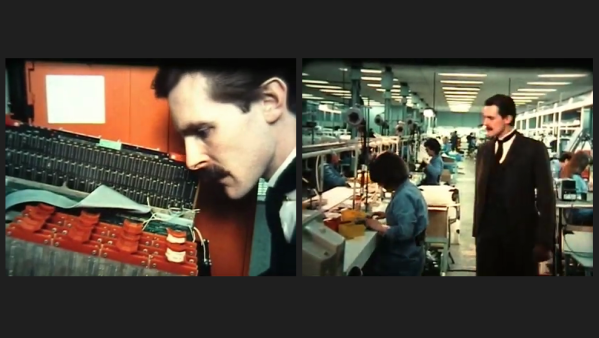
Former Ferranti Electric engineer [Martin Mallinson] recently posted a 1980s documentary on YouTube (see the video below the break). It shows in some detail the semiconductor plant at Gem Mill outside of Manchester UK, as seen through the eyes of the ghost of founder Dr. Sebastian Ferranti. This dramatic device seems a little silly at times, but the documentary still provides a very interesting look at the industry at the time.
The Gem Mill plant was one of the first semiconductor facilities, having begun operations in the 1950s by Ferranti. In 1959 they made the first European silicon diode, and went on to commercialize Uncommitted Logic Arrays (ULA) in the early 1980s. Most famously, Ferranti ULAs were used in many home computers of the day, such as the Sinclair ZX81 and ZX Spectrum, Acorn Electron, and the BBC Micro. Much of the factory tour in this documentary is depicting the ULA process, and they hint at an even more advanced technology being developed by the (unnamed) competition — an FPGA? CPLD?
In a series of events worthy of a mystery novel, Ferranti finally closed its doors in 1993 after acquiring a company that was involved with clandestine agencies and illegal arms sales (see Ferranti on Wikipedia). But through a series of acquisitions over the years, many of their products outlived the company and were available under the labels of future owners Plessey, Zetex, and finally Diodes, Inc. The Gem Mill facility was decommissioned in 2004 and in 2008 it was demolished and replaced by a housing estate.
Thanks to [Cogidubnus Rex] for bringing this video to our attention. A couple of other Ferranti documentaries of the same era are also included down below the break.
At the beginning of the home computer revolution, the humble compact cassette was far and away the most popular choice for microcomputer data storage, especially on the European continent. As a volunteer at the Museum of Computing, [Keith] was instrumental in recovering and archiving the early works of Roger Dymond, a pioneering developer of early computer software in the United Kingdom.
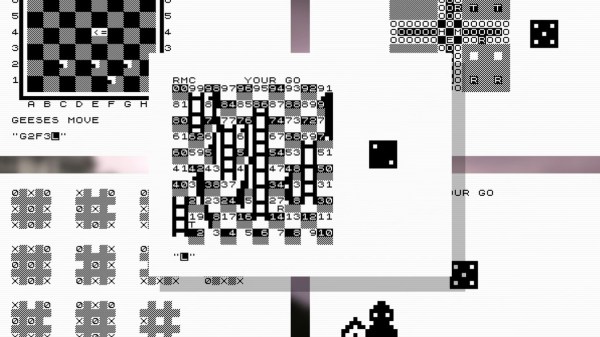
In his video, [Keith] goes to great lengths detailing the impact that Roger Dymond had on the early home computing scene. After being let go from his council apprenticeship, Roger turned his attention to developing games for the ZX81, and later the ZX Spectrum. With the help of his family, he went on to run a moderately successful mail-order games publishing venture for several years. Increasing advertising costs and a crowded development scene saw Roger’s business become nonviable by 1983, but not before developing several gambling-style games and a standout Space Invaders clone.
Fast forward to 2021, and while some of Roger’s Spectrum software had been archived, much had been marked as ‘missing’ by online archivists. After further research, [Keith] realized that another potentially important tape had been forgotten about. ‘Games Compendium’ for the ZX81 had been completely lost to time, with the only evidence that it had ever existed coming from a 1983 advert in ‘Sinclair User’ magazine. Being written for the earlier model ZX81, the compendium would undoubtedly be of interest to software archivists and game historians.
It would be fair to say that the Internet as we know it runs on Cisco hardware. While you might never see the devices first-hand, there’s an excellent chance that every web-bound packet leaving your computer or smartphone will spend at least a few milliseconds of its life traveling through hardware built by the San Jose, California based company. But of course, even a telecommunications giant like Cisco had to start somewhere.
Cisco’s first commercial router, the Advanced Gateway Server (AGS), was released in 1986 and helped put the company (and the Internet) on the path towards unfathomable success. [Andreas Semmelmann] had wanted to add one of these microwave-sized machines to his collection for some time, so when an AGS+ popped up in the local classifieds he didn’t hesitate to make the hour drive to go pick it up. But like many pieces of vintage computing equipment, it needed a little help getting back on its feet.
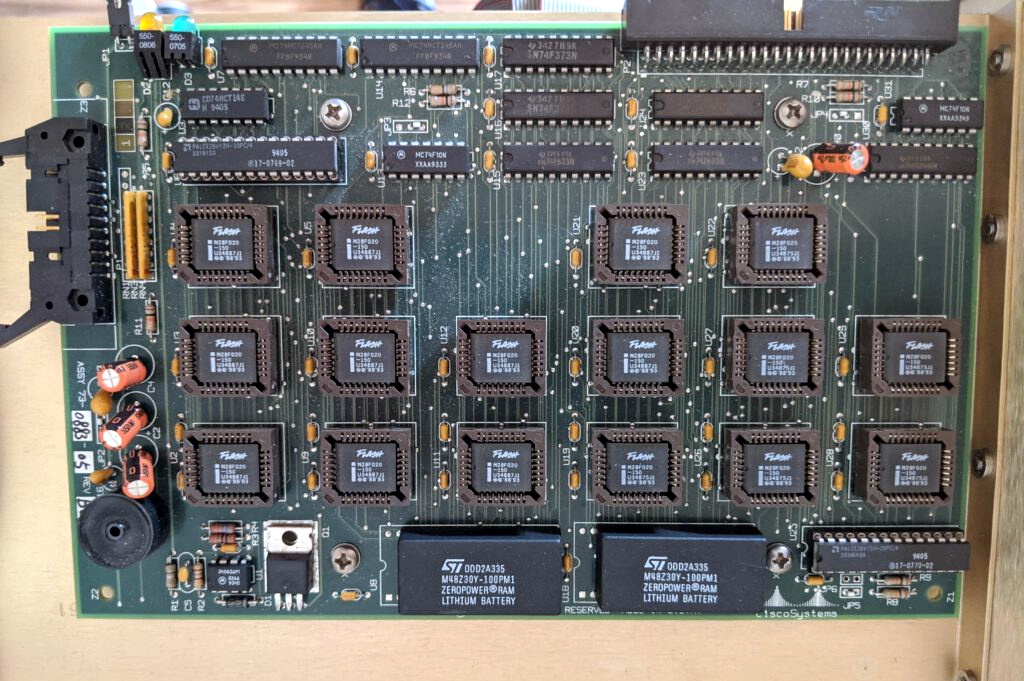
What 4 MB of flash looked like in the late 1980s.
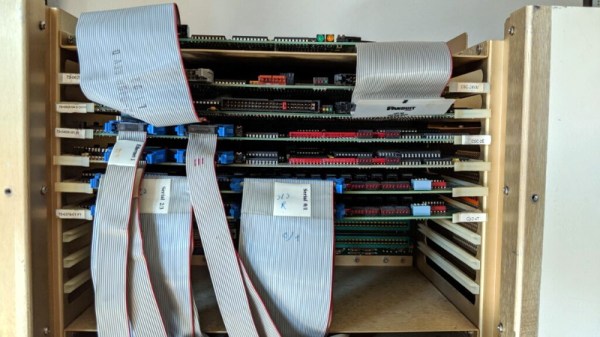
Since he had to take the router apart anyway to diagnose what ailed it, [Andreas] decided to take photographs along the way and document this piece of Internet history. He walks the reader through the massive processor, Ethernet, and serial cards that are housed in the unit’s rack-like enclosure. We appreciate him taking the scenic route, as it gives us a great look inside what would have been state-of-the-art telecommunications gear when this version of the AGS hit the market in 1989.
The walk-through is full of interesting details that make us appreciate just how far things have come in the last 32 years. Imagine yanking the EPROMs out of the board and firing up the UV eraser each time you needed to update your router’s firmware. Or needing a special adapter to convert the AUI-15 connectors on the back panel to the now ubiquitous RJ45 jack.
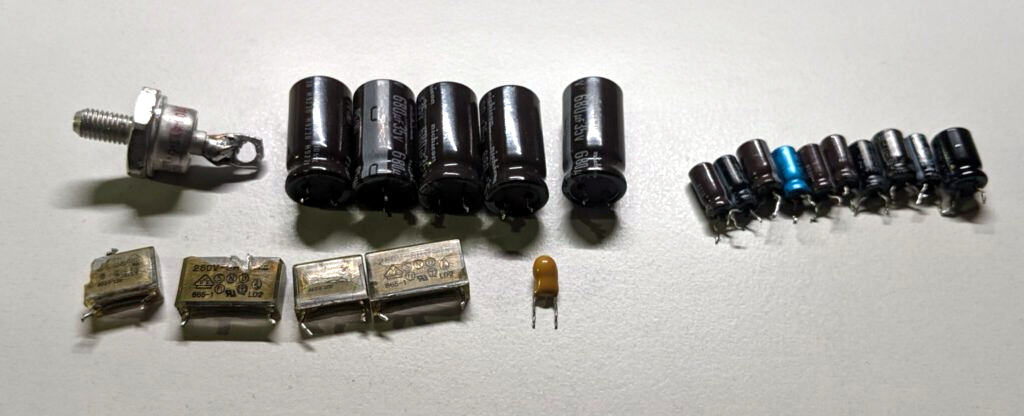
After this stroll down memory lane, [Andreas] gets to the actual repair work. It likely won’t surprise the regular Hackaday reader to find that the power supply wasn’t operating to spec, and that some aged capacitors and a shorted rectifier diode needed to be replaced to put it back on an even keel. But even with the PSU repaired, the router failed to start. The console output indicated the software was crashing, but hardware diagnostics showed no obvious faults.
Replacing these failed PSU components was just the beginning.
With some part swapping, firmware flashing, and even a bit of assistance from Cisco luminary [Phillip Remaker], the issue was eventually identified as a faulty environmental monitoring (ENVM) card installed in the AGS+. As luck would have it the ENVM capability isn’t required to boot the router, so [Andreas] was able to just disconnect the card and continue on with his exploration of the hardware that helped build the Internet as we know it.
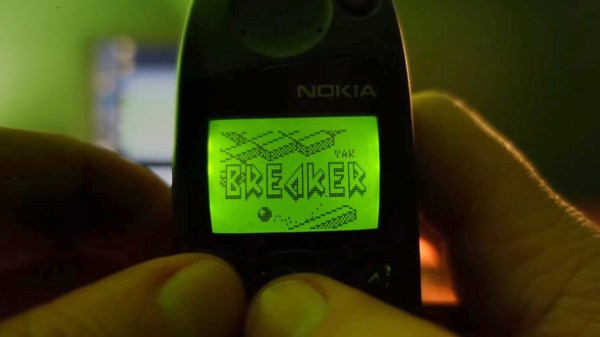
These days we’re spoiled for choice when it comes to smartphone software, especially games. Official repositories for the leading handsets feature hundreds of thousands of games, and sideloading adds infinite possibilities. If you were lucky enough to be sporting a Nokia handset in the late 1990s, you probably had all of three games to choose from (and only one that was actually fun). [Janus Cycle] explores the steps needed to firmware mod your vintage Nokia phone, and how to expand on that paltry games library.
Enthusiasts have been modding their Nokia handsets since the 2000s, and the tools required now are the same as they were then. The Nokia 5110 and 6110 (as featured in the video below) use a proprietary cable and connector for communicating with PCs and other devices. Nokia’s official serial cable already opens up many possibilities for handset tinkering, including access to RAM and toggling Monitor Mode. This cable interfaces solely with the phone’s fast FBUS protocol, however firmware flashing takes place using the slower MBUS protocol over a single wire bi-directional pin.
The handset expects both serial ports to be available during firmware flashing. [Janus Cycle] demonstrates how to build a custom harness that connects both serial ports to a PC parallel port. At this point the flashing process is relatively straightforward, especially if you have an appropriately vintage computer to run the old flashing software.
Nokia owners may fondly remember changing the network name on the home screen to all sorts of inappropriate graphics, yet far more was possible with the right technology and know-how. It’s interesting to think about what may have been if softmodding was more widespread during the reign of the Nokia 5110 and its peers.
I’m back with another of the talks from Hackerspace Gent’s NewLine conference, fresh from my weekend of indulgence quaffing fine Belgian food and beers while mixing with that country’s hacker community. This time it’s an overview from [Michael Smith] of the MiSTer project, a multi-emulator using an FPGA to swap out implementations of everything from an early PDP minicomputer to an 80486SX PC.
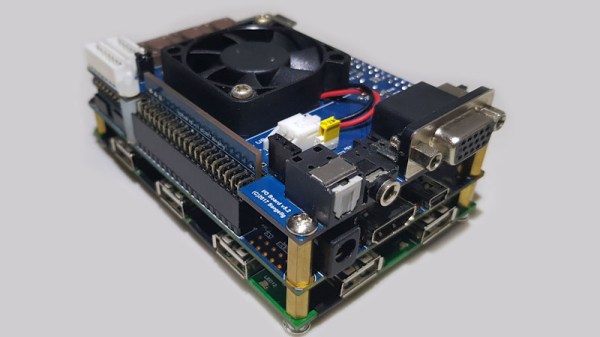
At its heart is a dev board containing an Intel Cyclone SoC/FPGA, to which a USB hub must be added, and then a memory upgrade to run all but the simplest of cores. Once the hardware has been taken care of it almost seems as though there are no classic platforms for which there isn’t a core, as a quick browse of the MiSTer forum attests. We are treated to seamless switching between SNES and NED platforms, and even switching different SID chip versions during a running Commodore 64 demo.
There are many different routes to a decent emulator set-up be they using hardware, software, or a combination of both. It’s unlikely that there are any as versatile as this one though, and we’re guessing that as it further evolves it will become a fixture below the monitor or TV of any gamer. It’s a step up from single-platform FPGA emulators, that’s for certain!
Over the years, plenty of work has gone into emulating the Commodore 64 6581 SID chip, but as [SlipperySeal] puts it, nothing beats the real thing. His take on the MIDI SID-based synth not only sounds fantastic, but looks the business.
The 6581 SID arguably blessed the Commodore 64 with some of the best sound capabilities of any home computer in the 8-bit era (make sure to ‘sound off’ in the comments if you disagree). The 6581 was a three-voice analog synth with a dizzying array of settings. This was at a time when most home computers could just about manage a ‘beep’ of varying lengths and frequencies.
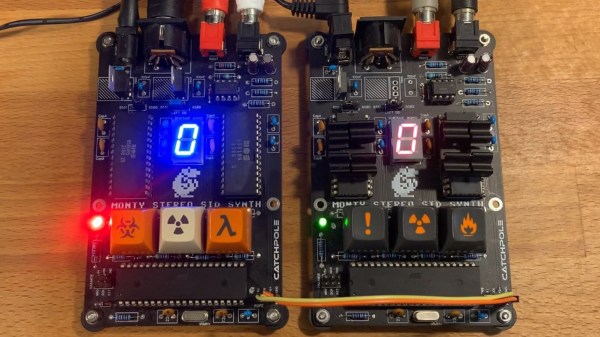
When you mix MIDI with the capabilities of the SID, you get something like [SlipperySeal]’s awesome looking synth, known as ‘Monty’. While the road to this point unfortunately resulted in several blown-up SID chips, the sacrifice seems to have paid off.
Realizing the limitations of having ‘just’ three voices, Monty is designed to use two SID chips in parallel, for a total of six voices in pleasing stereo sound. MIDI commands are transferred to the dual SIDs by way of an ATmega1284p microcontroller. The SID is well understood by this point, and [SlipperySeal] goes into great detail explaining the fundamentals of SID programming over on GitHub.
This isn’t the first MIDI synth that is based around the C64 SID chip, but [SlipperySeal] made sure that his stood out from the crowd. The seven-segment display centered on the board makes for a delightfully simple visualizer, an effect that looks even better when running two Monty boards at once, each responding to alternate MIDI channels (check out the video below). Naturally, we’re also fans of projects that include ominous, cryptic keyswitches.