Better Mousetraps (or Screw Drives) Don’t Always Win

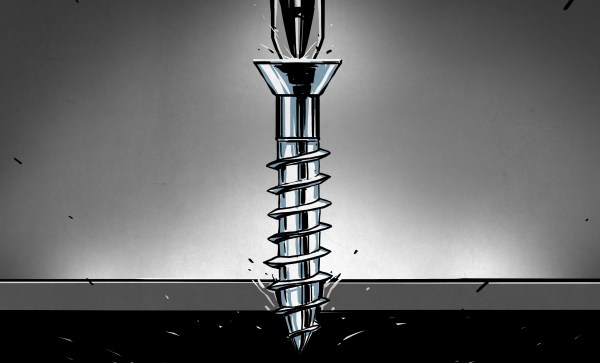
I’ve noticed, lately, that slotted screw heads are all but gone on new equipment. The only thing that I find remarkable about that is that it took so long. While it is true that slotted heads have been around for ages, better systems are both common and have been around for at least a century.
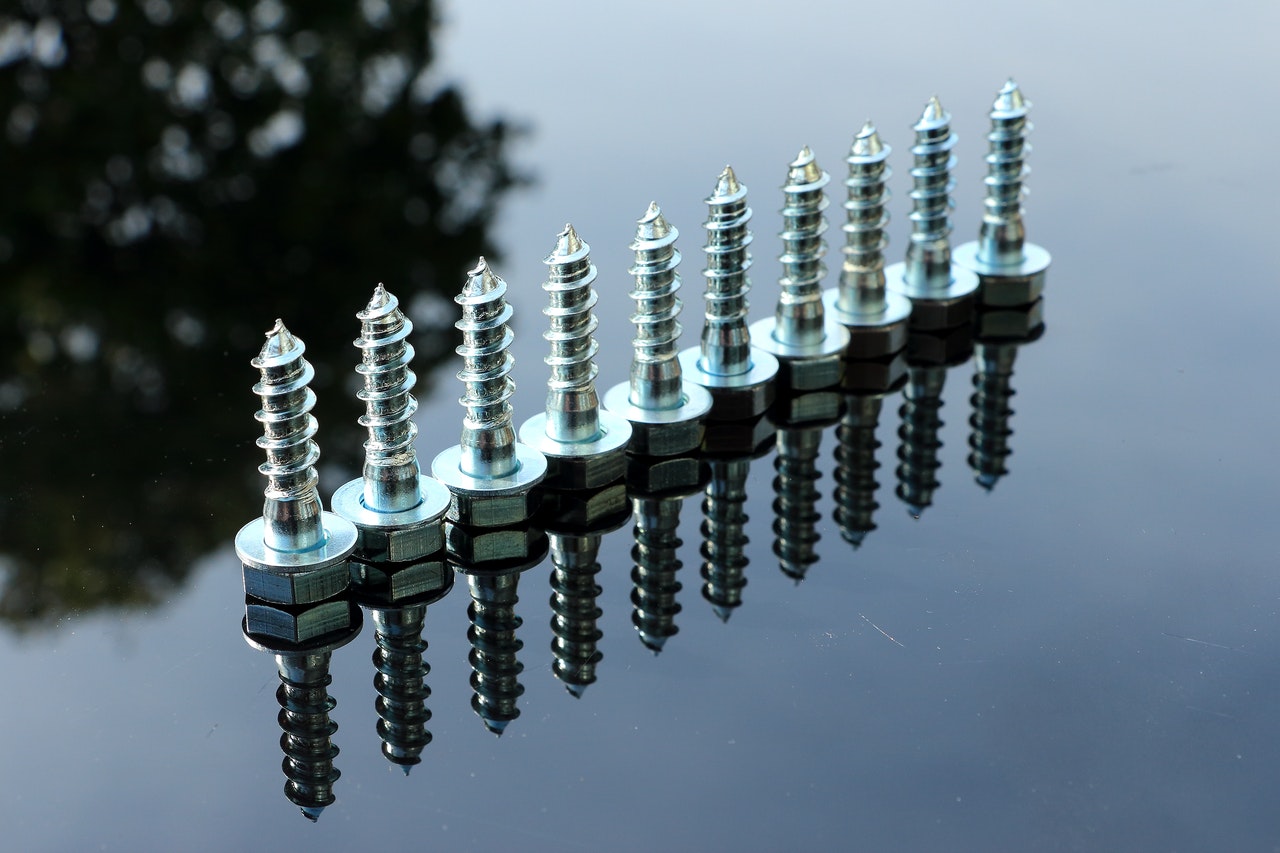
Check out those cool threads.

The reason slotted heads — technically known as the drive — are so common is probably because they are very easy to make. A hacksaw is sufficient for the job and there are other ways to get there, too. The only advantages I know of for the user is that you can easily clean a slotted drive and — possibly — use field expedient items like butter knives and quarters to turn the screw. I’ve heard people claim that it also is a feature that the screwdriver can pry things like paint can lids, but that’s a feature of the tool, not the screw drive.

The disadvantages, though, are significant. It is very hard to apply lots of torque to a slotted screw drive without camming it out or snapping the head off the screw. The screwdriver isn’t self-centering either, so applying force off-axis is common and contributes to the problem.

Continue reading “Better Mousetraps (or Screw Drives) Don’t Always Win” →
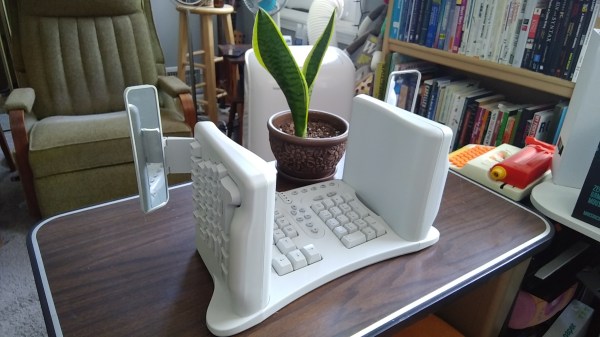
Inputs Of Interest: SafeType™ Vertical Keyboard With Mirrors Puts Pain In The Rear-View

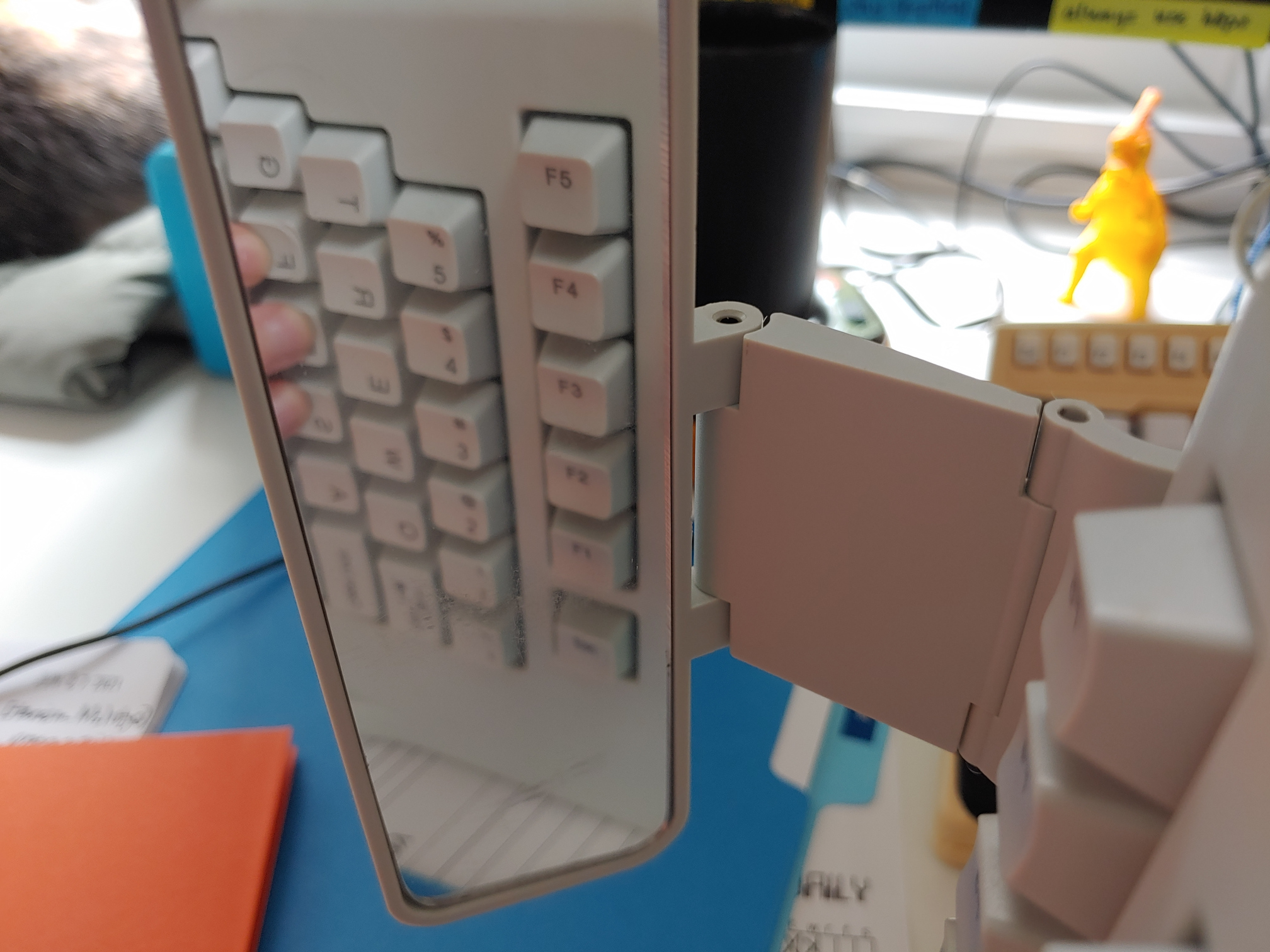
Yep, this keyboard is another ebay special. I can’t stay away! This is a SafeType™ V801 from probably the early 2000s, although there is no date on it anywhere. I’m basing my guess on the fact that there are so many media buttons. I’ve been eyeing these weirdo mirrored keebs for a while, and when I saw how cheaply this one was going for, I had to have it. That’s just how it goes. I was really excited to clack on it and I’m only marginally disappointed by it. But I can tell you that if my Kinesis were to suddenly die, I would probably reach for this keyboard until the new one showed up.

Yes, mirrors on a keyboard are weird. But if you can’t touch-type the numerals and F keys, they’re absolutely necessary.

So, why does it look like this? There are varying levels of ergonomics when it comes to keyboards. This one fights strongly against wrist pronation and forces you into a position that helps the shoulders and neck as well. You’d think it would be weird to hold your arms aloft at right angles, but it’s actually not that strange in practice because you’re pressing inward to type, kind of like playing an accordion or something.

The weird part is looking in the rear-view mirrors to accurately hit the numerals and F keys, though I’ll be honest: in my test drives, I found myself using the mirrors mostly to make sure my hands were on the home row. And that’s with three homing protrusions apiece on F and J! More about that later.

So yes, some of the keycap legends are backwards so you can read them in the mirror. If you don’t like using the numeral row, there’s a num pad in the center, along with the Home/End cluster, a quartet of comically large arrow keys, and a boatload of dedicated media and program launch buttons. All the buttons in the middle are fairly awkward to reach because you must either pull your hand down and around the bottom, or else go over the top. Continue reading “Inputs Of Interest: SafeType™ Vertical Keyboard With Mirrors Puts Pain In The Rear-View” →

Gladys West Modelled The Earth So That We Can Have GPS

The name Gladys West is probably unfamiliar, but she was part of creating something you probably use often enough: GPS. You wouldn’t think a child who grew up on a sharecropping farm would wind up as an influential mathematician, but perhaps watching her father work very hard for very little and her mother working for a tobacco company made her realize that she wanted more for herself. Early on, she decided that education was the way out. She made it all the way to the Naval Surface Warfare Center.

While she was there she changed the world with — no kidding — mathematics. While she didn’t single-handedly invent satellite navigation, her work was critical to the systems we take for granted today.

Continue reading “Gladys West Modelled The Earth So That We Can Have GPS” →

Murata To Deliver Solid State Batteries To Market In The Fall

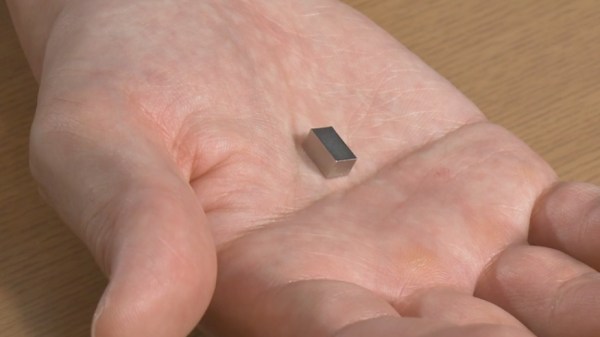
Solid state batteries have long been promised to us as the solution to our energy storage needs. Theoretically capable of greater storage densities than existing lithium-ion and lithium-polymer cells, while being far safer to boot, they would offer a huge performance boost in all manner of applications.

For those of us dreaming of a 1,000-mile range electric car or a 14-kilowatt power drill, the simple fact remains that the technology just isn’t quite there yet. However, Murata Manufacturing Co., Ltd. has just announced that it plans to ship solid state batteries in the fall, which from a glance at the calendar is just weeks away.

It’s exciting news, and we’re sure you’re dying to know – just what are they planning to ship, and how capable are the batteries? Let’s dive in.

Continue reading “Murata To Deliver Solid State Batteries To Market In The Fall” →

AND!XOR’s DEF CON 29 Electronic Badge Is An Assembly Puzzle

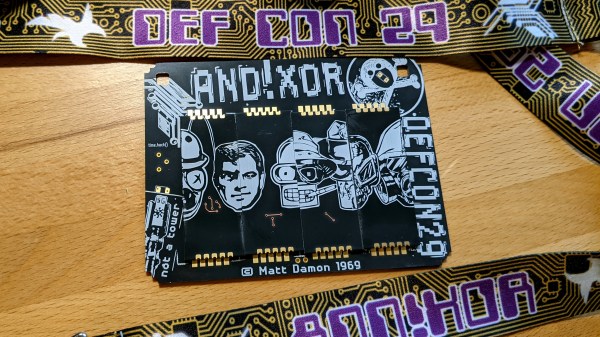
For years I’ve looked forward to seeing each new unofficial hardware badge that comes out of the #Badgelife powerhouse known as AND!XOR. A mix of new and interesting components, alternate-reality game, and memes, you never know what they’re going to throw down.

A bubble pack landed on my desk on Thursday with the newest offering, the AND!XOR electronic badge built for DEF CON 29, happening this weekend as a hybrid in-person and online conference. While each previous year upped the ante on complexity and manufacturing magic tricks, it’s no surprise considering the uncertainty of both the global pandemic and global chip shortage that they took a different tack. What we have here is a badge hacking puzzle that challenges you to just figure out how to put the thing together!

Continue reading “AND!XOR’s DEF CON 29 Electronic Badge Is An Assembly Puzzle” →

Illustrated Kristina with an IBM Model M keyboard floating between her hands.

Keebin’ With Kristina: The One With The Mad Model M

Hand-Wired Hell Help

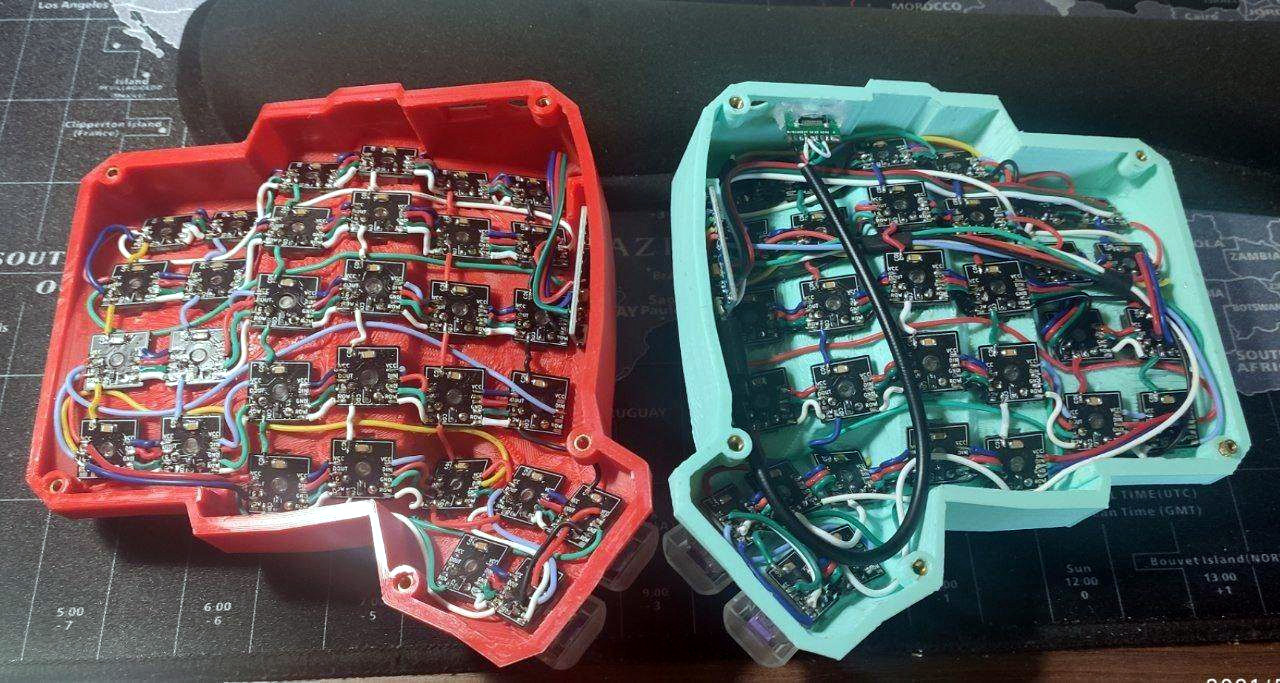
Do you dream of building a curvy ergonomic keyboard or macro pad, even though the idea of hand wiring gives you nightmares? You can make it a bit less troublesome with a tiny PCB for each key switch, as long as you have a reflow oven or you’re okay with a bit of surface-mount soldering for the diode, LED, and capacitor.

As a bonus, these should make switches a bit more secure against movement, and you could probably even get away with using hot swap sockets if you wanted. [Pedro Barbero] has the Gerber files available if you want to get some fabbed. We sort of wish we had used these on our dactyl, though the case is awfully tight and they might not fit.

Ultra-Mechanical Keyboard Angles with Lifter Motors

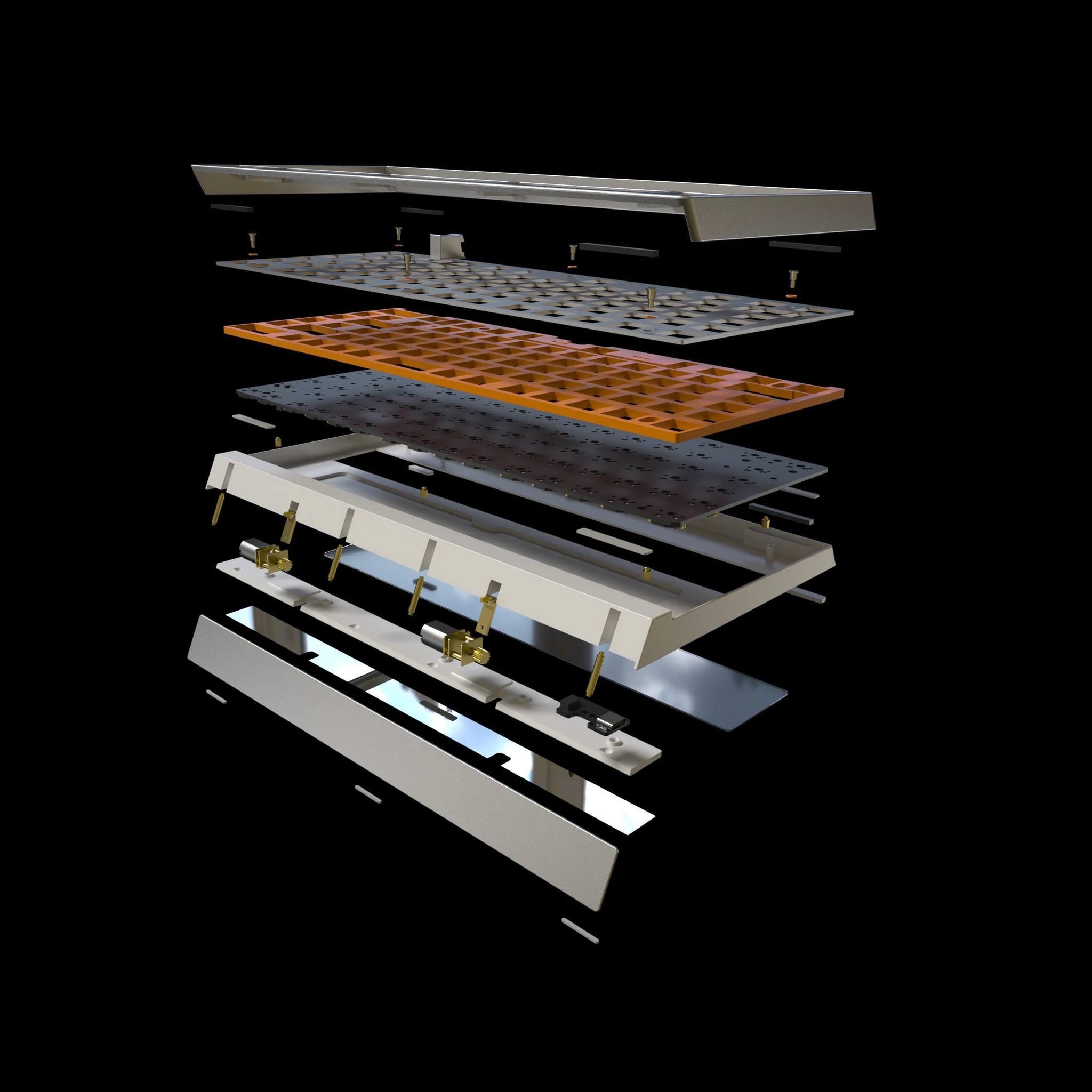
Lots of people prefer an angled keyboard, but plenty of new keebs, especially mechanical ones, just don’t offer that at all. Well, the wait for an adjustable 75% is over, at least. Okay, that’s not exactly true. The wait for a group buy to begin for an adjustable 75% is almost over.

Nestled in between the arrow cluster and the menu key of the Besides Studios M-One is a rocker switch that angles the keyboard from 3° to 7° slowly but surely, like an adjustable bed. This is going to be a bare-bones group buy, meaning that it won’t come with any switches, stabs, or keycaps, but that doesn’t mean it will be cheap at $299. [BadSeed Tech] got an early prototype and built it out with Gateron Ink Black V2 switches in the video below in order to give it a proper spin.

Continue reading “Keebin’ With Kristina: The One With The Mad Model M” →

Hands-On Review: TCam-Mini WiFi Thermal Imager

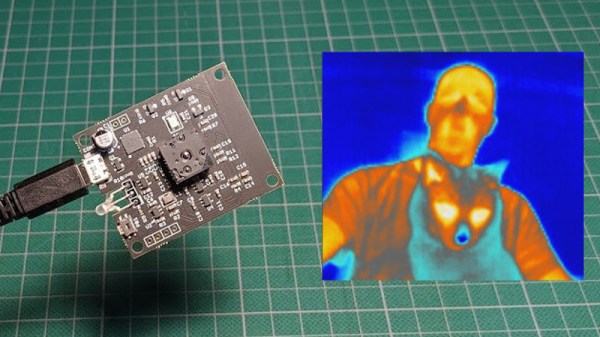
A thermal camera is a tool I have been wanting to add to my workbench for quite a while, so when I learned about the tCam-Mini, a wireless thermal camera by Dan Julio, I placed an order. A thermal imager is a camera whose images represent temperatures, making it easy to see things like hot and cold spots, or read the temperature of any point within the camera’s view. The main (and most expensive) component of the tCam-Mini is the Lepton 3.5 sensor, which sits in a socket in the middle of the board. The sensor is sold separately, but the campaign made it available as an add-on.

Want to see how evenly a 3D printer’s heat bed is warming up, or check whether a hot plate is actually reflowing PCBs at the optimal temperature? How about just seeing how weird your pets would look if you had heat vision instead of normal eyes? A thermal imager like the tCam-mini is the tool for that, but it’s important to understand exactly how the tCam-mini works. While it may look like a webcam, it does not work like one.

Continue reading “Hands-On Review: TCam-Mini WiFi Thermal Imager” →