From Project To Kit: Getting The Hardware Right

In the previous article in this series on making a personal electronic project into a saleable kit, we looked at the broader picture of the kit market for a new entrant, the importance of gauging whether or not your proposed kit has a viable niche and ensuring that it has a good combination of buildability, instructions, and quality. In this article we will look at specifying and pricing the hardware side of a kit, illustrating in detail with an example project. The project we’ve chosen is a simple NE555 LED flasher which we haven’t built and have no intention of assembling into a kit for real, however it provides a handy reference project without the circuit itself having any special considerations which might distract from the job at hand.

Continue reading “From Project To Kit: Getting The Hardware Right”

DEF CON’s X86 Badge

This year’s DEF CON badge is electronic, and there was much celebrating. This year’s DEF CON badge has an x86 processor, and there was much confusion.

These vias are connected to something.

The badge this year, and every year, except badges for 18, 17, 16, 15, and 14, designed by [Joe Grand], and badges from pre-history designed by [Dark Tangent] and [Ping], was designed by [1057], and is built around an x86 processor. Specifically, this badge features an Intel Quark D2000 microcontroller, a microcontroller running at 32MHz, with 32kB of Flash and 8kB of RAM. Yes, an x86 badge, but I think an AT motherboard badge would better fulfill that requirement.

As far as buttons, sensors, peripherals, and LEDs go, this badge is exceptionally minimal. There are eight buttons, laid out as two directional pads, five LEDs, and a battery. There’s not much here, but with a close inspection of the ‘chin’ area of the badge, you can see how this badge was programmed.

As with any [1057] joint, this badge features puzzles galore. One of these puzzles is exceptionally hard to photograph as it is in the bottom copper layer. It reads, “nonpareil bimil: Icnwc lsrbcx kc htr-yudnv ifz xdgm yduxnw yc iisto-cypzk”. Another bottom copper text reads, “10000100001 ΣA120215”. Get crackin’.

A gallery of the Human and Goon badges follows, click through for the best resolution we have.

This post has been updated to correct the record of who designed badges for previous cons.

Raspberry Pi 3 Gets USB, Ethernet Boot

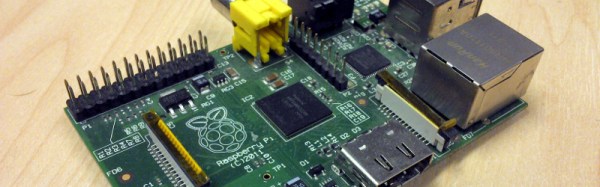
The Raspberry Pi is a great computer, even if it doesn’t have SATA. For those of us who have lost a few SD cards to the inevitable corruption that comes from not shutting a Pi down properly, here’s something for you: USB Mass Storage Booting for the Raspberry Pi 3.

For the Raspberry Pi 1, 2, Compute Module, and Zero, there are two boot modes – SD boot, and USB Device boot, with USB Device boot only found on the Compute Module. [Gordon] over at the Raspberry Pi foundation spent a lot of time working on the Broadcom 2837 used in the Raspberry Pi 3, and found enough space in 32 kB to include SD boot, eMMC boot, SPI boot, NAND flash, FAT filesystem, GUID and MBR partitions, USB device, USB host, Ethernet device, and mass storage device support. You can now boot the Raspberry Pi 3 from just about anything.

The documentation for these new boot modes goes over the process of how to put an image on a USB thumb drive. It’s not too terribly different from the process of putting an image on an SD card, and the process will be streamlined somewhat in the next release of rpi-update. Some USB thumb drives do not work, but as long as you stick with a Sandisk or Samsung, you should be okay.

More interesting than USB booting is the ability for the Pi 3 to boot over the network. Booting over a network is nothing new – the Apple II could do it uphill both ways in the snow, but the most common use for the Pi is a dumb media player that connects to all your movies on network storage. With network booting, you can easily throw a Pi on a second TV and play all that media in a second room. Check out the network booting tutorial here.

Electrostatic Loudspeakers: High End HiFi You Can Build Yourself

If you have an interest in audio there are plenty of opportunities for home construction of hi-fi equipment. You can make yourself an amplifier which will be as good as any available commercially, and plenty of the sources you might plug into it can also come into being on your bench.

There will always be some pieces of hi-fi equipment which while not impossible to make will be very difficult for you to replicate yourself. Either their complexity will render construction too difficult as might be the case with for example a CD player, or as with a moving-coil loudspeaker the quality you could reasonably achieve would struggle match that of the commercial equivalent. It never ceases to astound us what our community of hackers and makers can achieve, but the resources, economies of scale, and engineering expertise available to a large hi-fi manufacturer load the dice in their favour in those cases.

The subject of this article is a piece of extreme high-end esoteric hi-fi that you can replicate yourself, indeed you start on a level playing field with the manufacturers because the engineering challenges involved are the same for them as they are for you. Electrostatic loudspeakers work by the attraction and repulsion of a thin conductive film in an electric field rather than the magnetic attraction and repulsion you’ll find in a moving-coil loudspeaker, and the resulting very low mass driver should be free of undesirable resonances and capable of a significantly lower distortion and flatter frequency response than its magnetic sibling.
Continue reading “Electrostatic Loudspeakers: High End HiFi You Can Build Yourself”

Single Board Revolution: Preventing Flash Memory Corruption

An SD card is surely not an enterprise grade storage solution, but single board computers also aren’t just toys anymore. You find them in applications far beyond the educational purpose they have emerged from, and the line between non-critical and critical applications keeps getting blurred.

Laundry notification hacks and arcade machines fail without causing harm. But how about electronic access control, or an automatic pet feeder? Would you rely on the data integrity of a plain micro SD card stuffed into a single board computer to keep your pet fed when you’re on vacation and you back in afterward? After all, SD card corruption is a well-discussed topic in the Raspberry Pi community. What can we do to keep our favorite single board computers from failing at random, and is there a better solution to the problem of storage than a stack of SD cards?

Continue reading “Single Board Revolution: Preventing Flash Memory Corruption”

FCC Reaches Agreement With Router Manufacturers

Last year, the Federal Communications Commission proposed a rule governing the certification of RF equipment, specifically wireless routers. This proposed rule required router manufacturers to implement security on the radio module inside these routers. Although this rule is fairly limited in scope – the regulation only covers the 5GHz U-NII bands, and only applies to the radio subsystem of a router, the law of unintended consequences reared its ugly head. The simplest way to lock down a radio module is to lock down the entire router, and this is exactly what a few large router manufacturers did. Under this rule, open source, third-party firmwares such as OpenWRT are impossible.

Now, router manufacturer TP-Link has reached an agreement with the FCC to allow third-party firmware. Under the agreement, TP-Link will pay a $200,000 fine for shipping routers that could be configured to run above the permitted power limits.

This agreement is in stark contrast to TP-Link’s earlier policy of shipping routers with signed, locked firmware, in keeping with the FCC’s rule.

This is a huge success for the entire open source movement. Instead of doing the easy thing – locking down a router’s firmware and sending it out the door – TP-Link has chosen to take a hit to their pocketbook. That’s great news for any of the dozens of projects experimenting with mesh networking, amateur radio, or any other wireless networking protocol, and imparts a massive amount of goodwill onto TP-Link.

Thanks [Maave] for the tip.

Home Automation Is Hung Up On Software

Home automation is a favorite in sci-fi, from Tony Stark’s Jarvis, to Rosie the robotic maid on the Jetsons, and even the sliding doors pulled by a stagehand Star Trek. In fact, most people have a favorite technology that should be just about ready to make an appearance in their own home. So where are these things? We asked you a few weeks ago and the overwhelming answer was that the software just isn’t there yet.

We’re toddling through the smart home years, having been able to buy Internet-connected garage doors and thermostats for some time now. But for the most part all of these systems are islands under one roof. Automation is the topic of the current challenge for the 2016 Hackaday Prize. Developing the glue that can hold all of these pieces together would make a great entry. Why doesn’t that glue yet exist?

I think the problem is really twofold. On the one hand, there isn’t a clear way to make many devices work under one software. Second, there really isn’t an obvious example of great user experience when it comes to home automation. Let’s look at why and talk about what will eventually get us there.

Continue reading “Home Automation Is Hung Up On Software”