This KiCAD Plugin Enables Breadboarding

Some people learning the noble art of electronics find the jump from simpler tools like Fritzing to more complex ones, such as KiCAD, a little daunting, especially since they need to learn at least two tools. Fritzing is great for visualising your breadboard layout, but what if you want to start from a proper schematic, make a prototype on a breadboard and then design a custom PCB? Well, with the Kicad-breadboard plugin for (you guessed it!) KiCAD, you can now do all of this in the same tool.

A simple dual-rail oscillator schematic corresponding to the featured image above

Originally designed to support EE students at the University of Antwerp, the tool presents you with a virtual breadboard with configurable size and style, along with a list of components and tools that can be placed. A few clicks and parts can be placed on the virtual breadboard with ease. Adding wires is the next logical step to make those connections that operate in the horizontal dimension. Finally, assigning power supplies and probe connections completes the process. It’s a simple enough tool to draw stuff, but drawing a layout is no use if you can’t verify it’s correctness. This is where this plugin shines: it can perform an ERC (check) between the schematic and the breadboard and flag up what you missed. Add to this that you can also perform an ERC at the schematic level, before even thinking about layout, and it’s pretty hard to make an error. Now, you can transfer this directly to a real breadboard, or even a veroboard, for more permanence once you have confidence in correctness. This will definitely save time correcting errors and help keep the magic smoke safely contained within those mysterious black rectangles.

Continue reading “This KiCAD Plugin Enables Breadboarding”

The Splice Must Flow

There are plenty of electronic components out there, but the one we tend to forget is the most basic: wire. Sure, PC boards have largely replaced wire with copper traces, but most projects still need some kind of wire somewhere. Once you need any wire, there’s a good bet you will need longer wire, and that means splicing one wire to another. Simple, right? Not really. There are a variety of ways to splice wires, and which one you use depends on what you want to do and the type of wire you are using.

If the wires touch, good enough, right? Not necessarily. You need enough contact area for the current you are drawing through the wire to flow. It is also nice if the splice can survive some amount of mechanical strain, vibration, and survive getting hot and cold repeatedly.

Usually, after splicing, you’d like to solder the connection, although depending on the application, you don’t always see that. At the very least, you’d want to wrap it in electrical tape, use heat-shrink tubing, or otherwise insulate the bare wires and maybe provide a little mechanical support or strain relief.

Keep in mind that there are connector options, either mechanical, crimped, or soldered, that allow you to avoid splices. Soldering to a terminal strip, for example, or scewing wires into a barrier strip will get the job done. So will a butt connector, a wire nut, or a WAGO connector. But sometimes, for whatever reason, you just need to attach two wires to each other. It’s been done before.

Continue reading “The Splice Must Flow”

Modded Server PSU Provides Plenty Of Current

Most makers find themselves in need of a benchtop power supply at some point or another. Basic models can be had relatively cheaply, but as your current demands go higher, so does the price. [Danilo Larizza] has figured out an alternative solution—repurposing old server hardware to do the job instead.

The build is based around an HP Common Slot (CS) server power supply. They can be readily had for well under $50 if you know where to look. Even better, they can deliver over 50 amps at 12 volts, which happens to be a very useful voltage indeed. All you need to do is some minor mods.

A jumper on a couple of pins will get the power supply running, and with the addition of some terminals for your hook-up leads, you’re ready to go. As a hot-swappable single unit, the power supply is already outfitted with a ventilation fan to keep everything cool. If so desired, you can even make some further mods to bump output voltage a little ways past 13 or 14 volts if you’d like to use them for certain battery charging tasks.

Sure, you’re not getting a variable power supply, but if you need 12 volts and lots of it, this is a great way to go. We’ve featured similar builds before, too, turning ATX PC power supplies into useful benchtop tools.

Continue reading “Modded Server PSU Provides Plenty Of Current”

FPGA Powers DIY USB Scope And Signal Generator

Oscilloscopes and to lesser extent signals generators are useful tools for analyzing, testing and diagnosing circuits but we often take for granted how they work. Luckily, [FromConceptToCircuit] is here to show us how they’re made.

[FromConceptToCircuit] starts by selecting the hardware to use: an Artix-7-based FPGA and an FT2232 USB-serial converter. RS245 in synchronous FIFO mode is selected for its high bandwidth of about 400 Mbps. Then, they show how to wire it all up to your FPGA of choice. Now it’s time for the implementation; they go over how the FT2232 interfaces with the FPGA, going through the Verilog code step-by-step to show how the FPGA makes use of the link, building up from the basic transmission logic all the way up to a simple framed protocol with CRC8-based error detection. With all that, the FPGA can now send captured samples to the PC over USB.

Now it’s PC-side time! [FromConceptToCircuit] first explains the physical pipeline through which the samples reach the PC: FPGA captures, transmits over RS245, FT2232 interfaces that with USB and finally, the software talks with the FT2232 over USB to get the data back out. The software starts by configuring the FT2232 into RS245 mode, sets buffer sizes, the whole deal. With everything set up, [FromConceptToCircuit] explains how to use the FT2232 driver’s API for non-blocking communication.

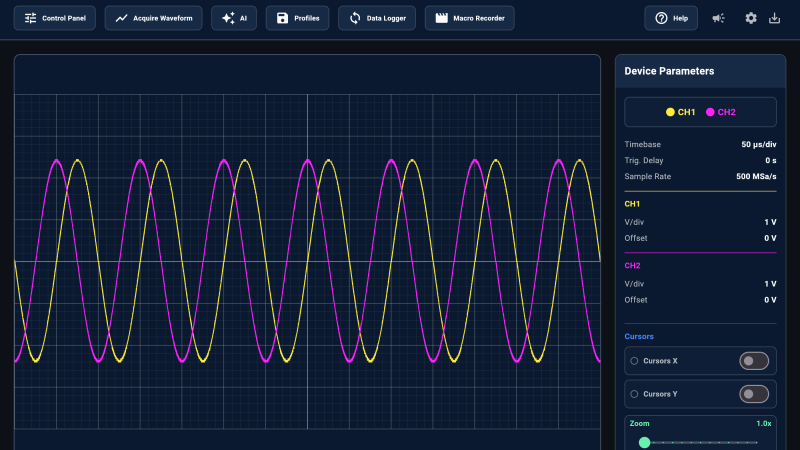
As a bonus, [FromConceptToCircuit] adds a signal generator feature to the oscilloscope using an I2C DAC chip. They start by explaining what exactly the DAC does and follow up with how it’ll be integrated into the existing system. Then it’s time to explain how to implement the I2C protocol bit-for-bit. Finally combine everything together for one final demo that shows a sine wave on the DAC’s output.

Desktop Digitizer Makes Note Capture A Breeze

While it might seem quaint these days, we’ve met many makers and hackers who reach for a pen and a pad when learning something new or working their way through some technical problem. But even if you’re the type of person who thinks best when writing something out on paper, there’s still a good chance that you’ll eventually want to bring those notes and sketches into the digital realm. That’s where things can get a little tricky.

[Spencer Adams-Rand] recently wrote in with his clever solution for capturing written notes and pushing them into Notion, but the hardware design and digitization workflow is flexible enough that it could be adapted to your specific needs — especially since he was good enough to release all the files required to build your own version.

Whether they are hand-written notes, old photographs, or legal documents, digitization boils down to taking a high resolution digital photo of the object and running it through the appropriate software. But getting good and consistent photos is the key, especially when you’re working your way through a lot of pages. [Spencer] started out just snapping pictures with his phone, but quickly found the process was less than ideal.

His custom scanning station addresses that first part of the problem: getting consistent shots. The images are captured using a Raspberry Pi 5 with attached Camera Module 3, while the 3D printed structure of the device makes sure that the camera and integrated lighting system are always in the same position. All he needs to do is place his notepad inside the cavity, hit the button, and it produces a perfect shot of the page.

Using a dedicated digitizing station like this would already provide better results than trying to freehand it with your phone or camera, but [Spencer] took things quite a bit farther. The software side of the project puts a handy user interface on the 5 inch touch screen built into the top of the scanner, while also providing niceties like a REST API and integration with the OpenAI Vision API for optical character recognition (OCR).

Those with an aversion to AI could certainly swap this out for something open source like Tesseract, but [Spencer] notes that not only is OpenAI’s OCR better at reading his handwriting, it spits out structured markdown-like data that’s easier to parse. From there it goes into the Notion API, but again, this could be replaced with whatever you use to collect your digital thoughts.

A device like this would go a long way towards answering a question we posed to the community back in January about the best way to digitize your documents.

[Kerry Wong] Finds SMD Test Clips

One of the many problems you run into when you work with SMD parts is trying to probe the little tiny pins. While we usually watch [Kerry Wong’s] videos for the oscilloscopes, it makes sense that he’d also be looking for probes. The video below shows some cheap probes from China that can clamp onto tiny QFP pins.

The probes look a little like tiny needles, but the needle part isn’t conductive. When you push them, very tiny and rigid clamps come out. On the other end is a pin that will take a female header or, of course, you could connect another test lead to that pin.

Continue reading “[Kerry Wong] Finds SMD Test Clips”

A booted foot is seen descending on a foot pedal attached to a lever underneath a three-legged stand. Three levers extend from the legs, each with a wheel on it, and attach to the central foot plate.

Building A Vise Stand With Pen-Like Retracting Wheels

Old shop tools have a reputation for resilience and sturdiness, and though some of this is due to survivorship bias, some of it certainly comes down to an abundance of cast iron. The vise which [Marius Hornberger] recently restored is no exception, which made a good stand indispensable; it needed to be mobile for use throughout the shop, yet stay firmly in place under significant force. To do this, he built a stand with a pen-like locking mechanism to deploy and retract some caster wheels.

Most of the video goes over the construction of the rest of the stand, which is interesting in itself; the stand has an adjustable height, which required [Marius] to construct two interlocking center columns with a threaded adjustment mechanism. The three legs of the stand were welded out of square tubing, and the wheels are mounted on levers attached to the inside of the legs. One of the levers is longer and has a foot pedal that can be pressed down to extend all the casters and lock them in place. A second press on the pedal unlocks the levers, which are pulled up by springs. The locking mechanism is based on a cam that blocks or allows motion depending on its rotation; each press down rotates it a bit. This mechanism, like most parts of the stand, was laser-cut and laser-welded (if you want to skip ahead to its construction, it begins at about 29:00).

Continue reading “Building A Vise Stand With Pen-Like Retracting Wheels”