The E-Traces Shoes

Visualizing Ballet Movements With E-Traces

When we think of wearable technologies, ballet shoes aren’t the first devices that come to mind. In fact, the E-Traces pointé shoes by [Lesia Trubat] may be the first ever “connected ballet shoe.” This project captures the movement and pressure of the dancer’s feet and provides this data to a phone over Bluetooth.

The shoes are based on the Lilypad Arduino clone, which is designed for sewing into wearables. It appears that 3 force sensitive resistors are used as analog pressure sensors, measuring the force applied on the ground by the dancer’s feet. A Lilypad Accelerometer measures the acceleration of the feet.

This data is combined in an app running on an iPhone, which allows the dancer to “draw” patterns based on their dance movements. This creates a video of the motion based on the dance performed, and also collects data that can be used to analyze the dance movements after the fact.

While these shoes are focused on ballet, [Lesia] points out that the same technique could be extended to other forms of dance for both training and visualization purposes.

An E-Waste 3D Printer For Every Child?

The lofty goal of making sure every school kid has access to a laptop has yet to be reached when along comes an effort to put a 3D printer in the hands of every kid. And not just any printer – a printer the kid builds from a cheap kit of parts and a little e-waste.

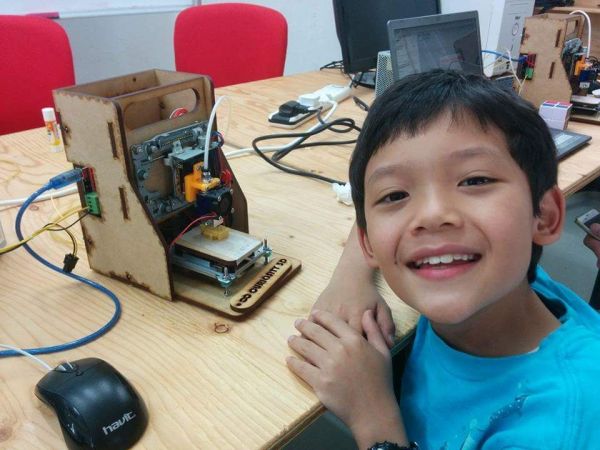
The design of the Curiosity printer is pretty simple, and bears a strong resemblance to an earlier e-waste 3D printer we covered back in December. This one has a laser-cut MDF frame rather than acrylic, but the guts are very similar – up-cycled DVD drives for the X- and Z-axes, and a floppy drive for the Y-axis. A NEMA 17 frame stepper motor provides the oomph needed to drive the filament into an off-the-shelf hot end, and an Arduino runs the show. The instructions for assembly are very clear and easy to follow, although we suspect that variability in the sizes of DVD and floppy drives could require a little improvisation at assembly time. But since the assembly of the printer is intended to be as educational as its use, throwing a little variability into the mix is probably a good idea.

The complete kit, less only the e-waste drives and power supply, is currently selling for $149USD. That’s not exactly free, but it’s probably within range of being funded by a few bake sales. Even with the tiny print volume, this effort could get some kids into 3D printers early in their school career.


Halloween Doorbell Prop In Rube-Goldberg Overdrive

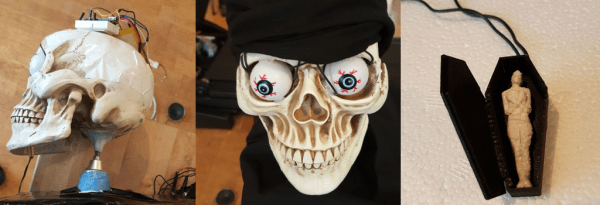
[Conor] wired up his 3D-printed coffin doorbell to an array of RGB LEDs, a screaming speaker, and a spinning skull on a cordless screw driver to make a “quick” Halloween scare. Along the way, he included half of the Adafruit module catalog, a relay circuit board, and ESP8266 WiFi module, a Banana Pi, and more Arduinos of varying shapes and sizes than you could shake a stick at.

Our head spins, not unlike [Conor]’s screaming skull, just reading through this Rube Goldbergy arrangement. (We’re sure that’s half the fun for the builder!) Smoke ’em if ya got ’em!

Start with the RGB LEDs; rather than control them directly, [Conor] connected them to a WiFi-enabled strip controller. Great, now he can control the strip over the airwaves. But the control protocol was closed, so he spent a week learning Wireshark to sniff the network data, and then wrote a Bash script to send the relevant UDP packets to turn on the lights. But that was not fancy-schmancy enough, so [Conor] re-wrote the script in Go.

Yes, that’s right — a Go routine on a Banana Pi sends out custom UDP packets over WiFi to a WiFi-to-LED-driver bridge. To make lights blink. Wait until you see the skull.

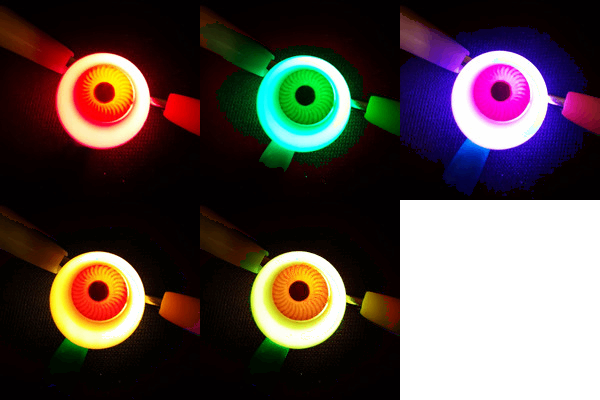
spooky_eye_animThe plastic skull has Neopixels in each ping-pong ball eye, controlled by an Arduino Nano and battery taped to the skull’s head. The skull is cemented to a driver bit that’s chucked in a cordless drill. A relay board and another Arduino make it trigger for 10 seconds at a time when the doorbell rings. Finally (wait for it!) an Arduino connected to the doorbell gives the signal, and sets a wire high that all the other Arduini and the Banana Pi are connected to.

Gentle Hackaday reader, now is not the time for “I could do that with a 555 and some chewing gum.” Now is the time to revel in the sheer hackery of it all. Because Halloween’s over, and we’re sure that [Conor] has unplugged all of the breadboards and Arduini and put them to use in his next project. And now he knows a thing or two about sniffing UDP packets.

Continue reading “Halloween Doorbell Prop In Rube-Goldberg Overdrive”

Avoid Procrastination With This Phone Lock Box

Smart phones are great. So great that you may find yourself distracted from working, eating, conversing with other human beings in person, or even sleeping. [Digitaljunky] has this problem (not surprising, really, considering his name) so he built an anti-procrastination box. The box is big enough to hold a smart phone and has an Arduino-based time lock.

The real trick is making the box so that the Arduino can lock and unlock it with a solenoid. [Digitaljunky] doesn’t have a 3D printer, so he used Fimo clay to mold a custom latch piece. A digital display, a FET to drive the solenoid, and a handful of common components round out the design.

Continue reading “Avoid Procrastination With This Phone Lock Box”

3D Printing Pen And CNC Machine Yields Cheap 3D Printer

3D printers are ubiquitous now, but they’re still prohibitively expensive for some people. Some printers cost thousands, but even more inexpensive options aren’t exactly cheap. [Daniel] decided that this was unacceptable, and set out to make a basic 3D printer for under $100 by including only the bare essentials needed for creating anything out of melted plastic.

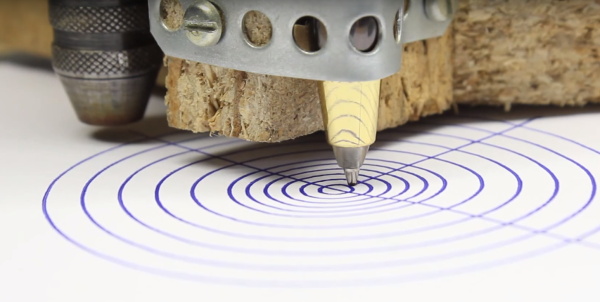
3D printers are essentially four parts: a bed, filament, and a hot end and extruder. In a previous project, [Daniel] used parts from old CD drives to create a three-axis CNC machine which he uses for the bed. To take care of the hot end and extruder, he is using a 3D printing pen which he mounts to the CNC machine and voila: a 3D printer!

It’s not quite as simple as just strapping a 3D printing pen to a CNC machine, though. The pen and the CNC machine have to communicate with each other so that the pen knows when to place filament and the CNC machine knows when to move. For that, [Daniel] went with a trusty Arduino in order to switch the pen on and off. Once it’s working, it’s time to start printing!

[Daniel] does note that this is a design that’s relatively limited in terms of print size and resolution, but for the price it can’t be beat. If you’re interested in getting started with 3D printing, a setup like this would be perfect. 3D pens are a pretty new idea too, and it’s interesting to see them used in different ways like this.

The Running Cat

Cats are great to have around, but they need exercise. If you’re not in a position to let the cat outdoors, you need to look to something else when kitty wakes up bored from her 23 hour nap. Cat playscapes are useful diversions, but this is the first time we’ve considered real exercise equipment. Let’s get our feline friends their exercise fix with a hamster-esque cat exercise wheel.

[bbarlowski]’s design is simple but very clever, and almost looks like something you’d find flat-packed at IKEA. Built of CNC-milled birch plywood, the wheel rims snap together like puzzle pieces while the floor has tabs that slot into the rims. The tension of the bent floor panels locks everything together and makes for a smart looking wheel. The video after the break shows [Kuna the Maine Coon cat] in action on the wheel, and outlines a few plans for expansion, including adding an Arduino to monitor kitty’s activity and control both an RGB LED strip for mood lighting and a cat treat dispenser for positive reinforcement of the exercise regimen.

The project mounted an unsuccessful campaign in March and they’ve made the DXF cutting files available for download. Of course if it’s too much plywood and not enough Arduino for you, just build the Arduspider to torture – err, entertain your cat.

Continue reading “The Running Cat”

The Simplest Smart Glasses Concept

Google Glass kind of came and went, leaving one significant addition to the English language. Even Google itself used the term “glasshole” for people who used the product in a creepy way. We can’t decide if wearing an obviously homemade set of glasses like the ones made by [Jordan Fung] are more creepy, give you more hacker cred, or just make you look like a Borg. Maybe some combination of all of those. While the cost and complexity of developing for Google Glass was certainly a barrier for hacking on that hardware, this project is just begging for you to build your own and run with the concept.

[Jordan’s] build, called Pedosa Glass, really is pretty respectable for a self-built set up. The Arduino Nano is a bit bulky, and the three push buttons take up some room, but it doesn’t kill the ability to mount them in a glasses form-factor. An FLCoS display lets you see the output of the software which [Jordan] is still developing. Right now features include a timer and a flashlight that uses the head-mounted white LED. Not much, we admit, but enough to prove out the hardware and the whole point would be to add software you wanted.

Admittedly, it isn’t exactly like Google Glass. Although both use FLCoS displays, Pedosa Glass uses a display meant for a camera viewfinder, so you don’t really see through it. Still, there might be some practical use for a little display mounted in your field of vision. The system will improve with a better CPU that is easier to connect to the network with sensors like an accelerometer — there’s plenty of room to iterate on this project. Then again, you do have an entire second ear piece to work with if you wanted to expand the system.

Check out the video demo after the break.

Continue reading “The Simplest Smart Glasses Concept”