Hackaday Prize 2022: An Eastern Bloc NES Clone

If Nintendo is known for anything outside of their characters and admittedly top-notch video games, it’s being merciless to fans when it comes to using their intellectual property. They take legal action against people just for showing non-Nintendo hardware emulating games of theirs, and have even attempted to shut down the competitive scene for games like Super Smash Bros. To get away from the prying eyes of the Nintendo legal team extreme measures need to be taken — like building your Nintendo console clone behind the Iron Curtain.

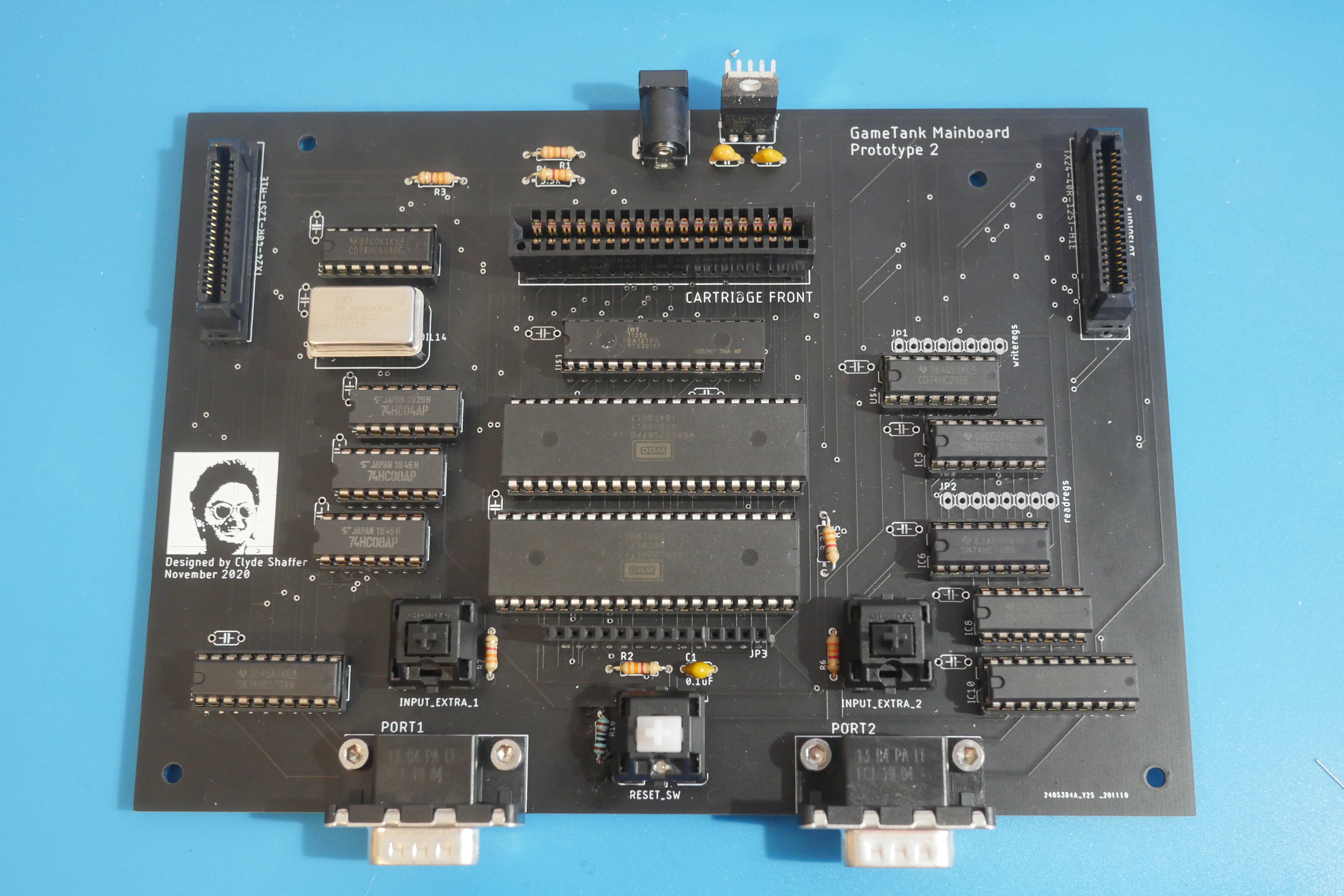
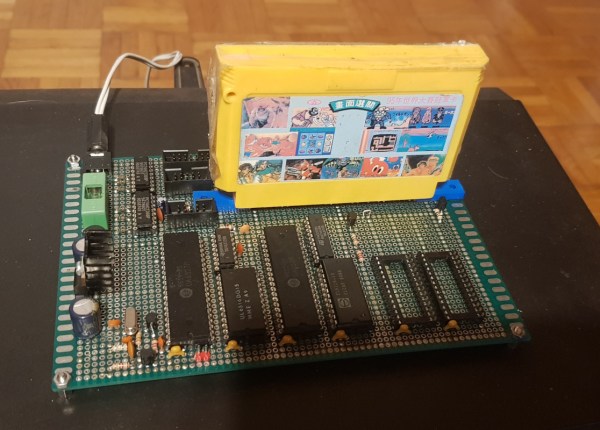
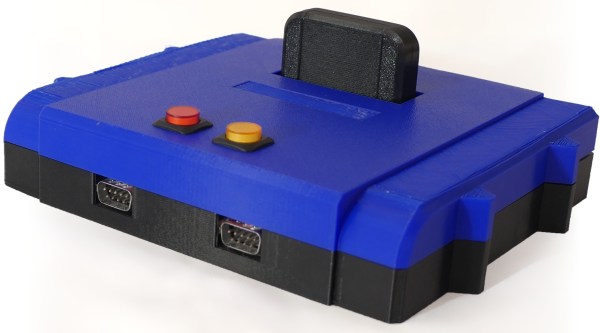
[Marek Więcek] grew up in just such a place, so the only way to play Famicom (a.k.a NES) games was to use a clone system like this one circulating in the Eastern Bloc at the time called the Pegasus which could get the job done with some tinkering. [Marek] recently came across CPU and GPU chips from this clone console and got to work building his own. Using perf board and wire he was able to test the chips and confirm they functioned properly, but had a problem with the video memory that took him a while to track down and fix.

After that, he has essentially a fully-functional Famicom that can play any cartridge around. While we hope that living in Eastern Europe still puts him far enough away to avoid getting hassled by Nintendo, we can never be too sure. Unless, of course, you use this device which lets you emulate SNES games legally.

Continue reading “Hackaday Prize 2022: An Eastern Bloc NES Clone”

Tiny Pinball Machine Also Runs X86 Code

As arcades become more and more rare, plenty of pinball enthusiasts are moving these intricate machines to their home collections in basements, garages, and guest rooms. But if you’re not fortunate enough to live in a home that can support a space-intensive hobby like pinball machines, there are some solutions to that problem. This one, for example, fits on the palm of your hand and also happens to run some impressive software for its size.

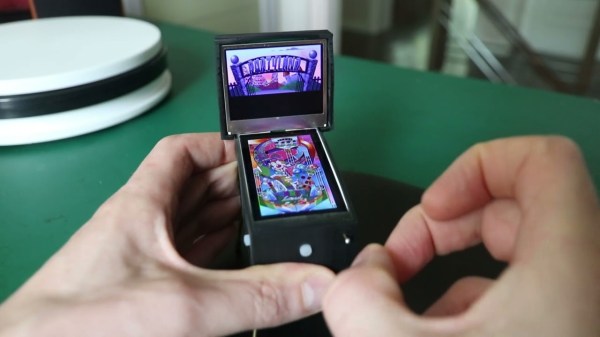
The machine isn’t a mechanical pinball machine like its larger cousins, though. Its essentially a 3D printed case made to look like a pinball machine with two screens attached. It does have a working plunger for launching the ball and two buttons on the sides for the approximation of authenticity, but it’s actually running Pinball Fantasies — a pinball simulator designed to run on x86 hardware from the 90s. This sports an ESP32 on the inside, which has just enough computing capability to run an x86 emulator that can load these games in DOS.

The game includes haptic feedback and zips along at 60 frames per second, which really brings the pinball experience to its maximum level given the game’s minuscule size. It’s impressive for fitting a lot into a small space, both from physical and software points-of-view. For more full-sized digital pinball builds, take a look at this one which comes exceptionally close to replicating the real thing.

Continue reading “Tiny Pinball Machine Also Runs X86 Code”

Reverse-Engineering Forgotten Konami Arcade Hardware

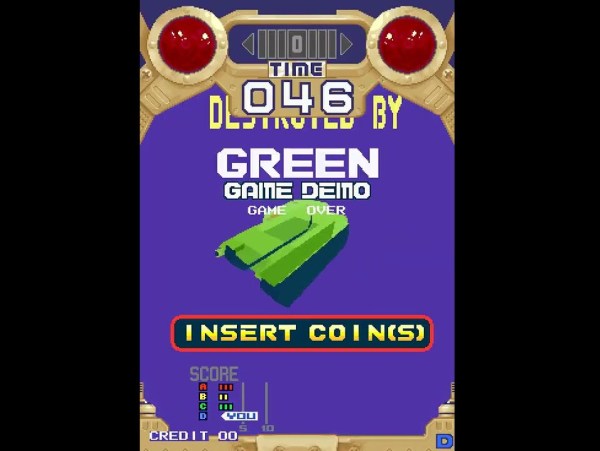
When fully-3D video games started arriving in the early 90s, some companies were more prepared for the change than others. Indeed, it would take nearly a decade of experimentation before 3D virtual spaces felt natural. Even then, Konami seems to have shot themselves in the foot at the beginning of this era with their first foray into 3D arcade games. [Mog] shows us the ins-and-outs of these platforms while trying to bring them back to life via MAME.

These arcade machines were among the first available with fully-3D environments, but compared to offerings from other companies are curiously underpowered, even for the time. They include only a single digital signal processor which is tasked with calculating all of the scene geometry while competing machines would use multiple DSP chips to do the same job. As a result the resolution and frame rate are very low. Nonetheless, [Mog] set out to get it working in MAME.

To accomplish this task, [Mog] turned to a set of development tools provided to developers for Konami in the early 90s which would emulate the system on the PCs of the time. It surprisingly still worked on Windows 10 with minor tweaking, and with some other tools provided over the decades of others working on MAME these old Konami machines have some new life with this emulator support.

Not everything works perfectly, but [Mog] reports that most of the bugs and other issues were recently worked out or are being actively worked on by other experts in the field. If you remember these games from the arcade era of the 80s and early 90s, it might be time to grab an old CRT and fire this one up again.

Continue reading “Reverse-Engineering Forgotten Konami Arcade Hardware”

Putting A Little More Juice In Your Emulation Station

After you’ve built a snazzy Raspberry Pi-powered retro gaming console, you might be wondering if you could have just a wee bit more power and run some of those other games you might remember, such as Xbox, Wii, or PS3. Perhaps in the future, a later revision of an RPi could handle it but currently, to emulate the 6th/7th generation of consoles, you need something a little beefier. Luckily, [Zac] got his hands on an old gaming laptop and turned it into his own game console.

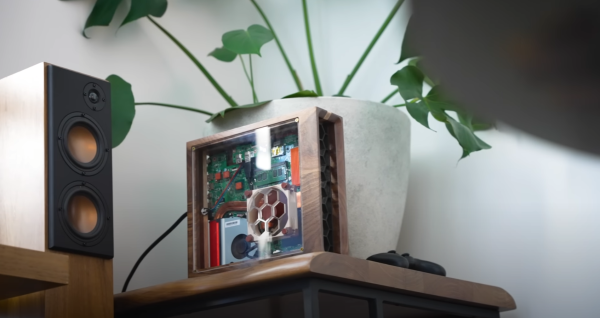
The first step was to take the laptop apart and discard the parts not needed. [Zac] stripped away the battery, Bluray drive, and spinning hard disk. That left him with a much smaller PCB that could fit into a small case. The power button was integrated into the keyboard but came into the motherboard by the flat cable keyboard connection. So by bridging a few pins, he could power up the laptop. Next, he upgraded the RAM, wifi card, an NVMe drive, and redid all the thermal paste and putty to try and keep things cool while overclocking the GPU.

The case for the machine heavily used his CNC as it was walnut with a mid-section made of plywood. The top has a gorgeous cast acrylic window to see inside. The part the [Zac] was dreading with the fine pitch soldering. Ultimately he got both wires connected with good connections and no bridging. Because it’s just a PC at its heart, almost every game is on the table. Emulation, some more moderate PC games, streaming from his office PC, and cloud gaming services allow him to access most games made. We love the concept and the idea.

We love the aesthetic of the build but if you prefer to keep your consoles looking a little more faithful, why not put your mini PC inside of an actual N64 case? Video after the break.

Continue reading “Putting A Little More Juice In Your Emulation Station”

Linux And C In The Browser

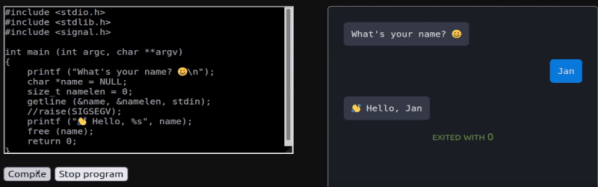
There was a time when trying to learn to write low-level driver or kernel code was hard. You really needed two machines: one to work with, and one to screw up over and over again until you got it right. These days you can just spin up a virtual machine and roll it back every time you totally screw up. Much easier! We don’t think it is all that practical, but [nsommer] has an interesting post about loading up a C compiler and compiling Linux for a virtual machine. What’s different? Oh, the virtual machine is in your browser.

The v86 CPU emulator runs in the browser and looks like a Pentium III computer with the usual hardware. You might think it is slow and it certainly isn’t going to be fast as a rocket, but it does translate machine code into WebAssembly, so performance isn’t as bad as you might think.

The post goes into detail about how to build and create a simple machine web page that hosts v86. Once you cross-compile the kernel you can boot the machine up virtually. The other interesting part is the addition of tcc which is a pretty capable C compiler and much smaller and faster than the very traditional gcc.

The tcc build is tricky because the normal build process compiles the compiler and then uses the same compiler to build the default libraries. When cross-compiling, this doesn’t work well because the library you want for the host compile is different from the library you want to target for the second pass. You’ll see how to work around that in the post. The post continues to show how to do remote debugging and even gets QEMU into the mix. Debugging inside v86 doesn’t seem to work so far. There are more posts on this topic promised.

Honestly, this is one of those things like teaching a chicken to play checkers. It can be done, there’s little practical value, but it is still something to see. On the other hand, if you spend the weekend working through this, your next Linux porting project ought to seem easy by comparison.

Amazing what you can pull off with WebAssembly. If you need a quick introduction, check this one out from [Ben James].

Web Emulator For The Kenbak-1 Computer (If You’ve Heard Of It)

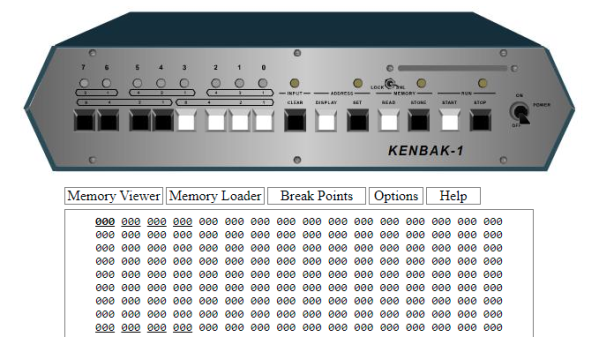
Ever heard of the KENBAK-1? Recognized as the first personal computer, created by John Blankenbaker and sold in 1971 in comparatively small numbers, it’s now a piece of history. But don’t let that stop you if you are curious, because of course there is an emulator on the web.

If the machine looks a bit strange, that’s because early computers of this type did not have the kind of controls (or displays) most people would recognize today. Inputs were buttons and switches, and outputs were lights showing binary values of register contents. The machine could store and run programs, and those programs were entered in pure machine code (no compiler, in other words) by setting individual bit values via the switches. In fact, the KENBAK-1’s invention preceded that of the microprocessor.

The KENBAK was the first electronic, commercially available computer that was not a kit and available to the general population, but the story of how it came to be is interesting. Back in 2016 we covered how that story was shared by John Blankenbaker himself at Vintage Computer Festival East.

Apollo Guidance Computer Gets The Rust Treatment

Seems like all the cool kids are rewriting legacy C programs in Rust these days, so we suppose it was only a matter of time before somebody decided to combine the memory-safe language with some of the most historically significant software ever written by way of a new Apollo Guidance Computer (AGC) emulator. Written by [Felipe], the Apache/MIT licensed emulator can run either ROM files made from the computer’s original rope core memory, or your own code written in AGC4 assembly language.

It’s worth noting that the emulator, called ragc, needs a bit of help before it can deliver that authentic Moon landing experience. Specifically, the code only emulates the AGC itself and stops short of recreating the iconic display and keyboard (DSKY) module. To interact with the programs running on the virtual AGC you’ll need to also install yaDSKY2, an open source project that graphically recreates the panel Apollo astronauts actually used to enter commands and get data from the computer.

Of course, the next step would be to hack in support for talking to one of the physical recreations of the DSKY that have graced these pages over the years. Given the limitations of the AGC, we’d stop short of calling such an arrangement useful, but it would certainly make for a great conversation starter at the hackerspace.

Thanks for the tip, [CJ].