Using FTDI Chips With Python

FTDI are a company known for producing chips for USB applications. Most of us have a few USB-to serial adapters kicking about, and the vast majority of them run on FTDI hardware (or, if we’re honest, counterfeit copies). However, FTDI’s hardware has a whole lot more to offer, and [jayben] is here to show us all how to take advantage of it using Python.

FTDI chips are an effective way to debug ARM projects, using the SWD protocol.

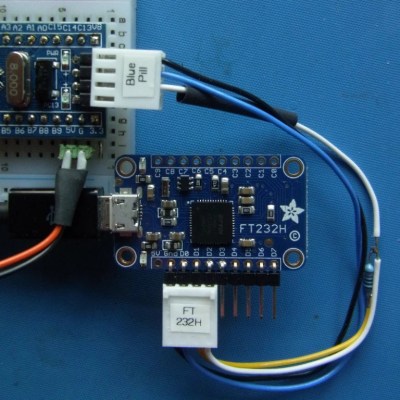
FTDI’s chips have varying capabilities, but most can do more than just acting as a USB-connected COM port. It’s possible to use the chips for SPI, I2C, or even bitbanging operation. [jayben] has done the hard work of identifying the best drivers to use depending on your operating system, and then gone a step further to demonstrate example code for sending data over these various interfaces. The article not only covers code, but also shows oscilloscope traces of output, giving readers a strong understanding of what should be happening if everything’s operating as it should. The series rounds out with a primer on how to use FTDI hardware to speak the SWD protocol to ARM devices for advanced debugging use.

It’s a great primer on how to work effectively with these useful chips, and we imagine there will be plenty of hackers out there that will find great use to this information. Of course, it’s important to always be careful when sourcing your hardware as FTDI drivers don’t take kindly to fake chips.

Thread Carefully: An Introduction To Concurrent Python

The ability to execute code in parallel is crucial in a wide variety of scenarios. Concurrent programming is a key asset for web servers, producer/consumer models, batch number-crunching and pretty much any time an application is bottlenecked by a resource.

It’s sadly the case that writing quality concurrent code can be a real headache, but this article aims to demonstrate how easy it is to get started writing threaded programs in Python. Due to the large number of modules available in the standard library which are there to help out with this kind of thing, it’s often the case that simple concurrent tasks are surprisingly quick to implement.

We’ll walk through the difference between threads and processes in a Python context, before reviewing some of the different approaches you can take and what they’re best suited for.

Continue reading “Thread Carefully: An Introduction To Concurrent Python”

A Cheat Sheet For Publishing Python Packages

[Brendan Herger] was warned that the process of publishing a Python package would be challenging. He relishes a challenge, however, and so he went at it with gusto. The exhausting process led him to share a cheat sheet for publishing Python packages with the goal of making the next time smoother, while also letting other people benefit from his experience and get a running start.

[Brendan] describes publishing a Python package as “tying together many different solutions with brittle interchanges.” His cheat sheet takes the form of an ordered workflow for getting everything in place, with some important decisions and suggestions about things like formatting and continuous integration (CI) made up-front.

The guide is brief, but [Brendan] has made errors and hit dead ends in the hopes that others won’t have to. The whole thing came about from his work in deep learning, and his desire to create a package that allows rapid building and iterating on deep learning models.

Deep learning is a type of machine learning that involves finding representations in large amounts of data. [Brendan] used it in a project to automatically decide whether a Reddit post contains Star Wars plot spoilers, and we recently saw it featured in a method of capturing video footage only if a hummingbird is present.

Magic Wand Learns Spells Through Machine Learning And An IMU

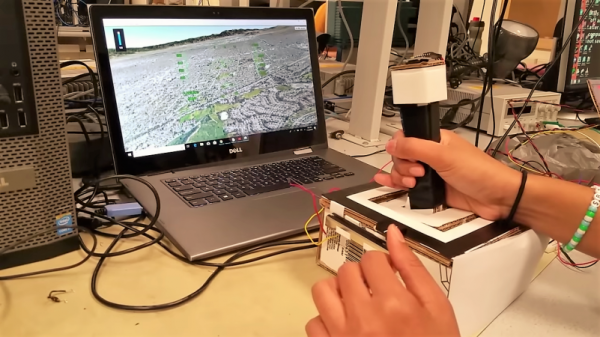
Jennifer Wang likes to dress up for cosplay and she’s a Harry Potter fan. Her wizarding skills are technological rather than magical but to the casual observer she’s managed to blur those lines. Having a lot of experience with different sensors, she decided to fuse all of this together to make a magic wand. The wand contains an inertial measurement unit (IMU) so it can detect gestures. Instead of hardcoding everything [Jennifer] used machine learning and presented her results at the Hackaday Superconference. Didn’t make it to Supercon? No worries, you can watch her talk on building IMU-based gesture recognition below, and grab the code from GitHub.

Naturally, we enjoyed seeing the technology parts of her project, and this is a great primer on applying machine learning to sensor data. But what we thought was really insightful was the discussions about the entire design lifecycle. Asking questions to scope the design space such as how much money can you spend, who will use the device, and where you will use it are often things we subconsciously answer but don’t make explicit. Failing to answer these questions at all increases the risk your project will fail or, at least, not be as successful as it could have been.

Continue reading “Magic Wand Learns Spells Through Machine Learning And An IMU”

Weaponized Networked Printing Is Now A Thing

It’s a fairly safe bet that a Venn diagram of Hackaday readers and those who closely follow the careers of YouTube megastars doesn’t have a whole lot of overlap, so you’re perhaps blissfully unaware of the man who calls himself [PewDiePie]. As such, you might not know that a battle between himself and another YouTube channel which uploads Bollywood music videos has reached such a fever pitch that his fans have resorted to guerrilla hacking to try to sway public opinion towards their side. It’s perhaps not the dystopian future we imagined, but it just might be the one we deserve.

To briefly summarize the situation, a hacker known only by the handle [TheHackerGiraffe] decided to help out Dear Leader by launching an automated attack against 50,000 Internet connected printers. When the hack was successful, the printer would spit out a page of digital propaganda, complete with fist ASCII art, that urged the recipient to go on YouTube and pledge their support for [PewDiePie]. There’s some debate about how many of the printers [TheHackerGiraffe] targeted actually delivered their payload, but judging by reactions throughout social media, it was enough to get the message out.

While the stunt itself may have come as a surprise, the methodology wasn’t. In fact, the only surprising element to the security researchers who’ve weighed in on the situation is that this hasn’t happened more often. It certainly isn’t the first time somebody’s done it, but the fact that this time its been connected to such a high profile Internet celebrity is putting more eyes on the problem then there have been in the past. Now that the proverbial cat is out of the bag, there are even websites springing up which claim to be purveyors of “Printer Advertising”. Odds are good this won’t be the last time somebody’s printer starts running off more than TPS reports.

We here at Hackaday don’t have much interest in the battle for YouTube supremacy. We’re just pulling for Dave Jones’s EEVBlog channel to join [AvE] in breaking a million subscribers. But we’re very interested in the technology which made this attack possible, how likely it is we’re going to see more people exploit it, and what are we supposed to do now that even our own printers can be turned against us?

Continue reading “Weaponized Networked Printing Is Now A Thing”

Editing GameCube Memory With A Raspberry Pi

[James] has been working with GameCubes, emulators, and Animal Crossing for a while now, and while emulators are sufficient, he’d like to play on real hardware. This means he needs to write to a GameCube memory card. While there are a few options to do this, they either require a Wii or hardware that hasn’t been made in a decade. The obvious solution to this problem is to reverse engineer the GameCube memory card to read and write the memory with a Raspberry Pi.

There’s an incredible amount of unofficial documentation for every console, and [James] stumbled upon a GC-Forever forum post that describes the electrical signals inside the GameCube memory card. There’s your standard compliment of power and ground pads, along with a DI, DO, CS, Clk, and an INT pin. [James] broke out the magnet wire and soldered up a pin header to these cards. Data was then captured with a Salae logic analyzer, and lo and behold, it looked like a standard SPI protocol.

With the low-level protocol worked out, [James] checked out the Yet Another GameCube Documentation to get the main functions allowed through the SPI bus. The ‘read block’, for instance, starts off with 0x52 and an address offset. A little bit of Python on a Raspberry Pi meant [James] could read and write the entire GameCube memory card. Right now the code is a little rough, but all the work is available should you want to edit your Animal Crossing save with a Raspberry Pi.

This work follows [James]’ earlier work on getting into the debug menu of Animal Crossing, allowing him to add items to his inventory. With this latest advancement, it’s only a matter of time before we plug Raspberry Pis directly into a GameCube.

Putting That Airplane On The Map – Live And With Python

Mankind’s fascination with airplanes is unbroken. Whether you’re outside with your camera, getting an actual glimpse of the aircraft, or sitting at home with your RTL-SDR dongle and have a look at them from a distance, tracking them is a fun pastime activity. Provided, of course, that you are living close by an airport or in an area with high enough air traffic. If not, well there’s always real-time tracking online to fall back to, and as [geomatics] will show you, you can build your own live flight tracking system with a few lines of Python.

As it’s usually the case with Python, a lot of functionality is implemented and readily available from external modules, which lets you focus on the actual application without having to worry too much about the details. Similarly, plenty of data can be requested from all sorts of publicly accessible APIs nowadays. If you are looking for a simple-enough example to get into both subjects with a real-world application, [geomatics]’ flight tracker uses cartopy to create a map using Open Street Map data, and retrieves the flight information from ADS-B Exchange‘s public API.

We have seen ADS-B Exchange mentioned a few times before, for example with this ESP8266 based plane spotter and its successor. And if you’re more curious about the air traffic in your direct surroundings, it’s probably time for a DVB USB dongle.