Fish Drives Tank

Fish are popular animals to keep as pets, and for good reason. They’re relatively low maintenance, relaxing to watch, and have a high aesthetic appeal. But for all their upsides, they aren’t quite as companionable as a dog or a cat. Although some fish can do limited walking or flying, these aren’t generally kept as pets and would still need considerable help navigating the terrestrial world. To that end, [Everything is Hacked] built a fish tank that allows his fish to move around on their own. We presume he’s heard the old joke about two fish in a tank. One says, “Do you know how to drive this thing?”

The first prototype of this “fish tank” is actually built on a tracked vehicle with differential steering, on which the fish tank would sit. But after building a basic, driveable machine, the realities of fish ownership set in. The fish with the smallest tank needs is a betta fish, but even that sort of fish needs much more space than would easily fit on a robotics platform. So [Everything is Hacked] set up a complete ecosystem for his new pet, making the passenger vehicle a secondary tank.

The new fish’s name is [Carrot], named after the carrots that [Everything is Hacked] used to test the computer vision system that would track the fish’s movements and use them to control the mobile fish tank. There was some configuration needed to ensure that when this feisty fish swam in circles, the tank didn’t spin around uncontrollably, but eventually he was able to get it working in an “arena” where [Carrot] could drive towards some favorite items he might like to interact with. Mostly, though, he drove his tank to investigate the other fish in the area.

The ultimate goal was for [Everything is Hacked] to take his fish on a walk, though, so he set about training [Carrot] to respond to visual cues and swim towards them. In theory, this would have allowed him to be followed by his fish tank, but a test at a local grocery did not go as smoothly as hoped. Still, it’s an interesting project that pushes the boundaries of pet ownership much like other fish-driving projects we’ve seen.

Continue reading “Fish Drives Tank”

Computer Terminal Replica Inspired By 70s Hardware

Not so long ago, most computer users didn’t own their own machines. Instead, they shared time on mainframes or servers, interacting with this new technology through remote terminals. While the rise of cloud computing and AI might feel like a modern, more dystopian echo of that era, some look back on those early days with genuine fondness. If you agree, check out this 70s-era terminal replica from [David Green].

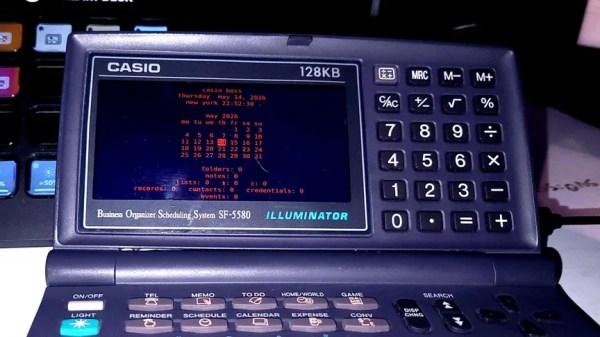
The inspiration for this build was a Lear Siegler ADM-3A terminal seen at a local computer festival. These machines had no local computing resources and were only connected to their host computer via a serial connection. The new enclosure, modeled on this design, was 3D-printed and then assembled and finished for the classic 70s look. There are a few deviations from a 70s terminal, though: notably, a flat LCD panel and a Raspberry Pi 3, which, despite being a bit limited by today’s standards, still offers orders of magnitude more computing power than the average user in the 70s would have had access to.

Continue reading “Computer Terminal Replica Inspired By 70s Hardware”

The Raspberry Pi As A Studio Camera

The Raspberry Pi has brought digital camera experimentation within the reach of everybody, with its combination of an accessible computing platform and some almost-decent camera sensors. If there’s a flaw in the Pi as a camera though, it lies in the software, which can be slow and frustrating to use. [Martijn Braam] is here with an interesting project that might yield some useful results in this direction, he’s making a Raspberry Pi studio camera.

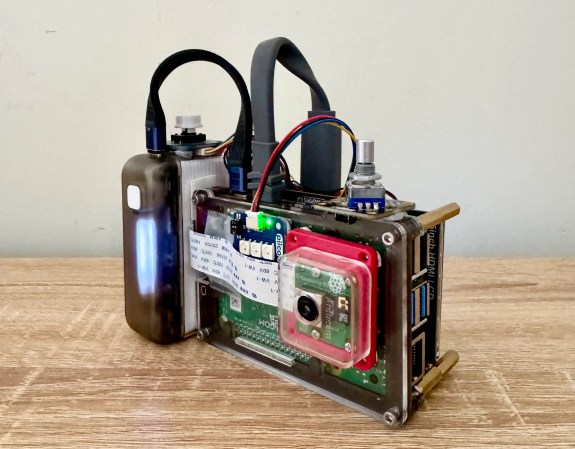
His camera hardware is very straightforward, a Pi 5 and touchscreen with the HD camera module in a rough but serviceable wooden box. The interesting part comes in the software, in which he’s written a low-latency GUI over an HDMI output camera application. It’s designed to plug into video mixing hardware, and one of the HDMI outputs carries the GUI while the other carries the unadulterated video. We can see this used to great effect with for example OBS Studio. It’s for now a work in progress as you can see in the video below the break, but we expect that it can only get better.

The video below exposes the obvious flaw in many Pi camera setups, that the available lenses don’t match the quality of the sensor, in that good glass ain’t cheap. But we think it’s one to watch, and could provide competition for CinePi.

Continue reading “The Raspberry Pi As A Studio Camera”

A Novelty Clock Makes The Best Tiny Mac Yet

We’re lucky enough in 2026 to have cheap single-board computers fast enough to emulate machines from the 1990s, touching on the 32-bit era. We’ve seen a few projects as a result, emulating the Apple Macs of the 68000 era, but even with the best 3D printing, they can disappoint when it comes to the case. So when [This Does Not Compute] saw a novelty alarm clock using a very well-modelled mini replica of an early Mac, putting a Mac emulator in it was the obvious way to go.

The project uses a Raspberry Pi with a small colour LCD.  The video below the break takes us through the process of gutting it and mounting the Pi and display on a custom 3D-printed bracket. In an unexpected touch, parts of the original LCD are used to give the curved corners, which owners of an original Mac will remember. It may have a little further to go in that its fake floppy drive is begging to be converted to an SD card slot, and it has a now-unused brightness dial. But we’d say it’s one of the best little Mac emulators we’ve seen so far, if perhaps not the smallest.

Continue reading “A Novelty Clock Makes The Best Tiny Mac Yet”

Comprehensive Power Management For The Raspberry Pi

The Raspberry Pi has been a revolutionary computer in the maker space, providing a full Linux environment, GUI, and tons of GPIO and other interfacing protocols at a considerably low price. This wasn’t its original intended goal, though. Back in the early 2010s it was supposed to be an educational tool for students first, not necessarily a go-to for every electronics project imaginable. As such there are a few issues with the platform when being used this way, and [Vin] addresses his problems with its power management in his latest project.

[Vin]’s main issue is that, unlike a microcontroller, the Raspberry Pi doesn’t have a deep sleep function. That means that even when the operating system is shut down the computer is still drawing an appreciable amount of current, which will quickly drain some batteries. We’ve covered [Vin]’s farm and his use case for the Raspberry Pi in the past, but a quick summary is that these boards are being used in a very rugged environment where utility power isn’t as reliable as he would like.

In [Vin]’s post he not only outlines his design for the board but goes through his design process, starting by using discrete logic components and then trying out various microcontrollers until settling on an ATmega88. The microcontroller communicates with the Raspberry Pi over I2C where the Pi can request a power-down as well as a time for future power-on. A latching relay controlled by the microcontroller ensures the Pi doesn’t drain any battery while the ATmega can put itself into actual sleep in the meantime.

The build for this project goes into an impressive amount of detail, and not only are the designs and code available on the project’s GitHub page but [Vin] also wrote another blog post which uses this project to go over his design philosophy more broadly.

The edge of a laptop is shown with a USB cable plugged into it. the other end of the cable is plugged into a Raspberry Pi Zero.

SSH Over USB On A Raspberry Pi

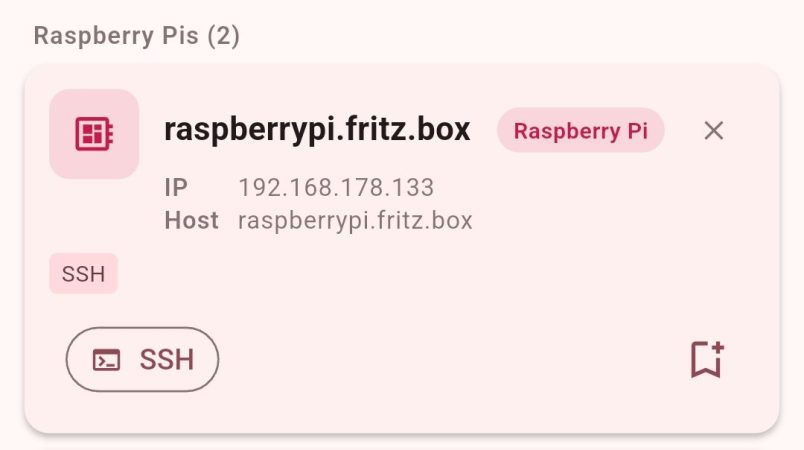
Setting up access to a headless Raspberry Pi is one of those tasks that should take a few minutes, but for some reason always seems to take much longer. The most common method is to configure Wi-Fi access and an SSH service on the Pi before starting it, which can go wrong in many different ways. This author, for example, recently spent a few hours failing to set up a headless Pi on a network secured with Protected EAP, and was eventually driven to using SSH over Bluetooth. This could thankfully soon be a thing of the past, as [Paul Oberosler] developed a package for SSH over USB, which is included in the latest versions of Raspberry Pi OS.

The idea behind rpi-usb-gadget is that a Raspberry Pi in gadget mode can be plugged into a host machine, which recognizes it as a network adapter. The Pi itself is presented as a host on that network, and the host machine can then SSH into it. Additionally, using Internet Connection Sharing (ICS), the Pi can use the host machine’s internet access. Gadget mode can be enabled and configured from the Raspberry Pi Imager. Setting up ICS is less plug-and-play, since an extra driver needs to be installed on Windows machines. Enabling gadget mode only lets the selected USB port work as a power input and USB network port, not as a host port for other peripherals.

An older way to get USB terminal access is using OTG mode, which we’ve seen used to simplify the configuration of a Pi as a simultaneous AP and client. If you want to set up headless access to Raspberry Pi desktop, we have a guide for that.

Thanks to [Gregg Levine] for the tip!

DIY, Full-Stack Farm Automation

Recently, [Vinnie] aka [vinthewrench] moved from Oregon to Arkansas to start a farmstead. This is a style of farming that focuses not just on a profitable farm where produce is sold at market, but also on a homestead where much of one’s own food is grown on the farm as well. Like any farm, though, it’s extremely hard work that takes a tremendous amount of time. Automation and other technology can make a huge impact in these situations, and [Vinnie] is rolling out his own software stack to help with this on his farm.

He calls his project the Pi Internet of Things, or PioT, and as its name suggests is based around the Raspberry Pi. Since this will all be outdoors and exposed to the extremes of Arkansas weather, everything built under the auspices of this project prioritizes ruggedness, stability, and long-term support, all while avoiding any cloud service. The system also focuses on being able to ride through power outages. The server side, called piotserver, uses a REST API to give the user access to the automation systems through a web interface

[Vinnie] also goes into detail about why existing systems like Home Assistant and Open Sprinkler wouldn’t work in his situation, and why a ground-up solution like this is more appropriate for his farm. This post is largely an overview of his system, but some of his other posts go into more detail about things like integrating temperature sensors, rainfall monitoring, controlling irrigation systems, and plenty of other farm automation tasks that are useful for any farmer or gardener.

We’ve also seen some other projects of his here like this project which converts a common AC sprinkler system to an easier-to-use DC system, and a DIY weather station that operates in the 915 MHz band. He’s been a great resource for anyone looking to have technology help them out with their farm or garden, but if you’re just getting started on your green thumb be sure to take a look at this starter guide as well.