Linux Fu: The Infinite Serial Port

Ok, the title is a bit misleading. Like most things in life, it really isn’t infinite. But I’m going to show you how you can use a very interesting Linux feature to turn one serial port from a microcontroller into a bunch of virtual ports. In theory, you could create over 200 ports, but the reality is you will probably want to stick with fewer.

The feature in question is what’s known as pseudoterminal or sometimes a pty or pts. These special files were made to feed data to programs that expect to accept data from a terminal. The files provide two faces. To the client, it looks like any other terminal device. To the creator, though, it is just another file. What you write to that file goes to the fake terminal and you can read anything that is sent from the program connected to the terminal. You use these all the time, probably, without realizing it since running a shell under X Windows, for example, doesn’t attach to a real terminal, after all.

You could, of course, do the same trick with a composite USB device, assuming you have one. Also assuming you can find a working driver and get it working. However, many microcontrollers have a serial port — even one with a USB converter built-in — but fewer have full-blown USB hardware. Even the ones that do are often at odds with strange drivers on the PC side. Serial ports work and work well even on the simplest microcontrollers.

The Plan

The plan is simple enough. A Linux program listens to a real serial port and watches for special character sequences in the data stream. Those sequences will allow you to switch data so that the data stream will go to a particular terminal. Data coming back from the terminals will go to the real serial port after sending a sequence that identifies its source.

Continue reading “Linux Fu: The Infinite Serial Port”

Arming With An OS

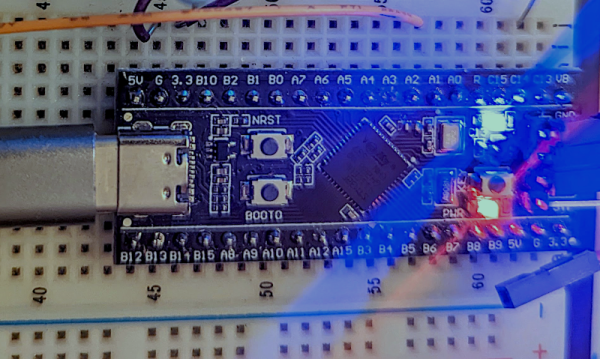
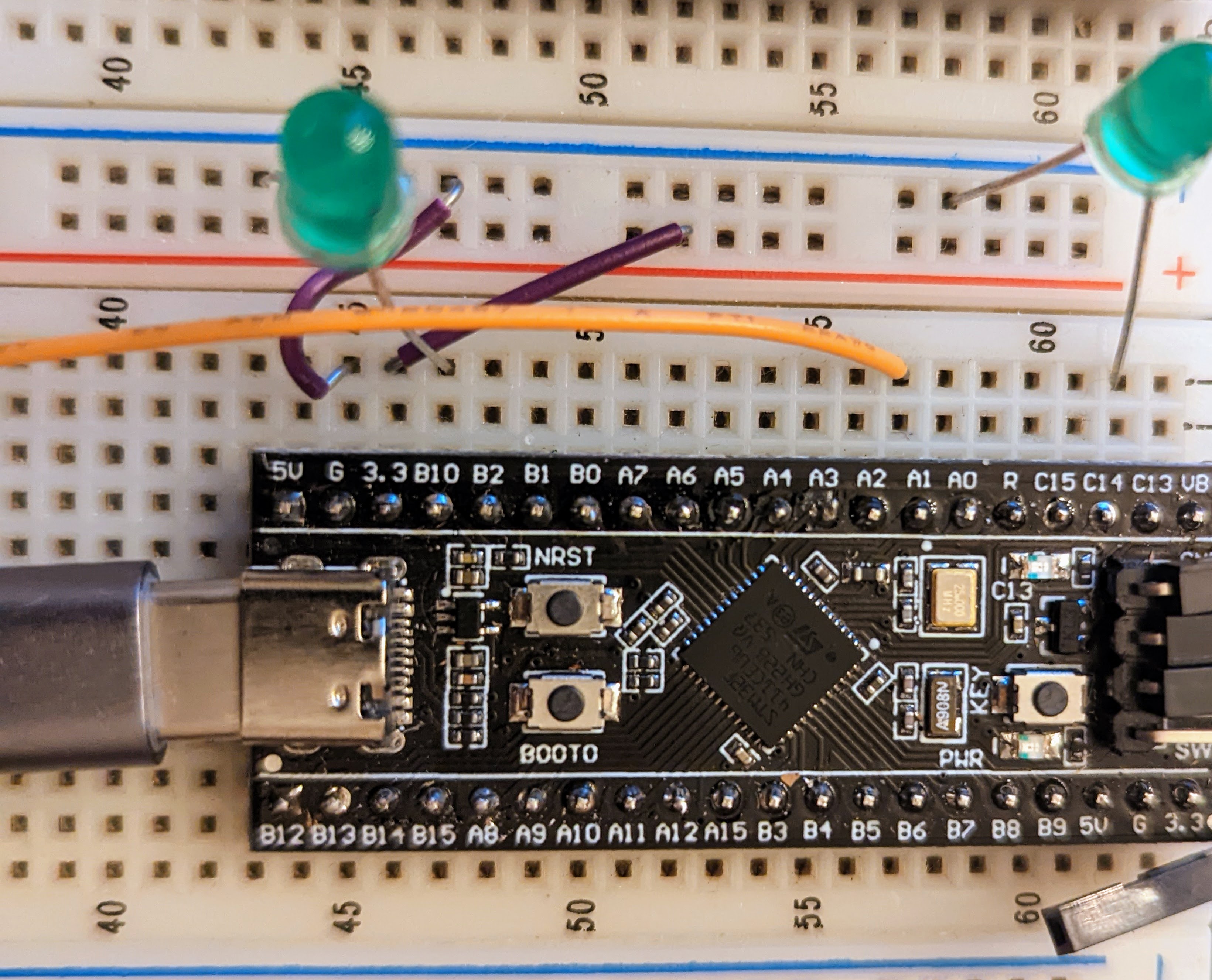
We see tons of projects with the infamous “Blue Pill” STM32 boards. They are cheap and plentiful and have a lot of great features, or at least they were before the chip shortage. I recently picked up a “Black Pill”, which is very similar but has an even more powerful processor. For a few bucks, you get an ARM CPU that can run at 100 MHz (but with USB, probably 96 MHz). There’s 512 kB of flash and 128 kB of RAM. There’s a USB type C port, and even a button and an LED onboard. The thing fits on a breadboard and you can program it with a cheap STLink dongle which costs about $10.

The Black Pill module on a breadboard.

Of course, you then have to consider the software. The STM32Cube stuff is a lot to set up and learn but it does let you do just about anything you can imagine. Then there is the STM32Duino plug-in that lets you use it as a beefy Arduino. That works and is easy enough to set up. However, there’s also Mbed. The only problem is that Mbed doesn’t work right out of the box. Turns out, though, it isn’t that hard to set up. I’ll show you how easy it is to get things going and, next time, I’ll show you a practical example of a USB peripheral that uses the mBed RTOS features.

First Steps

Obviously, you are going to need a Black Pill. There are at least two choices but for as cheap as they are there is little reason not to get the STM32F411 version that has more memory. The DIP form factor will fit in whatever breadboard you happen to have and a USB C cable will power the board so unless you are driving a lot of external circuitry, you probably don’t need an external supply.

Continue reading “Arming With An OS”

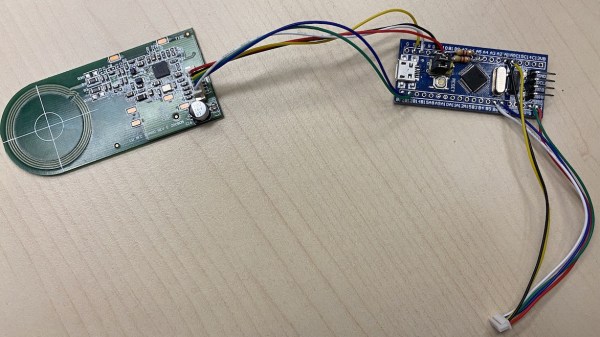
The BluePill board used for this hack, wired to the DYMO RFID reader, after all the wires for this hack have been soldered onto the BluePill board.

#FreeDMO Gets Rid Of DYMO Label Printer DRM

DYMO 550 series printer marketing blurb says “The DYMO® LabelWriter® 550 Turbo label printer comes with unique Automatic Label Recognition™”, which, once translated from marketing-ese, means “this printer has DRM in its goshdarn thermal stickers”. Yes, DRM in the stickers that you typically buy in generic rolls. [FREEPDK] didn’t like that, either, and documents a #FreeDMO device to rid us of yet another consumer freedom limitation, the true hacker way.

The generic BluePill board and two resistors are all you need, and a few extra cables make the install clean and reversible – you could definitely solder to the DYMO printer’s PCBs if you needed, too. Essentially, you intercept the RFID reader connections, where the BluePill acts as an I2C peripheral and a controller at the same time, forwarding the data from an RFID reader and modifying it – but it can also absolutely emulate a predetermined label and skip the reader altogether. If you can benefit from this project’s discoveries, you should also take a bit of your time and, with help of your Android NFC-enabled phone, share your cartridge data in a separate repository to make thwarting future DRM improvements easier for all of us. Continue reading “#FreeDMO Gets Rid Of DYMO Label Printer DRM”

ElectronBot: A Sweet Mini Desktop Robot That Ticks All The Boxes

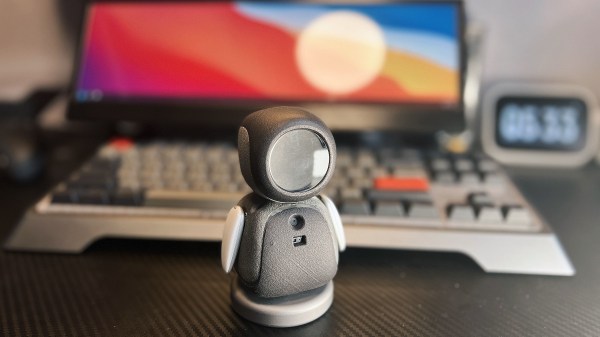
[Peng Zhihui] seems to have found some spare time and energy to crack out another sweet robot build, this time it’s a much smaller, and cuter emoji-bot (Original GitHub Link,) with the usual production-ready levels of attention to detail. With a lot of fine details in the 3D printed models, this is one for SLS printing in nylon, but that can be done for a reasonable outlay, in China at least. The electronics package consists of a few full custom, and tiny, PCBs designed with Altium Designer, with off-the-shelf modules for the circular LCD and camera. The main board hosts an STM32F405 and deals with the display and SD card, The reason for this choice of STM32 was due to the requirement for connecting to an external USB3300 high-speed USB PHY. There is a sensor PCB which handles the gesture sensor, a USB hub, MPU6050 9-axis sensor, and also the USB camera module. This board attaches to the USB-C connector in the base, via a FFC cable, allowing the robot to rotate on its base.

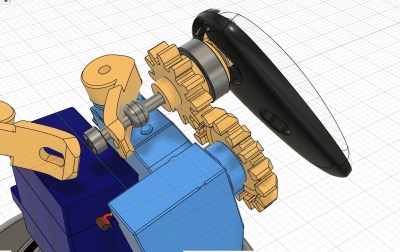
Cunning two-servo shoulder mechanism

[Peng] clearly has exacting standards as to how things should work, and we guess wanted to have the arms back-driveable in a way that enabled the host computer to track and record the motor positions for replaying later on. The connection back to the controller is via I2C, allowing all five servos to hang on the same bus, saving previous resources. Smart! Getting a processor and motor driver in such a tiny space was a bit of challenge, but a walk in the park for [Peng] as is demonstrates in the video embedded below (We believe English subtitles are pending!) The arm mechanism is particularly interesting, and rather elegantly executed, and he does seem rather proud of this part of the design, and so he should! Like with [Peng’s] other projects, there is a lot to see, and plenty of scope for feature explosion. It was nice to see the ‘bot being used as an input device, not only with gesture sensing via the dedicated sensor, but also using the camera with OpenCV to track user posture and act accordingly. This thing could act as genuinely useful AI device, as was a being darn cute at the same time!

We know you come to Hackaday for your cute robot fix, and we’re not going to disappoint. Here’s a cute robot lamp, an obligatory spot (a robot dog) type project, and if you’re more of a cat person, then we got that base covered as well.

Continue reading “ElectronBot: A Sweet Mini Desktop Robot That Ticks All The Boxes”

USB Temperature Logger With Some Extra Tricks

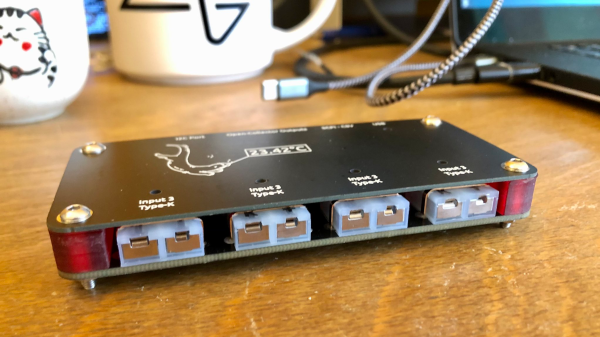
Many of us electronics hacker types tend to have at least the same common equipment on our benches, namely a multimeter, an oscilloscope, some sort of adjustable power supply, and maybe a logic analyzer. These are great tools covering many bases, but dealing with temperature measurements is often neglected. A sudden need for such often results in just buying a either dedicated measurement unit, or some cheap eBay thermocouple board and just rolling with a few hacks. [Jana Marie Hemsing] had a need for measuring the thermal side of things, and got fed up with hacking with piles of boards, and designed herself a proper instrument for the task.

The result is a very tidy four-channel thermocouple frontend, feeding the data into the host computer via USB. Each of the four channels can either be a K-type input or a NTC thermistor input, decided at board assembly time, but you could just build two units with four channels of each and cover all bases. The K-type thermocouple input is based around the MAX31855 series device. While the ‘KASA’ suffixed device is probably most common, if you need to dedicate some channels to handling one of the other six or so other common thermocouple types, that just needs the appropriate MAX31855 variant dropping in, and you’re good to go.

For the controller, [Jana] has chosen the common STM32F0x microcontroller, which handles all the USB protocol side of things. The extra functionality added allows direct driving of a heater controller via the DRV8837 H-Bridge, with a extra few open collector outputs for other things you might want to drive. This allows the logger to function as a kind-of thermal IO device. Firmware is written in good old fashioned STM32 HAL, using the standard STM32CubeMX and the GCC toolchain. It looks like the Makefile came via the STM32 Project Generator route. The firmware has a neat trick up its sleeve too; with a flick of the switch on the back, the firmware can switch between outputting CSV data over a standard USB CDC link (a virtual serial port), or it can present a SCPI terminal interface, enabling integration into existing SCPI-based test flows. Nice work!

We’ve seen a few logging projects on these fair pages, like this battery powered ESP32 logger device. If IoT logging is more your thing, here you go.

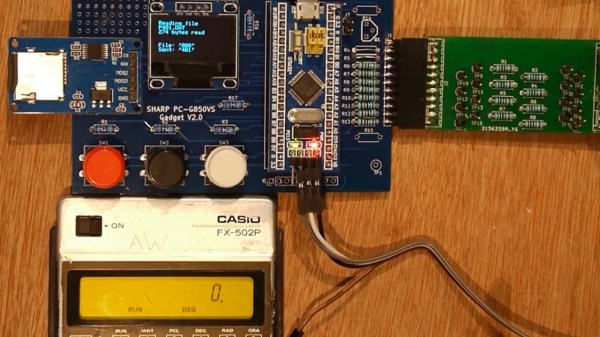
A vintage pocket calculator with extra exposed circuitry added

I2C Breathes New Life Into Casio Pocket Calculator

When is a pocket calculator more than just a calculator? [Andrew Menadue] has been pushing the limits of his 1970s Casio FX-502P by adding all sorts of modern functionality via the calculator’s expansion port.

Several older Casio calculators included an expansion port for connecting cassette tape storage and printing functionality. Data on the FX-502P could be saved on cassette tape using the well-known Kansas City standard, however this signal was produced by Casio’s FA-1 calculator cradle, not the FX-502P itself. To interact with the calculator itself would require an understanding of whatever protocol Casio designed for this particular model.

It turns out that the protocol is a little quirky compared to its contemporaries, with variable length data packets and inverted data logic, (zero volts is ‘1’ and three volts is ‘0’). Once the protocol was untangled, it was ‘simply’ a matter of connecting the calculator to the GPIO interface on the STM32, and using some software wizardry to start shooting data packets back and forth.

This hack can be used to send and receive data from an SD card (via a RAM buffer), however it’s the other expansion capabilities that really make us wonder. [Andrew] has demonstrated how easy it is to add a real-time clock or thermal printer. Using the I2C capabilities of the STM32, it’s likely that all sorts of gadgets and sensors could be coupled with this vintage calculator, and many others like it.

You can find even more details about this hack over here, including some follow up videos to the original hack. No stranger to vintage calculators, we last featured [Andrew] after he retrofitted a modern LCD display to an old Casio. It’s charming to see how these calculators are far from obsolete.

Continue reading “I2C Breathes New Life Into Casio Pocket Calculator”

Dummy The Robot Arm Is Not So Dumb

[Zhihui Jun] is a name you’re going to want to remember because this Chinese maker has created quite probably one of the most complete open-source robot arms (video in Chinese with subtitles, embedded below) we’ve ever seen. This project has to be seen to be believed. Every aspect of the design from concept, mechanical CAD, electronics design and software covering embedded, 3D GUI, and so on, is the work of one maker, in just their spare time! Sound like we’re talking it up too much? Just watch the video and try to keep up!

After an initial review of toy robots versus more industrial units, it was quickly decided that servos weren’t going to cut it – too little torque and lacking in precision. BLDC motors offer great precision and torque when paired with a good controller, but they are tricky to make small enough, so an off-the-shelf compact harmonic drive was selected and paired with a stepper motor to get the required performance. This was multiplied by six and dropped into some slick CNC machined aluminum parts to complete the mechanics. A custom closed-loop stepper controller mounts directly to the rear of each motor. That’s really nice too.

Stepper controller mounts on the motor rear – smart!

Control electronics are based around the STM32 using an ESP32 for Wi-Fi connectivity, but the pace of the video is so fast it’s hard to keep up with how much of the design operates. There is a brief mention that the controller runs the LiteOS kernel for Harmony OS, but no details we can find. The project GitHub has many of the gory details to pore over perhaps a bit light in places but the promise is made to expand that. For remote control, there’s a BLE-connected teaching device (called ‘Peak’) with a touch screen, again details pending. Oh, did we mention there’s a force-feedback (a PS5 Adaptive Trigger had to die for the cause) remote control unit that uses binocular cameras to track motion, with an AHRS setup giving orientation and that all this is powered by a Huawei Atlas edge AI processing system? This was greatly glossed over in the video like it was just some side-note not worth talking about. We hope details of that get made public soon!

Threading a needle through a grape by remote control

The dedicated GUI, written in what looks like Unity, allows robot programming and motion planning, but since those harmonic drives are back-drivable, the robot can be moved by hand and record movements for replaying later. Some work with AR has been started, but that looks like early in the process, the features just keep on coming!

Quite frankly there is so much happening that it’s hard to summarise here and do the project any sort of justice, so to that end we suggest popping over to YT and taking a look for yourselves.

We love robots ’round these parts, especially robot arms, here’s a big one by [Jeremy Fielding],  and if you think stepper motors aren’t necessary, because servo motors can be made to work just fine, you may be right.

Continue reading “Dummy The Robot Arm Is Not So Dumb”