An Off-Grid Makeshift Cell Network

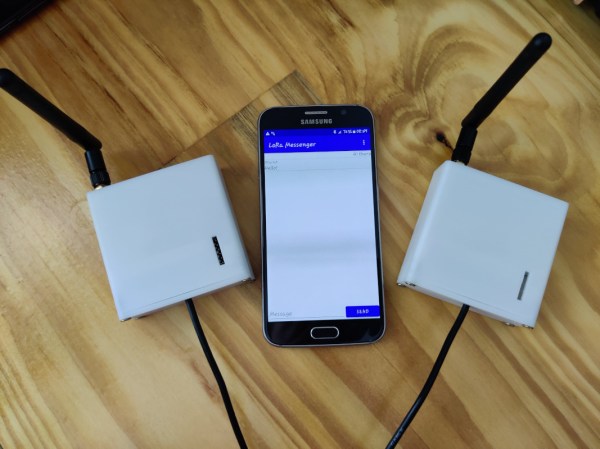
When traveling into the wilderness with a group of people, it’s good to have a method of communications set up both for safety and practicality. In the past people often relied on radios like FRS, CB, or ham bands if they had licenses, but nowadays almost everyone has a built-in communications device in their pocket that’s ready to use. Rather than have all of his friends grab a CB to put in their vehicle for their adventures together, [Keegan] built an off-grid network which allows any Android phone to communicate with text even if a cell network isn’t available.

The communications system is built on the LoRa communications standard for increased range over other methods like WiFi using a SX1278 chip and an ESP8266. The hardware claims a 10 km radius using this method which is more than enough for [Keegan]’s needs. Actually connecting to the network is only half of the solution though; the devices will still need a method of communication. For that, a custom Android app was created which allows up to 8 devices to connect to the network and exchange text messages with each other similar to a group text message.

For off-grid adventures a solution like this is an elegant solution to a communications problem. It uses mostly existing hardware since everyone carries their own phones already, plus the LoRa standard means that even the ESP8266 base station and transmitter are using only a tiny bit of what is likely battery power. If you’re new to this wireless communications method, we recently featured a LoRa tutorial as well.

So. What’s Up With All These Crazy Event Networks Then?

As an itinerant Hackaday writer I am privileged to meet the people who make up our community as I travel the continent in search of the coolest gatherings. This weekend I’ve made the trek to the east of the Netherlands for the ETH0 hacker camp, in a camping hostel set in wooded countryside. Sit down, connect to the network, grab a Club-Mate, and I’m ready to go!

Forget the CTF, Connecting To WiFi Is The Real Challenge!

There no doubt comes a point in every traveling hacker’s life when a small annoyance becomes a major one and a rant boils up from within, and perhaps it’s ETH0’s misfortune that it’s at their event that something has finally boiled over. I’m speaking of course about wireless networks.

While on the road I connect to a lot of them, the normal commercial hotspots, hackerspaces, and of course at hacker camps. Connecting to a wireless network is a simple experience, with a level of security provided by WPA2 and access credentials being a password. Find the SSID, bang in the password, and you’re in. I’m as securely connected as I reasonably can be, and can get on with whatever I need to do. At hacker camps though, for some reason it never seems to be so simple.

Instead of a simple password field you are presented with a complex dialogue with a load of fields that make little sense, and someone breezily saying “Just enter hacker and hacker!” doesn’t cut it when that simply doesn’t work. When you have to publish an app just so that attendees can hook up their phones to a network, perhaps it’s time to take another look . Continue reading “So. What’s Up With All These Crazy Event Networks Then?”

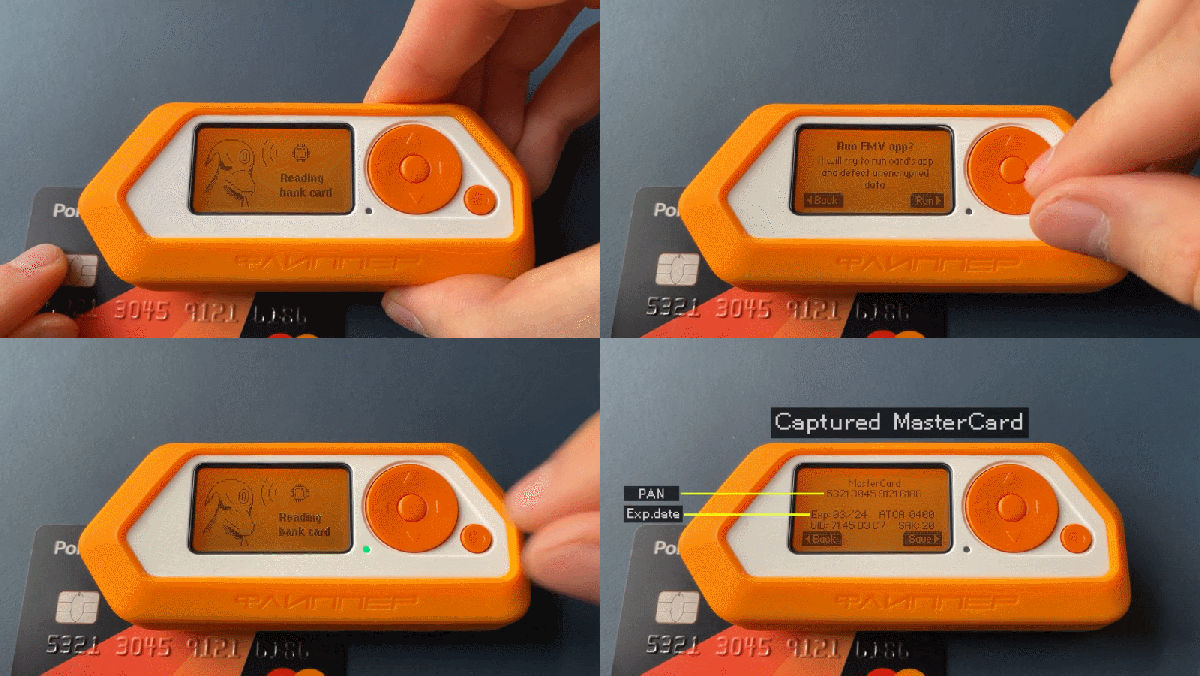
Flipper Zero tool reading bank card, displaying data on LCD

What’s On Your Bank Card? Hacker Tool Teaches All About NFC And RFID

The Flipper Zero is a multipurpose hacker tool that aims to make the world of hardware hacking more accessible with a slick design, wide array of capabilities, and a fantastic looking UI. They are struggling with manufacturing delays like everyone else right now, but there’s a silver lining: the team’s updates are genuinely informative and in-depth. The latest update is all about RFID and NFC, and how the Flipper Zero can interact with a variety of contactless protocols.

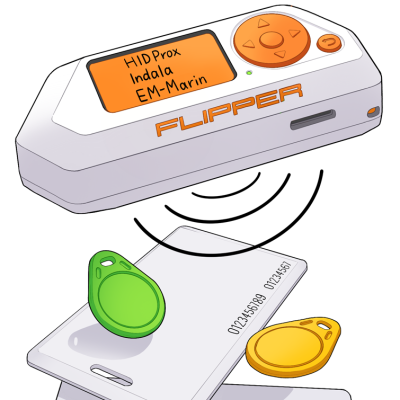
Drawing of Flipper Zero and a variety of RFID tags
Popular 125 kHz protocols: EM-Marin, HID Prox II, and Indala

Contactless tags are broadly separated into low-frequency (125 kHz) and high-frequency tags (13.56 MHz), and it’s not really possible to identify which is which just by looking at the outside. Flipper Zero can interface with both, but the update at the link above goes into considerable detail about how these tags are used in the real world, and what they look like from both the outside and inside.

For example, 125 kHz tags have an antenna made from many turns of very fine wire, with no visible space between the loops. High-frequency tags on the other hand will have antennas with fewer loops, and visible space between them. To tell them apart, a bright light is often enough to see the antenna structure through thin plastic.

Low-frequency tags are “dumb” and incapable of encryption or two-way communication, but what about high-frequency (often referred to as NFC) like bank cards and applications like Apple Pay? One thing demonstrated is that mobile payment methods offer up considerably less information on demand than a physical bank or credit card. With a physical contactless card it’s possible to read the full card number, expiry date, and in some cases the name as well as recent transactions. Mobile payment systems (like Apple or Google Pay) don’t do that.

Like many others, we’re looking forward to it becoming available, sadly there is just no getting around component shortages that seem to be affecting everyone.

Mini Wireless Thermal Printers Get Arduino Library (and MacOS App)

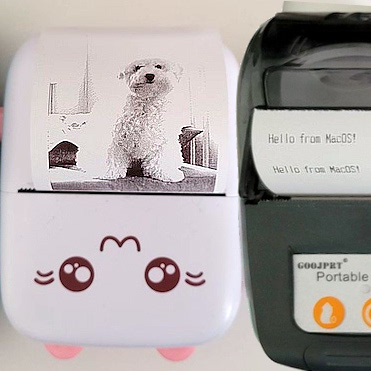
[Larry Bank]’s Arduino library to print text and graphics on BLE (Bluetooth Low Energy) thermal printers has some excellent features, and makes sending wireless print jobs to a number of common models about as easy as can be. These printers are small, inexpensive, and wireless. That’s a great mix that makes them attractive for projects that would benefit from printing out a hardcopy.

It’s not limited to simple default text, either. Fancier output can be done using Adafruit_GFX library-style fonts and options, which sends the formatted text as graphics. You can read all about what the library can do in this succinct list of concise functions.

But [Larry] hasn’t stopped there. While experimenting with microcontrollers and BLE thermal printers, he also wanted to explore talking to these printers from his Mac using BLE directly. Print2BLE is a MacOS application that allows dragging image files into the application’s window, and if the preview looks good, the print button makes it come out of the printer as a 1-bpp dithered image.

Small thermal printers make for neat projects, like this retrofitted Polaroid camera, and now that these little printers are both wireless and economical, things can only get easier with the help of a library like this. Of course, if that’s all starting to look a little too easy, one can always put the thermal back in thermal printing by using plasma, instead.

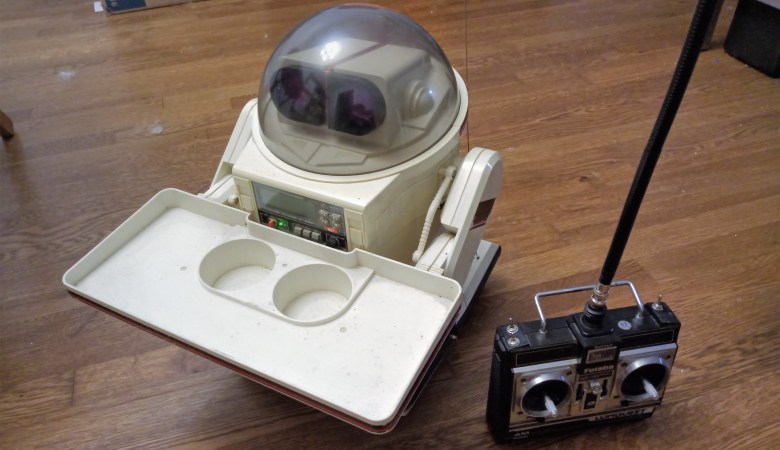
80's vintage Tomy Omnibot and Futaba RC Transmitter

80’s Omnibot Goes RC And Gets A Modern Refresh

Thrift stores, antique shops, knick-knack stores- Whatever you might call them in your locale, they’re usually full of “another man’s treasure”. More often than not, we leave empty-handed, hoping another shop has something we just can’t live without. But on rare occasions, when the bits all flip in our favor, we find real gems that although we have no idea what we’re going to do with them, just have to come home with us.

[Charles] ran into this exact situation recently when he walked into yet another shop among many dotting the highways and byways of Georgia and spotted it: A Tomy Omnibot beckoning to him from the 1980s. [Charles] didn’t know what he’d do with the Omnibot, but he had to have it. Not being one to have things just sit around, he set out to make it useful by combining it with an era-appropriate Futaba 4 channel AM radio, and updating all of the electronics with modern hardware.  The Mission? Drive it around at car shows and meetups where he already takes his 1980’s era vans.

We’re not going to spoil the goodies, but be sure to read [Charles]’ blog post to see how he hacked a modern 2.4 GHz 7 channel radio into the vintage Futaba 4 channel AM radio case. We appreciated his analytical approach to meshing the older gimbals and potentiometers with the new radio guts. Not to mention what it took to get the Omnibot back into service using parts from his battle bots bin. You’ll love the attention to detail on the new battery, too!

We’ve featured [Charles] work in the past, and his Power Wheels racer fed by a recovered Ford Fusion battery is simply unforgettable. You might also appreciate another Omnibot revival we featured recently. And as always, if you have a hack to share, submit it via the Tip Line!

Wireless Earbuds Charge Themselves

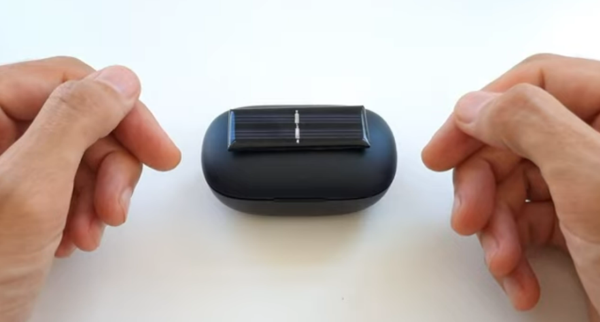
As more and more ports are removed from our smart devices, it seems that we have one of two options available for using peripherals: either buy a dongle to continue to use wired devices, or switch to Bluetooth and deal with perpetually maintaining batteries. If neither of these options suits you, though, there’s a third option available as [befinitiv] shows us in this build where he integrates a tiny solar panel to his earbud case to allow them to automatically charge themselves.

To start, he begins by taking apart the earbud case. For those who still haven’t tried out a set of these, they typically charge only when placed inside of their carrying case, which in his case also contains a small battery itself. Soldering wires directly to the battery allow for the battery to charge without as much electrical loss as he would have had if he had connected to the USB pins on the circuit board. Even then, the cell only generates a single volt so he needs a 5V boost converter to properly charge the battery. That came with its own problem, though, as it wouldn’t fit into the case properly. To solve that issue, he desoldered all of the components and deadbugged them together in order to fit the converter into a much smaller space without having to modify the case in any other way.

With all of that done and the small solar cell attached to the case, [befinitiv] has a smart solution to keep his wireless earbuds topped up without having to carry cables or dongles around every day. We’ve seen plenty of interesting solutions to the problem of various electronics manufacturers removing the ubiquitous 3.5 mm headphone jack too, and not all of them have dealt with this problem without certain other quirks arising as a result.

Continue reading “Wireless Earbuds Charge Themselves”

Hands-On Review: TCam-Mini WiFi Thermal Imager

A thermal camera is a tool I have been wanting to add to my workbench for quite a while, so when I learned about the tCam-Mini, a wireless thermal camera by Dan Julio, I placed an order. A thermal imager is a camera whose images represent temperatures, making it easy to see things like hot and cold spots, or read the temperature of any point within the camera’s view. The main (and most expensive) component of the tCam-Mini is the Lepton 3.5 sensor, which sits in a socket in the middle of the board. The sensor is sold separately, but the campaign made it available as an add-on.

Want to see how evenly a 3D printer’s heat bed is warming up, or check whether a hot plate is actually reflowing PCBs at the optimal temperature? How about just seeing how weird your pets would look if you had heat vision instead of normal eyes? A thermal imager like the tCam-mini is the tool for that, but it’s important to understand exactly how the tCam-mini works. While it may look like a webcam, it does not work like one.

Continue reading “Hands-On Review: TCam-Mini WiFi Thermal Imager”