See A Cheap Smoker Get An Automation Power Up

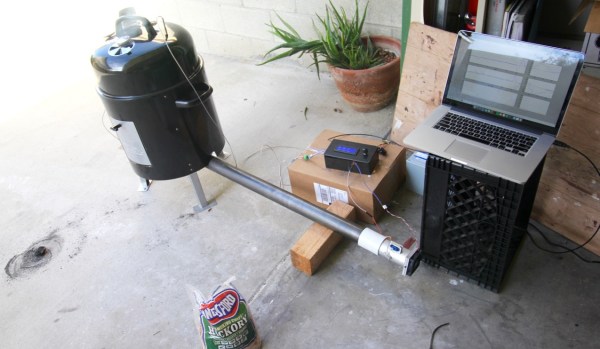
[Jason] learned a lot by successfully automating this meat smoker. This is just the first step in [Jason’s] smoker project. He decided to begin by hacking a cheaper charcoal-fed unit first, before setting his sights on building his own automatic pellet-fed smoker. With a charcoal smoker it’s all about managing the airflow to that hot bed of coals.
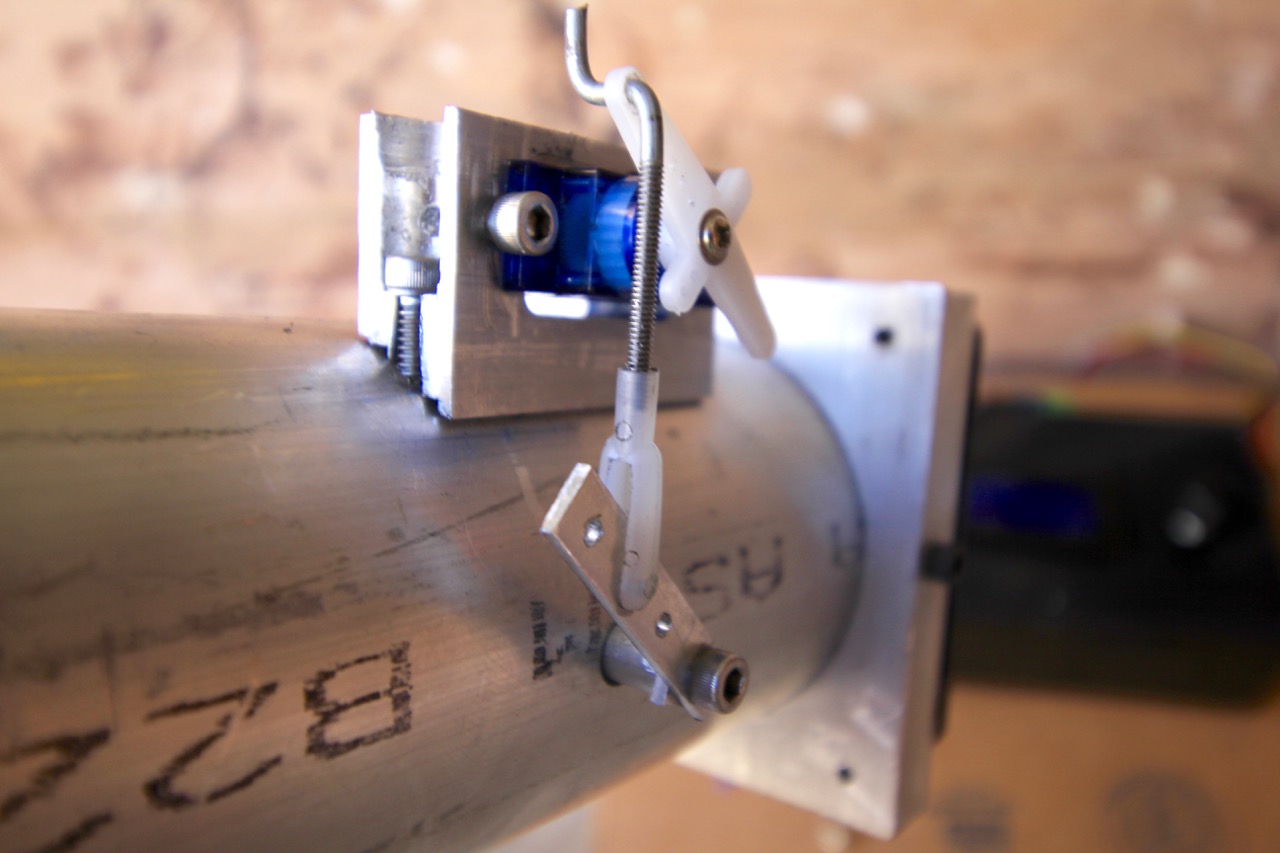
automated-meat-smoker-air-valve
Custom mount for servo was actually one of the more challenging things to get just right.

[Jason] started by making sure the bottom was sealed off from stray airflow, then he cut a hole into the charcoal pan and attached a length of steel pipe. The opposite end of the pipe has a fan. Inside the pipe there is a baffle separating the fan from the charcoal pan. The servo motor shown here controls that valve.

The pipe is how air is introduced into the smoker, with the fan and valve to control the flow rate. The more air, the higher the temperature. The hunk of pipe was left uncut and works fine but is much longer than needed; [Jason says] the pipe is perfectly cool to the touch only a foot and a half away from the smoker.

With the actuators in place he needed a feedback loop. A thermocouple installed into the lid of the smoker is monitored by an Arduino running a PID control loop. This predicts the temperature change and adjusts the baffle and fan to avoid overshooting the target temp. The last piece of hardware is a temperature probe inside the meat itself. With the regulation of the smoker’s temperature taken care of and the meat’s internal temperature being monitored, the learning (and cooking) process is well underway.

There are many, many smoker automation projects out there. Some smokers are home-made electric ones using flower pots, and some focus more on modifying off the shelf units. In a way, every PID controlled smoker is the same, yet they end up with different problems to solve during their creation. There is no better way to learn PID than putting it into practice, and this way to you get a tasty treat for your efforts.


Hackaday Prize Entry: Catch The IMSI Catchers

An IMSI catcher is an illicit mobile phone base station designed to intercept the traffic from nearby mobile phones by persuading them to connect to it rather than the real phone company  tower. The IMSI in the name stands for International Mobile Subscriber Identity, a unique global identifier that all mobile phones have. IMSI catchers are typically used by government agencies to detect and track people at particular locations, and are thus the subject of some controversy.

As is so often the case when a  piece of surveillance technology is used in a controversial manner there is a counter-effort against it. The IMSI catchers have spawned the subject of this post, an IMSI catcher detector app for Android. It’s a work-in-progress at the moment with code posted in its GitHub repository, but it is still an interesting look into this rather shadowy world.

How them you might ask, does this app hope to detect the fake base stations? In the first case, it will check the identity of the station it is connected to against a database of known cell towers. Then it will try to identify any unusual behaviour from the base station by analysing its traffic and signal strength. Finally it will endeavour to spot anomalies in the implementation of the cell phone protocols that might differentiate the fake from the real tower.

They have made some progress but stress that the app is in alpha stage at the moment, and needs a lot more work. They’re thus inviting Android developers to join the project. Still, working on projects is what the Hackaday Prize is all about.

Home-made Adjustable Knife Jig

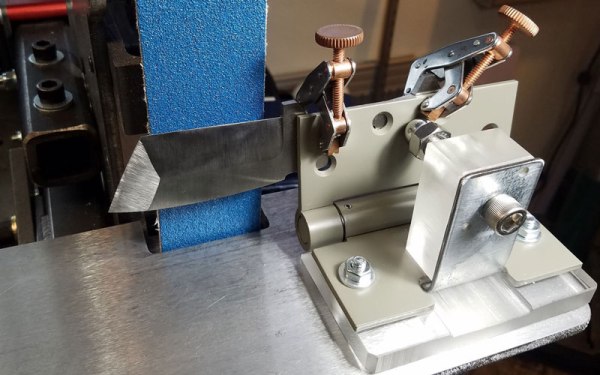
When sharpening a knife, it is critical to have the knife at the right angle. A knife jig handles this for you, letting you focus on getting the edge right. You could just buy one, but where’s the fun in that? [origamimavin] decided to make his own adjustable knife jig using bits he bought from the hardware store for $27, and which you might have in your junk pile. Fortunately for us, he’s written up the process in excellent detail, explaining the how and why of each step.

He used a couple of tools that you might not have lying around (a bandsaw and a belt sander), but these could be easily replaced with their manual cousins, or your local hackerspace will doubtless provide you access to them. Either way, it’s a simple build which could help your knives keep their clean, sharp edge for years to come.

From Audio, To 3D Printed Sculpture, And Back Again

Have you ever wondered what a song looks like? What it feels like in your hands?

Those odd questions have an answer that has taken shape over at [Reify], which has developed a way to turn sound waves into 3D-printed sculptures. These visualizations made manifest can be made from any audio — speeches, the ambience of a forest, classical music, a rocket launch — and rendered in coconut husk, plastic, bronze and more.

Continue reading “From Audio, To 3D Printed Sculpture, And Back Again”

Smart Watch Hack Lets You Use Your 3.5mm Headphones With An IPhone 7

As you may have heard, the iPhone 7 is ditching the 3.5 mm headphone jack in the name of progress and courage. Whatever your take on that, it leaves the end user out in the cold if — for instance — their preferred headphones still use the old format. Here to save you from an untimely upgrade is YouTuber [Kedar Nimbalkar], who has modified a Bluetooth Smartwatch to incorporate a 3.5 mm jack to allow continued use your current headphones.

After opening up the smartwatch [Nimbalkar] removes the speaker, solders in a 3.5 mm headphone jack and clips out an opening in the watch’s case that maintains the watch’s sleek exterior.

Continue reading “Smart Watch Hack Lets You Use Your 3.5mm Headphones With An IPhone 7”

The Arduino Sleeps With The Fishes

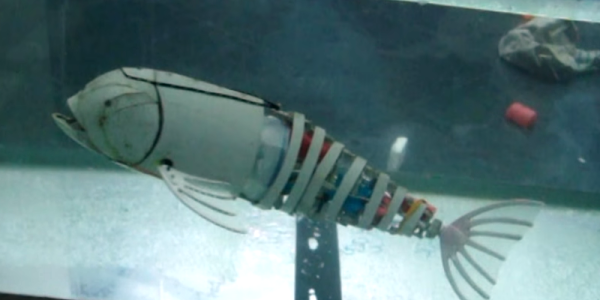
[Eric Dirgahayu] wanted to explore underwater with some sensors and cameras. First, he needed a platform to carry them. That led to his Arduino-controlled swimming fish. The fish is made from PVC and some waterproof servos. From the video (see below) it isn’t clear how much control the fish has, but it does swim with an undulating motion like a real fish.

Continue reading “The Arduino Sleeps With The Fishes”

Creating A PCB In Everything: Eagle, Part 2

In the last (and first) post in this series, we took a look at Eagle. Specifically, we learned how to create a custom part in Eagle. Our goal isn’t just to make our own parts in Eagle, we want to make schematics, boards, and eventually solder a few PCBs.

The board we’ll be making, like all of the boards made in this Creating A PCB In Everything series, is the Nanite Wesley, a small USB development platform based on the ATtiny85. This board has less than a dozen parts, most of which are through-hole. This is the simplest PCB I can imagine that has sufficient complexity to demonstrate how to make a board.

With that said, let’s get onto the second part of our Eagle tutorial and lay out our circuit board.

Continue reading “Creating A PCB In Everything: Eagle, Part 2”