picture of a brambling (a small bird), with "BirdNET-Pi" written above it

Neural Network Identifies Bird Calls, Even On Your Pi

Recently, we’ve stumbled upon the extensive effort that is the BirdNET research platform. BirdNET uses a neural network to identify birds by the sounds they make, and is a joint project between the Cornell Lab of Ornithology and the Chemnitz University of Technology. What strikes us is – this project is impressively featureful and accessible for a variety of applications. No doubt, BirdNET is aiming to become a one-stop shop for identifying birds as they sing.

There’s plenty of ways BirdNET can help you. Starting with likely the most popular option among us, there are iOS and Android apps – giving the microphone-enabled “smart” devices in our pockets a feature even the most app-averse hackers can respect. However, the BirdNET team also talks about bringing sound recognition to our browsers, Raspberry Pi and other SBCs, and even microcontrollers. We can’t wait for someone to bring BirdNET to a RP2040! The code’s open-source, the models are freely available – there’s hardly a use case one couldn’t cover with these.
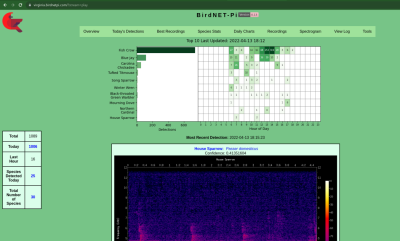
Screenshot of the BirdNET-Pi interface, showing a chart of bird chirp occurences, and a spectrogram below itAbout that Raspberry Pi version! There’s a sister project called BirdNET-Pi – it’s an easy-to-install software package intended for the Raspberry Pi OS. Having equipped your Pi with a USB sound card, you can make it do 24/7 recording and analysis using a “lite” version of BirdNET. Then, you get a web interface you can log into and see bird sounds identified in real-time. Not just that – BirdNET-Pi also processes the sounds and creates spectrograms, keeps the sound in a database, and can even send you notifications.

The BirdNET-Pi project is open, too, of course. Not just that – the BirdNET-Pi team emphasizes everything being fully local, unless you choose otherwise, and perhaps decide to share it with others. Many do make their BirdNET-Pi instances public, and there’s a lovely interactive map that shows bird sounds all across the world!

BirdNET is, undoubtedly, a high-effort project – and a shining example of what a dedicated research team can do with a neural network and an admirable goal in mind. For many of us who feel joy when we hear birds outside, it’s endearing to know that we can plug a USB sound card into our Pi and learn more about them – even if we can’t spot them or recognize them by sight just yet. We’ve covered bird sound recognition on microcontrollers before – also using machine learning.
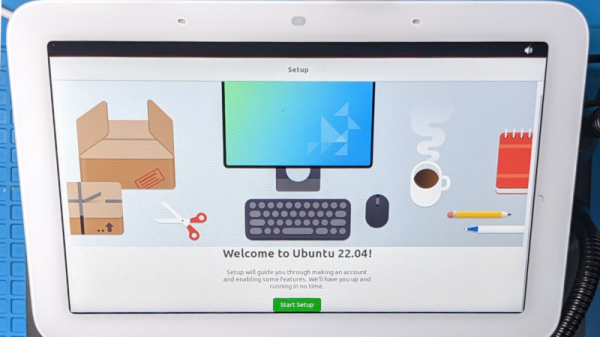
Ubuntu 22.04 setup screen shown on the Google's Nest Hub display

Breaking Google Nest Hub’s Secure Boot

[frederic] tells a story about their team’s hack of a Google Nest Hub (2nd generation) — running Ubuntu on it, through bypassing Google’s boot image signature checks. As with many good hacks, it starts with FCC website pictures. Reverse-engineering a charger and USB daughterboard pin-out, they found a UART connection and broke it out with a custom adapter. With a debug console and insights into the process, they went on hacking, slicing through hardware and software until it was done with.

This story gives plenty of background and insight into both the code that was being investigated, and the way that attack targets were chosen. Through fuzzing, they found a buffer overflow in the bootloader code that could be triggered with help of a non-standard block size. USB flash drives tend to have these hard-coded, so they built a special firmware for a Pi Pico and shortly thereafter, achieved code execution. Then, they hooked into uboot functions and loaded Ubuntu, bypassing the boot image signature checks.

This is a wonderful documentation of a hacking journey, and an exciting read to boot (pun intended). The bug seems to have been patched for half a year now, so you probably can’t flash your Google Nest into Ubuntu anymore. However, you might be able to run an up-to-date Linux on your Amazon Echo.

We thank [Sven] for sharing this with us!

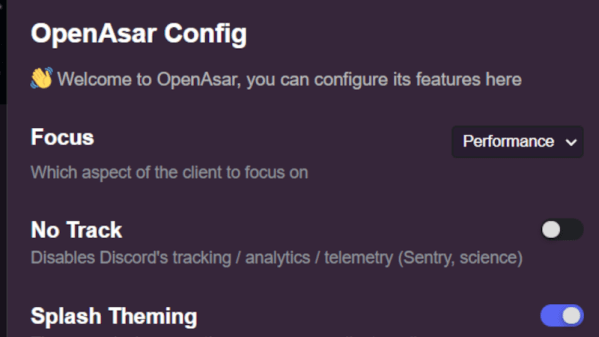
Screenshot of the OpenAsar config window, showing a few of the configuration options

OpenAsar Tweaks Discord’s Frontend, Improves Performance And Privacy

Not all hacking happens on hardware — every now and then, we ought to hack our software-based tools, too. [Ducko] tells us about a partially open-source rewrite of Discord’s Electron-based frontend. Web apps can be hard to tinker with, which is why such projects are to be appreciated. Now, this isn’t a reverse-engineering of Discord’s API or an alternative client per se, but it does offer a hopeful perspective on what the Discord client ought to do for us.

First of all, the client loads noticeably faster, not unlike the famous GTA Online speedup (which was also a user-driven improvement), with channel and server switching made less laggy —  and the Linux updater was de-cruft-ified as well. [Ducko] tells us how she got rid of the numerous NPM dependencies of the original code – it turned out that most of the dependencies could be easily replaced with Node.JS native APIs or Linux binaries like unzip.  Apart from much-appreciated performance improvements, there are also options like telemetry bypass, and customization mechanisms for your own theming. You won’t get Discord on your Apple ][ just yet, but the native client will be a bit friendlier towards you.

While Discord is ultimately a proprietary platform, we do it see used in cool hacks every now and then, like this tea mug temperature-tracking coaster. Would you like to code your own Discord bot? We wrote a walk-through for that. Last but not least, if you like what we wrote and you happen to also use Discord, you should check out the Hackaday Discord server!

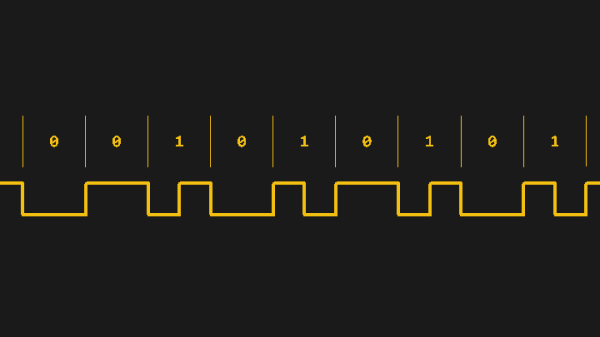
Diagram of the LTC protocol, showing the difference between 1 bits and 0 bits - both transmitted using one up and one down pulse, but with '1' bit pulses being half as short.

Animate Arcane Protocols With Interrupt-Backed Bitbanging

We often take our “SoftwareSerial” libraries for granted, and don’t investigate what goes on under the hood — until they fail us, at least. Would you like to learn how to harness the power of interrupt-driven bitbanging? [Jim Mack] teaches us how to make our protocol implementations fly using the LTC protocol as a springboard.

LTC (Linear/[Longitudinal] TimeCode) is a widely-used and beautifully-crafted protocol that tends to fly under our radar, and is one that hackers could learn plenty from. It’s used for synchronization of audio/video devices during media production and playback. LTC’s signal is almost digital but not quite: it doesn’t need a clock, and it has no polarity. Additionally, it mimics an audio signal really well, you can decode it at any playback speed, and many other benefits and quirks that [Jim] outlines. You do need to maintain the timings, though, and [Jim]’s article shows us how to keep them right while not inconveniencing your primary tasks.

Continue reading “Animate Arcane Protocols With Interrupt-Backed Bitbanging” →

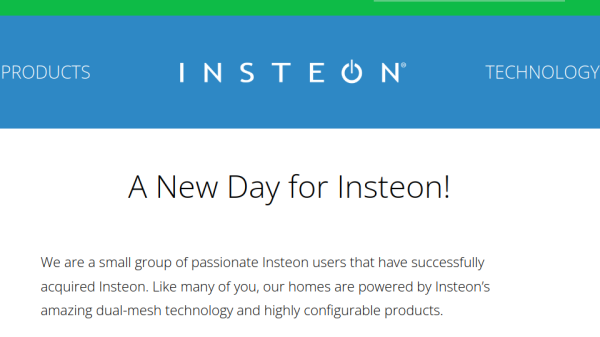
Screenshot of the Insteon's new blog post, showing the Insteon logo in the header, the "A New Day for Insteon!" title, and some of the intro paragraph of the blog post

Insteon Gets Another Chance

It would appear that, sometimes, miracles happen. A few days ago, an update graced the website of Insteon, a company whose abrupt shuttering we covered in detail two months ago. An entity described as “small group of passionate Insteon users” has bought what was left of the company, and is working on getting the infrastructure back up. Previously, there was no sign of life from the company’s APIs. Now, Insteon hubs are coming back to life — or perhaps, they’re Inste-online again.

We’ve explained that revival of these devices without acquiring the company IP would’ve been tricky because of stuff like certificate pinning, and of course, a pile of proprietary code. Buying a company that’s undergoing a liquidation is not exactly end-user-friendly, but it would seem that someone sufficiently business-savvy got it done. The new CEO, as reported by [CNX Software], is a member of an investment committee — it’s fair to assert that this would help. A more sustainable funding source rather than ‘sell hardware and then somehow provide indefinite services’ is promised; they are moving to a subscription model, but only for Insteon Hub users. Recurring payments don’t sound as bad when it comes to paying developers and covering operational costs, and we hope that this revival succeeds.

Nothing is mentioned about moving towards openness in software and hardware — something that protects users from such failures in the first place. The new company is ultimately vulnerable to the same failure mode, and may leave the users in the dark just as abruptly as a result. However, we have our fingers crossed that the updated business model holds, purely for users’ sake. At least, unlike with the Wink hub, Insteon’s transition to a subscription model is better than the Inste-off alternative.

We thank [Itay] for sharing this with us! Via [CNX Software].

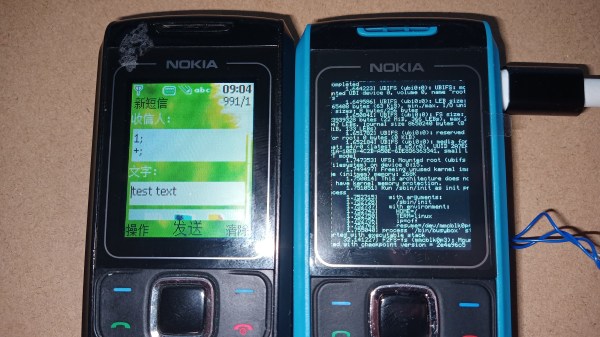
Two Nokia 1860 phones side by side - a Notkia-modded phone on the right, and an unmodified Nokia phone on the left

Notkia: Building An Open And Linux-Powered Numpad Phone

Many of us hackers have a longing for numpad-adorned mobile phones. We also have a shared understanding that, nowadays, such a phone has to be open and Linux-powered. Today’s project, Notkia, is the most promising and realistic effort at building a keypad phone that fits our requirements. Notkia is a replacement board for Nokia 168x series phones, equipped with an improved display, USB-C, WiFi, Bluetooth, and LoRa — and [Reimu NotMoe] of [SudoMaker] tells us this project’s extensive story.

The Notkia effort started over two years ago, because of [Reimu]’s increasing dislike for modern smartphones — something every hacker is familiar with. Her first-hand experience with privacy violations and hackability limitations on Android phones is recounted in detail, leading to a strong belief that there are fundamental problems with phones available nowadays. Building new hardware from the ground up seems to be the way forward. Two years later, this is exactly what we got!

Continue reading “Notkia: Building An Open And Linux-Powered Numpad Phone” →

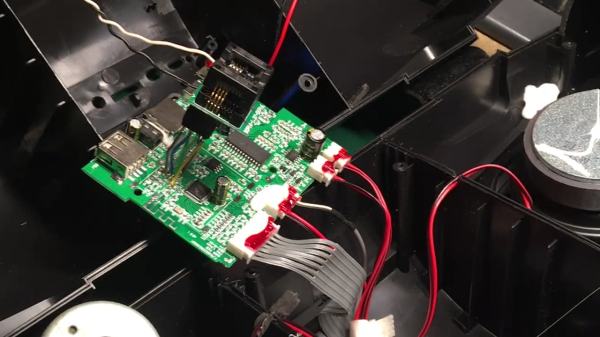
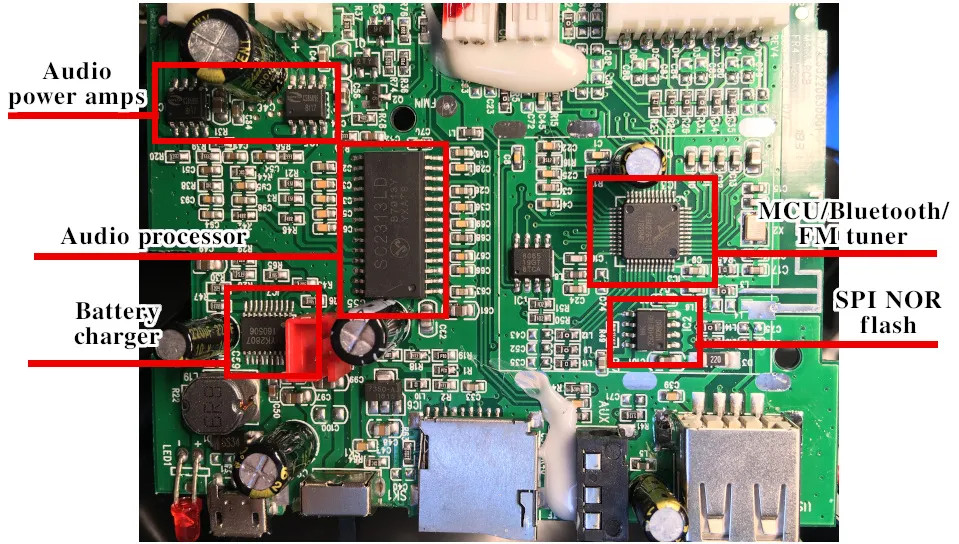
The speaker PCB inside of the speaker, with a flash chip ZIF holder soldered to the SPI flash pads on the PCB

Bluetooth Speaker Domesticated Through Firmware Mod

This might sound like a familiar problem – you get a Bluetooth speaker, and it sounds nice, but it also emits all kinds of weird sounds every now and then. [Oleg Kutkov] got himself a Sven PS460 speaker with FM radio functionality, but didn’t like that the “power on” sound was persistently loud with no respect for the volume setting, and the low battery notification sounds were bothersome. So, he disassembled the speaker, located a flash chip next to the processor, and started hacking.

Using a TL866 and minipro software, he dumped the firmware, and started probing it with binwalk. The default set of options didn’t show anything interesting, but he decided to look for sound file signatures specifically, and successfully found a collection of MP3 files! Proper extraction of these was a bit tricky, but he figured out how to get them out, and loaded the entire assortment into Audacity.

From there, he decided to merely make the annoying sounds quieter – negating the “no respect for the volume setting” aspect somewhat. After he exported the sound pack out of Audacity, the file became noticeably smaller, so he zero-padded it, and finally inserted it back into the firmware. Testing revealed that it worked just as intended! As a bonus, he replaced the “battery low” indicator sound with something that most of us would appreciate. Check out the demo video at the end of his write-up.

Domesticating your Bluetooth speakers tends to be called for. If you can’t do that for whatever reason, you can rebuild them into an audio receiver – or perhaps, build your own Bluetooth speakers, with aesthetics included and annoyance omitted from the start.