Workshop Organization With Panels

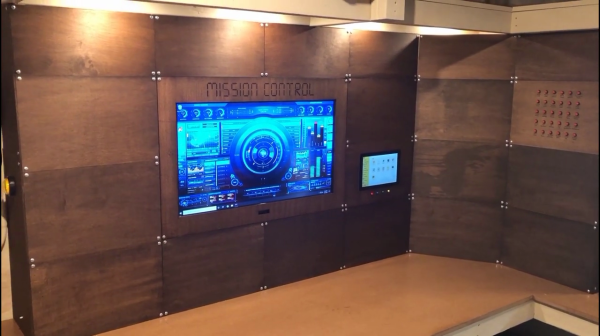
Tired of all your completed (or half-completed) projects cluttering up your workspace? Or you toss them in a box and later forget which box? Well [Another Maker] aka [Develop With Dan] came up with a solution which he dubs Mission Control — panelize your projects and store them in one of many cubbyholes which are provided by a false wall.
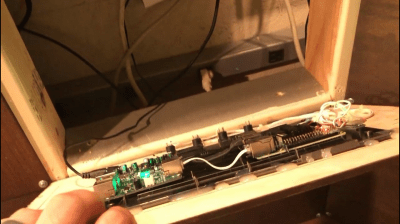
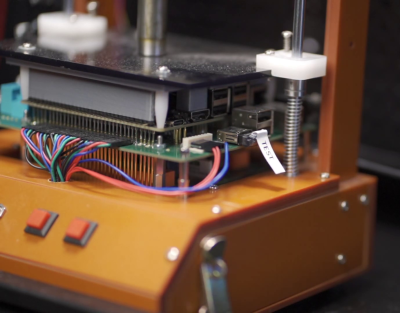
Back view of an example project panel

Each project gets a panel and is neatly stored away when not in use. For some project, this could be simply for storage. For other projects, this might serve as a showcase. Occupying the center of Mission Control is a large monitor, presumably a permanent installation. It looks like there are two different sizes of panels, but we wonder whether more and smaller panels might be more useful. As he’s putting this together, we particularly like one piece of advice that [Dan] offers regarding his custom tool, the Cornerator 3000:

Never hesitate to make a jig when you want to repeat something.

[Dan] will be posting this workspace on his GitHub repository along with code and documentation for various projects he posts on YouTube. He’s also proud to have built this system out of 100% recycled material, or as he says, he went dumpster diving. Do you have a good system for storing / displaying projects in your lab? Let us know in the comments below.

Continue reading “Workshop Organization With Panels”

Animation In Education, 1950’s Style

Back before the days of computers, animation was drawn by hand. We typically think of cartoons and animated feature films, but there were other genres as well. For example, animation was also used in educational and training films. [Javier Anderson] has tracked down a series of antenna and RF training videos from the Royal Canadian Air Force in the 1950s and 60s and posted them on his YouTube channel.

He has found three of these gems, all on the topic of antenna fundamentals: propagation, directivity, and bandwidth (the film on propagation is linked below the break). Casually searching for the names listed in the film’s credits will lead you down an endless and fascinating rabbit hole about the history of Canadian animation and the formation of the Canadian National Film Board and its Studio A group of pioneering young artists (one can easily lose a couple of hours doing said searches, so be forewarned). For these films that [Javier] located, the animator is [Kaj Pindal]. [Kaj] (1927-2019) was a Dane who learned his craft as a teenager, drawing underground anti-Hitler comics in Copenhagen until fleeing for his life. He later emigrated to Canada, where he had a successful career as an artist and educator.

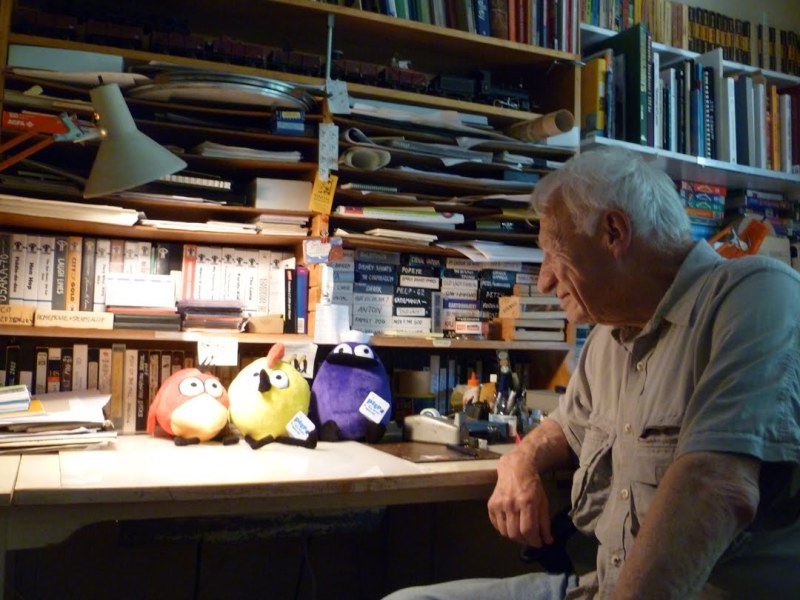
Animator [Kaj Pindal] at his desk, c.2012
Anyone who has tried to really grasp the physical connection between currents flowing in an antenna wire and the resultant radiated signal described by the second-order partial differential electromagnetic wave equation, all while using only a textbook, will certainly agree — unarguably this is a topic whose teaching can be significantly improved by animations such as [Kaj]’s. And if you’d like to sprinkle more phrases like “… in time-phase and space-quadrature …” into your conversations, then this film series is definitely for you.

Have you encountered any particularly helpful or well-made animated educational videos in your education and/or career? Are there any examples of similar but modern films made using computer generated images? Thanks to reader [Michael Murillo] for tipping us off to these old films.

Continue reading “Animation In Education, 1950’s Style”

Accurate Digital Clock Keeps Ticking With FPGA

Even the most punctual among us are content to synchronize their clocks to external time sources like navigation satellite constellations, network time servers, frequency-controlled AC mains, or signals broadcast by radio stations such as WWV, CHU, and DFC77 — but not [zaphod]. After building a couple of more traditional clocks over the years, he set his sights on making a completely isolated digital clock that doesn’t rely on external synchronization (well, except to initialize the time at first power-up).

The accuracy goal he set for himself was that of a Casio F-91W wristwatch, which is specified to maintain +/- 30 seconds per month (about 12 ppm). At the heart of the design is an oven-controlled crystal oscillator whose stability is in the single-digits parts-per-billion.

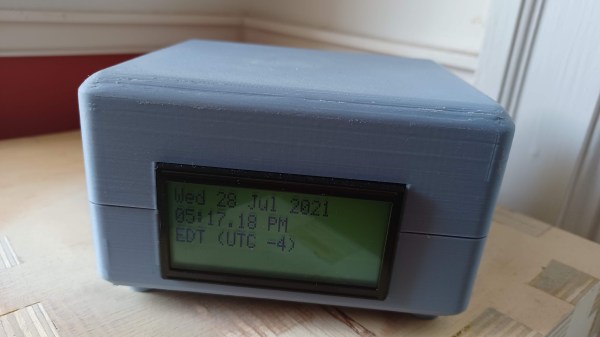
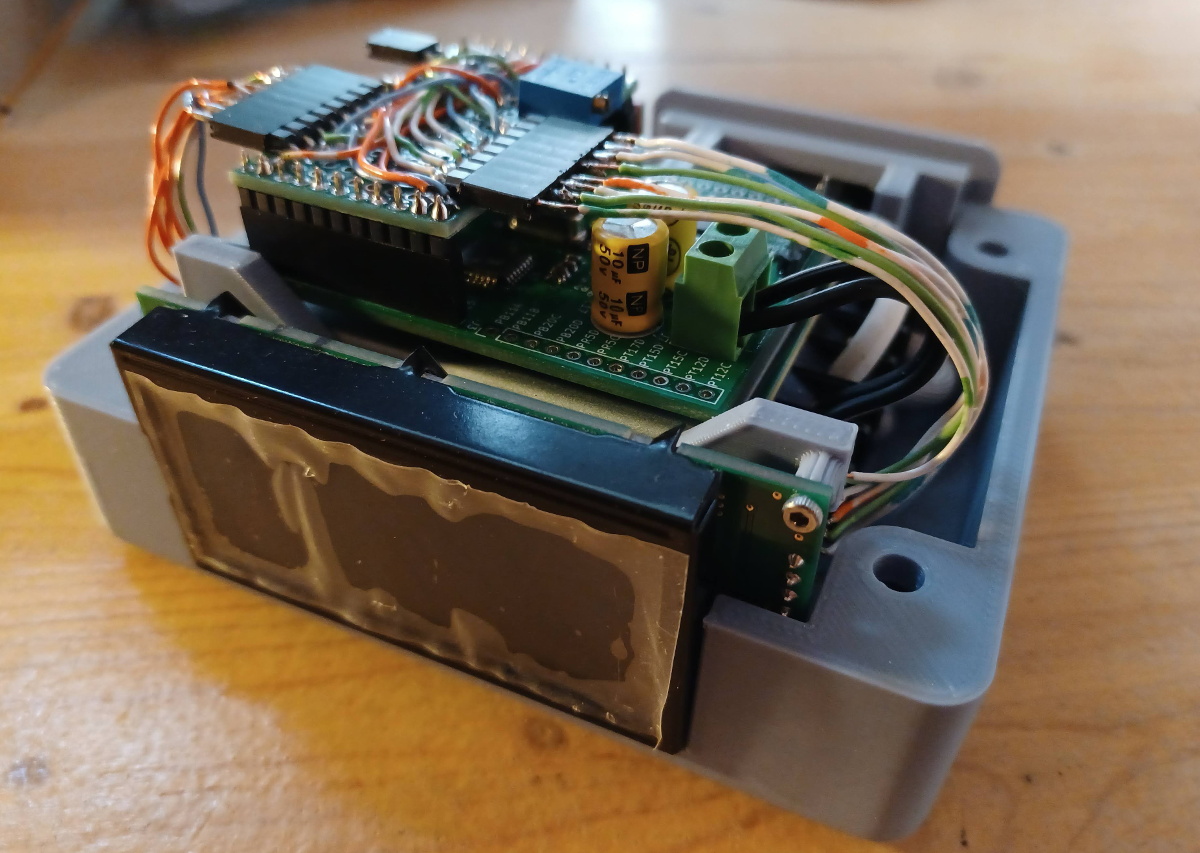
The counter chain that accumulates the time is implemented in an FPGA — admittedly overkill, but [zaphod] wanted to learn FPGA programming for this project as well. An ATmega328 drives the display and does other bookkeeping tasks. The whole design is partitioned into three PCBs which fit inside a custom 3D-printed case.

[zaphod] does a thorough job documenting his build, including the bugs and failures along the way. We like the honest summary he wrote at the project’s conclusion, noting things that could be improved or should have been done differently. Be sure to check out the GitHub repository, where all the source code and PCB design files are posted. How accurate is your wristwatch, if you even wear one anymore?

Retro Computers From Paper

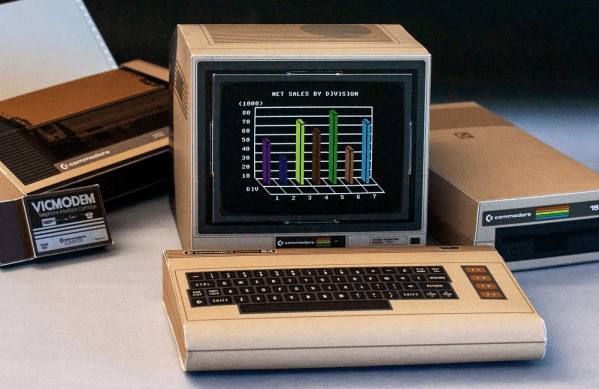
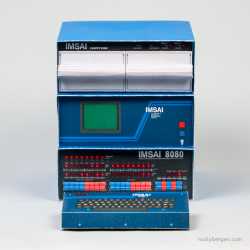
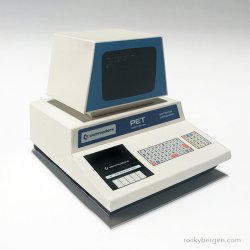
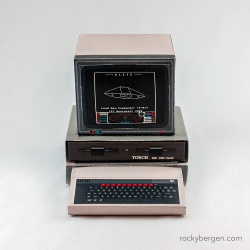
Want to start your own collection of retro computers, for free? Well graphic designer [Rocky Bergen]’s collection of paper craft models might be the answer. [Rocky] has designed over a dozen models of old computers, including classics such as the IMSAI 8080, Commodore Pet, and the BBC Microcomputer to name just a few.

The completed size of these models isn’t mentioned, but inspecting the PDF file of a randomly selected Commodore C64 model shows it was intended to be printed on A3 paper ( 297 x 420 mm, or roughly the size of an 11 x 17 ANSI C page if you think better in inches ). That still doesn’t give us the finished size of a model, but one collector posted on [Rocky]’s site that when he scaled it to A4 paper, the resulting computer was a perfect match for use with common 1/6 scale dolls and dollhouses (also known as playscale). Of course, the pattern existing as a computer PDF file, you can scale it to any size you want.

We’ve covered a few paper craft projects in the past, including these cool automata, a claw from a crane game, and even a gyroscope that really spins. Check out the video below the break to see [Rocky] assembling the Apple II paper craft model. Thanks to [CollegeCop] for sending this into our tip line.

Continue reading “Retro Computers From Paper”

Vintage Test Equipment Addiction Justified

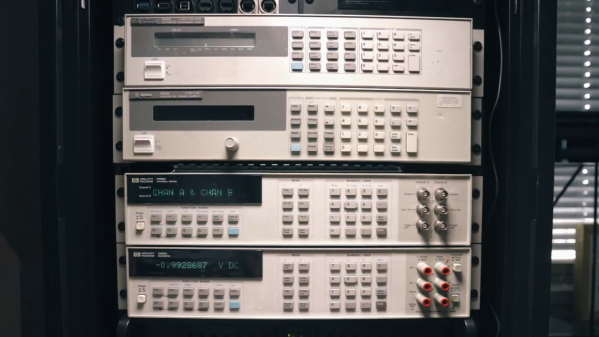
Recore 3D printer board developer [Elias Bakken] has posted about the automatic test procedure he developed using a stack-up of four (at least) pieces of vintage HP test equipment. In addition, his test jig and test philosophy is quite interesting.

Besides making a bed-of-nails test jig, he also designed a relay multiplexing board to that selects one of the 23 different voltages for measurement. We like his selection of mechanically latching relays in this application — not only does it save power, but it doesn’t subject the test board to any magnetic fields (except when switching state).

In [Elias]’s setup, the unit under test (UUT) actually orchestrates the testing process itself. This isn’t as crazy as it might sound. The processor is highly integrated in one package plus external DRAM. If the CPUs boot up at all, and pass simple self-test routines, there’s no reason not to utilize the on-board processor as the main test control computer. This might be a questionable decision if your processor was really small with constrained resources and connectivity. But in the case of Recore, the processor is a four-core ARM A53 SoC running Debian Linux — an arrangement that itself could well serve as an automated test computer in other projects.

In the video down below, [Elias] walks us through the basic tests, and then focuses on the heart of the Recore board tests: calibrating the input signal conditioning circuits. Instead of using very expensive precision resistors, [Elias] selected more economical 1% resistors to use in the preamp circuitry. The tradeoff here is the need to calibrate each channel, perhaps at multiple temperature points. This is a situation where using a test jig, automated test scripts, and and stack of programmable test equipment really shines.

[Elias] is still pondering some issues he found trying to calibrate thermocouples, so his adventure is not quite over yet. If you are wondering what Recore is, check out this article from back in June. Have you ever used the microprocessor on a circuit board to test itself, either standalone or in conjunction with an external jig? Let us know in the comments below.
Continue reading “Vintage Test Equipment Addiction Justified”

A Single SSD’s Journey From System 7 To High Sierra

With some time to kill and an array of old Apple computers on hand, [Pierre Dandumont] wondered if he could continuously upgrade a single OS drive from the oldest system he had, System 7.1 on a Performa 630, to the latest version of MacOS on a MacBook Air. He recalled watching an old video which demonstrated a continuous upgrade from DOS to Windows 10 (we think this video from 2016 may be the one), which gave him the inspiration for this journey. [Pierre] documents his efforts on his blog (in French; English translated link is here).

Along the way, he installed 24 different operating systems

  • System 7.1.2, 7.5
  • Mac OS 7.6
  • Mac OS 8.0, 8.1, 8.5, 8.6
  • Mac OS 9.0, 9.1, 9.2
  • Mac OS X 10.0 – 10.11
  • macOS 10.12, 10.13

on seven Mac computers

  • Performa 630 (ca. 1994, Motorola 68040)
  • Power Mac G3 Beige (ca. 1997, Motorola PowerPC 730)
  • Power Mac G3 Blue (ca. 1999, Motorola PowerPC 730)
  • Power Mac G4 Digital Audio (ca. 2001, Motorola PowerPC 7400)
  • Mac mini G4 (ca. 2005, Motorola PowerPC 7447)
  • Mac mini 2009 (Intel Core 2 Duo Penryn)
  • MacBook Air 2012 (Intel Core i5/i7)

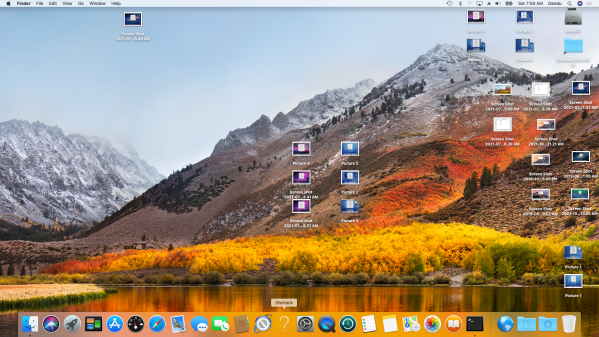
across three of the four processor families spanned by the Macintosh line of computers since their introduction in 1984. You can see in the lead photo the success, where the Mac OS 8 search tool Sherlock is shown in the dock of a MacBook Air running High Sierra.

Continue reading “A Single SSD’s Journey From System 7 To High Sierra”

Arm Researchers Announce The PlasticArm

If the Cortex family of embedded microprocessors aren’t flexible enough for your designs, an article published this week (click here for the PDF version) in the journal Nature might be of interest. We’re not talking flexibility in terms of features, but real, physical flexibility of the microprocessor itself. A research team from Arm Ltd. has developed the PlasticArm, which is a 32-bit processor derived from the Cortex-M0+ family.

They accomplished this by constructing a CPU from metal-oxide thin-film transistors (TFT) on a polyimide substrate, the resultant chip being called a natively flexible microprocessor. While much of the hype focuses on the flexibility aspect, we think the real innovation here is the low cost. The processes used to deposit transistors onto silicon wafers is much more expensive than those on this flexible substrate.

Don’t get too excited just yet, because there were some compromises made along the way. Modern microprocessor silicon dies are measured in the tens of microns, but the PlasticArm total die size is a comparatively whopping 9 mm square. The researchers were appropriately focused on the core CPU, and the auxiliary building blocks such as ROM and RAM seem almost an afterthought. With only 456 bytes of program store and 128 bytes of RAM, only the tiniest of applications are suited to this chip. Other compromises were made, such as no internal registers — they are mapped to the external RAM — and the CPU runs a lot slower than we’re used to, topping out at 29 kHz (note: k not M).

There are certainly some challenges with this new technology, and we won’t be designing with these chips any time soon. But it has the potential to offer benefits in certain niche applications where low-cost and/or flexibility is more important than processor speed and performance.