Virtual Racers Battle It Out On Portable WS2812 Track

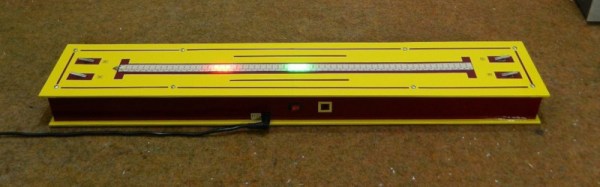
Sure modern video games are impressive, but you certainly don’t need a 4K display or high speed Internet connection to have a good time. For a perfect example, take a look at this unique one-dimensional racing game put together by [mircemk]. This variation of [Gerardo Barbarov Rostan]’s Open LED Race project has been scaled down so it can be transported easily, though at least for now, you’ll still need to plug it into an external power supply.

The game is pretty straightforward. By rapidly pressing their respective buttons, players race their virtual vehicles on a linear “track” made of 60 WS2812 RGB LEDs. In the most basic of terms, the faster they press their button, the faster the red or green illuminated LED that represents their car moves.
But in practice, things are made a bit more interesting with the addition of simulated gravity for the “hills” the racers will encounter. The cars also have a bit of inertia, and will coast along even when you aren’t mashing the button. There are even optional engine sounds, though as with the visual representation of the cars, a certain degree of imagination is required for the desired effect.

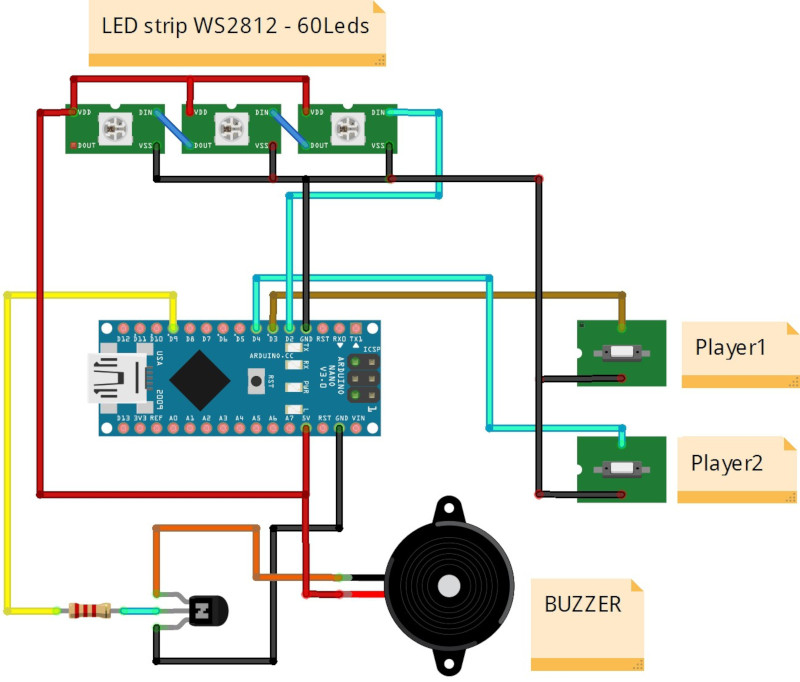
The hardware requirements for this game are minimal, and can easily be adapted to what you have in the parts bin. Beyond the strip of WS2812 LEDs, all you really need is a microcontroller and two buttons. Here [mircemk] is using an Arduino Nano, but you could press pretty much any MCU into service. To make this version as portable as possible, the buttons are built right into the PVC sheet enclosure, but putting them in some wired remotes would make for a bit more comfortable gameplay.

We’ve covered several projects that have aimed to turn the humble string of RGB LEDs into an interactive electronic game over the years. As long as you’ve got an open mind, you can find a whole world hidden inside some blinking lights.

Continue reading “Virtual Racers Battle It Out On Portable WS2812 Track”

Incredibly Slow Films, Now Playing In Dazzling Color

Back in 2018 we covered a project that would break a video down into its individual frames and slowly cycle through them on an e-paper screen. With a new image pushed out every three minutes or so, it would take thousands of hours to “watch” a feature length film. Of course, that was never the point. The idea was to turn your favorite movie into an artistic conversation piece; a constantly evolving portrait you could hang on the wall.

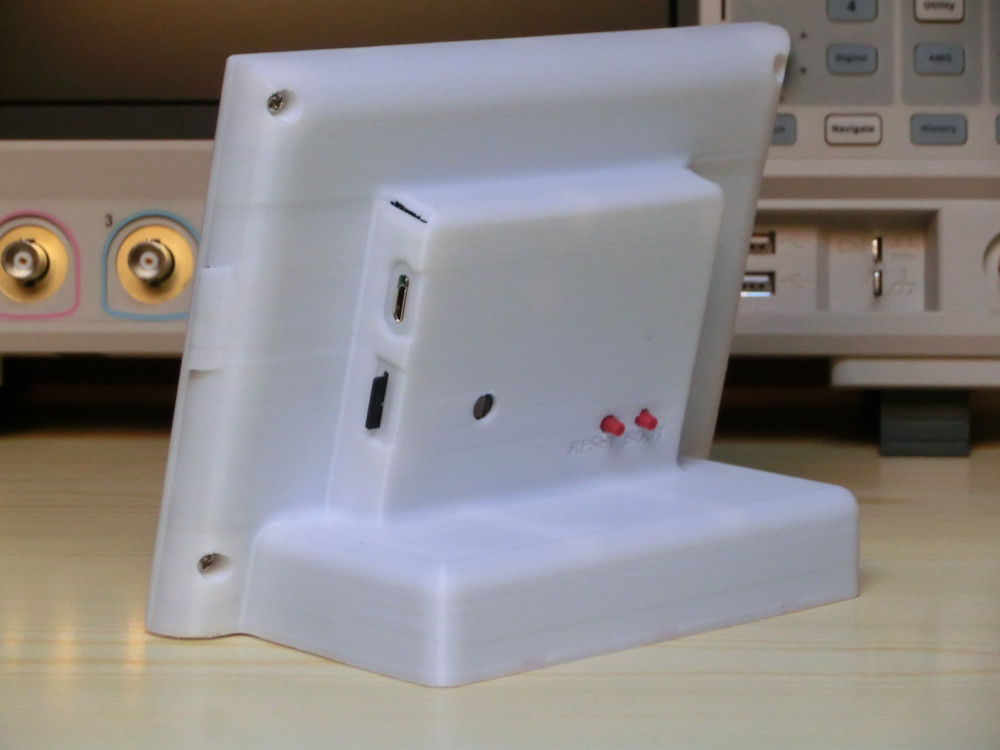
[Manuel Tosone] was recently inspired to build his own version of this concept, and now thanks to several years of e-paper development, he was even able to do it in color. Ever the perfectionist, he decided to drive the seven-color 5.65 inch Waveshare panel with a custom STM32 board that he estimates can wring nearly 300 days of runtime out of six standard AA batteries, and wrap everything up in a very professional looking 3D printed enclosure. The end result is a one-of-a-kind Video Frame that any hacker would be proud to display on their mantle.

The Hackaday.IO page for this project contains a meticulously curated collection of information, covering everything from the ffmpeg commands used to process the video file into a directory full of cropped and enhanced images, to flash memory lifetime estimates and energy consumption analyses. If you’ve ever considered setting up an e-paper display that needs to run for long stretches of time, regardless of what’s actually being shown on the screen, there’s an excellent chance that you’ll find some useful nuggets in the fantastic documentation [Manuel] has provided.

We always love to hear about people being inspired by a project they saw on Hackaday, especially when we get to bring things full circle and feature their own take on the idea. Who knows, perhaps the next version of the e-paper video frame to grace these pages will be your own.

Continue reading “Incredibly Slow Films, Now Playing In Dazzling Color”

Xbox Flexure Joystick Puts You In The Pilot’s Seat

With the recent release of Microsoft Flight Simulator on the Xbox Series X|S there’s never been a better time to get a flight stick for the console, and as you might imagine, there are a number of third party manufacturers who would love to sell you one. But where’s the fun in that?

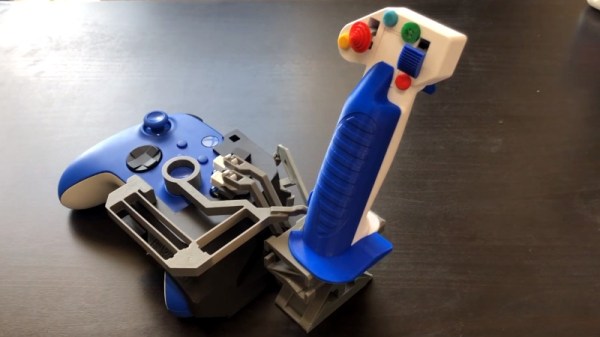
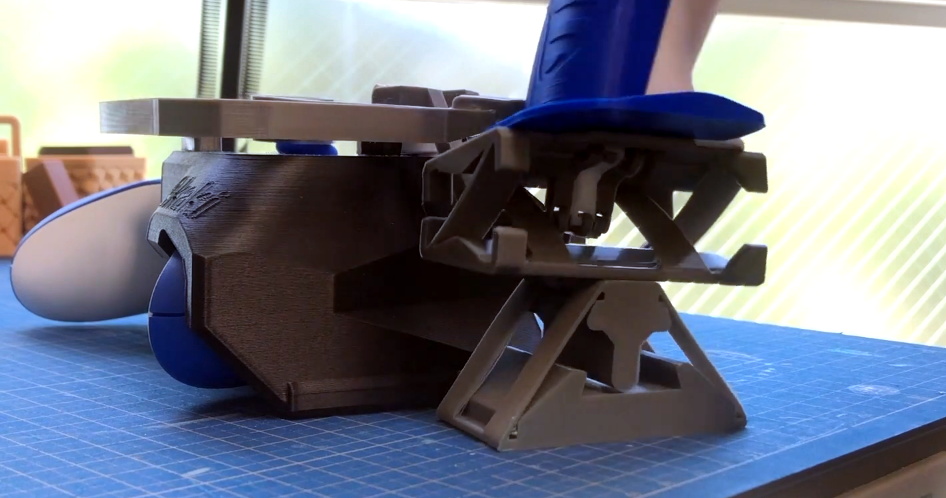
If you’ve got a fairly well tuned 3D printer, you can print out and assemble this joystick by [Akaki Kuumeri] that snaps right onto the Xbox’s controller. Brilliantly designed to leverage the ability of 3D printers to produce compliant mechanisms, or flextures, you don’t even need any springs or fasteners to complete assembly.

The flexture gimbal works without traditional springs.

The free version of Thingiverse only lets you move the controller’s right analog stick, but if you’re willing to drop $30 USD on the complete version, the joystick includes additional levers that connect to the controller’s face and shoulder buttons for more immersive control. There’s even a throttle that snaps onto the left side of the controller, though it’s optional if you’d rather save the print time.

If you want to learn more about the idea behind the joystick, [Akaki] is all too happy to walk you through the finer parts of the design in the video below. But the short version is the use of a flextures in the base of the joystick opened up the space he needed to run the mechanical linkages for all the other buttons.

This isn’t the first time [Akaki] has used 3D printed parts to adapt a console controller for flight simulator use. A simplified version of this concept used ball-and-socket joints to move the Xbox’s analog sticks, and he even turned a PlayStation DualShock into an impressive flight yoke you could clamp to your desk.

Continue reading “Xbox Flexure Joystick Puts You In The Pilot’s Seat”

FreeBSD Experiment Rethinks The OS Install

While the medium may have evolved from floppy disks to DVDs and USB flash drives, the overall process of installing an operating system onto a desktop computer has been more or less the same since the 1980s. In a broad sense you could say most OS installers require more clicking than typing these days, but on the whole, not a lot has really changed. Of course, that doesn’t mean there isn’t room for improvement.

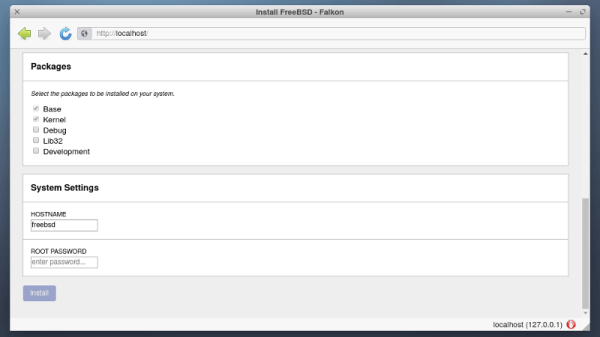
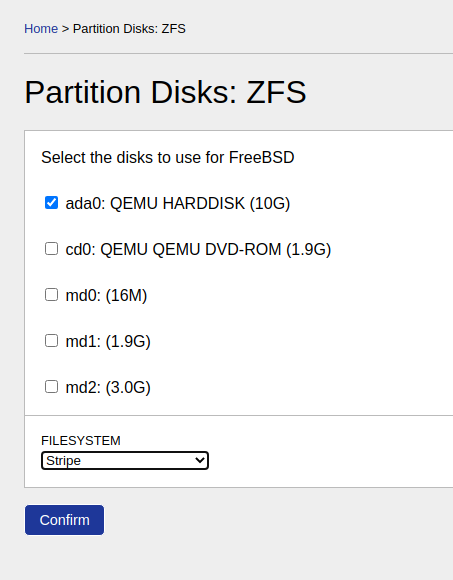
Among the long list of projects detailed in FreeBSD’s April to June 2021 Status Report is a brief update on an experimental installer developed by [Yang Zhong]. In an effort to make the installation of FreeBSD a bit more user friendly, the new installer does away with the classic terminal interface and fully embraces the modern web-centric design paradigm. Once the user has booted into the live OS, they simply need to point the browser to the loopback address at any time to access the installer’s GUI.

Now that alone wouldn’t be particularly groundbreaking. After all, Google has implemented an entire operating system with web frameworks in Chrome OS, so is making the installer a web app really that much of a stretch? But what makes [Yang]’s installer so interesting is that the web interface isn’t limited to just the local machine, it can be accessed by any browser on the network.

That means you can put the install disc for FreeBSD into a headless machine on your network, and use the browser on your laptop or even smartphone to access the installer. The Graybeards will point out that savvy users have always been able to access the text installer from another computer over SSH, but even the most staunch Luddite has to admit that simply opening a browser on whatever device you have handy and pointing it to the target machine’s IP address is a big usability improvement.

While the software appears complete enough to get through a basic installation, we should remind readers these are still early days. There’s currently no authentication in place, so once you’re booted into the live environment, anyone on the network can format your drives and start the install process.

Some sections of the GUI aren’t fully functional either, with the occasional note from [Yang] popping up to explain what does and doesn’t work. For example, the manual network configuration panel currently only works with WiFi interfaces, as that’s all he personally has to test with. Quite a modern installer, indeed.

Some would argue that part of what makes alternative operating systems like Linux and BSD appealing is the fact that they can happily run on older hardware, so we imagine the idea of an installer using a memory-hungry web browser to present its interface won’t go over well with many users. In our testing, the experimental installer ISO won’t even boot unless it detected at least 4 GB of RAM onboard. But it’s certainly an interesting experiment, and something to keep an eye on as it matures.

[Thanks to Michael for the tip.]

ESP8266 Network Meters Show Off Unique Software

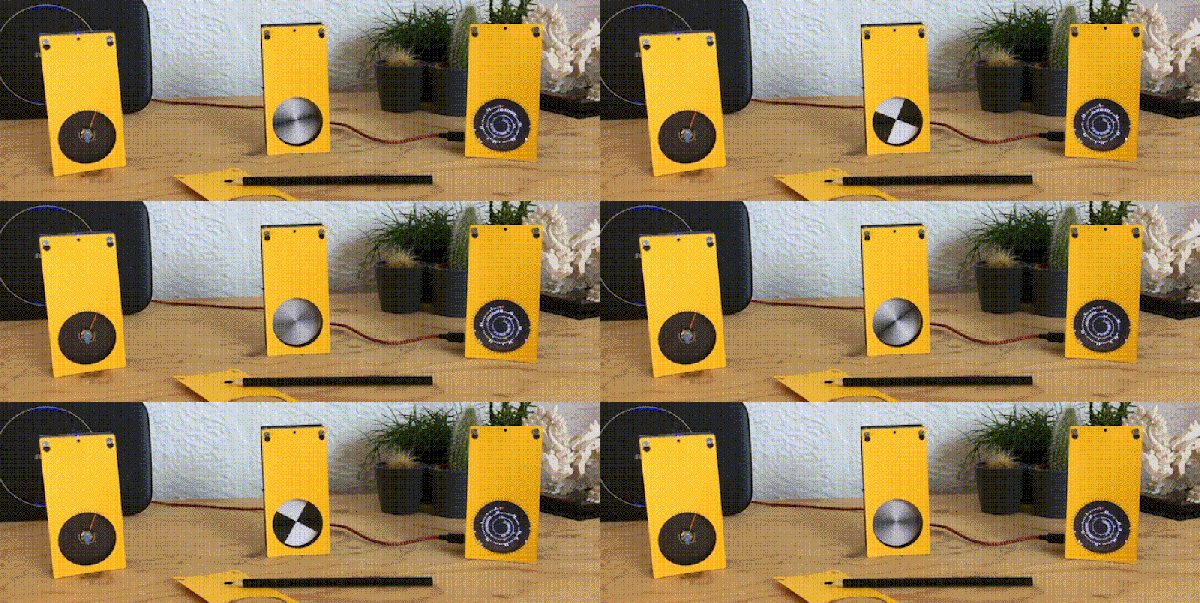
Like the “Three Seashells” in Demolition Man, this trio of bright yellow network monitors created by [David Chatting] might be difficult to wrap your head around at first glance. They don’t have any obvious controls, and their constantly moving indicators are abstract to say the least. But once you understand how to read them, and learn about the unique software libraries he’s developed to make them work, we’re willing to bet you’ll want to add something similar to your own network.

First-time configuration of the monitors is accomplished through the Yo-Yo WiFi Manager library. It’s a captive portal system, not unlike the popular WiFiManager library, but in this case it has the ability to push the network configuration out to multiple devices at once. This MIT-licensed library, which [David] has been developing with [Mike Vanis] and [Andy Sheen], should be very helpful for anyone looking to bring multiple sensors online quickly.

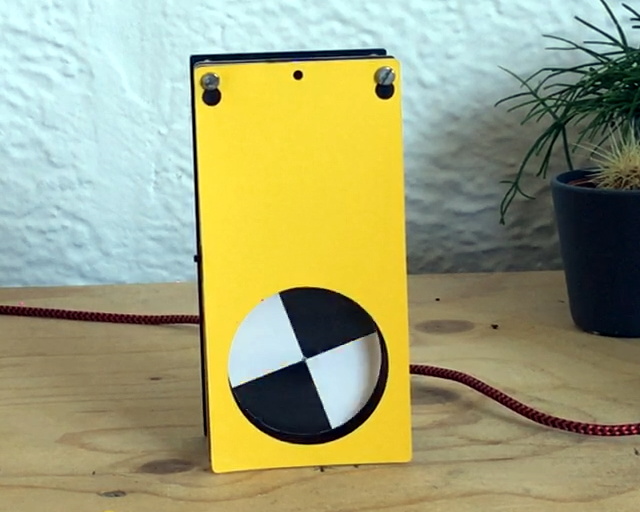
The Device Wheel

We’re also very interested in what [David] calls the Approximate library. This allows an ESP8266 or ESP32 to use WiFi signal strength to determine when its been brought in close proximity to particular device, and from there, determine its IP and MAC address. In this project, it’s used to pair the “Device Wheel” monitor with its intended target.

Once locked on, the monitor’s black and white wheel will spin when it detects traffic from the paired device. We think this library could have some very interesting applications in the home automation space. For example, it would allow a handheld remote to control whatever device the user happens to be closest to at the time.

Whether you follow along with the instructions and duplicate the meters as-is, or simply use the open source libraries that power them in your own project, we think [David] has provided the community with quite a gift in these unique gadgets.

Building An Army Of Faux Cameras In The Name Of Art

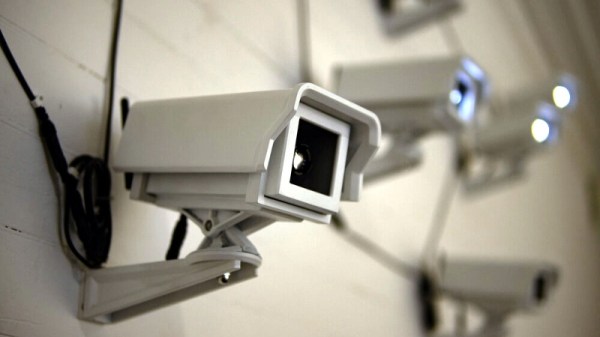
After taking mental note of the number of surveillance cameras pointed at him while standing in line at the local Home Depot, [Mac Pierce] was inspired to create A Scanner Darkly. The art installation uses beams of light projected by mock security cameras to create a dot-matrix character display on the opposing wall, which slowly blinks out US surveillance laws and regulations.

[Mac] has put together an extensive behind the scenes look at how he created A Scanner Darkly, which among other things covers the incredible time and effort that went into producing the fifteen identical cameras used to project the 3×5 grid. Early on he decided on 3D printing each one, as it would give him complete control over the final result. But given their considerable size, it ended up taking 230 hours and 12 kilograms of PLA filament to print out all the parts. It took a further 55 hours to sand and paint the camera housings, to make sure they didn’t actually look like they’d been 3D printed.

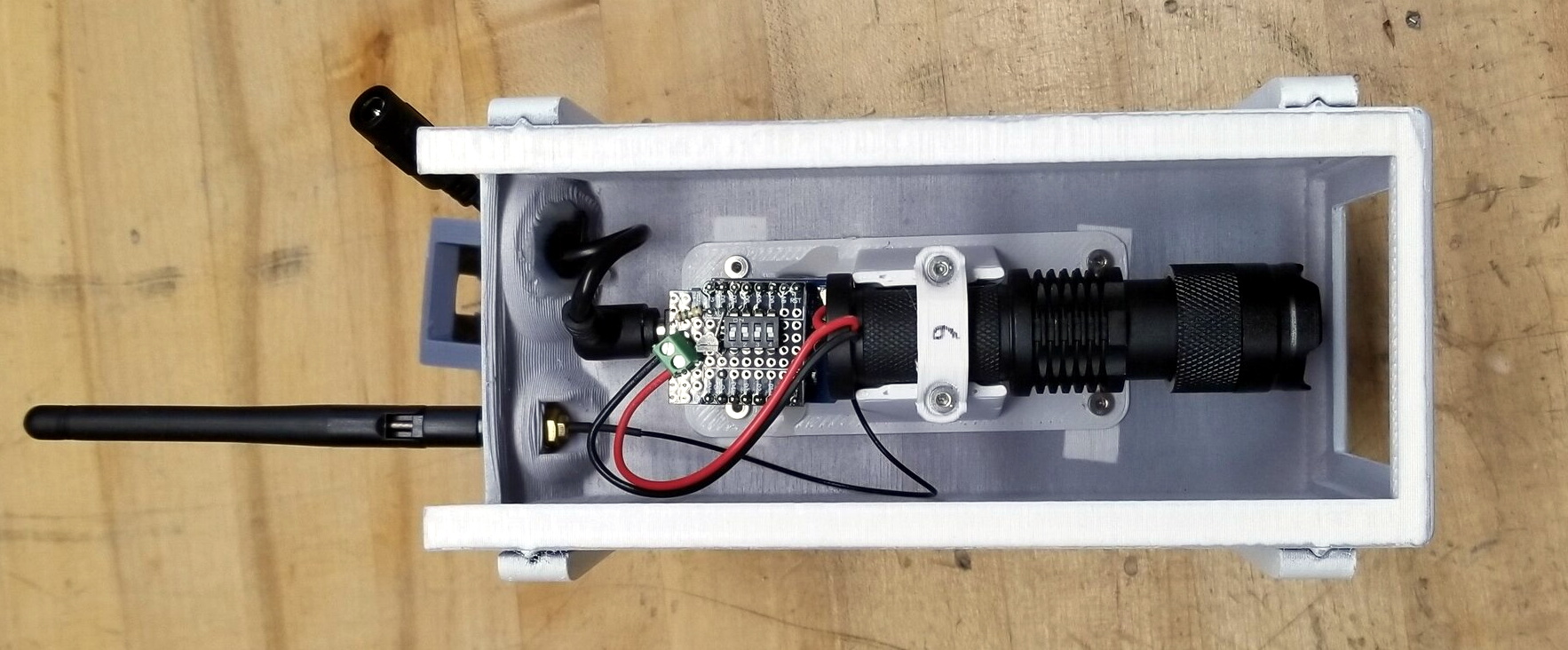
Internally, each camera has an off-the-shelf LED flashlight that’s had its power button rigged up to an ESP8266. Once they’ve been manually pointed to the appropriate spot on the wall, [Mac] can turn each camera’s spotlight on and off over WiFi. Rather than rely on the gallery’s infrastructure, all of the cameras connect to the ESP32 M5Stack that serves as the central controller via ESP-Now.

From there, it was just a matter of writing some code that would load a text document from the SD card, convert the current character into a 3×5 array, and then command the appropriate cameras to turn their lights on or off. [Mac] has not only provided the STL files for the 3D printed camera, but the client and server Arduino code to control the lights. Combined with his excellent documentation, this makes A Scanner Darkly something of a viral art piece; as anyone with the time and appropriate tools can either duplicate the installation or use it as a base for something new.

While some will no doubt argue that [Mac] could have completed this project far faster had he just modified some commercial dummy cameras, it’s important to remember that as an artist, he had a very specific look in mind for A Scanner Darkly. This project is a perfect example of how a creator’s passion can take an idea to new heights, and we think the end result proves it’s worth the time and sweat to put in the extra effort.

Continue reading “Building An Army Of Faux Cameras In The Name Of Art”

Improving OLED VU Meters With A Little Physics

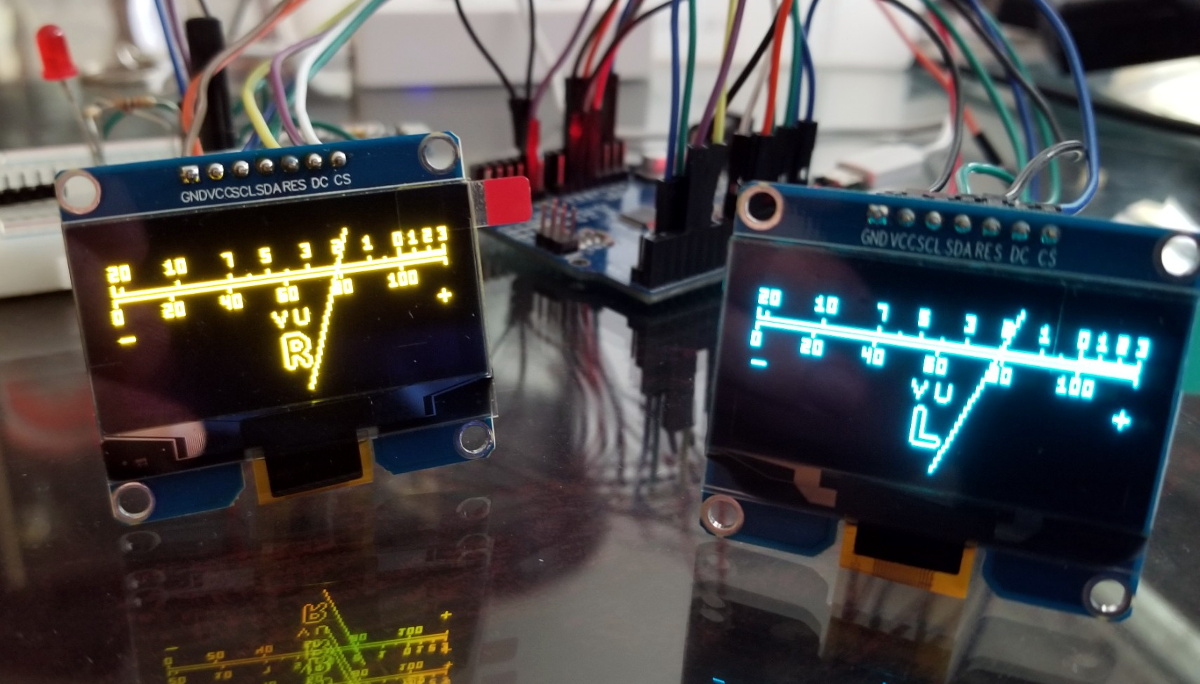
Last month we featured a project that aimed to recreate the iconic mechanical VU meter with an Arduino and a common OLED display. It was cheap and easy to implement, and promised to bring a little retro style to your otherwise thoroughly modern project.

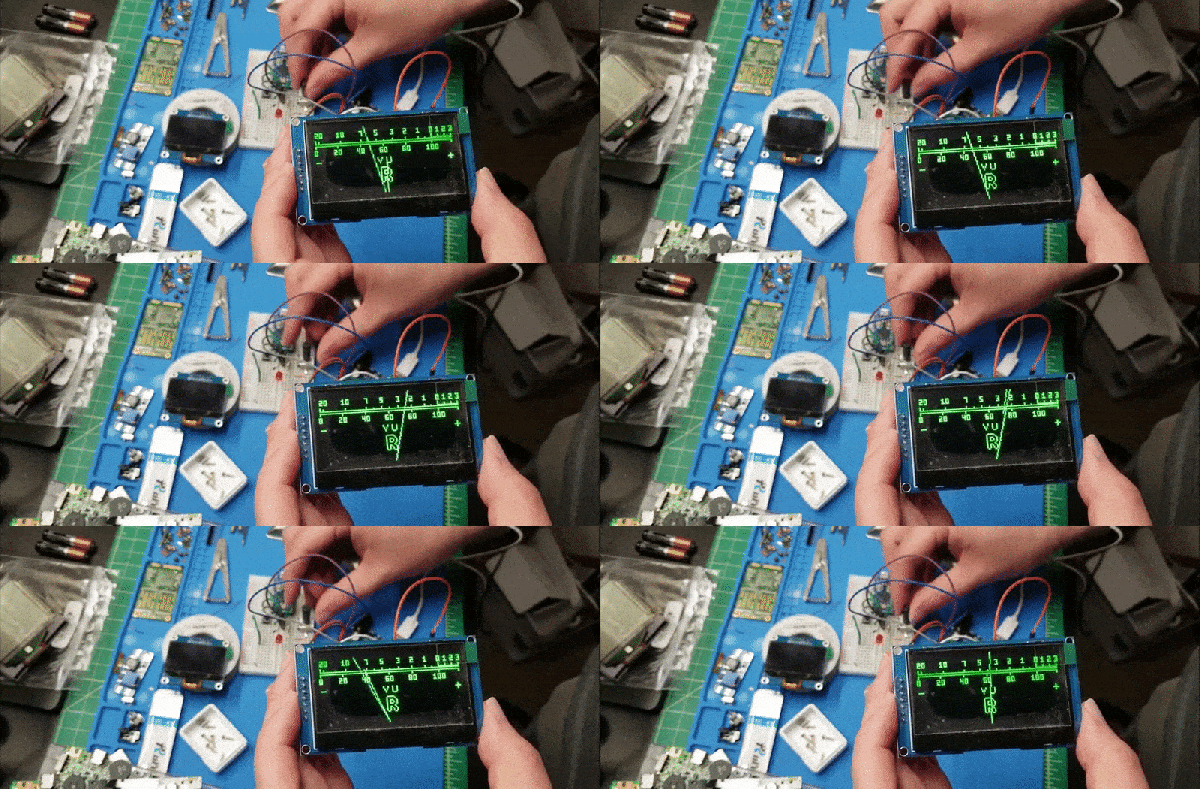
[sjm4306] liked the idea, but thought it was a tad too stiff. So he’s been experimenting with adding some physics to the meter’s virtual needle to better approximate the distinctive lag and overshoot that’s part and parcel of analog indicators. Obviously it’s something that can only be appreciated in motion, so check out the video below for an up-close look at his quasi-retro indicator.

Unfortunately there’s no code for you to play with right now, but [sjm4306] says he’ll release it on the project’s Hackaday.IO page once he’s cleaned things up a bit. We know it will take more than a few wiggling pixels to pry real analog indicators out of some hacker’s tool boxes, but anything that helps improve the digital approximation of this sort of vintage hardware is a win in our book. Continue reading “Improving OLED VU Meters With A Little Physics”