Hey Google, Is My Heart Still Beating?

University of Washington researchers studying the potential medical use of smart speakers such as Amazon’s Echo and Google’s Nest have recently released a paper detailing their experiments with non-contact acoustic heartbeat detection. Thanks to their sensitive microphone arrays, normally used to help localize voice commands from the user, the team proposes these affordable and increasingly popular smart home gadgets could lead a double life as unobtrusive life sign monitors. The paper goes so far as to say that even with multiple people in the room, their technique can be used to monitor the heart and respiratory rate of a specific target individual.

Those are some bold claims, but they aren’t without precedent. Previous studies performed at UW in 2019 demonstrated how smart speaker technology could be used to detect cardiac arrest and monitor infant breathing. This latest paper could be seen as the culmination of those earlier experiments: a single piece of software that could not just monitor the vitals of nearby patients, but actually detect a medical emergency. The lifesaving potential of such a program, especially for the very young and elderly, would be incredible.

So when will you be able to install a heart monitor skill on the cheap Echo Dot you picked up on Prime Day? Well, as is often the case with this kind of research, putting the technique to work in the real-world isn’t nearly as easy as in the laboratory. While the concept is promising and is more than worthy of further research, it may be some time before our lowly smart speakers are capable of Star Trek style life-sign detection.

Continue reading “Hey Google, Is My Heart Still Beating?”

Machine Learning Current Sensor Snoops On MCUs

Anyone who’s ever tried their hand at reverse engineering a piece of hardware has wished there was some kind of magic wand you could tap on a PCB to understand what its doing and why. We imagine that’s what put security researcher [Mark C] on the path to developing CurrentSense-TinyML, a fascinating proof of concept that uses machine learning and sensitive current measurements to try and determine what a microcontroller is up to.

Energy consumption as the LED blinks.

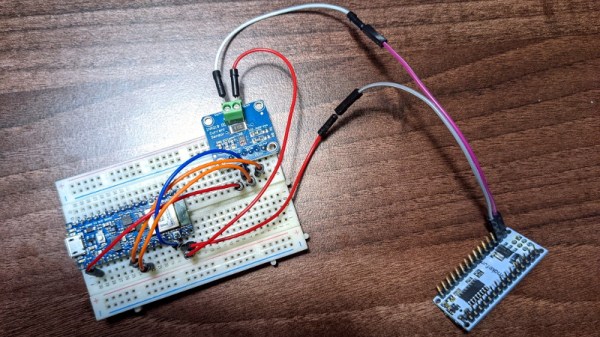
The idea is simple enough: just place a INA219 current sensor between the power supply and the microcontroller under observation, and record the resulting measurements as it goes about its business. Of course in this case, [Mark] knew what the target Arduino Nano was doing because he wrote the code that blinks its onboard LED.

This allowed him to create training data for TensorFlow, which was ultimately optimized into a model that could fit onto the Arduino Nano 33 BLE Sense which stands in for our magic wand. The end result is that the model can accurately predict when the Nano has fired up its LED based on the amount of power it’s using. [Mark] has done a fantastic job of documenting the whole process, which also doubles as a great intro for putting machine learning to work on a microcontroller.

Now we already know what you’re thinking: obviously the current would go up when the LED was lit, so the machine learning aspect is completely unnecessary. That may be true in this limited context, but remember, this is just a proof of concept to base further work on. In the future, with more training data, this technique could potentially be used to identify a whole range of nuanced activities. You’d be able to see when the MCU was sitting idle, when it was writing to flash, or when it was reading from sensors. In fact, with a good enough model, it might even be possible to identify the individual sensors that are being polled.

These are early days, but we’re very interested in seeing where this research goes. It might not be magic, but if analyzing the current draw of a coffee maker can tell you how much everyone in the office is drinking, then maybe it can help us figure out what all these unlabeled ICs are doing.

A Crash Course On Sniffing Bluetooth Low Energy

Bluetooth Low Energy (BLE) is everywhere these days. If you fire up a scanner on your phone and walk around the neighborhood, we’d be willing to bet you’d pick up dozens if not hundreds of devices. By extension, from fitness bands to light bulbs, it’s equally likely that you’re going to want to talk to some of these BLE gadgets at some point. But how?

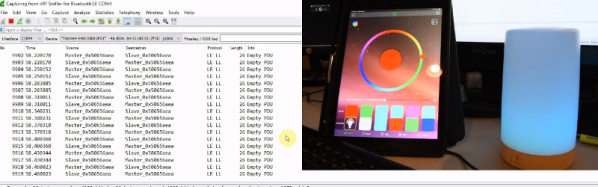
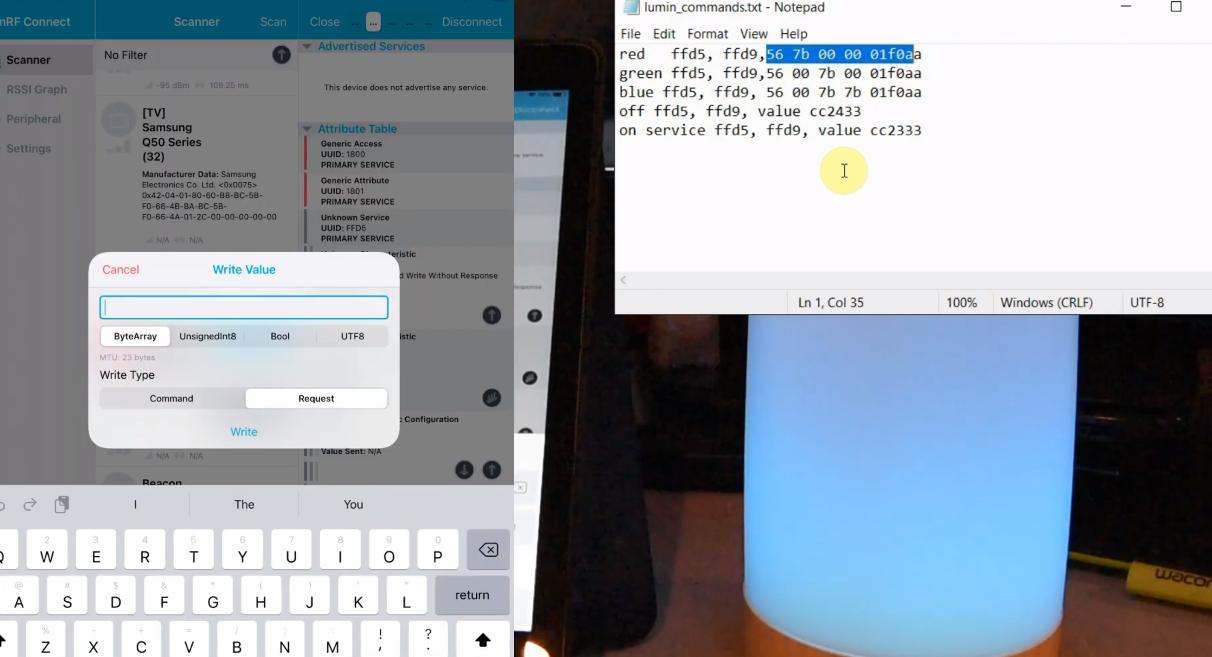
Well, watching this three part video series from [Stuart Patterson] would be a good start. He covers how to get a cheap nRF52480 BLE dongle configured for sniffing, pulling the packets out of the air with Wireshark, and perhaps most crucially, how to duplicate the commands coming from a device’s companion application on the ESP32.

Testing out the sniffed commands.

The first video in the series is focused on getting a Windows box setup for BLE sniffing, so readers who aren’t currently living under Microsoft’s boot heel may want to skip ahead to the second installment. That’s where things really start heating up, as [Stuart] demonstrates how you can intercept commands being sent to the target device.

It’s worth noting that little attempt is made to actually decode what the commands mean. In this particular application, it’s enough to simply replay the commands using the ESP32’s BLE hardware, which is explained in the third video. Obviously this technique might not work on more advanced devices, but it should still give you a solid base to work from.

In the end, [Stuart] takes an LED lamp that could only be controlled with a smartphone application and turns it into something he can talk to on his own terms. Once the ESP32 can send commands to the lamp, it only takes a bit more code to spin up a web interface or REST API so you can control the device from your computer or other gadget on the network. While naturally the finer points will differ, this same overall workflow should allow you to get control of whatever BLE gizmo you’ve got your eye on.

Continue reading “A Crash Course On Sniffing Bluetooth Low Energy”

Amazon Echo Gets Open Source Brain Transplant

There’s little debate that Amazon’s Alexa ecosystem makes it easy to add voice control to your smart home, but not everyone is thrilled with how it works. The fact that all of your commands are bounced off of Amazon’s servers instead of staying internal to the network is an absolute no-go for the more privacy minded among us, and honestly, it’s hard to blame them. The whole thing is pretty creepy when you think about it.

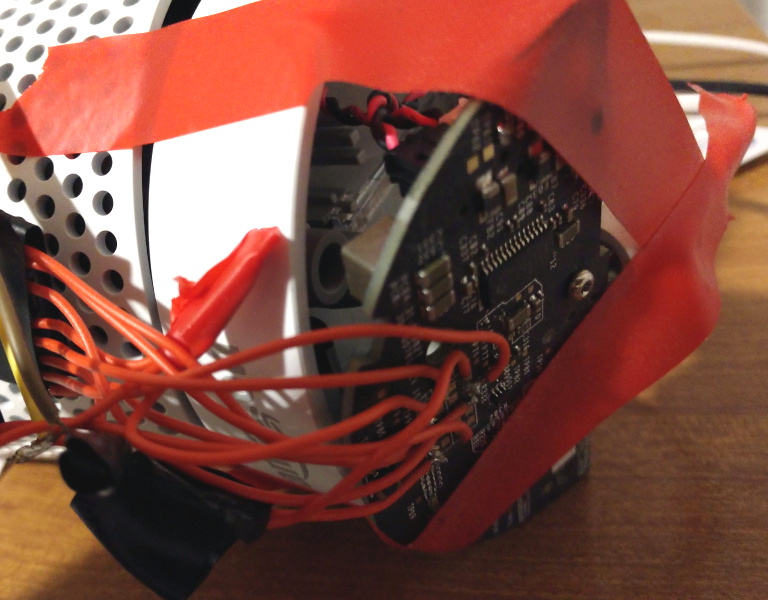
Which is precisely why [André Hentschel] decided to look into replacing the firmware on his Amazon Echo with an open source alternative. The Linux-powered first generation Echo had been rooted years before thanks to the diagnostic port on the bottom of the device, and there were even a few firmware images floating around out there that he could poke around in. In theory, all he had to do was remove anything that called back to the Amazon servers and replace the proprietary bits with comparable free software libraries and tools.

Taping into the Echo’s debug port.

Of course, it ended up being a little trickier than that. The original Echo is running on a 2.6.x series Linux kernel, which even for a device released in 2014, is painfully outdated. With its similarly archaic version of glibc, newer Linux software would refuse to run. [André] found that building an up-to-date filesystem image for the Echo wasn’t a problem, but getting the niche device’s hardware working on a more modern kernel was another story.

He eventually got the microphone array working, but not the onboard digital signal processor (DSP). Without the DSP, the age of the Echo’s hardware really started to show, and it was clear the seven year old smart speaker would need some help to get the job done.

The solution [André] came up with is not unlike how the device worked originally: the Echo performs wake word detection locally, but then offloads the actual speech processing to a more powerful computer. Except in this case, the other computer is on the same network and not hidden away in Amazon’s cloud. The Porcupine project provides the wake word detection, speech samples are broken down into actionable intents with voice2json, and the responses are delivered by the venerable eSpeak speech synthesizer.

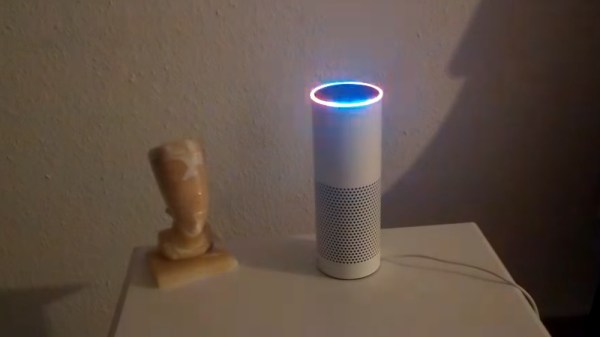
As you can see in the video below the overall experience is pretty similar to stock, complete with fancy LED ring action. In fact, since Porcupine allows for multiple wake words, you could even argue that the usability has been improved. While [André] says adding support for Mycroft would be a logical expansion, his immediate goal is to get everything documented and available on the project’s GitLab repository so others can start experimenting for themselves.

Continue reading “Amazon Echo Gets Open Source Brain Transplant”

The Devil Is In The Details For This Open Air Laser

Normally, we think of lasers as pretty complex and fairly intimidating devices: big glass tubes filled with gas, carefully aligned mirrors, cooling water to keep the whole thing from melting itself, that sort of thing. Let’s not even get started on the black magic happening inside of a solid state laser. But as [Jay Bowles] shows in his latest Plasma Channel video, building a laser from scratch isn’t actually as difficult as you might think. Though it’s certainly not easy, either.

The transversely excited atmospheric (TEA) laser in question uses high voltage passed across a a pair of parallel electrodes to excite the nitrogen in the air at standard atmospheric pressure, so there’s no need for a tube and you don’t have to pull a vacuum. The setup shakes so many UV photons out of the nitrogen that it doesn’t even need any mirrors. In fact, you should be able to get almost all the parts for a TEA laser from the hardware store. For example, the hexagonal electrodes [Jay] ends up using are actually 8 mm hex keys with the ends cut off.

Continue reading “The Devil Is In The Details For This Open Air Laser”

PlayStation Unlocked With New Software Hack

The original PlayStation might be pushing 30 years old now, but that doesn’t mean hackers have given up on chipping away at it. A new exploit released by [Marcos Del Sol Vives] allows users to run copied games on all but the earliest hardware revisions of this classic console, and all you need to trigger it is a copy of Tony Hawk’s Pro Skater 2.

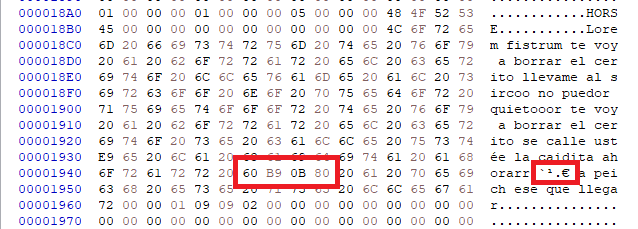
Aptly named tonyhax, this exploit uses a classic buffer overflow found in the “Create Skater” mode in Tony Hawk 2, 3, and 4. When the game sees a custom character saved on the memory card it will automatically load the name field to show it on the screen, but it turns out the developers didn’t think to check the length of the name before loading it. Thanks to this oversight, a long and carefully crafted name can be used to load an executable payload into the console’s memory.

The name contains the memory address of the payload.

That payload could be anything, such as a homebrew game, but in this case [Marcos] went all in and developed a simple tool that unlocks the console’s optical drive so it will play games burned to CD-Rs. Once the tonyhax exploit has been loaded, you simply swap the authentic Tony Hawk disc for whatever burned title you want to play. So far every game tested has worked, even those that span across multiple discs.

[Marcos] is providing not only the save files ready to load on your PlayStation memory card (either through a PC tool, or with the help of a hacked PS2), as well as the complete source code for tonyhax. This opens the door to the exploit being used to load other tools, emulators, and indie games, but as the PlayStation homebrew scene is relatively limited when compared to newer consoles, the demand might be limited.

Compared to the traditional physical modifications used to play copied games on the PlayStation, this new software approach is far more accessible. Expect to see memory cards with this exploit preinstalled hit your favorite import site in the very near future.

Continue reading “PlayStation Unlocked With New Software Hack”

Resilient AI Drone Packs It All In Under 250 Grams

When it was first announced that limits would be placed on recreational RC aircraft heavier than 250 grams, many assumed the new rules meant an end to home built quadcopters. But manufacturers rose to the challenge, and started developing incredibly small and lightweight versions of their hardware. Today, building and flying ultra-lightweight quadcopters with first person view (FPV) cameras has become a dedicated hobby onto itself.

But as impressive as those featherweight flyers might be, the CogniFly Project is really pushing what we thought was possible in this weight class. Designed as a platform for experimenting with artificially intelligent drones, this open source quadcopter is packing a Raspberry Pi Zero and Google’s AIY Vision Kit so it can perform computationally complex tasks such as image recognition while airborne. In case any of those experiments take an unexpected turn, it’s also been enclosed in a unique flexible frame that makes it exceptionally resilient to crash damage. As you can see in the video after the break, even after flying directly into a wall, the CogniFly can continue on its way as if nothing ever happened.

Continue reading “Resilient AI Drone Packs It All In Under 250 Grams”