Teaching A Pocket Logic Analyzer (Many) New Tricks

A few years ago, low-cost pocket digital oscilloscopes aimed at the hacker and maker crowd started hitting the market and gained quite a following. While few would consider them to be a replacement for a proper bench scope, they’re cheap and convenient enough that it’s hard to complain. Manufacturers are apparently looking to expand on the concept, as we’re now seeing similarly priced and sized logic analyzers pop up from the usual sources.

[Gabriel Valky] got his hands on a sub-$100 USD model known as the LA104, and decided that the stock software didn’t quite deliver. So he started a project to create a new open source firmware for the affordable gadget that greatly expands its core functionalities. The code has even been ported to a few of those digital oscilloscopes, as it turns out (perhaps unsurprisingly) that they aren’t too far removed internally.

Controlling addressable LEDs with the LA104.

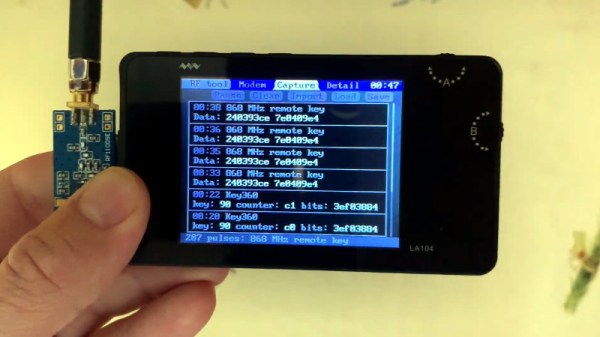
In the video after the break, [Gabriel] shows off some impressive radio tricks by adding a small CC1101 transceiver to the mix. This allows his modified LA104 to scan for and decode popular RF protocols in the 300 – 900 MHz range. His software even allows for the received packets to be modified and re-transmitted, which he demonstrates by pushing a fake temperature signal into a wireless weather station.

But that’s just the beginning. A perusal of the GitHub page for his replacement firmware shows just how many features have already been packed into this project. For example it can be used to control WS2812 LED strips, generate arbitrary PWM signals, log data from temperature sensors, interface with MIDI devices, and scan for I2C devices. Many of these functions can be controlled on the computer by utilizing a modern browser and WebUSB.

The replacement firmware that [Gabriel] has come up with for the LA104 is really an incredible accomplishment, and elevates an already intriguing piece of kit. Being able to pack all of these functions into something small and cheap enough you can toss into a bag is a very compelling prospect for hackers on the go.

Continue reading “Teaching A Pocket Logic Analyzer (Many) New Tricks”

Raspberry Pi Helps Racer Master The Track

Looking to give himself a competitive edge, racer [Douglas Hedges] wanted to come up with a system that could give him real-time feedback on how his current performance compared to his previous fastest lap time. Armed with a Raspberry Pi and some Python libraries, he set out to add a simple telemetry system to his car. But as is often the case with these kind of projects, things just started snowballing from there.

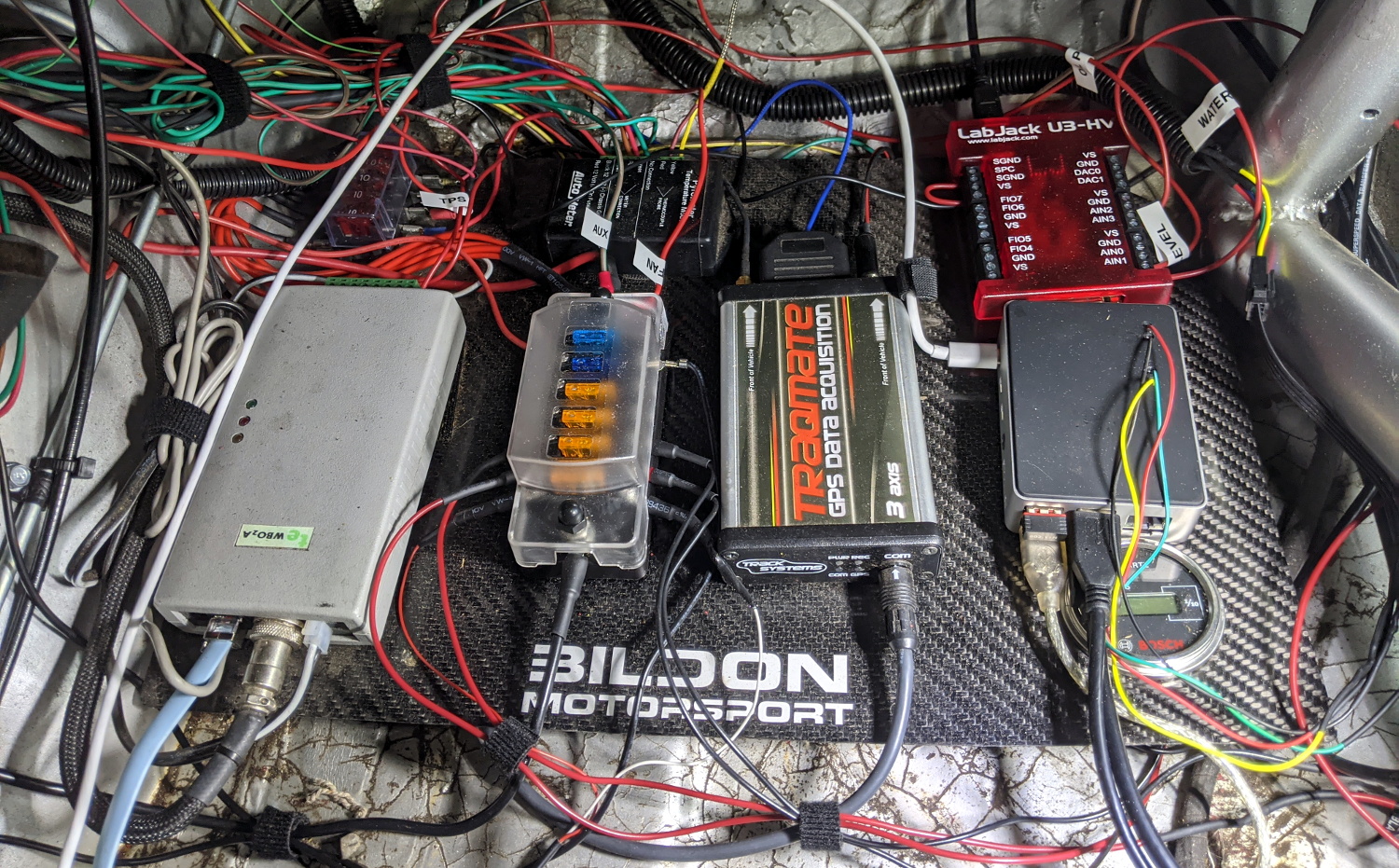
The Raspberry Pi based data acquisition system.

At the most basic level, his system uses GPS position and speed information to light up a strip of RGB LEDs on the dashboard: green means he’s going faster than the previous best lap, and red means he isn’t. Any interface more complex than that would just be a distraction while he focuses on the track. But that doesn’t mean the Raspberry Pi can’t collect data for future review after the race is over.

With the basic functionality in place, [Douglas] turned his attention to collecting engine performance data. It turned out the car already had some pre-existing equipment for collecting metrics such as the air-fuel ratio and RPM, which he was able to connect to the Raspberry Pi thanks to its use of a well documented protocol. On top of that he added a Labjack U3 data acquisition system which let him pull in additional information like throttle position and coolant temperature. Grafana is used to visualize all of this data after the race, though it sounds like he’s also considering adding a cellular data connection vehicle data can be streamed out in real-time.

In the past we’ve seen onboard data collection systems make real-world races look more like their virtual counterparts, but it seems like the solution [Douglas] has come up with is more practical in the heat of the moment.

Continue reading “Raspberry Pi Helps Racer Master The Track”

3D Printed Video Terminal Dials C For Cyberpunk

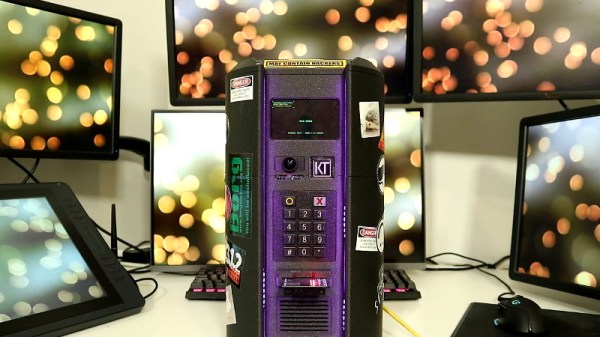
Created for the Disobey 2020 hacker conference in Finland, this Blade Runner inspired communications terminal isn’t just for decoration. It was part of an interactive game that required attendees to physically connect their conference badges up and “call” different characters with the functional keypad on the front of the unit.

[Purkkaviritys] was in charge of designing the 3D printed enclosure for the device, which he says takes an entire 2 kg roll of filament to print out. Unfortunately he wasn’t as involved in the electronics side of things, so we don’t have a whole lot of information about the internals beyond the fact that its powered by a Raspberry Pi 4, features a HyperPixel 4.0 display, and uses power over Ethernet so it could be easily set up at the con with just a single cable run.

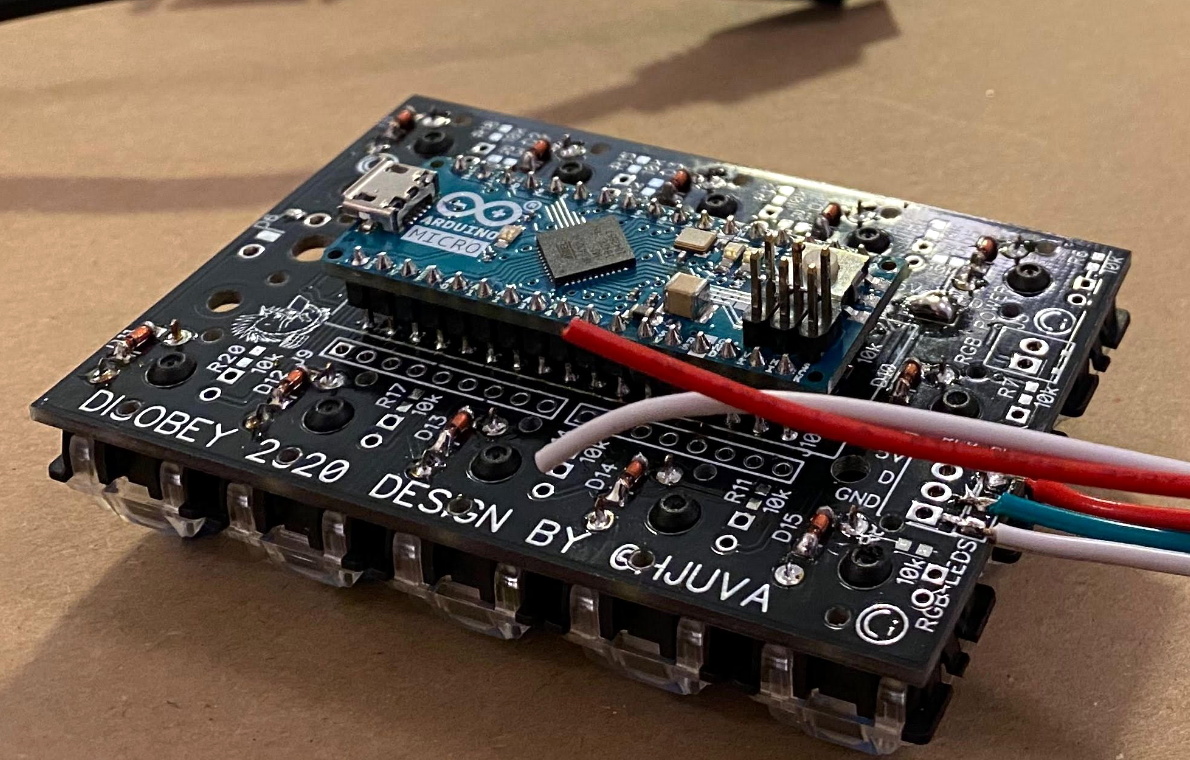
A look at the custom keypad PCB.

The keypad is a custom input device using the Arduino Micro and Cherry MX Blue switches with 3D printed keycaps to get that chunky payphone look and feel. [Purkkaviritys] mentions that the keypad is also responsible for controlling the RGB LED strips built into the sides of the terminal, and that the Raspberry Pi toggles the status of the Caps, Scroll Lock, and Num Lock keys to select the different lighting patterns.

Naturally we’d like to see more info on how this beauty was put together, but given that it was built for such a specific purpose, it’s not like you’d really need to duplicate the original configuration anyway. Thanks to [Purkkaviritys] you have the STL files to print off our own copy of the gloriously cyberpunk enclosure, all you’ve got to do now is figure out how to make video calls with it.

Continue reading “3D Printed Video Terminal Dials C For Cyberpunk”

Sliding Screen Has Wheels, Will Travel

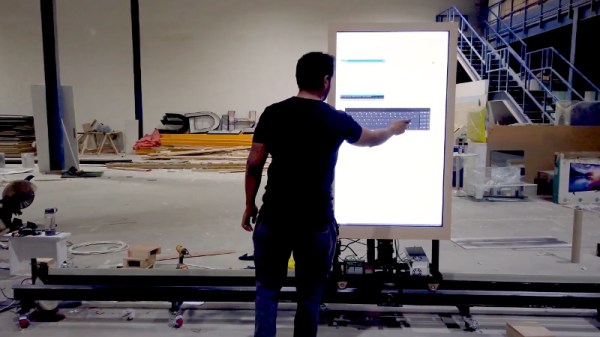
For a recent event, [MakerMan] was tasked with creating an interactive display that could move back and forth along an image of the Moscow skyline to highlight different points of interest. The end result is certainly gorgeous, but since this is Hackaday, we were more excited to see all the behind the scenes video of how it was built.

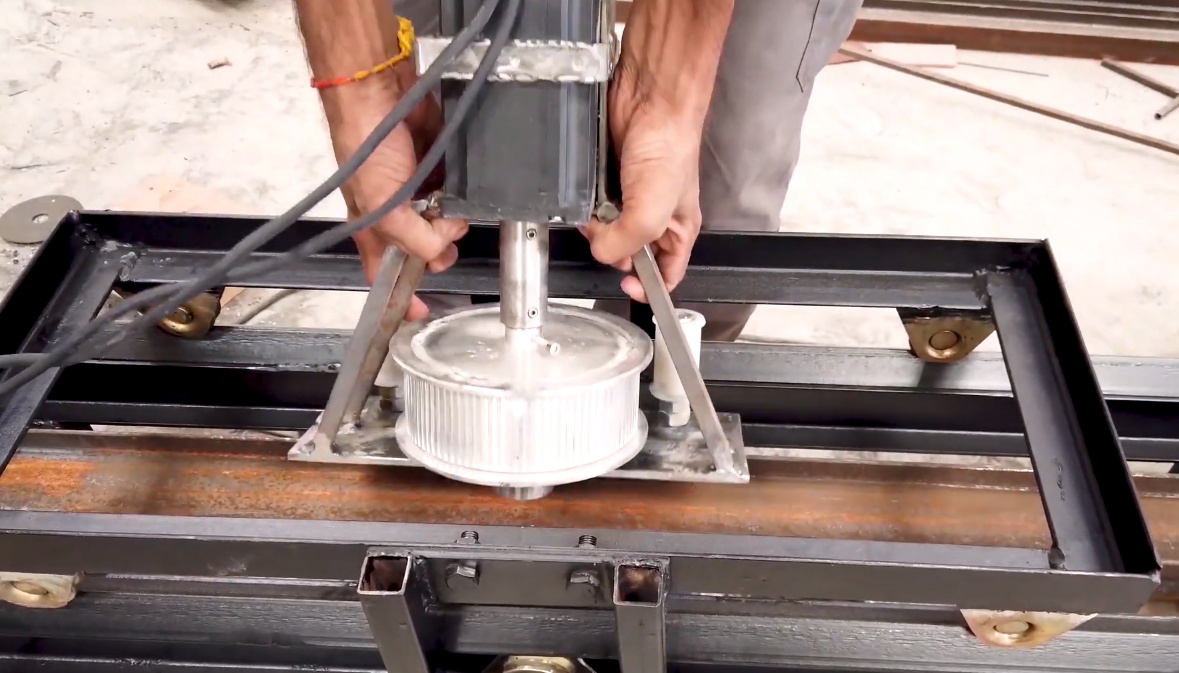
As with many of his projects, this one started with little more than scrap parts. Two metal I-beams were welded together to make a track, and a wheeled cart was fashioned to ride on it. Using a belt and pulley system that’s not unlike a scaled up version of what you might see on a desktop 3D printer, the motor in the cart is able to move the arrangement back and forth with minimal slop.

Installing the motor and pulley in the cart.

The cart actually holds all of the electronics in the project, including the power supplies, MA860H motor controller, a pair of endstop switches, and the Arduino that pulls it all together. A drag chain is used to keep the wires tight to the side of the rail without getting tangled up in anything.

[MakerMan] doesn’t explain much of the software side of this one, though we suppose he might only have been contracted to develop the hardware. But towards the end of the video you can see how the cart, now with large touch screen display mounted on top, moves back and forth when the appropriate commands are sent to the Arduino.

We’re not really sure what application such a contraption would have for the average hacker, but that doesn’t mean we can’t be jealous. There’s just something about huge illuminated screens that just speaks to us.

Continue reading “Sliding Screen Has Wheels, Will Travel”

Teardown: BlackBerry Smart Card Reader

Years before Steve Jobs showed off the first iPhone, the BlackBerry was already the must-have accessory for mobile professionals. Back then, nobody was worried about watching movies or playing the latest games on their mobile devices, they just wanted a secure and fast way to send and receive email on the go. For that, the BlackBerry was king.

Fast forward to today, and the company is just a shell of what it once was. They don’t even bother making their own hardware anymore. Over the last several years they’ve opted to partner with a series of increasingly obscure manufacturers to produce a handful of lackluster Android phones so they still have something to sell to their dwindling userbase. Anyone excited about the new 5G BlackBerry being built by Texas start-up OnwardMobility? Did you even know it was in the works before now?

A DoD Common Access Card

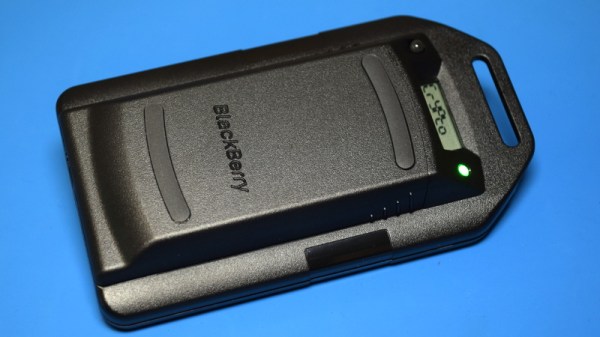
But this article isn’t about BlackBerry phones. It’s about something that’s even more irrelevant to consumers: the BlackBerry Smart Card Reader. Technically, this little device isn’t dependent on the phones of the same name, but it makes sense that Research In Motion (which eventually just renamed itself to BlackBerry Limited) would market the gadget under the brand of their most popular product. Though as you might expect, software was available to allow it to work with the BlackBerry phone that you almost certainly owned if you needed a dedicated smart card reader.

For those who might not be aware, a smart card in this context is a two-factor authentication token contained in an ID card. These are used extensively by organizations such as the Department of Defense, where they’re known as Common Access Cards, that require you to insert your ID card into a reader before you can log into a secure computer system. This sleek device was marketed as a portable reader that could connect to computers over USB or Bluetooth. Worn around your neck with the included lanyard, the battery-powered reader allowed the card itself to remain on the user’s body while still being readable by nearby devices.

Civilians will recognize the basic technology from modern “Chip and PIN” debit and credit cards, but we’ve never had to stick one of those into our laptop just to log in. To be sure, the BlackBerry Smart Card Reader was never intended for the average home computer user, it was sold to companies and organizations that had tight security requirements; which just so happened to be the same places that would likely already be using BlackBerry mobile devices.

Of course, times and technology change. These devices once cost $200 apiece and were purchased in vast quantities for distribution to trusted personnel, but are now all but worthless. Even in new and unopened condition, they can be had for as little as $10 USD on eBay. For that price, it’s certainly worth taking a peek inside. Perhaps the hacker community can even find new applications for these once cutting-edge devices.

Continue reading “Teardown: BlackBerry Smart Card Reader”

Boot Sector Pong As A Crash Course In Assembly

Have you ever wanted to develop a playable game small enough to fit into a disk’s 512 byte boot sector? How about watching somebody develop a program in assembly for nearly two hours? If you answered yes to either of those questions, or ideally both of them, you’re going to love this project from [Queso Fuego].

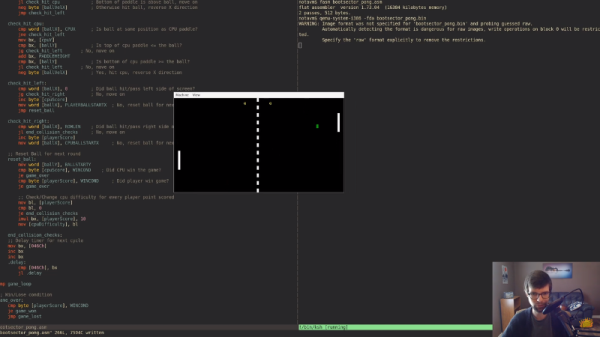
Whether you just want to check out the public domain source code or watch along as he literally starts from a blank file and codes every line for your viewing pleasure, chances are good that you’ll pick up a trick or two from this project. For example, he explains how all of the “graphics” in the game are done in 80 x 25 text mode simply by setting the background color of character cells without printing any text to them.

We really like the presentation in the video after the break, which was recorded over the course of multiple days, judging by the changing light levels in the background. As he types out each line of code, he explains what its function is and gives any background information necessary to explain how it will fit into the larger program. If you’ve ever wondered if you had what it takes to program in ASM, watching this video is a great way to decide.

[Queso Fuego] mentions that this project, and his research into this sort of low-level programming, came about due to the social distancing boredom that many of us are feeling. While we’re certainly not advocating for him to kept locked in his home permanently, with projects like this, you’ve got to admit it seems like a win for the rest of us.

Continue reading “Boot Sector Pong As A Crash Course In Assembly”

Orbital Tracking On The NES

It’s easy to dismiss the original Nintendo Entertainment System as just, well, an entertainment system. But in reality the 6502 based console wasn’t so far removed from early home computers like the Apple II and Commodore 64, and Nintendo even briefly flirted with creating software and accessories geared towards general purpose computing. Though in the end, Mario and friends obviously won out.

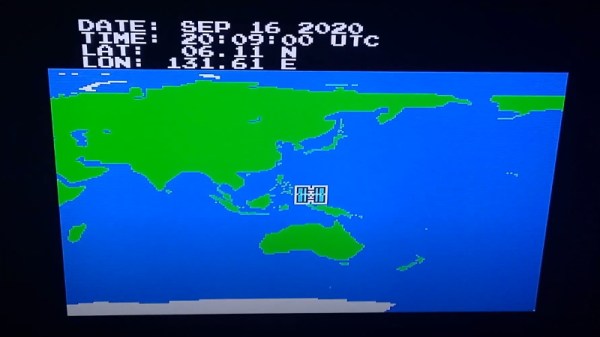
Still, we’re willing to bet that nobody at Nintendo ever imagined their plucky little game system would one day be used to track the course of a space station in low Earth orbit. But that’s precisely what [Vi Grey] has done with his latest project, which is part of his overall effort to demonstrate the unexpected capabilities of the iconic NES. While you’ll need a bit of extra hardware to run the program on a real console, there’s no fundamental trickery that would have kept some developer from doing this in 1985 if they’d wanted to.

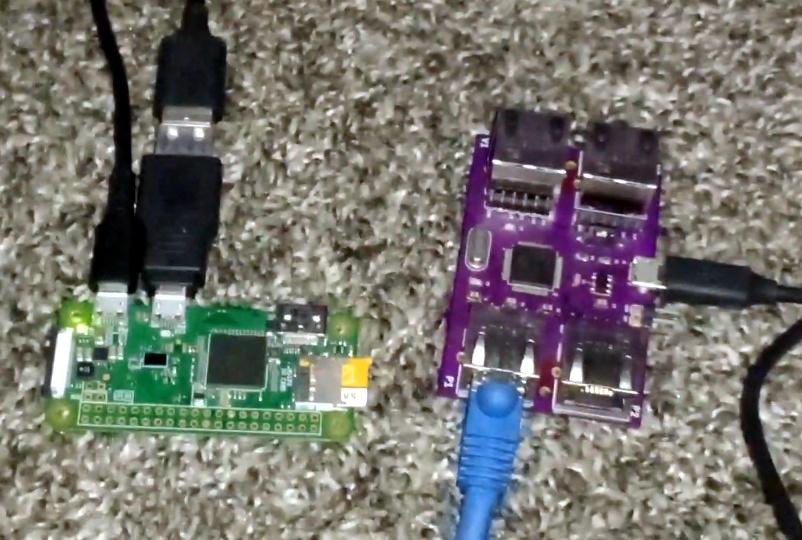
Raspberry Pi Zero and TAStm32

If you want to see your own 8-bit view of the International Space Station, the easiest way is with an emulator. In that case, [Vi] explains how you can load up his Lua script in Mesen or FCEUX to provide the ROM with the necessary tracking data from the Internet.

To run it on a real NES you’ll not only need some type of flash cart to get the ROM loaded, but also a TAStm32 board that’s used for tool-assisted speedruns. This allows the computer to essentially “type” the orbital data into the NES by emulating rapid controller button presses. That might seem like a tall order, but it’s important to note that neither device requires you to modify the original console; the code itself runs on a 100% stock NES.

If tracking spacecraft isn’t your thing, perhaps you’d be more interested in the some of the work [Vi] has previously done on the NES. We’re particularly fond of his polyglot ROM that is a ZIP file of its own source code.

Continue reading “Orbital Tracking On The NES”