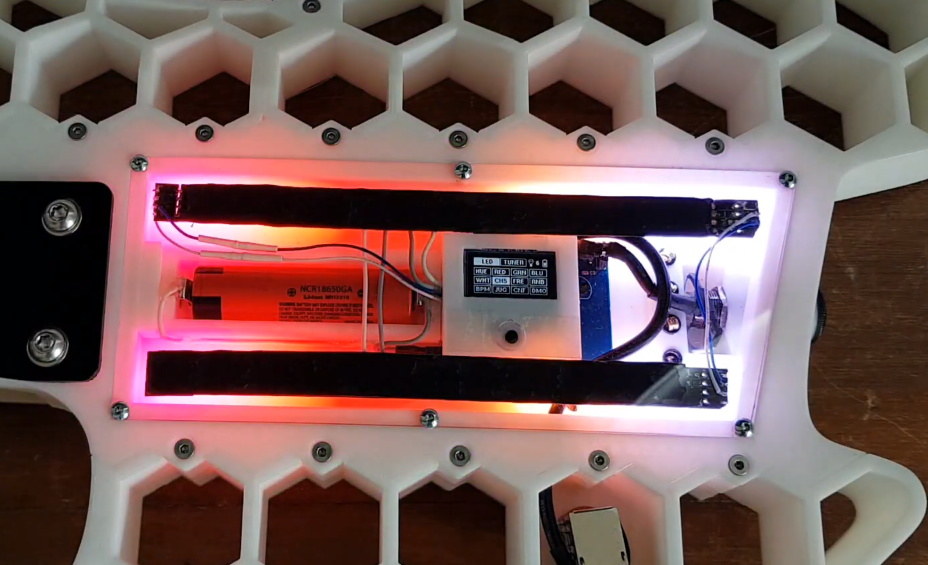
Heavy Metal Power Bank Uses Tool Batteries

At one time or another, most of us have seen a gadget for sale and thought we could build something similar for cheaper. Of course, we’re almost always wrong. Not about being able to build it, mind you. But when you add up the cost of the materials, the tool or two you almost inevitably end up buying, and the time spent chasing perfection, you’re lucky if you haven’t doubled the original price.

We’re not sure how much money [Taylor Hay] ended up saving by building his own portable power bank. But we do know it’s a gorgeous piece of hardware that’s certainly built far better than the average consumer gadget. The CNC-cut aluminum side panels look like something pulled out of a tank, and while we know some might balk at the 3D printed internal frame, we’re confident you could use this thing as an impromptu step stool without a problem.

Inside there’s 150 watt 240 VAC inverter, complete with a temperature-controlled fan to keep it cool under load. There are also four USB ports providing 2.1 A each, a standard 12 VDC accessory port, and a LED display that shows battery voltage and current being drawn. Rather than come up with his own battery pack, [Taylor] used a 3D printed interface that accepts an 18 V Milwaukee cordless tool battery. Naturally, the design could be adapted to take another brand’s cells if you were so inclined.

Around these parts, we know that a good project doesn’t have to be cheaper or even more practical than what’s already on the market. There’s an inherent value in building something exactly the way you want it that you simply can’t put a monetary price on.

Continue reading “Heavy Metal Power Bank Uses Tool Batteries”

A Double Shot Of Vintage Computing This Weekend

Going anywhere interesting this weekend? No, of course you aren’t. None of us are. So why not tune your computer or smartphone to the online stream of one of the virtual Vintage Computer Festivals that will be taking place between October 10th and 11th. Granted only one of them is in English, but we’ve often thought of blinky lights as something of a universal language anyway.

Vintage Computer Festival East, which normally would have happened in the Spring, has finally decided that 2020 is a wash for any in-person meetings and has decided to switch over to virtual. Interestingly, it sounds like they’ll be live streaming at least some of the exhibitor tables from the InfoAge museum in New Jersey where the physical event would have been held. So from an attendee perspective, the virtual event should be a bit closer to the real thing than if everyone had to figure out their own streaming setups from home. Presentations will run from 9:00 AM to 6:00 PM Eastern on both days.

On the other side of the globe, Vintage Computing Festival Berlin will be broadcasting their own exhibitions, workshops, and lectures. In an interesting use of the virtual format, they’ll be giving viewers an intimate look at vintage computers and technology that’s held in private collections, museums, or otherwise inaccessible storage and research facilities. Content will be streaming from 10:00 AM to 8:00 PM CEST on both days, with a musical performance overnight.

While there’s an understandable tendency to bemoan the trend of moving events online in the face of COVID-19, there are certainly situations where the format can actually bring you more content than you’d have access to otherwise. Especially when they end up being free, as is the case with both of these Festivals. We’re still eagerly awaiting the point where we can get back to attending these events in person, but we certainly aren’t complaining when so many incredible people are willing to put on these presentations without seeing a dime.

The Prusa I3 MK3S And A Tale Of Two Sensors

When the Prusa i3 MK3 was released in 2017, it was marketed as being “bloody smart” thanks to the impressive number of sensors that had been packed into the printer. The update wasn’t really about improving print quality over the MK2, but rather to make the machine easier to use and more reliable. There was a system for resuming prints that had stopped during a power outage, a thermometer so the firmware could compensate against thermal drift in the inductive bed sensor, RPM detection on all of the cooling fans, and advanced Trinamic stepper drivers that could detect when the printer had slipped or gotten stuck.

The optical filament sensor of the Prusa i3 MK3.

But the most exciting upgrade of all was the new filament sensor. Using an optical encoder similar to what you’d find in a mouse, the Prusa i3 MK3 could detect when filament had been inserted into the extruder. This allowed the firmware to pause the print if the filament had run out, a feature that before this point was largely unheard of on consumer-grade desktop 3D printers. More than that, the optical encoder could also detect whether or not the filament was actually moving through the extruder.

In theory, this meant the MK3 could sense problems such as a jammed extruder or a tangle in the filament path that was keeping the spool from unrolling. Any other consumer 3D printer on the market would simply continue merrily along, not realizing that it wasn’t actually extruding any plastic. But the MK3 would be able to see that the filament had stalled and alert the user. The capabilities of the optical filament sensor represented a minor revolution in desktop 3D printing, and combined with the rest of the instrumentation in the MK3, promised to all but eradicate the heartbreak of failed prints.

Fast forward to February of 2019, and the announcement of the Prusa i3 MK3S. This relatively minor refresh of the printer collected up all the incremental tweaks that had been made during the production of the MK3, and didn’t really add any new features. Though it did delete one: the MK3S removed the optical encoder sensor used in the MK3, and with it the ability to sense filament movement. Users would have to decide if keeping the ability to detect clogs and tangles was worth giving up all of the other improvements offered by the update.

But why? What happened in those three years that made Prusa Research decide to abandon what promised to be a huge usability improvement for their flagship product? The answer is an interesting look at how even the cleverest of engineering solutions don’t always work as expected in the real-world.

Continue reading “The Prusa I3 MK3S And A Tale Of Two Sensors”

3D Printed Mini MacBook With A Raspberry Pi Heart

Do you like the sleek look of Apple’s laptops? Are you a fan of the Raspberry Pi? Have a particular affinity for hot glue and 3D printed plastic? Then you’re in luck, because this tiny “MacBook” built by serial miniaturizer [Michael Pick] features all of the above (and a good bit more) in one palm-sized package. (Video link, embedded below.)

Getting the LCD panel and Raspberry Pi 4 to fit into the slim 3D printed case took considerable coaxing. In the video after the break, you can see [Michael] strip off any unnecessary components that would stand in his way. The LCD panel had to lose its speakers and buttons, and the Pi has had its Ethernet and USB ports removed. While space was limited, he did manage to squeeze an illuminated resin-printed Apple logo into the lid of the laptop to help sell the overall look.

The bottom half of the machine has a number of really nice details, like the fan grill cut from metal hardware cloth and a functional “MagSafe” connector made from a magnetic USB cable. The keyboard PCB and membrane was liberated from a commercially available unit, all [Michael] needed to do was model in the openings for the keys. Since the keyboard already came with its own little trackpad, the lower one is just there for looks.

Speaking of which, to really drive home the Apple aesthetic, [Michael] made the bold move of covering up all the screws with body filler after assembly. It’s not a technique we’d necessarily recommend, but gluing it shut would probably have made it even harder to get back into down the line.

We’ve previously seen [Michael] create a miniature rendition of the iMac and an RGB LED equipped “gaming” computer using many of the same parts and techniques. He’ll have to start branching off into less common machines to replicate soon, which reminds us that we’re about due for another tiny Cray X-MP.

Continue reading “3D Printed Mini MacBook With A Raspberry Pi Heart”

Developing An Open Source Electronics Trainer

It’s a safe bet that most Hackaday reader’s interest in electronics started at a young age, and that their early forays into the world of hardware hacking likely involved some form of “playground” kit. As long as you didn’t lose any of the components, these kits promised the user that hundreds of possible projects were just a few jumper wires away. Extra points awarded for when you decide to toss away the manual and fly solo.

While there’s still no shortage of such products on the market, [Josh Kittle] felt the concept could do with a freshening up. His open hardware “Microcontroller Trainer” harkens back to those old multi-kits, but adds in the sort of high-tech gadgetry that makes the modern DIY world go round.

It’s still got the traditional layout: a center mounted breadboard surrounded by an array of LEDs, a handful of buttons, and a pair of potentiometers. But there’s also sockets for the Raspberry Pi, ESP8266, ESP32, and Arduino. Plus a few of their most popular friends to keep them company: a .96″ OLED, 2.4″ Touch TFT, and a BC05 Bluetooth module.

Originally [Josh] created this design to help clean up his own workspace, figuring he could just put his most used components on a single compact board. But as you might expect, others expressed interest in the concept. Now he’s producing them as kits, and even working his way towards a third hardware revision that adds features such as an integrated 18650 battery for portable use.

While electronics kits that have you build a functional device are a great way to learn the ropes, we’re always glad to see fresh takes on the classic electronic “playground” concept.

Official Teardown Gives Unexpected Look Into PS5

With Sony and Microsoft still a month away from the public release of their next-generation game consoles, you’d expect technical details of their respective systems to still be under a veil of secrecy. But both companies look to be taking things a bit differently this generation, as it becomes increasingly clear that modern consumers are interested in what makes their devices tick. Today, Sony really threw down the gauntlet by beating the tech media to the punch and posting their own in-depth teardown on the new PlayStation 5.

Unsurprisingly, the video after the break is almost entirely in Japanese. But even if you don’t know the language, there’s plenty of interesting details to be had. For one thing, the heatsink and fan that cools the PS5’s AMD CPU and GPU are collectively so massive that they appear to take up most of the console’s internal volume.

In fact, the heatsink itself is so large that the motherboard is actually mounted to it instead of the other way around. So if you want to take out the board, you have to unbolt it from the heatsink and remove it first. In the process you’ll expose the unique liquid metal thermal compound that Sony apparently developed specifically for this application. Good luck to you if any dust gets in that expensive-looking goop.

It’s also interesting to note that, unlike the previous two generations of Sony consoles, the PS5 has no discrete hard drive. Instead, onboard flash with a custom controller is used to provide 825 GB of storage for software. Hopefully Sony has put the requisite amount of R&D into their wear leveling, as a shot flash chip will mean a whole new motherboard. That said, gamers with extensive collections will be happy to see there appears to be an expansion bay where you can install your own M.2 drive.

Between this and the recent PS4 assembly line tour, it’s refreshing to see a company like Sony be a bit more transparent. After years of adversarial treatment from the tech giants, we’d almost forgotten that the customer is supposed to be king. Continue reading “Official Teardown Gives Unexpected Look Into PS5”

Aruna: An Open Source ROV For Affordable Research

Underwater exploration and research can be exceedingly dangerous, which is why remotely operated vehicles (ROVs) are so commonly used. Operators can remotely command these small submersibles to capture images or collect samples at depths which would otherwise be unreachable. Unfortunately, such technology comes at a considerable price.

Believing that the high cost of commercial ROVs is a hindrance to aquatic conservation efforts, [Noeël Moeskops] has been developing an open source modular ROV he calls Aruna. Constructed largely from off-the-shelf components and 3D-printed parts, the Aruna promises to be far more affordable than anything currently on the market. Hopefully cheap enough to allow local governments and even citizens to conduct their own underwater research and observations.

More than just the ROV itself, Aruna represents an entire system for developing modular underwater vehicles. Whether you decide to build the boilerplate ROV documented and tested by [Noeël], or implement individual components into your own design, the project is a valuable source of hardware and software information for anyone interested in DIY underwater robotics.

Continue reading “Aruna: An Open Source ROV For Affordable Research”