Keeping Time With Blinkenlights

If we’ve learned anything over the years, it’s that hackers like weird clocks, and they love packing as many multicolored LEDs into a device as is humanly possible. Combine both of those concepts into one project, and you’ve got a perfect storm. So as far as unnecessarily complex timepieces go, we’d say the “Crazy Clock 4” built by [Fearless Night] ranks up there among the all-time greats.
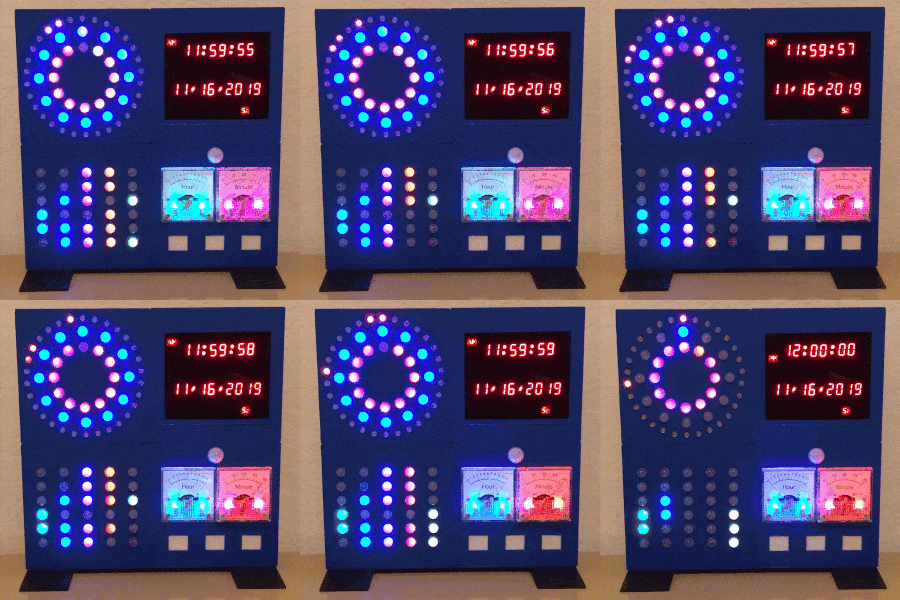
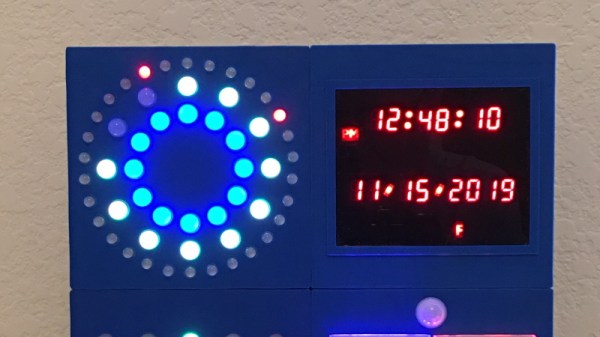
This Arduino Pro Mini powered clock syncs the current time via GPS, with a temperature compensated DS3231 RTC to keep it on the straight and narrow between satellite downlinks. Once the clock has the correct time, how do you read it? Well, at the top you’ve got a basic numerical readout for the normies, and next to that there’s a circular LED display that looks like it could double as a sci-fi movie prop. On the lower level there’s a binary clock for the real show-offs, and as if that wasn’t enough, there’s even dual color-coded analog meters to show the hours and minutes.

[Fearless Night] has provided everything you need to follow along at home, from the Arduino source code to the 3D models of the case and Gerber files for the custom PCB. Personally we think just the top half of the clock would be more than sufficient for our timekeeping needs. If nothing else it should help save some energy, as the clock currently pulls an incredible 20 watts with all those LEDs firing off.

Should you decide to take a walk down memory lane and check out some of the other interesting LED clocks we’ve featured in the past, you’d be busy for quite awhile. But for our money, it’s still hard to beat the impossibly obtuse single-LED clock.
A 3D Printer Scratch Built For Your Viewing Pleasure

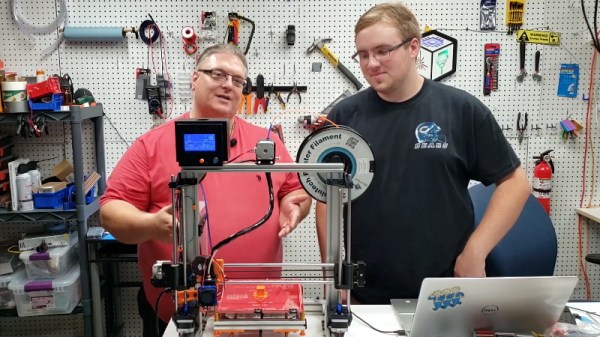
Today it’s almost always cheaper to buy an imported 3D printer kit than it is to source your own parts and build one yourself. But that doesn’t stop people from doing it anyway. Whether they’re looking for something a bit more solid, or just want to do things their own way, there are still valid reasons to design and build your own machine. Luckily for us in the audience, [Rob Mech] decided to document the build of his custom “LayerFused C201” printer on his YouTube Channel.

If you’ve ever dreamed of taking the plunge and building a 3D printer exactly the way you want, but were never able to manage the time, this seven video series might be the next best thing. Each video takes you through a different step of the construction, from building the frame out of aluminum extrusion all the way to wiring up the endstop switches and the 32-bit SKR v1.3 controller. There’s even a video that introduces the viewer to the concept of a “Frankenstein” printer that uses cobbled together parts just long enough to produce its own final components.

All told, [Rob] says the Bill of Materials for the LayerFused C201 comes to at least $200, but that’s going to take shopping around for the lowest possible prices and potentially even salvaging some components from other machines and projects. Like we said, building a cheap printer is absolutely not the goal here; it’s all about building a printer you want to use. Continue reading “A 3D Printer Scratch Built For Your Viewing Pleasure”

East Coast RepRap Festival Comes Alive In Second Year

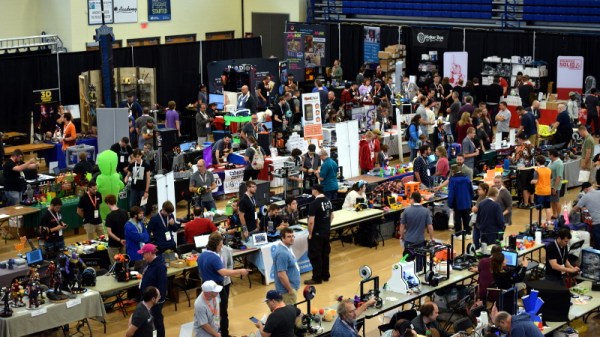
By pretty much any metric you care to use, the inaugural East Coast RepRap Festival (ERRF) in 2018 was an incredible success. There was plenty to see, the venue was accommodating, and the ticket prices were exceptionally reasonable. But being a first-time event, there was an understandable amount of trepidation from both exhibitors and the attendees. Convincing people to travel hundreds of miles to an event with no track record can be a difficult thing, and if there was a phrase that would best describe the feel of that first ERRF, it would probably have been “cautious optimism”.

But this year, now that they had some idea of what to expect, the 3D printing community descended on Bel Air, Maryland with a vengeance. In 2019, everything at ERRF was bigger and better. There were more people, more printers, and of course, more incredible prints. Activities like the 3D Printed Derby returned, and were joined by new attractions including full-body 3D scanning and a shooting gallery where attendees could try out the latest in printable NERF weaponry.

The official tally shows that attendance nearly doubled over last year, and with growth like that, we wouldn’t be surprised if the ERRF organizers consider relocating to a larger venue for 2020 or 2021. As far as problems go, growth so explosive that it requires you to rethink where you hold the event isn’t a bad one to have. The Midwest RepRap Festival, which served as the inspiration for ERRF, found they too needed to move into more spacious digs after a few years. Something to keep in mind the next time somebody tells you the bubble has burst on desktop 3D printing.

Trying to distill an event as large and vibrant as ERRF 2019 into a few articles is always difficult. Even after spending hours walking around the show floor, you would still stumble upon something you hadn’t seen previously. As such, this article is merely a taste of what was on hand. The East Coast RepRap Festival 2020 should absolutely be marked on your calendar for next year, but until then let’s take a look at just some of what made this year’s event such a smash.

Continue reading “East Coast RepRap Festival Comes Alive In Second Year”

Building A Front Panel For The RC2014 Computer

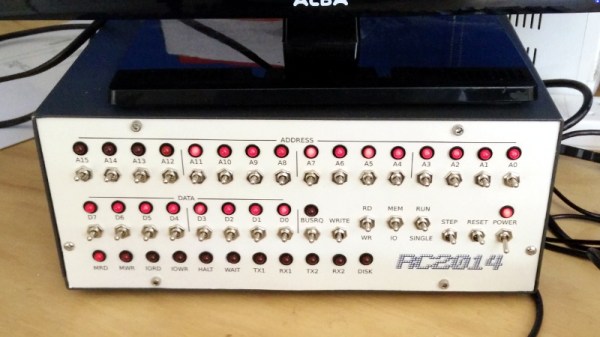
The RC2014 is a slick Z80 computer kit that’s graced these pages a number of times in the past. It allows anyone with a soldering iron and a USB-to-serial adapter to experience the thrill of early 1980s desktop computing. But what if you’re looking for an even more vintage experience? In that case, this custom RC2014 front panel from [James Stanley] might be just the thing to scratch that Altair itch.

The front panel allows you to view and alter the contents of memory with nothing more complex than toggle switches and LEDs, just like on the early microcomputers of the 1970s. If you’ve ever wanted to learn how a computer works on the most basic level, single-stepping through instructions and reading them out in binary is a great way to do it.

[James] says he was inspired to take on this project after reading a 1978 issue of Kilobaud Magazine (as one does), and seeing an article about building a homebrew Z80 machine with a front panel. Obviously he had to modify the approach a bit to mate up with this relatively modern variation on the venerable CPU, but the idea was essentially the same.

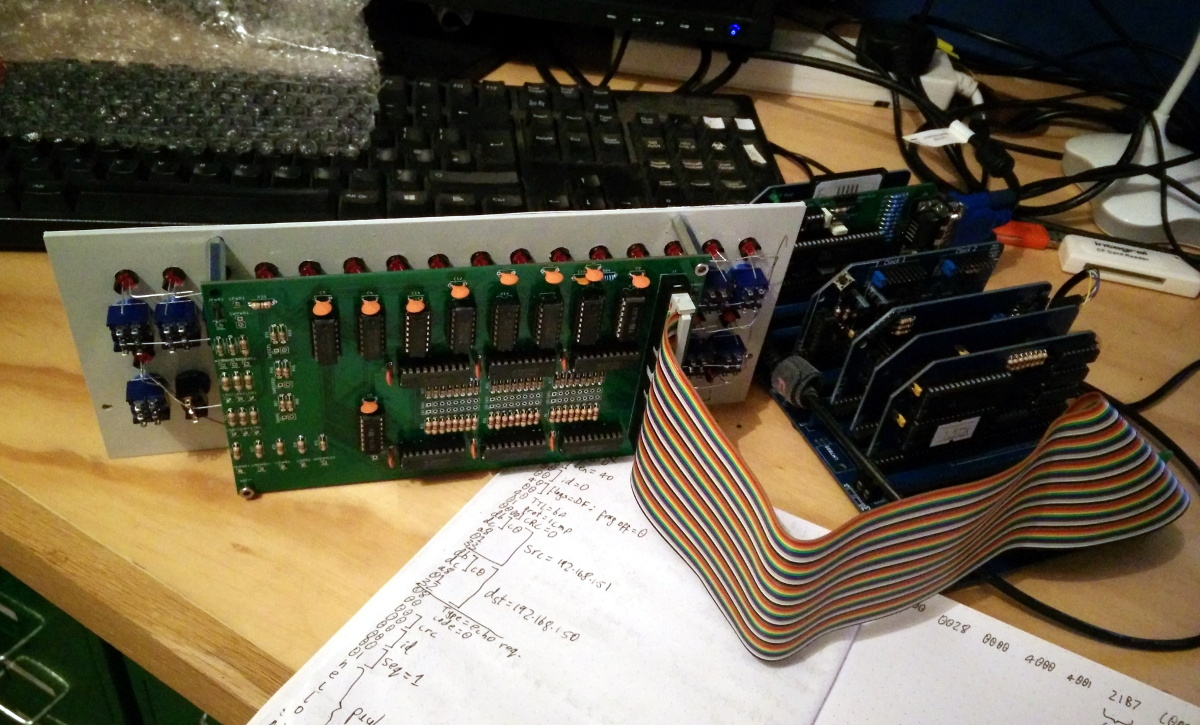
His documentation for the project is sure to be fascinating for anyone enamored with those iconic computers of yesteryear, but even readers with more modern sensibilities will likely find some interesting details. The way [James] coaxes the data and various status states out of the kit computer takes up the bulk of the write-up, but afterwards he talks about how he designed the PCB and wraps up with his tips for creating a professional looking front panel.

This isn’t the first time we’ve seen a modern Z80 computer kitted out with blinkenlights, but it’s certainly one of the most professional looking. If you combine the RC2014 kits available on Tindie with the details provided by [James], you’ll soon be learning the fine art of programming a computer with toggle switches.

Continue reading “Building A Front Panel For The RC2014 Computer”

Gaze Deeply Into These Infinity Mirror Coasters

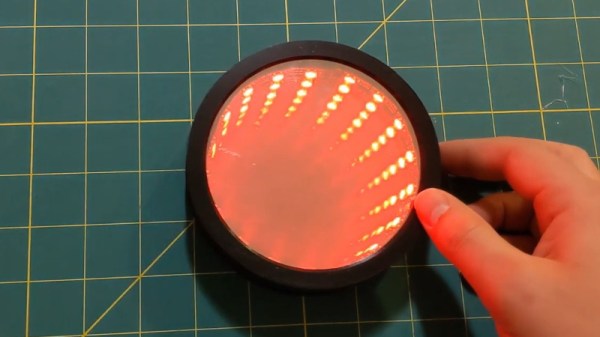
Infinity mirrors have been gaining in popularity recently, thanks in no small part to the availability of low-cost RGB LED strips to line them with. Generally such pieces are limited to wall art, or the occasional table build, which is what makes these infinity mirror drink coasters from [MnMakerMan] so unique.

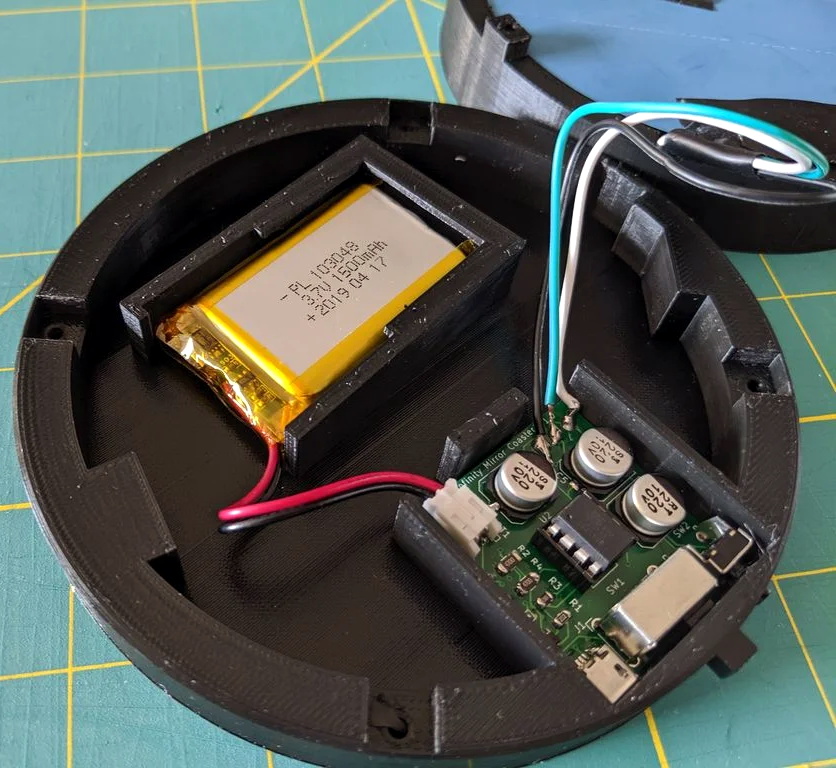
Built from an ATtiny85 and a WS2812B LED strip nestled into a 3D printed enclosure, these coasters are relatively cheap and easy to assemble should you want to run a few off before the holiday party season. [MnMakerMan] mentions the LEDs can consume a decent amount of energy, so he’s included a module to allow recharging of the internal 3.7 V 1500 mAh battery over USB.

Of course, a couple of PLA pieces and a custom PCB doesn’t make an infinity mirror. To achieve the desired effect, he’s created a stack consisting of a 4″ glass mirror, a 1/8″ thick plexiglass disc, and one-way mirror tint film. The WS2812B strip mounted along the circumference lights up the void between the two surfaces, and produces a respectable sense of depth that can be seen in the video after the break.

This isn’t the first high-tech piece of surface protection we’ve seen around these parts, as some very nice wirelessly charged supercapacitor coasters were entered into the 2019 Hackaday Prize. Of course, if you’re of the opinion that coasters should remain as cheap as possible, we’ve seen a number of automated attempts to add some flair to the classic paperboard discs.

Continue reading “Gaze Deeply Into These Infinity Mirror Coasters”

Print From The ESP8266, Courtesy Of Google

The ESP8266 has become the hacker’s microcontroller of choice because it’s exceptionally easy to get the chip connected to the network and talking to other devices. The fact that it’s also absurdly cheap is just a bonus. Since nearly every piece of electronics you buy today is “smart” enough to include some form of Internet control, that means there’s no shortage of gadgets these MCUs can potentially poke and prod.

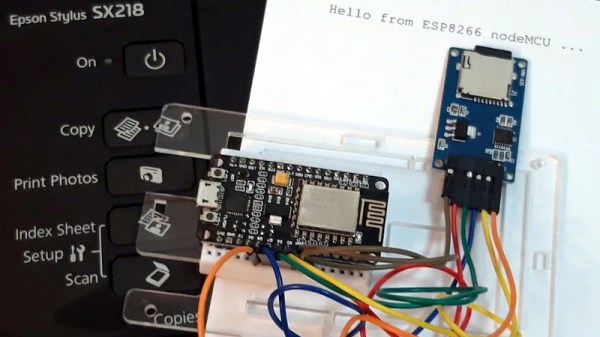
In their latest tip, [TecnoProfesor] shows how you can interface the ESP8266 with Google’s Cloud Print, a service that enables simple remote printing over the web without having to worry about having the proper device drivers. Remote printing from the ESP8266 might seem like little more than a gag at first glance, but if you’re the kind of person who likes to have hard copies of data, adding the capability to generate a daily printed report to your weather station could be a nice weekend project.

[TecnoProfesor] provides explanations and source code for printing documents of various sizes from both the ESP8266’s internal flash storage and an SPI-attached SD card. Towards the end of the write-up, there’s even some explanation of how the setPrintDocument() function of the Cloud Print API can be used in more advanced scenarios, such as printing web pages or documents stored in Google Drive.

When we see microcontrollers connected to printers, they’re usually of the small thermal kind. Being able to access “real” printers with such a simple technique offers some interesting possibilities, though like most technology, there’s potential for it to be misused.

[Thanks to Andrew for the tip.]

Old Cisco WAN Card Turned FPGA Playground

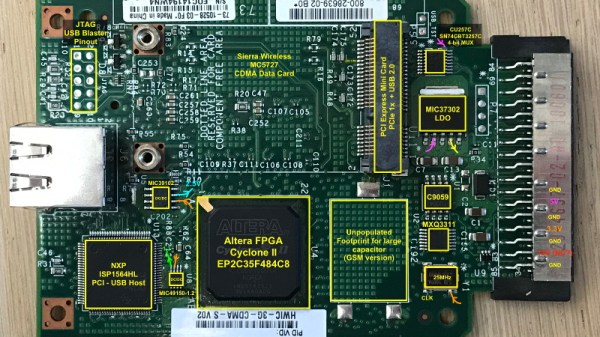
Many of us think of FPGAs as some new cutting edge technology, but the fact of the matter is that they’ve been around for quite some time. They’ve just traditionally been used in hardware that’s too expensive for us lowly hackers. A case in point is the Cisco HWIC-3G-CDMA WAN card. A decade ago these would have been part of a router valued in the tens of thousands of dollars, but today they can be had for less than $10 USD on eBay. At that price, [Tom Verbeure] thought it would be worth finding out if they could be repurposed as generic FPGA experimentation devices.

So as not to keep you in suspense, the short answer is a resounding yes. In the end, all [Tom] had to do was figure out what voltages the HWIC-3G-CDMA was expecting on the edge connector, and solder a 2×5 connector onto the helpfully labeled JTAG header. Once powered up and connected to the computer, Intel’s Quartus Programmer software immediately picked up the board’s Cyclone II EP2C35F484C8 chip. The blinking LEDs seen in the video after the break serve as proof that these bargain bin gadgets are ripe for hacking.

Unfortunately, there’s a catch. After studying the rest of the components on the board, [Tom] eventually came to the conclusion that the HWIC-3G-CDMA has no means of actually storing the FPGA’s bitstream. Presumably it was provided by the router itself during startup. If you just want to keep the board tethered to your computer for experimenting, that’s not really a big deal. But if you want to use it in some kind of project, you’ll need to include a microcontroller capable of pushing the roughly 1 MB bitstream into the FPGA to kick things off.

It might not be as easy to get up and running as the 2019 Hackaday Superconference badge, but it’s certainly a lot easier to get your hands on.

Continue reading “Old Cisco WAN Card Turned FPGA Playground”