Reviving An Electron Microscope With Arduino

We don’t know about you, but when our friends ask us if we want to help them fix something, they’re usually talking about their computer, phone, or car. So far it’s never been about helping them rebuild an old electron microscope. But that’s exactly the request [Benjamin Blundell] got when a friend from a local hackerspace asked if he could take a look at a vintage Cambridge Stereoscan 200 they had found abandoned in a shed. Clearly we’re hanging out with the wrong group of people.

As you might imagine, the microscope was in desperate need of some love after spending time in considerably less than ideal conditions. While some of the hackerspace members started tackling the hardware side of the machine, [Benjamin] was tasked with finding a way to recover the contents of the scope’s ROM. While he’s still working on verification, the dumps he’s made so far of the various ROMs living inside the Stereoscan 200 have been promising and he believes he’s on the right track.

The microscope uses a mix of Texas Instruments 25L32 and 2516 chips, which [Benjamin] had to carefully pry out after making sure to document everything so he knew what went where. A few of the chips weren’t keen on being pulled from their home of 30-odd years, so there were a few broken pins, but on the whole the operation was a success.

Each chip was placed in a breadboard and wired up to an Arduino Mega, as it has enough digital pins to connect without needing a shift register. With the wiring fairly straightforward, [Benjamin] just needed to write up some code to read the contents of the chip, which he has graciously provided anyone else who might be working on a similar project. At this point he hasn’t found anything identifiable in his ROM dumps to prove that they’ve been made successfully, all he really knows right now is that he has something. At least it’s a start.

More and more of these older electron microscopes are getting a second lease on life thanks to dedicated hackers in their home labs. Makes you wonder if there’s ever going to be a piece of hardware the hacker community won’t bend to their will.

Handheld Arduino Light Painter

Light painting is a technique which allows you to “draw” on a photograph by moving a light past the camera during a long exposure shot. While it can be difficult to master, light painting allows for some incredible effects such as text and images that appear to be hovering in mid-air. Think of it like a very slow but much cooler version of an augmented reality app.

[Reven] recently wrote in to tell us about the Arduino light painter he put together, and while DIY (and even commercial) light painting gear isn’t exactly new at this point, we think he’s raised the bar a bit with his design. With the addition of a slick 3D printed enclosure and on-board display and menu system, his light painter looks exceptionally professional for being built out of hardware he had on hand.

On his blog, [Reven] has done a phenomenal job of documenting the build from start to finish. Not only does he include a detailed Bill of Materials and the STL files so you can build your own version of his light painter, he walks the reader though his design process and explains why he did the things he did. Even if you aren’t interested in building a light painter, there’s almost certainly something of interest for anyone who’s ever looked at a pile of parts on their workbench and wondered how they were going to turn it into a functioning device.

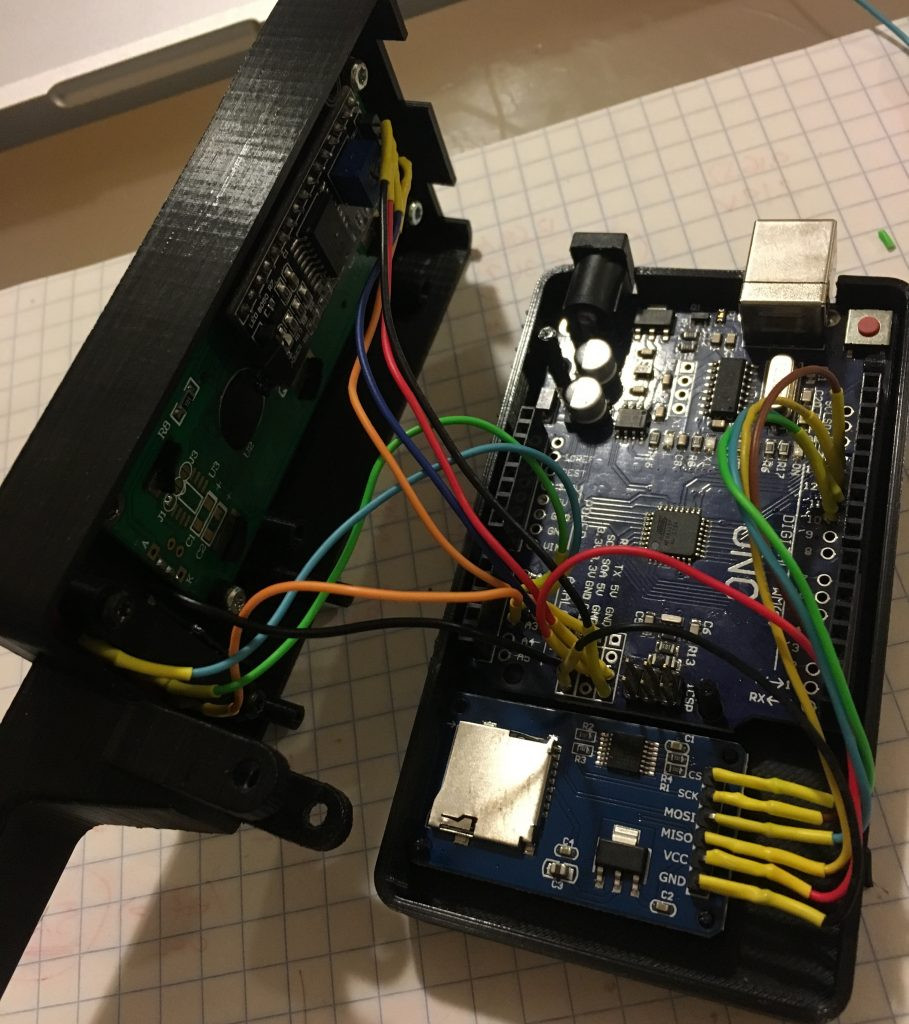
Powered by an Arduino Uno, the light painter provides a user interface on a 16×2 LCD which allows control over not only the brightness of the WS2812 LED strips but selecting and loading different images from the micro SD card. The case was designed in FreeCAD, and while [Reven] mentions there are a number of issues which could be improved, satisfies all his design goals.

We covered the original Adafruit project that [Reven] based his code all the way back in 2013, though there’s certainly been more modern interpretations of the idea since then.

A True 3D Printed Weather Station

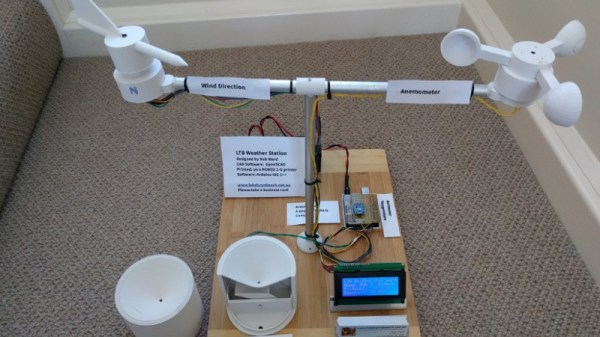
If the term “3D printed weather station” makes you think of a printed enclosure for off-the-shelf sensors, don’t feel bad. We thought the same thing when we first read the message [Rob Ward] sent in about his latest project. Surely he couldn’t mean that he actually printed all the principal parts of a serious weather station setup, such as the wind vane, anemometer, or rain gauge?

Except, on closer inspection, that’s exactly what he did. Every part of the weather station is designed in OpenSCAD, printed out, and infused with various vitamins to turn them into functional pieces of hardware. Interestingly enough, most of the magic is done with simple reed switches and magnets.

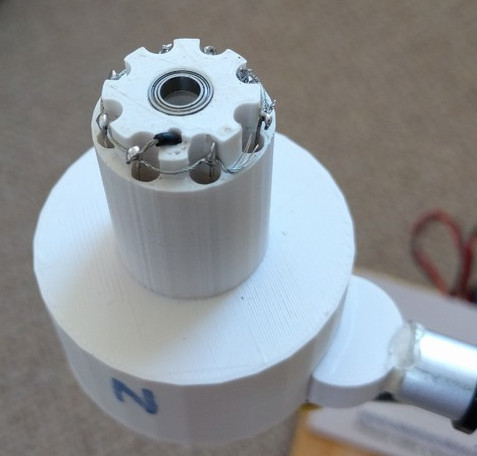
For example, the wind vane uses eight reed switches and an embedded magnet to communicate the current wind direction to the Arduino Uno which handles the user interface. Wind speed, on the other hand, it done with a single reed switch as it just needs to count rotations to calculate speed.

[Rob] did “cheat” by using an off-the-shelf barometric pressure sensor, but we’ll give him a pass for that one. Unless somebody wants to hit the tip line with a design for a printable barometer, we’ll consider this the high water mark in printable weather stations.

This isn’t the first time we’ve seen a DIY anemometer or rain gauge, of varying degrees of complexity. But the clean look of the final version, completely open nature of the OpenSCAD source, and the low part count make this an extremely compelling option for anyone looking to up their home forecasting game.

Workbench Light Arch On The Cheap

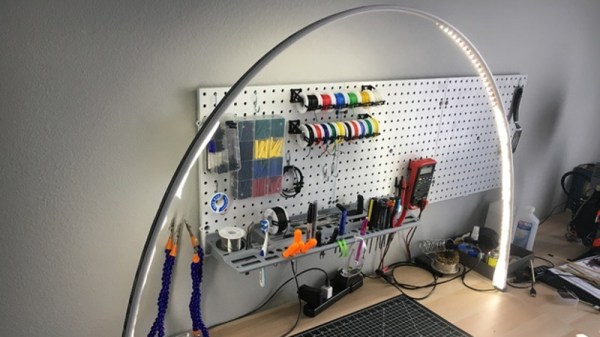
A light arch is exactly what it sounds like: an arch fitted with LED strips that can evenly illuminate the area below. They are becoming very popular in the miniature and model making communities as they put a lot of light where you need it without the shadows that you can get with purely overhead lighting. Those same characteristics make it excellent for electronics work as well, so while we haven’t seen many light arches come our way yet, we expect it won’t be long before they start tricking in.

[Spencer Owen] recently wrote in to tell us about his LED light arch that’s exceptionally easy and cheap to build. Whatever excuse you had before about not trying a light arch over your bench is probably out the window once you check this build out.

The heart of the arch is a length of plastic tile edging, which you can pick up from any big box home improvement store. LED strips are then attached to the inside face of the tile edging, and a suitable power supply wired into one end. [Spencer] mentions he’s strategically wrapped some sections of the arch with a diffuser, which may or may not be necessary for your particular application.

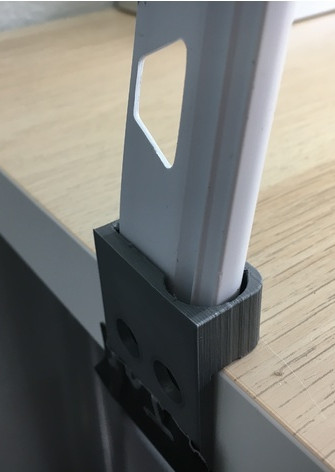
At this point the astute reader may have realized that this doesn’t make an arch, and would just give you a floppy light stick thing. Right you are. The real magic of this design are the 3D printed anchors. All you need to do is bend the tile edging, insert the ends in the anchors, and you’ve got a perfectly formed arch.

The hole in the anchor matches the profile of the tile edging closely, though might need to be adjusted to match a different brand of edging from what [Spencer] has. The tension of the plastic will be enough to hold the arch up without the need for glue or fasteners. As an added bonus, the arch can be taken down by just pulling the edging out and letting it return to its original shape.

Using your newly arisen arch to light up the bench is all well and good, but why stop there? Why not use it as clock, or to play a dungeon crawler?

Continue reading “Workbench Light Arch On The Cheap”

LEGO Meets Nintendo Switch

As you probably know, the Nintendo Switch is the incredibly popular console of the moment. You of course also know that LEGO has been popular since the beginning of recorded history. So it was only a matter of time before somebody decided that these two titans of youthful entertainment needed to combine up like some kind of money-printing Voltron. You know, for science.

[Vimal Patel], a known master of all things plastic brick related, decided to take up the challenge with a few experimental LEGO accessories for the Switch. These add-ons are largely designed to make playing the Switch a bit more comfortable, but represent an interesting first step to more complex hardware modifications down the road.

The key to these experiments are a set of 3D printed rails which allow you to attach standard LEGO parts to the Switch. With the rails installed, [Vimal] demonstrates a simple “kick stand” which improves the system’s stability when not being used in handheld mode.

A few different steering wheel modifications are also demonstrated, which use an impressive bit of engineering to move the controller’s analog stick left and right with rotational input on the wheel. Both variations are shown in-use with Mario Kart, and seem to do the job.

It will be interesting to see what kind of projects will be made possible at the intersection of Switch and LEGO when Nintendo Labo goes live later this month.

Continue reading “LEGO Meets Nintendo Switch”

The Era Of Orville Props Has Officially Begun

Over a decade after the last Star Trek show warped off of television, we finally have a new series in the form of Star Trek: Discovery. But much to the chagrin of many old school Trek fans, Discovery has gone all in on the gritty and hyper-serialized storytelling that’s taken over TV since Starfleet last patrolled the airwaves. But for those who are looking for somewhat more lighthearted space adventures, Seth MacFarlane (of Family Guy fame) has created a show which is essentially a love-letter to Star Trek: The Next Generation called The Orville. Some have gone as far as to claim that The Orville is the true continuation of the Trek legacy, though such discussion sounds awfully close to a Holy War to us so we’ll steer clear.

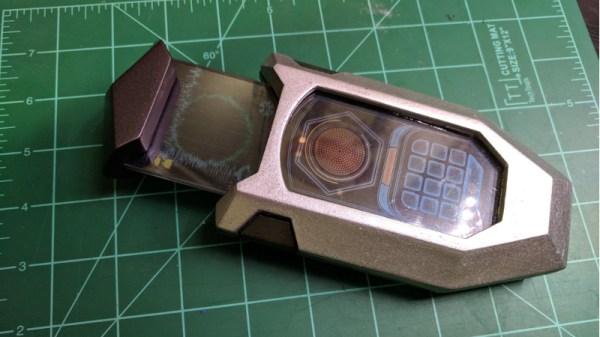
Unfortunately for The Orville fans, the series doesn’t have nearly the commercial draw of Trek. Accordingly, the market for things like replica uniforms and props from the show is still in its infancy, meaning fans of the show have to go the DIY route. [JohnSmallBerries] is one such fan, and his 3D printed “Comscanner” from The Orville is a shot across the bow to the well established Trek prop-making scene.

Without so much as an official toy version of the device, [John] was forced to do his initial 3D rendering based completely on screenshots from the show. Even the scale of the device had to be guessed, as it’s usually only seen being held in a crew member’s hand. In the end he reasoned it’s probably supposed to be about the size of a large smartphone.

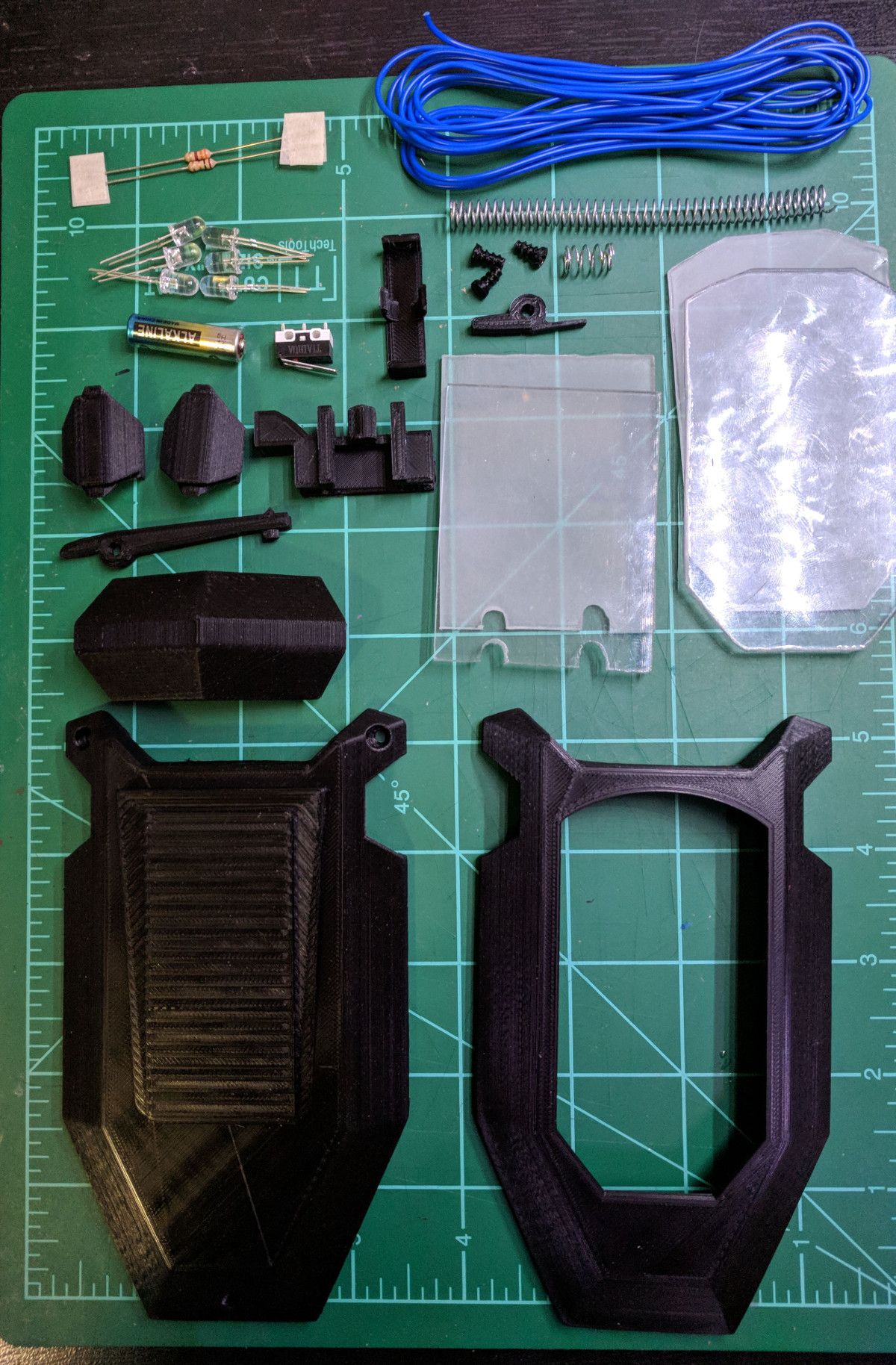
Not content with just a static prop, [John] managed to integrate not only the spring-assisted retractable display of the scanner from the show, but also some LED backlit panels complete with a screen-accurate user interface. Judging by the internal shots of the scanner, it looks like there’s still plenty of room inside to add some more advanced electronics. The next evolution of this prop will surely be to add in a microcontroller and potentially even a real screen to add some more elaborate effects and (relatively) practical functions.

We’ve seen plenty of impressive builds of Star Trek gadgets, arguably bringing the devices much closer to reality than the original show runners ever did. It will be interesting to see if The Orville inspires a new generation of engineers to bring their favorite fictional pieces of kit into the real world.

Filter Your Pi And Be A Responsible Pirate

At this point it’s pretty well-known that you can tack a long wire to the Raspberry Pi’s GPIO, install some software, and you’ve got yourself the worlds easiest pirate FM radio station. We say that it’s a “pirate” station because, despite being ridiculously easy to do, broadcasting on these frequencies without a license is illegal. Even if you had a license, the Raspberry Pi with a dangling bit of wire will be spewing out all kinds of unintentional noise, making it a no-go for any legitimate purposes.

Unfiltered output of Pi broadcasting on 107.3 MHz

In an effort to address that issue, [Naich] has written up a couple posts on his blog which not only discuss why the Pi is such a poor transmitter, but shows how you can build a filter to help improve the situation. You’ll still be a lawless pirate if you’re transmitting on FM stations with your Pi, but you won’t be a filthy lawless pirate.

In the first post, [Naich] shows us exactly what’s coming out of the wire antenna when the Pi is broadcasting some tunes on the default 107.3 MHz, and it ain’t pretty. The Pi is blasting out signals up and down the spectrum from 50 MHz to 800 MHz, and incredibly, these harmonics are in some cases stronger than the intentional broadcast. Definitely not an ideal transmitter.

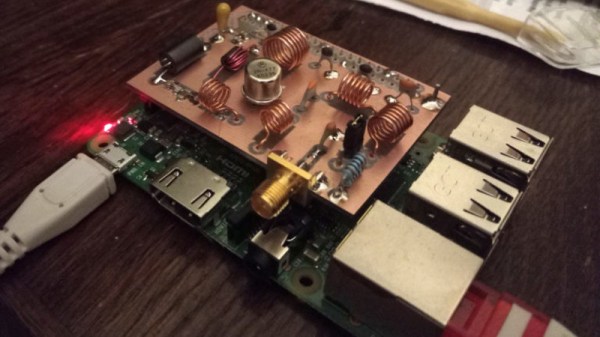
[Naich] then goes on to show how you can build a DIY filter “hat” for the Pi that not only cuts down a lot of the undesirable chatter, but even boosts the intended signal a bit. The design is surprisingly simple, only costs a few bucks in components, and conveniently is powered directly from the Pi’s GPIO. It even gives you a proper antenna jack instead of a bare wire wound around a header pin.

We’ve seen plenty of projects utilizing the Raspberry Pi FM transmission hack, and while this mod still doesn’t make it perfect, it’s always nice to see an awesome hack made even better.