Josef Prusa Wants You To Change File Formats

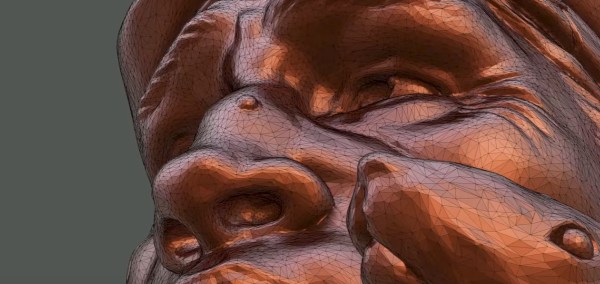
We’ve all been there. You find that cool cat model on Thingiverse — we won’t judge. You download the STL, all ready to watch the magic of having it materialize on your print bed. But the slicer complains it isn’t manifold or watertight or something like that. What a let down. Part of this is due to shortcomings in the STL file format. There’s a newer format available, 3MF, and Josef Prusa and Jakub Kočí would like you to start using it.

STL — short for stereolithography — is a simple format that just holds a bunch of triangles. If you need any information about the part — like colors or materials. Worse still, as in our hypothetical example, there are no definition about how the triangles relate so you can create “bad” STL files. Even properly formed files can be tough to work with. You might scale for inches and the file is set for millimeters, for example.

Turns out 3MF is actually a ZIP archive and it can contain lots of information. The file can contain one or more models, colors, slicing data, copyrights, images, and lots more. The ZIP file is often shorter, too because of the compression. The big deal, though, is that the file format won’t allow nonmanifold models and removes ambiguity so that everything nicely prints. If your slicer stores data into the file — as the Prusa one does — other people using the same software can grab your settings, too.

The format isn’t really that new — it appeared around 2015 — but it hasn’t seen widespread adoption yet. Prusa encourages you to upload models in 3MF even if you also add an STL copy for people who haven’t made the switch yet.

So will you start using 3MF? Or are you already? The file format is open, they say. So if your favorite tool doesn’t like 3MF, you could always add support for it yourself.

Continue reading “Josef Prusa Wants You To Change File Formats”
DSP Spreadsheet: Frequency Mixing

Circuit simulation and software workbooks like Matlab and Jupyter are great for being able to build things without a lot of overhead. But these all have some learning curve and often use clever tricks, abstractions, or library calls to obscure what’s really happening. Sometimes it is clearer to build math models in a spreadsheet.

You might think that spreadsheets aren’t built for doing frequency calculation and visualization but you’re wrong. That’s exactly what they’re made for — performing simple but repetative math and helping make sense of the results.

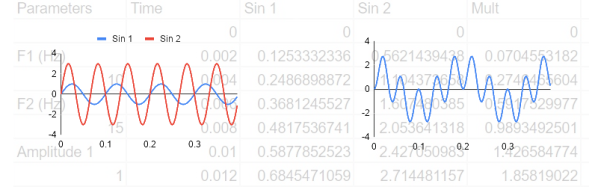
In this installment of the DSP Spreadsheet series, I’m going to talk about two simple yet fundamental things you’ll need to create mathematical models of signals: generating signals and mixing them. Since it is ubiquitous, I’ll use Google Sheets. Most of these examples will work on any spreadsheet, but at least everyone can share a Google Sheets document. Along the way, we’ll see a neat spreadsheet trick I should probably use more often.

Continue reading “DSP Spreadsheet: Frequency Mixing”

Ploopy Open Source Trackball Keeps Rolling Along

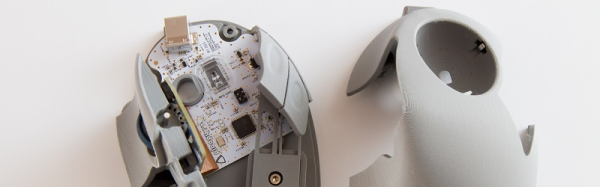
We’ll be honest. When we first heard about a mouse, we weren’t convinced. The argument was that business people weren’t familiar with computers. That didn’t ring true since every business person in the last century had at least seen a typewriter keyboard, but most of them had never seen a mouse before the 1980s. The mouse has since become totally ubiquitous, so presumably, it was the right choice. However, if you are a serious touch typist, it is annoying to have to move your hands off the keyboard to a different location each time. There are several solutions for that, but the oldest one is probably the trackball. Ploopy is an open-source trackball you can build yourself, and it looks pretty capable.

While we aren’t wild about the name, Ploopy looks pretty good and is one of those projects that would have been very difficult ten years ago. It requires two PC boards. Those used to be hard to get. It also requires some very customized plastic parts. Getting a handful of plastic parts made used to be hard, too. But now you probably have a 3D printer that is just begging for something to do.

Continue reading “Ploopy Open Source Trackball Keeps Rolling Along”

BEAM Dragonfly Causes A Flap

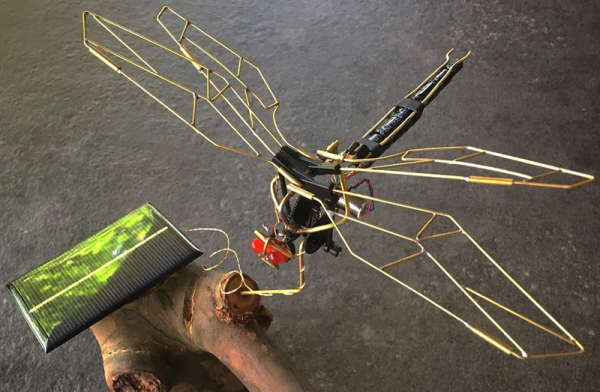
Normal people throw away stuff when it breaks. But not people like us. Or, apparently, [NanoRobotGeek]. A cheap robotic dragonfly died, and he cannibalized it for robot parts. But he kept the gearbox hoping to build a new dragonfly and, using some brass rod, he did just that.

The dragonfly’s circuitry uses a solar panel for power and a couple of flashing LEDs. This is a BEAM robot, so not a microcontroller in sight. You can see a brief video of how the dragonfly moves.

Continue reading “BEAM Dragonfly Causes A Flap”

Stereolithography Goes Big

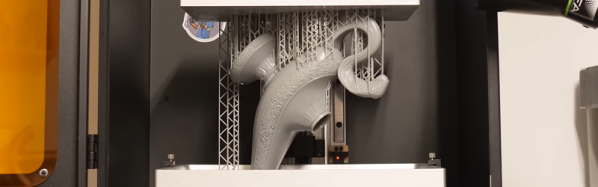
When it comes to hobby-level 3D printing, most of us use plastic filament deposited by a hot end. Nearly all the rest are using stereolithography — projecting light into a photosensitive resin. Filament printers have typical build volumes ranging from 1,000 to 10,000 cubic centimeters and even larger isn’t unusual. By contrast, SLA printers are often much smaller. A 1,200 CC SLA printer is typical and the cheaper printers are sometimes as little as 800 CCs. Perhaps that’s why [3D Printing Nerd] (otherwise known as [Joel]) was excited to get his hands on a Peopoly Phenom which has a build area of over 17,000 CCs. You can see the video review, below.

He claims that it is even bigger than a Formilab 3L, although by our math that has a build volume of around 20,000 CCs. On the other hand, the longest dimension on the Peopoly is 40 cm which is 6.5 cm longer than the 3L, so maybe that’s what he means. Either way, the printer is huge. That’s nearly 16 inches which is big even for a filament printer. Regardless of which one is bigger, the Peopoly is certainly much less expensive coming in at around $1,800 versus the 3L’s almost $10,000 price tag.

Continue reading “Stereolithography Goes Big”

Unix Tell All Book From Kernighan Hits The Shelves

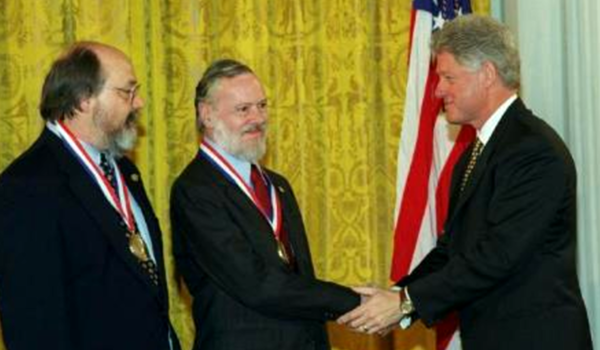
When you think of the Unix and C revolution that grew out of Bell Labs, there are a few famous names. Dennis Ritchie, Ken Thompson, and Brian Kernighan come to mind. After all, the K in both K&R C and in AWK stand for Kernighan. While Kernighan is no stranger to book authorship — he’s written several classics including “the white book” for C and Unix — he has a new book out that is part historical record and part memoir about the birth of Unix.

Usually, when a famous person writes a retrospective like this, it is full of salacious details, but we don’t expect much of that here. The book talks about Bell Labs and Multics, of course. There’s serious coverage of the first, sixth, and seventh editions with biographies of people integral to those releases.

Continue reading “Unix Tell All Book From Kernighan Hits The Shelves”

Chisel Away At FPGA Development

Most of the time if you were to want to develop for an FPGA, you might turn to Verilog or VHDL. Both of these are quite capable, but they are also firmly rooted in languages that are old-fashioned by today’s standards. There have been quite a few attempts to treat those languages as an output to some other tool — either a higher-level language or a graphical tool. One recent effort is a toolchain that starts with Chisel.

The idea behind Chisel is to provide Scala with Verilog-like constructs. If you want, you can use it as a “super Verilog” taking advantage of classes and other features. However, Chisel also allows you to create generators that produce different output Verilog depending on how you call them. True, you can do some of this with Verilog modules, but it is much easier with Chisel. Chisel uses Firrtl to convert what you ask it to do into Verilog for different FPGA and ASIC targets.

Continue reading “Chisel Away At FPGA Development”