Ham Reviews MiniVNA

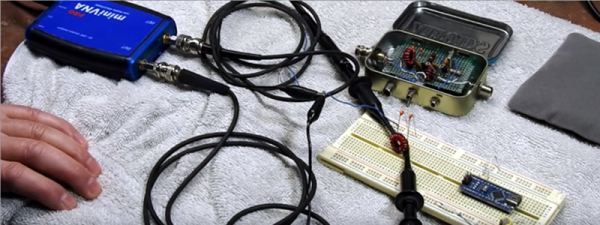
[KB9RLW] wanted to build a vector network analyzer (VNA), but then realized he could buy a ready-made one without nearly the cost it would have been only a few years ago. The network in this case, by the way, is an electrical network, not a computer network. You can use a VNA to characterize components, circuits, antennas, and even feed lines at different frequencies. The miniVNA Pro is economical and can exercise circuits from 1 MHz to 3 GHz. You can see the review in the video below.

There are a few ways to actually create a VNA, but in concept, it is a sweep generator, a detector, and a means to plot the response at each frequency in the sweep. So you’d expect, for example, a resonant frequency to show a peak at resonance and a band reject filter to show a low point.

One of the things interesting about the device is that it uses Java software. That means it doesn’t care much what platform you want to use. The software can show two different plots at once, so [Kevin] hooks it to his 20 meter antenna and shows how it can plot the SWR and impedance around the frequency of interest.

The instrument can be USB powered with the same cable you use to connect the PC. However, it also has an internal rechargeable battery. That battery charges on USB and can operate the device with Bluetooth. We can imagine that being handy when you want to climb up a tower and connect it directly to an antenna as long as you stay in Bluetooth range of the PC. There’s also a phone app, so you can go that route, if you prefer and [Kevin] shows the device working with Android. Of course, you could probably rig a Raspberry Pi on your belt and then use WiFi to let someone on the ground remote desktop in to run measurements. A lot of possibilities.

If you want to roll your own, that’s possible, of course. If you want to get by a bit cheaper, there are less expensive options.


Continue reading “Ham Reviews MiniVNA”

Hardware Acceleration In The Cloud

Computers are great at a lot of things. However, general-purpose computers can benefit from help on certain tasks, which is why your video card and sound card both have their own specialized hardware to offload the CPU. If Accelize has its way, some of your hardware acceleration will be done in the cloud. Yes, we know. The cloud is the buzzword of the week and we are tired of hearing about it, too. However, this service is a particularly interesting way to add FPGA power to just about any network-connected CPU.

Currently, there are only four accelerators available, including a hardware-assisted random number generator, a GZIP accelerator, an engine for rapidly searching text, and a BMP to JPEG converter. The company claims, for example, that the search engine can find 2500 entries in the 60 GB Wikipedia archive in 6 minutes. They claim a traditional CPU would take over 16 days to do the same task. The BMP to JPEG converter can process faster than required to feed real-time HD video.

The cloud, in this case, is FPGA resources hosted in the Amazon cloud or in the OVH public cloud. They’ll clearly charge for the service at some point using a “coin” system. However, right now they are letting you sign up with nothing more than an e-mail address and crediting your account with 50,000 coins. Apparently, coins are 1,000 for one dollar.

Continue reading “Hardware Acceleration In The Cloud”

Circuit VR: Sink Or Swim With Current Sources

If you got your start in electronics sometime after 1980 your first project might well have been to light up an LED. Microcontroller projects often light up an LED, too, and a blinking LED is something of the “hello world” program for embedded systems. If you tried lighting up your LED with a 9 V battery directly — not that you’d admit to it — you found it would light up. Once, anyway. The excess current blows up the LED which is why you need a current-limiting resistor. However, those current limiting resistors are really a poor excuse for a current source or sink. In many applications, you need a real current source and luckily, they aren’t hard to create.

As always with Circuit VR, we’ll be using LT Spice to examine the circuits. If you need a quick tutorial, start here and come back after that. If you use Linux, don’t be dismayed. I run LT Spice under WINE and it works great. You can find all the Spice files on GitHub.

Continue reading “Circuit VR: Sink Or Swim With Current Sources”

Raspberry Pi Is Up Up And Away

BACAR — Balloon Carrying Amateur Radio — is just what it sounds like. A high-altitude balloon carries experiments and communicates via amateur radio. [ZR6AIC] decided to fly a payload in a local BACAR experiment. The module would send its GPS position via the APRS network and also send a Morse code beacon every seven minutes. It also sends other data such as temperature, and has an optional camera fitted.

The hardware used was the ubiquitous Raspberry Pi along with an associated daughterboard for transmitting on the 2 meter ham band. An RTL dongle took care of the receive portion and another dongle provided GPS. A DS18B20 temperature sensor provides the temperature data.

Continue reading “Raspberry Pi Is Up Up And Away”

Oddball Mercury Vapor Rectifier Is A Tube Geek’s Delight

Even if you aren’t a tube aficionado, you can’t help but be mesmerized by the blue glow inside a mercury vapor rectifier when it operates. It looks less like early 20th century tech and more like something that belongs on a Star Trek set. [Uniservo] acquired an 866 rectifier that was interesting due to the markings, which he explains in detail in the video below. Most people though will probably want to skip to closer to its end to see that distinctive blue glow. The exact hue depends on the mercury vapor pressure and usually contains a fair amount of ultraviolet light.

These tubes have an interesting history dating back to 1901, the year [Peter Cooper Hewitt] developed a mercury vapor light which was much more efficient than conventional bulbs. They had two main problems, they required some special process to get the mercury inside to vaporize when you turned them on, but worse still, the light was blue-green which isn’t really appropriate for home and office lighting. In 1902 though, [Hewitt] realized the tube would act as a rectifier. Electrons could readily flow out of the mercury vapor that was the cathode, while the carbon anodes didn’t give up electrons as readily. This was important because up until then, there wasn’t an easy way to convert AC to DC. The usual method was to use an AC motor coupled to a DC generator or a similar mechanical arrangement known as a rotary converter.

In later decades the mercury vapor lamp would wind up with a phosphor coating that converted the ultraviolet light to cool white light and became the fluorescent bulb, so while the rectifier mostly gave way to more efficient methods, [Hewitt’s] bulb has been in use for many years.

Continue reading “Oddball Mercury Vapor Rectifier Is A Tube Geek’s Delight”

Hair Today, Gone Tomorrow, Via Electrolysis

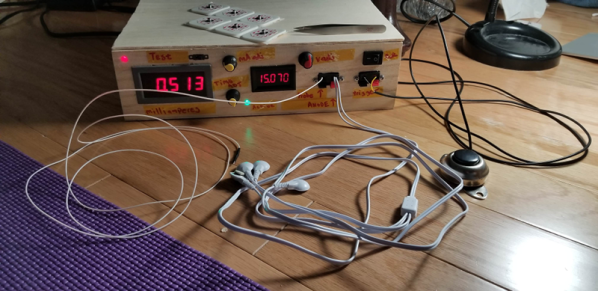
We think of electrolysis as a way to split things like water into oxygen and hydrogen using electricity, but it has a second meaning which is to remove hair using electricity. An electrologist inserts very thin needles into each hair follicle and uses a burst of electricity to permanently remove the hair. [Abbxrdy] didn’t want to buy a cheap unit because they don’t work well and didn’t want to spend on a professional setup, so designing and building ensued.

You’ll have to read through the comments to find some build details and the schematic. The device uses commercial electrolysis needles and a DE-9 connector socket as a holder. The device can supply 6 to 22V at up to 2mA. A timer can restrict the pulse to 5 seconds or less.

Continue reading “Hair Today, Gone Tomorrow, Via Electrolysis”

Tiny Arduino + FPGA = Sno

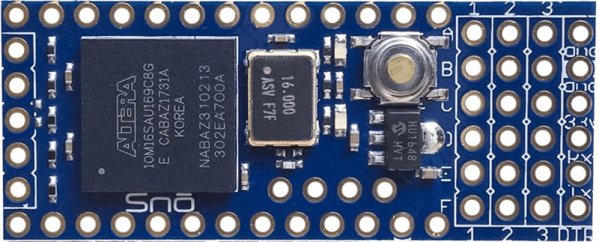
Alorium rolled out a new product late last year that caught our attention. The Sno (pronounced like “snow”) board is a tiny footprint Arduino board that you can see in the video below. By itself that isn’t that interesting, but the Sno also has an Altera/Intel Max 10 FPGA onboard. If you aren’t an FPGA user, don’t tune out yet, though, because while you can customize the FPGA in several ways, you don’t have to.

Like Alorium’s XLR8 product, the FPGA comes with preprogrammed functions and a matching Arduino API to use them. In particular, there are modules to do analog to digital conversion, servo control, operate NeoPixels, and do floating point math.

Continue reading “Tiny Arduino + FPGA = Sno”