It’s Linux, On A Sega Megadrive

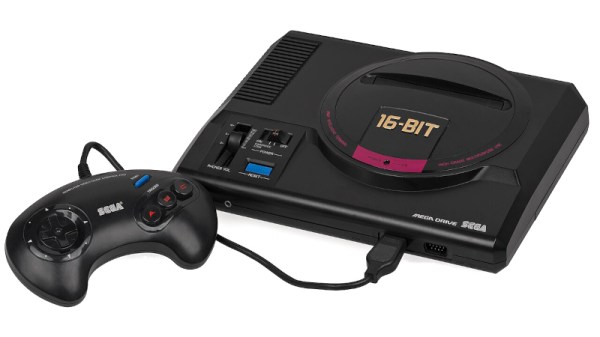
If you were in the market for a games console in 1990, the chances are that the object of your desire was either a Super Nintendo with its 16-bit 6502 derivative, or the Sega Megadrive, sold as the Genesis in North America, with its Motorola 68000. Both machines featured impressive graphics and sound for their time, but they remain firmly in the 16-bit era. Which makes it a surprise to see LinuxMD. It’s Linux, for the Sega Megadrive, with the latest mainline kernel.

The Motorola 68000 series of chips was the first porting target for Linux, and is still maintained in 2026. This build runs from an SD card  in a modern Megadrive storage peripheral, and is reported to run on the original hardware. The lowly 68000 in the Sega doesn’t have a memory management unit required for the full Linux experience, so what’s really running here is a kernel compiled with the -nommu option. That in itself is a feat, on this architecture. On it you get smolutils, a cut down coreutils, and that seems to be it.

We like this project, for pushing both console and kernel to the limit, even though we see that maybe it’s not the most practical Linux machine. Meanwhile though, this isn’t the only UNIX-like OS for this console.


Image: Evan-Amos, Public domain.

Custom Hybrid Drivetrain Powers Boat

Offloading acceleration and braking to an electric motor in a hybrid configuration allows the less efficient combustion engine run in a more narrow set of RPM and torque ranges. In some cases the motor is decoupled from the mechanical drivetrain entirely and used simply as a generator, where it can run at a single speed all the time. And this concept isn’t limited to passenger vehicles, either. [rctestflight] put this premise to the test using a small knockoff Honda motor as a generator for an electric boat.

This project builds on a previous version where he used a much smaller hobby motor to see if it could generate usable power, and that system powered a small autonomous boat as a proof-of-concept. Those motors aren’t really designed to be used in this sort of application though, so this build upgrades the internal combustion engine and pairs it with an electric skateboard motor that’s configured to run as a generator. The setup is capable of producing almost 800 watts for as long as the gasoline lasts, provided that the 3D printed parts all hold together and the other parts don’t vibrate off of the assembly.

Out on the lake at full throttle, the small generator can get the boat up to seven knots (13 kph) but at this speed [rctestflight] reports that the generator is “quite unpleasant” due to the noise and vibration. Instead, he ran it on a test bench at several RPM and torque points and documented the efficiency of the motor at each one, and then operated the boat mostly at the point he found it to be most efficient. For a hybrid drivetrain, that not only decreases noise and vibration, but also maintenance and fuel efficiency.

Although the energy density of fossil fuels is much better than batteries, a fuel-free long-distance option is still available if you’d rather equip your boat with solar panels instead.

Continue reading “Custom Hybrid Drivetrain Powers Boat”

Phone Stand Aims To Fight Addiction

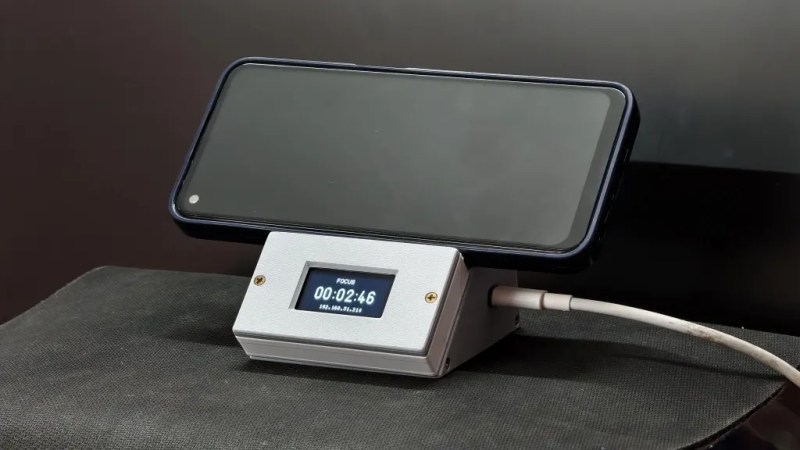
Sometimes, it’s hard to stop picking up your phone every few minutes to check on notifications and scroll endlessly through the slop of the day. [PushpendraC2] has been working on a solution to this problem that would ideally discourage such behavior —  a nifty little smartphone stand!

The concept is straightforward enough—the smartphone stand uses a simple tactile button to determine if your smartphone is sitting on the little 3D printed shelf, or not. However, the smarts inside do a bit more than that, too. An ESP32-S3 is charged with monitoring whether the smartphone is sitting in place, and starts counting “focus time” while it’s there. If the phone is picked up, the OLED display on the shelf starts ticking down a 5-second timer to encourage you to put it back. If you don’t, the focus time is reset and you lose your streak.

It’s also possible to tap a touch sensor on the device which sets a reminder timer, prompting you to put your phone back after a set period of time, between 2 to 30 minutes. A buzzer will then start going off to prompt you to put the phone down. If you want to track the devices impact, you merely need to log in to the web server hosted by the ESP32, which shows your current focus session time, along with a heatmap of your daily productivity.

It’s a simple idea, but one that uses a few neat psychological hooks to encourage compliance and behavioral change. We’ve featured similar projects in this vein before, No surprise, as phone addiction is a problem experienced by many.

Continue reading “Phone Stand Aims To Fight Addiction”

Reachy Mini Desktop Robot Gets All-local, Conversational AI

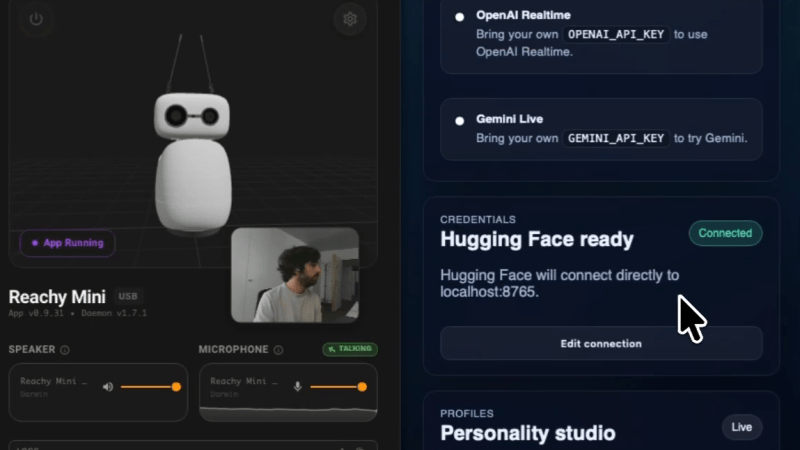
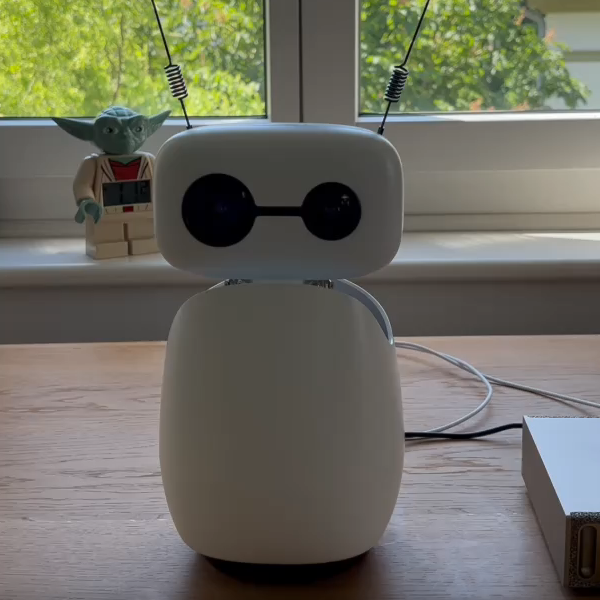
Reachy Mini is a limbless desktop robot from Hugging Face made for human interaction experiments, and to give you an idea of what it’s like is a guide on how to implement expressive, local conversational AI complete with head movements and antenna wiggles. It’s conversational in the sense that it aims to feel natural, with low-latency responses and the ability to interrupt, with everything running on local hardware if one so wishes.

Reachy Mini can use remote services, or work in tandem with a desktop machine or laptop.

The software stack is essentially VAD (voice activity detection) → STT (speech-to-text) → LLM (large language model) → TTS (text-to-speech) which allows users to tweak things to their liking, or independently swap or modify pieces as things evolve.

This also allows users to tailor the services to match whatever their hardware is capable of. For example, one could easily use a frontier AI model via remote API for the LLM while keeping everything else local.

The local models in the example configuration are effective and relatively modest (Qwen3-4B-Instruct for the LLM, and even smaller models for the rest) but it’s nice to have the option to offload parts to remote providers if necessary.

Reachy Mini looked very interesting when it was launched as a kit last year, and since then Hugging Face has built up an impressive software suite and infrastructure through which users can easily share their applications. If you’re curious, there’s a simulator for Reachy Mini which should give you an idea of what it can do.

RF Hacking A Ceiling Fan Via The Remote

[Sam Wilkinson] recently installed a Dreo CLF513S ceiling fan in his place — it’s cheap, well-sized, and blows air around as you’d expect it to. The only problem is that it only works with an ugly cloud-only smart home setup out of the box. Never mind, though, because [Sam] figured out how to hack up a custom solution.

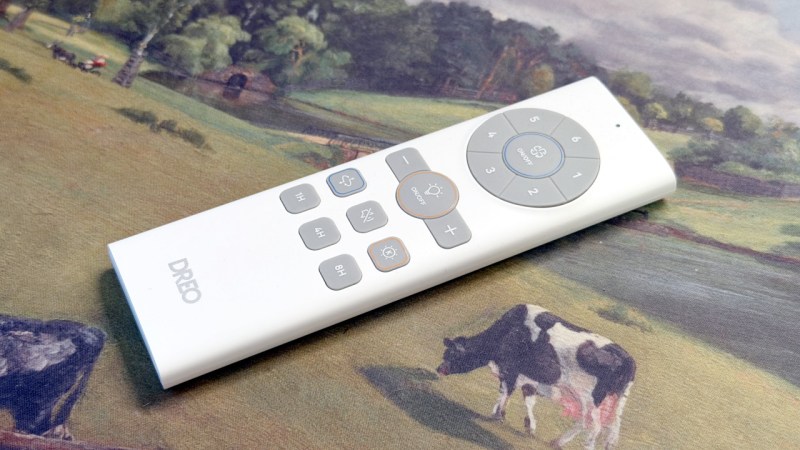
Hacking efforts began with the included remote control. [Sam] identified that the remote had to be RF, since it didn’t need line of sight to work properly. The FCC ID on the back of the device further indicated this was the case. Armed with that knowledge, it was simply a case of figuring out the commands sent by the remote, building something to replay them, and then hooking that into [Sam]’s existing Home Assistant setup.

The remote ran on 433.92 MHz, a not-uncommon bit of spectrum for these sort of appliances. An RTL-SDR was thusly enlisted to capture the output, with a spectrogram indicating the remote used simple on-off keying to send commands. Once commands were captured, [Sam] grabbed an ESP32-C6 microcontroller, hooked it up to a RFM69HCW radio transceiver, and programmed it to replay the fan on/off command. From there, a little dabbling with MQTT got the ESP32 controlling the fan as desired from within the Home Assistant ecosystem.

Sometimes, it’s hard to find smart home gear that actually suits your tastes and budgets. Often, a bit of tinkering can shape existing appliances to bend to your will instead. If you’re tweaking your own gear to better fit your smart home, don’t hesitate to notify the tipsline.

Teaching An AI To Play A Racing Game Via Screen Input

If you’re a fleshy human, you probably learn to play video games by looking at the screen and pressing the buttons, and maybe copying the way you’ve seen others play the game before. [tryfonaskam] has recently been trying to teach an AI to play games in much the same way.

[tryfonaskam] built PILA—short for Polytrack Imitation Learning Agent. As you might have guest from the name, it’s an AI agent designed to play a simple racing game called PolyTrack. Rather than manually programming the agent’s behavior, PILA instead trains itself through supervised learning, where it observes the gameplay state via screen capture and monitoring the keyboard inputs made by human players as they drive the tracks. It then uses this to guide its own behavior, and learns to play the game by itself. The model receives live frames from the graphics engine while playing, and then predicts the appropriate actions and makes the right keyboard inputs in turn to steer the car through the track.

This project reminds us of similar efforts to teach a raw AI how to play Trackmania, or the Drivatar technology in the Forza series of racing games.

Accurate Split-Flap Display Can Be 3D Printed

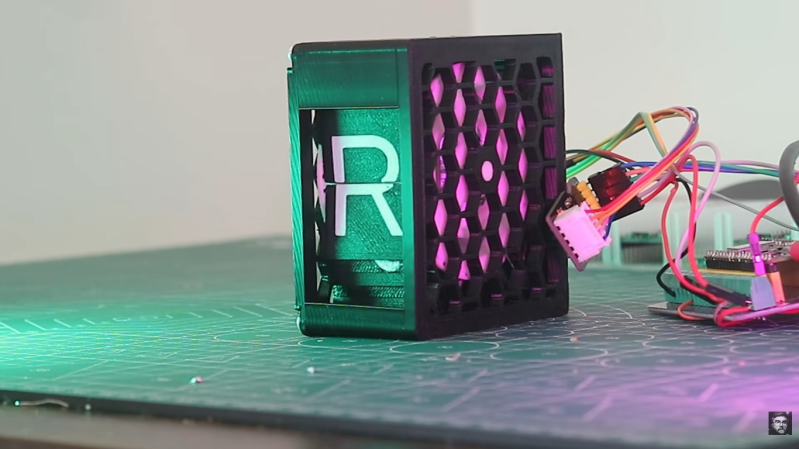
Split-flap displays are a great, low-power way to display text to a wide audience. Compared to other display technologies like LCDs they only use energy when the characters change, but have fallen out of favor partially because of their greater mechanical complexity and also because LCD and LED technology has become so inexpensive. They still retain a loyal following though, and [Jason] is demonstrating his version which boasts high accuracy and can be 3D printed.

To get good results, one of the keys is getting the motor positioning just right. The motor sits in the center and spins the flaps around, so stopping at exactly the right point to display a certain character is critical. [Jason]’s system uses a 28BYJ stepper motor with a magnetic encoder to ensure that the correct flap is displayed. The flaps themselves are completely 3D printed, using a method which allows for two colors to be printed even if the printer is only designed for a single color. Once printed, the flaps are installed on the wheel which is the outer ring of a planetary gear set with the stepper motor sitting in the middle.

Each character in the display is housed in a printed enclosure, and for [Jason]’s project he only needs five characters, so to control the entire setup he’s using a Raspberry Pi Pico. For more characters he suggests that it is still possible to use a smaller microcontroller like the Pico but a multiplexer may be needed. Of course, displays like this are not limited to characters alone. Take a look at this display which has custom flaps to display the current weather conditions as well.

Continue reading “Accurate Split-Flap Display Can Be 3D Printed”