Screenshot of Pi Pico RMBK simulator

Fission Simulator Melts Down RP2040

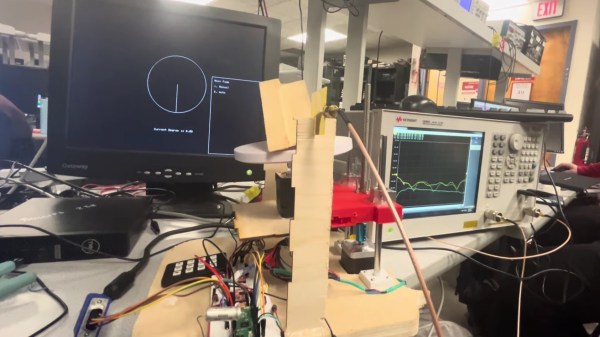
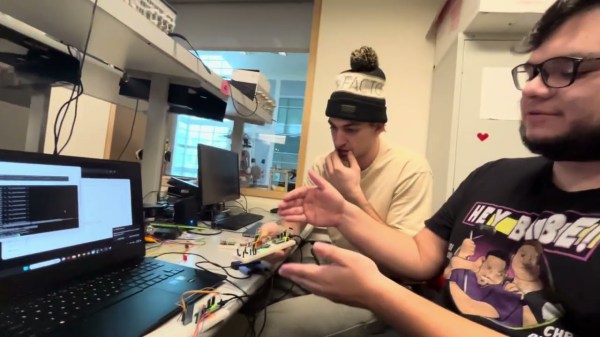
We’ve seen a lot of projects based on the Pi Pico, but a nuclear reactor simulation is a new one. This project was created by [Andrew Shim], [Tyler Wisniewski] and another group member for Cornell’s ECE 4760 class on embedded design (which should silence naysayers who think the Pi Pico can’t be a “serious” microcontroller), and simulates the infamous soviet RMBK reactor of Chernobyl fame. 

The simulation uses a 4-bit color VGA model. The fission model includes uranium fuel, water, graphite moderator, control rods and neutrons. To simplify the math, all decayed materials are treated identically as non-fissile, so no xenon poisoning is going to show up, for example. You can, however, take manual control to both scram the reactor and set it up to melt down with the hardware controller.

The RP2040’s dual-core nature comes in handy here: one core runs the main simulation loop, and the main graphic on the top of the VGA output; the other core generates the plots on the bottom half of the screen, and the Geiger-counter sound effect, and polls the buttons and encoders for user input. This is an interesting spread compared to the more usual GPU/CPU split we see on projects that use the RP2040 with VGA output.

An interesting wrinkle that has been declared a feature, not a bug, by the students behind this project, is that the framebuffer cannot keep up with all the neutrons in a meltdown simulation. Apparently the flickering and stuttering of frame-rate issues is “befitting of the meltdown scenario”. The idea that ones microcontroller melts down along with the simulated reactor is rather fitting, we agree. Check it out in a full walkthrough in the video below, or enjoy the student’s full writeup at the link above.

This project comes to us via Cornell University’s ECE 4760 course, which we’ve mentioned before. Thanks to [Hunter Adams] for the tipoff. You may see more student projects in the coming weeks.


Hackaday Podcast Episode 323: Impossible CRT Surgery, Fuel Cells, Stream Gages, And A Love Letter To Microcontrollers

Elliot and Dan teamed up this week for the podcast, and after double-checking, nay, triple-checking that we were recording, got to the business of reviewing the week’s hacks. We kicked things off with a look at the news, including a potentially exciting Right to Repair law in Washington state and the sad demise of NASA’s ISS sighting website.

Our choice of hacks included a fond look at embedded systems and the classic fashion sense of Cornell’s Bruce Land, risky open CRT surgery, a very strange but very cool way to make music, and the ultimate backyard astronomer’s observatory. We talked about Stamp collecting for SMD prototyping, crushing aluminum with a boatload of current, a PC that heats your seat, and bringing HDMI to the Commodore 64.

We also took a look at flight tracking IRL, a Flipper-based POV, the ultimate internet toaster, and printing SVGs for fun and profit. Finally, we wrapped things up with a look at the tech behind real-time river flow tracking and a peek inside the surprisingly energetic world of fuel cells.


Download this entirely innocent-looking MP3.

Continue reading “Hackaday Podcast Episode 323: Impossible CRT Surgery, Fuel Cells, Stream Gages, And A Love Letter To Microcontrollers” →

Zen Flute Is A Teensy Powered Mouth Theremin

An intriguing mouth-played instrument emerged—and won—at the 2023 Guthman Musical Instrument Contest hosted by Georgia Tech. [Keith Baxter] took notice and reproduced the idea for others to explore. The result is the Zen Flute Mouth Theremin, a hybrid of acoustics, electronics, and expressive performance.

At its core lies a forced Helmholtz resonator, a feedback system built with a simple microphone and speaker setup. The resonator itself? The user’s mouth. The resulting pitch, shaped by subtle jaw and tongue movements, is detected and used to drive a MIDI controller feeding an external synthesizer.

Like a trombone or classic electromagnetic theremin, the Zen Flute doesn’t rely on discrete notes. Instead, the pitch is bent manually to the desired frequency. That’s great for expression, but traditional MIDI quantisation can map those “in-between” notes to unexpected semitones. The solution? MIDI Polyphonic Expression (MPE). This newer MIDI extension allows smooth pitch transitions and nuanced control, giving the Zen Flute its expressive character without the hiccups.

Physically, it’s an elegant build. A flat speaker and microphone sit side-by-side at the mouth end, acoustically isolated with a custom silicone insert. This assembly connects to a length of clear PVC pipe, flared slightly to resemble a wind instrument. Inside, a custom PCB (schematic here) hosts a mic preamp, an audio power amp, and a Teensy 4.1. The Teensy handles everything: sampling the mic input, generating a 90-degree phase shift, and feeding it back to the speaker to maintain resonance. It also detects the resonant frequency and translates it to MPE over USB.  A push-button triggers note onset, while a joystick adjusts timbre and selects modes. Different instrument profiles can be pre-programmed and toggled with a joystick click, each mapped to separate MIDI channels.

Mouth-controlled instruments are a fascinating corner of experimental interfaces. They remind us of this Hackaday Prize entry from 2018, this wind-MIDI hybrid controller, and, of course, a classic final project from the Cornell ECE4760 course, a four-voice theremin controlled by IR sensors.

Continue reading “Zen Flute Is A Teensy Powered Mouth Theremin” →

Simon Says With An RP2040

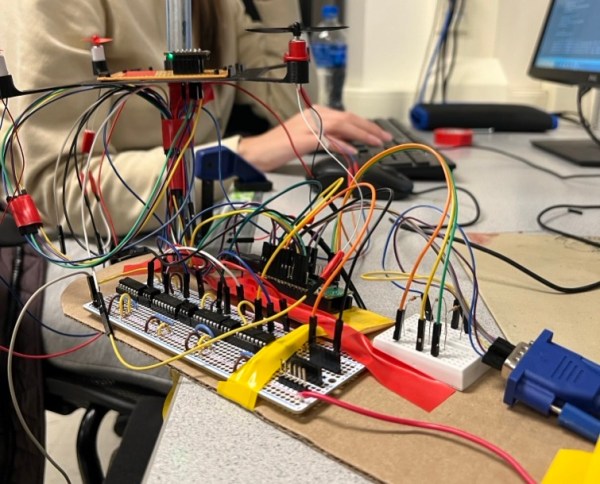
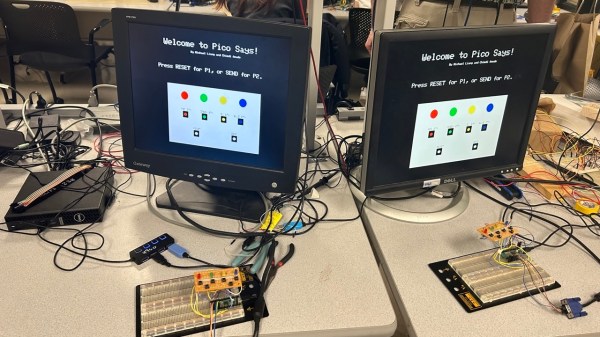
The team of [Michael] and [Chimdi] from Cornell’s Designing with Microcontrollers (ECE 4760) Fall 2023 session designed a version of Simon Says on an RP2040 which they call Pico Says. It uses UDP packets over WiFi to communicate between the players, and supports VGA graphics for output. Each player’s hardware consists of a Pico W module plus a control panel containing the four LEDs and buttons ( red, green, yellow, and blue ) plus send and reset buttons.

For purposes of this lab, the modules were build on a solderless breadboard and used perfboard for the control panels. They weren’t entirely happy with their choice of UDP because they experienced frequent datagram dropouts in the noisy environment of the microcontroller lab. They also planned to implement sound effects, but ran out of time after spending too much time on the WiFi implementation, and had to drop that feature. In the end, however, they wrapped up their project and demonstrated a working game. We can only speculate whether this bonus lesson in resource management was intended by [Dr. Hunter Adams] or not.

Two ECE 4760 course references are highlighted in the write-up that helped them jump-start the project: the UDP and VGA examples for the Pico. These are good links to put in your RP2020 toolbox for future projects, in addition to the ECE 4760 course home page itself. We’ve covered several of these projects recently, as well as the curriculum switch from the Microchip PIC32MX-based Microstick II to the RP2040 last Spring.

Continue reading “Simon Says With An RP2040” →

Building A Loop Station With An RP2040

Loop stations are neat things, able to replay one or more loops of audio over and over again while you perform over the top of them. Musicians like [Marc Rebillet], [Reinhardt Buhr], and [Dub FX] have made careers out of this style of performance. [Yaqi Gao], [Xiaoyu Liang] and [Alina Wang] decided to build a loop station of their own, using the popular RP2040 chip.

At its simplest, a loop station must take in audio, record it, and then play it back. Generally, it can do this with several tracks and mix them together, while also mixing in the incoming audio as well. The group achieved this by inputting a guitar signal to the chip via an amplifier and the onboard analog-to-digital converter. The audio can be recorded as desired, and then played back via an external digital-to-analog converter. Live audio from the guitar is also passed through to allow performing over the recorded sound. The group also used an external half-megabyte FRAM chip to allow storing additional audio sample data, which can be trucked out over serial and saved.

It’s not the cleanest loop station in the world, with a relatively low sample rate causing some artifacts. Regardless, it definitely works, and taught the group plenty about working with digital audio in the process. For that reason alone, we’d call it a success.

Continue reading “Building A Loop Station With An RP2040” →

Gyro-Controlled Labyrinth Game Outputs To VGA

This gesture-controlled labyrinth game using two Raspberry Pi Pico units does a great job of demonstrating how it can sometimes take a lot of work to make something look simple.

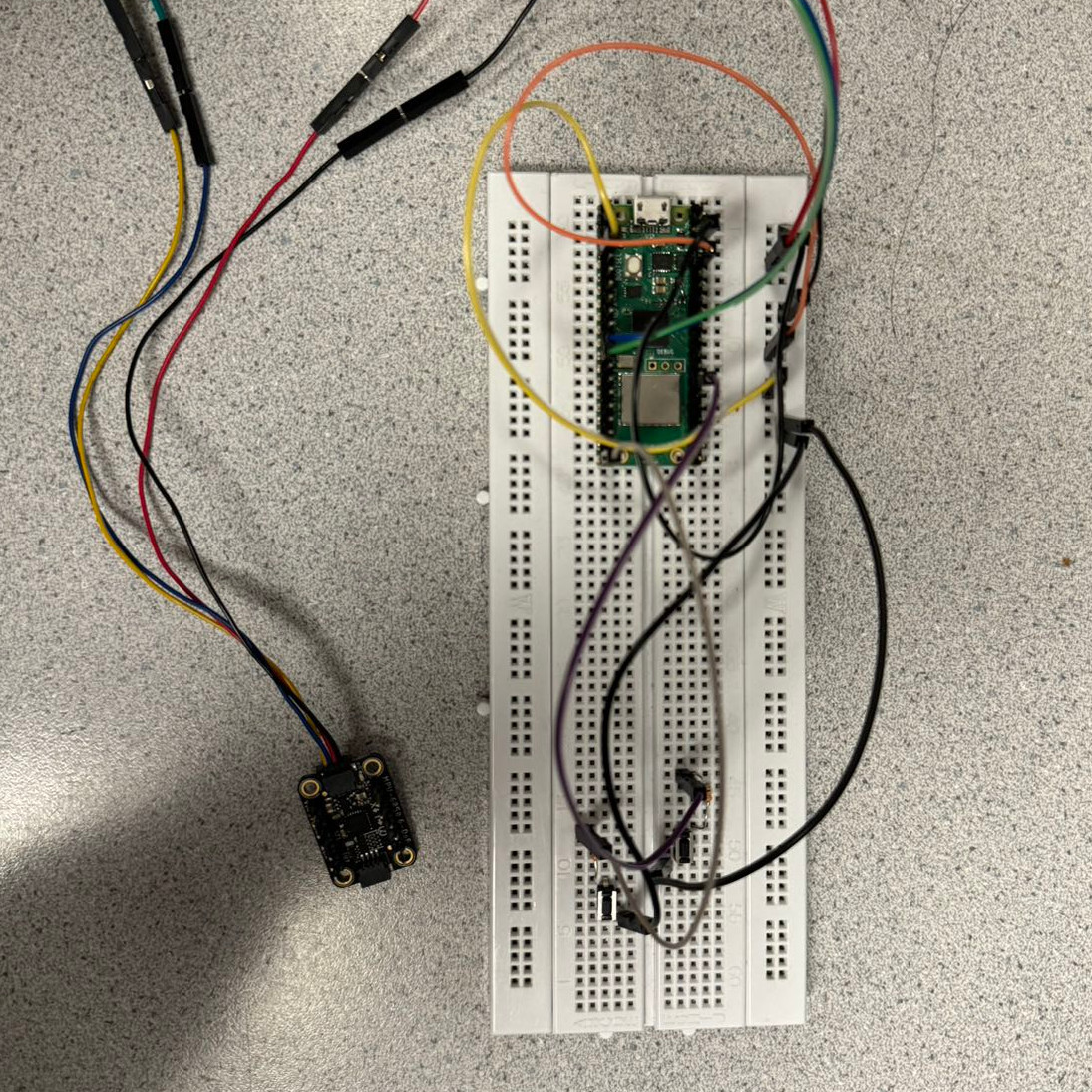
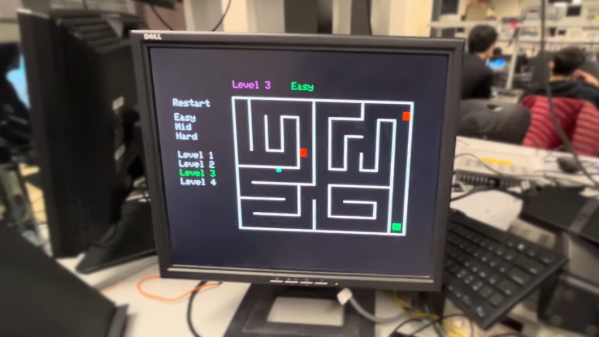
To play, one tilts an MPU6050 inertial measurement unit (IMU) attached to one Pico to guide a square through a 2D maze, with the player working through multiple levels of difficulty. A second Pico takes care of displaying the game state on a VGA monitor, and together they work wirelessly to deliver a coherent experience with the right “feel”. This includes low latency, simulating friction appropriately, and more.

Taking a stream of raw sensor readings and turning them into control instructions over UDP in a way that feels intuitive while at the same time generating a VGA display signal has a lot of moving parts, software-wise. The project write-up has a considerable amount of detail on the architecture of the system, and the source code is available on GitHub for those who want a closer look.

We’ve seen gesture controls interfaced to physical marble mazes before, but two Raspberry Pi Picos doing it wirelessly with a VGA monitor for feedback is pretty neat. Watch it in action in the video, embedded just under the page break.

Continue reading “Gyro-Controlled Labyrinth Game Outputs To VGA” →

Impressively Responsive Air Drums Built Using The Raspberry Pi Pico

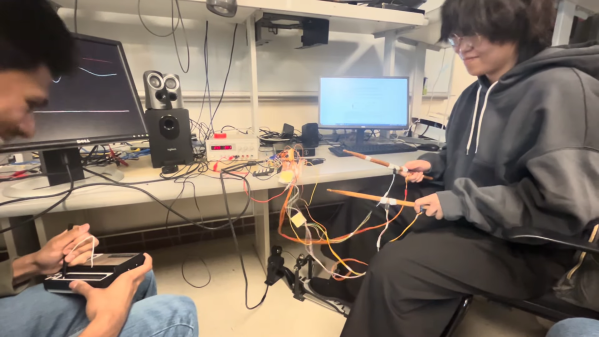
Drum kits are excellent fun and a terrific way to learn a sense of rhythm. They’re also huge and unwieldy. In contrast, air drums can be altogether more compact, if lacking the same impact as the real thing. In any case, students [Ang], [Devin] and [Kaiyuan] decided to build a set of air drums themselves for their ECE 4760 microcontroller class at Cornell.

As per the current crop of ECE4760 projects, the build relies on the Raspberry Pi Pico microcontroller as the brains of the operation. The Pico is charged with reading the output of MPU6050 inertial measurement units mounted to a pair of drum sticks. The kick pedal itself simply uses a button instead.

Where the project gets really interesting, though, is in the sound synthesis. The build doesn’t simply play different pre-recorded samples for different drums. Instead, it uses the Karplus-Strong Drum Synthesis function combined with a wavetable to generate different sounds.

In the demo video, we get to hear the air drums in action, complete with a Stylophone playing melody. Unlike some toy versions that trigger seemingly at random with no rhythm, these air drums are remarkably responsive and sound great. They could be a great performance instrument if designed for the purpose.

We’ve seen similar builds before, too.

Continue reading “Impressively Responsive Air Drums Built Using The Raspberry Pi Pico” →