Retro Gadgets: The Real Desktop Computer

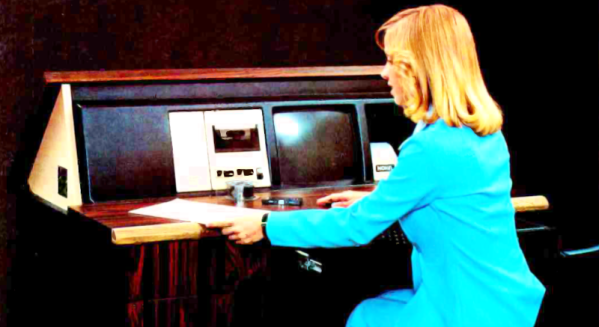
People argue about the first use of the computer desktop metaphor. Apple claims it. Xerox probably started it. Yet, when I think of computer desktops, I think of the NOVAL 760. Not a household name, to be sure, but a big ad spread in a June 1977 Byte magazine was proud to introduce it. At $2995, we doubt many were sold, but the selling point was… well… it was built into a “handsome wood desk, designed to compliment any decor.” The desk folded down when you were not using the computer, and the keyboard recessed into a drawer.

The computer itself was no slouch for 1977, but nothing you couldn’t find elsewhere. An 8080, speed unspecified, had 16 kB of RAM and 3 kB of PROM. There was also a display with a few kB of memory hanging around, too. And just in case you were worried, the bottom of the page entitled “The Ultimate in Home Computers” reads, “The NOVAL 760 COMPUTER. A fully-assembled, fully-tested personal computer … not a kit!” Of course, for us, that’s not really a selling point. If you wonder why the computer was memory limited, this is the time that Extensys bragged in an ad: 64 kB for $1495! If you ordered one, you could have it in 15 to 30 days, too!

There were options for more memory, and it wasn’t clear how many of the I/O devices in the ad were actually included in the advertised price. Some of the devices seemed very specialized, so we are guessing the basic system didn’t include some of them.
Continue reading “Retro Gadgets: The Real Desktop Computer”

Know Audio: Distortion Part One

If you follow audiophile reviewers, you’ll know that their stock-in trade is a very fancy way of saying absolutely nothing of quantifiable substance about the subject while sounding knowledgeable about imagined differences between devices that are all of superlative quality anyway. If you follow us, we’ll tell you that the only reviews that matter are real-world measurements of audio performance, and blind listening tests. We don’t have to tell you how to listen to music, but perhaps it’s time in our Know Audio series to look at how audio performance is measured.

Before reaching for the bench, it’s first necessary to ask just what we are measuring. What are the properties which matter in an audio chain, or in other words, just what is it that makes an audio device good?

Continue reading “Know Audio: Distortion Part One”

MIDI Interface For NeXTcube Plugs Into The Past

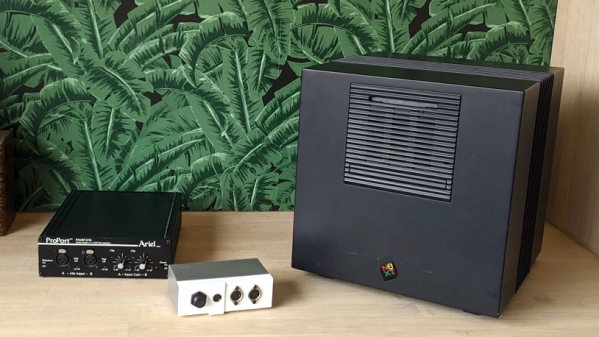
[Joren] recently did some work as part of an electronic music heritage project, and restored an 80s-era NeXTcube workstation complete with vintage sound card, setting it up with a copy of MAX, a graphical music programming environment. But there was one piece missing: MIDI. [Joren] didn’t let that stop him, and successfully created hardware to allow MIDI input and output.

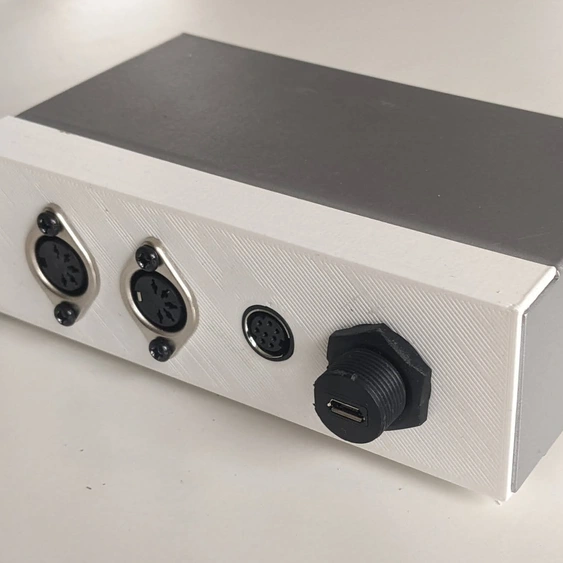
The new panel provides all the connectors necessary to interface with either classic MIDI devices, or MIDI over USB (where it appears as a USB MIDI device to any modern OS.)

Interestingly, the soundcard for the NeXTcube has an RS-422 serial port and some 8-pin mini DIN connectors. They are not compatible with standard MIDI signals, but they’re not far off, either.

To solve this, [Joren] used a Teensy developer board to act as an interface between classic MIDI devices like keyboards or synthesizers (or even not-so-common ones like this strange instrument) while also being able to accommodate modern MIDI over USB connections thanks to the Teensy’s USB MIDI functionality.

A metal enclosure with a 3D-printed panel rounds out the device, restoring a critical piece of functionality to the electronic music-oriented workstation.

MIDI as a protocol isn’t technically limited to musical applications, though that’s one place it shines. And just in case it comes in handy someday, you can send MIDI over I2C if you really need to.

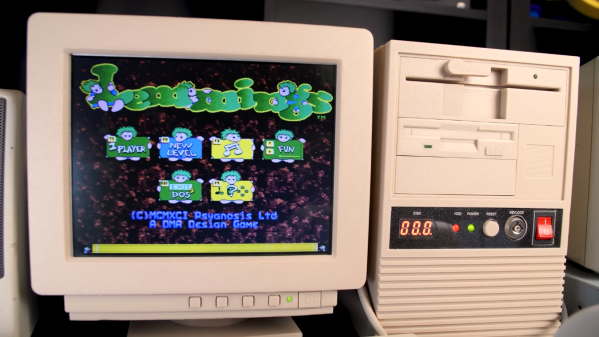
A miniature 486 desktop PC running Lemmings

Tiny 3D Printed Gaming PC Contains Real Retro Hardware

Emulators are easy and convenient, but for some retrocomputing enthusiasts nothing comes close to running classic software on actual era-appropriate hardware. This can become a problem, though, for those into vintage PC gaming: old PCs and their monitors are notoriously large and heavy, meaning that even a modest collection will quickly fill up a decent family home. There is a solution however, as [The Eric Experiment] demonstrates in his latest video. He designed and built a 3D-printed mini PC that runs on an actual 486 processor.

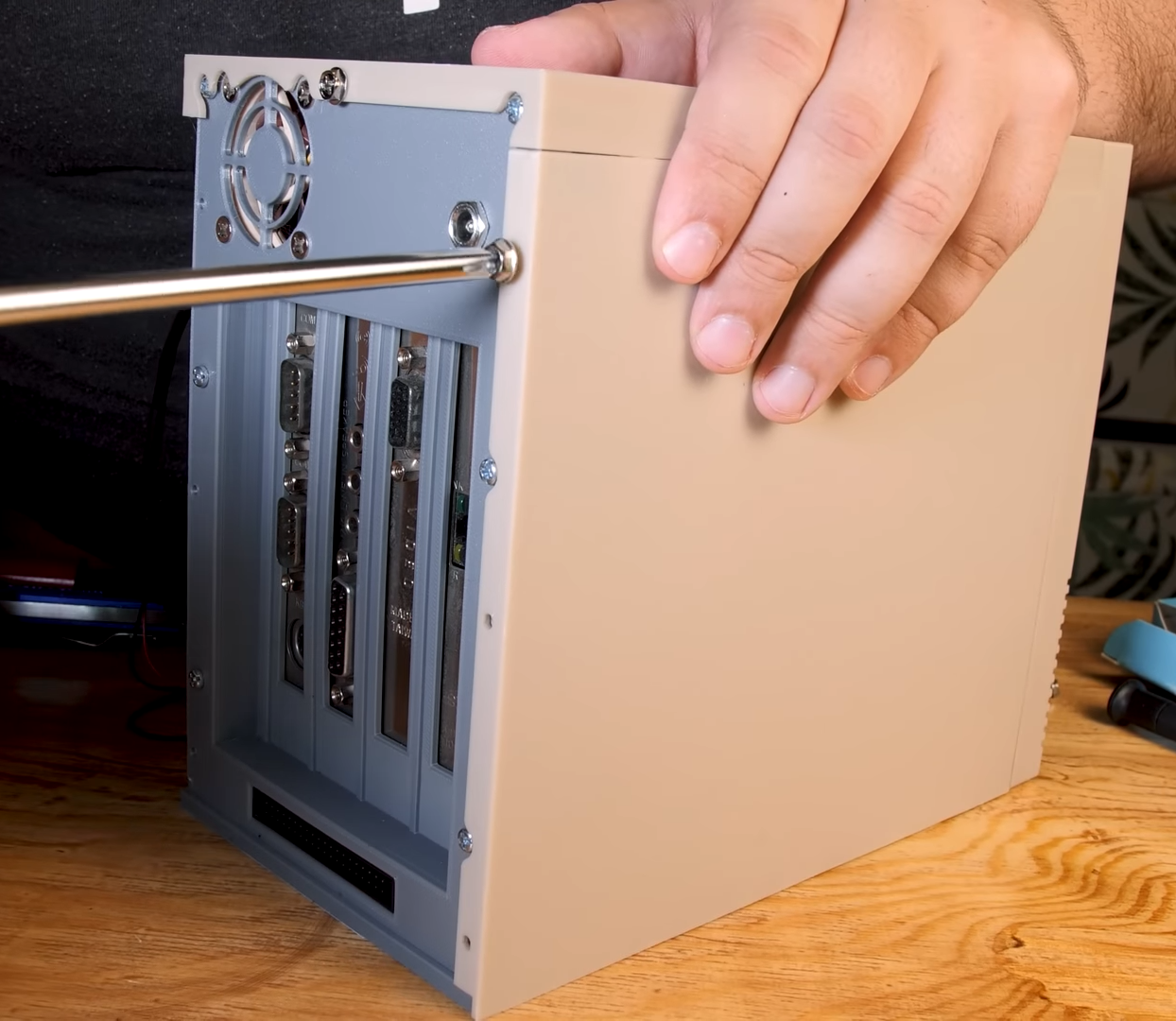
An ordinary desktop motherboard would have required a rather large case to begin with, so [Eric] started his project by buying an old industrial PC board. Such a device has the processor and all main motherboard components sitting on an ISA card, which then connects to other ISA cards through a backplane. This way, a complete system with expansion cards can be made way more compact than even the sleekest desktop PCs of the time. An SD-card-to-IDE converter makes for an extremely slim hard drive replacement, while a Gotek floppy emulator allows the system to boot as if there’s actually a floppy drive present.

A small 486 tower case being assembled
Even the side panels slide in exactly like they do on real PC cases.

All of this is pretty neat to begin with, but by far the most impressive parts of the Tiny 486 project are the enclosures that [Eric] designed for the PC and its accompanying monitor. Both were modelled off real-world examples and are accurate down to the smallest details: the tilting stand that clips onto the base of the monitor for instance, or the moving latch on the faux 5.25″ floppy drive. That latch operates a cleverly hidden door that reveals the USB connector for the floppy emulator. The compulsory seven-segment LED display on the mini tower’s front panel now finally serves a useful purpose – indicating which floppy image is currently active.

Sporting an Intel 486-DX4 100 MHz processor, 32 MB of RAM, a Tseng ET4000 video card and an ESS Audiodrive for sound, the tiny 486 can run DOS or Windows 95, although performance in the latter is a bit limited due to the lack of a local-bus video card. It’s perfectly fine for most DOS games though, and a lot more practical than a full-sized desktop PC.

There are several ways to make a tiny game PC, like using PC/104 standard boards or repurposing old network equipment. The crucial part needed to turn it into a gaming machine is a proper sound card, which you can even build from scratch if needed. Thanks for the tip, [Nathan]!

Continue reading “Tiny 3D Printed Gaming PC Contains Real Retro Hardware”

Building The OhSillyScope

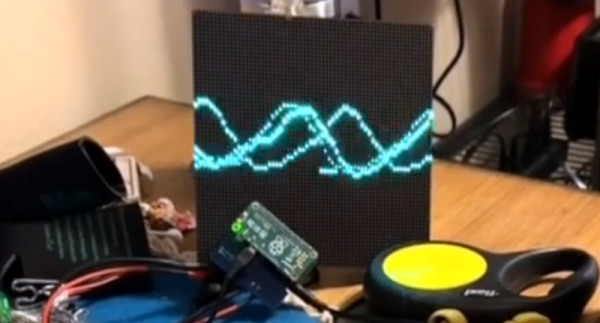
If you have a Raspberry Pi connected to an LED matrix, you might think about creating a simple oscilloscope. Of course, the Pi isn’t really well-suited for that and neither is an LED matrix, so [Thomas McDonald] decided to create the OhSillyScope, instead.

The device isn’t very practical, but it does add some flash to live music performances or it makes a cool music visualizer. The matrix is only 64×64 so you can’t really expect it to match a proper scope. Besides that, it pulls its data from the Pi’s ALSA sound system.

You can find a video of the device on [Thomas’] Reddit post and a few additional videos on his Instagram account. Looks like a fun project and it also serves as a nice example if you need to read data from the sound card or drive that particular LED matrix.

We might have opted for PortAudio if we had written the same code, but only because it is more portable, which probably doesn’t matter here. Of course, you could also use GNURadio and some Python to drive the display. As usual, plenty of ways to solve any given problem.

ChatGPT Powers A Different Kind Of Logic Analyzer

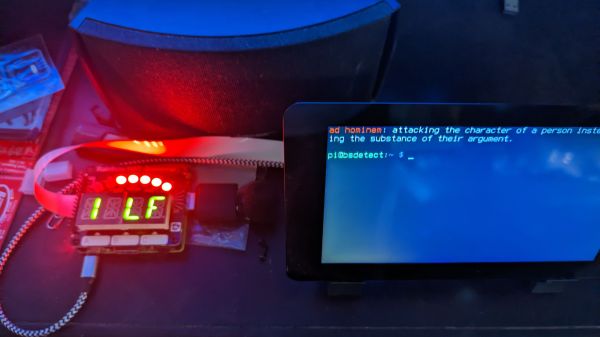
If you’re hoping that this AI-powered logic analyzer will help you quickly debug that wonky digital circuit on your bench with the magic of AI, we’re sorry to disappoint you. But if you’re in luck if you’re in the market for something to help you detect logical fallacies someone spouts in conversation. With the magic of AI, of course.

First, a quick review: logic fallacies are errors in reasoning that lead to the wrong conclusions from a set of observations. Enumerating the kinds of fallacies has become a bit of a cottage industry in this age of fake news and misinformation, to the extent that many of the common fallacies have catchy names like “Texas Sharpshooter” or “No True Scotsman”. Each fallacy has its own set of characteristics, and while it can be easy to pick some of them out, analyzing speech and finding them all is a tough job.

Continue reading “ChatGPT Powers A Different Kind Of Logic Analyzer”

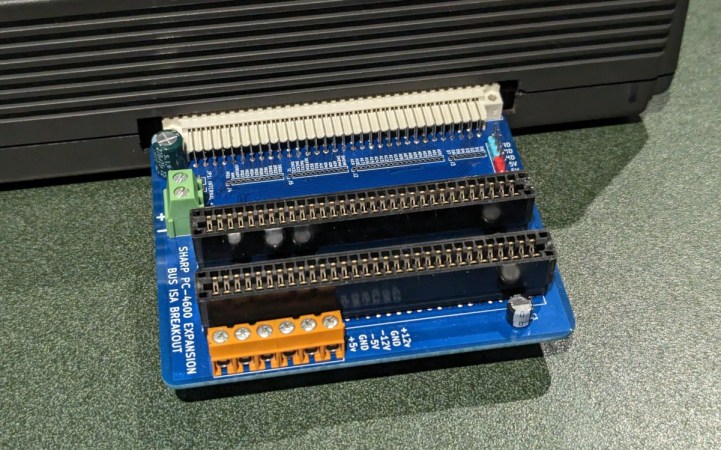
An expansion board with two 8-bit ISA slots plugged into a Sharp laptop

New Expansion Module Brings Standard Slots To Ancient Laptop

Upgrading and repairing vintage laptops is often a challenge — even if their basic hardware is compatible with ordinary PCs, they often use nonstandard components and connectors due to space constraints. The Sharp PC-4600 series from the late 1980s is a case in point: although it comes with standard serial and parallel ports, the only other external interface is a mysterious connector labelled EXPBUS on the back of the case. [Steven George] has been diving into the details of this port and managed to design a module to turn it into a pair of standard ISA ports.

Apparently, no peripherals were ever released for the EXPBUS port, so reverse-engineering an existing module was out of the question. [Steven] did stumble upon a service manual for the PC-4600 however, and as it turned out, the connector carried all the signals present in an 8-bit ISA bus. Turning it into something useful was simply a matter of designing an adapter board with the EXPBUS connector on one side and regular ISA slots on the other.

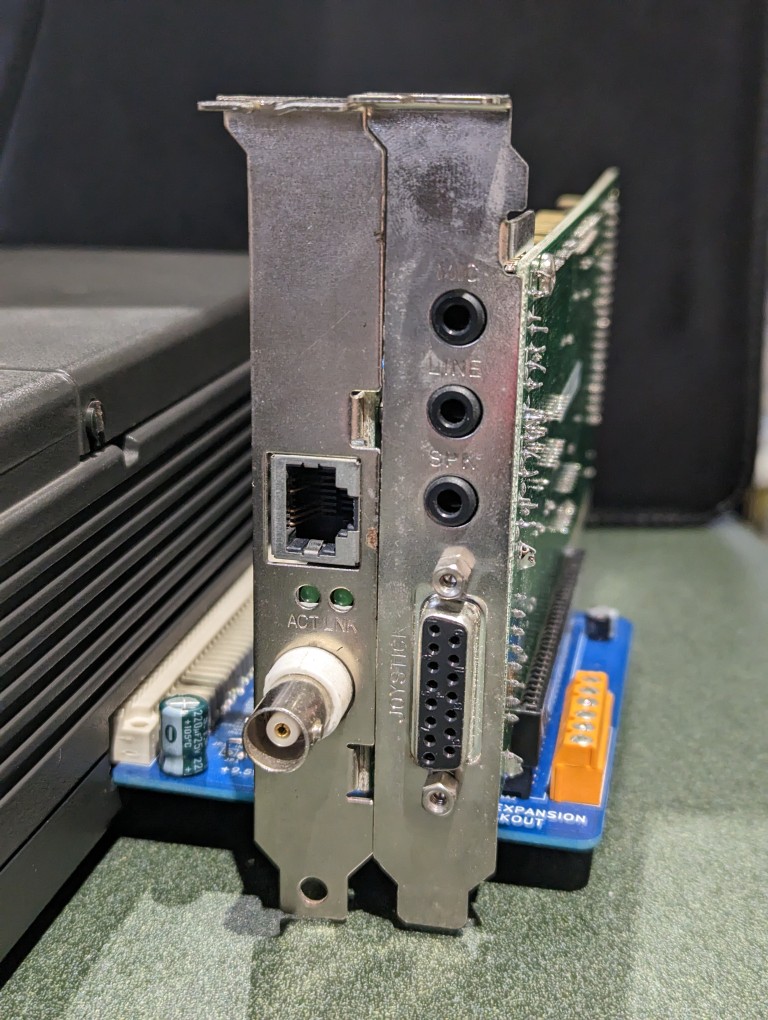
An expansion board plugged into a laptop, carrying two ISA cardsThe board also has an external power connector, to avoid overloading the laptop’s internal power supply, as well as a couple of buffer capacitors to smooth out the power rails. [Steven] tested the expansion board with a network adapter and a sound card, and it appears to be functioning well. It should be noted that only the +5 V power rail is available by default, so if any cards need +12 V or any negative rail, those should be provided externally.

Gerber files for this project are available on [Steven]’s website, so if you’ve got one of these machines lying around, now might be the time to upgrade it. This isn’t the first expansion for the PC-4600 series that [Steven] developed, either: he also designed an external floppy drive adapter that should ease data transfer with other PCs.

It’s great to see how the hacker community keeps classic portables like this one alive: one day it might also need a broken screen replaced or a dodgy power supply repaired.