Custom Watch Is On The Case

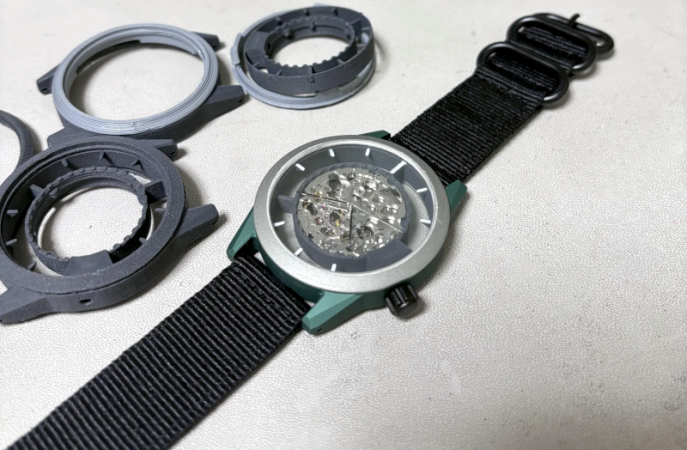
We were excited to see [Z0hn]’s project about 3D printing a custom watch from scratch — both because it was an exciting idea, and because the pictures looked great. While we still liked the project, we quickly realized it wasn’t really printing a watch so much as it was printing a case that holds an off-the-shelf movement. But it still looked great.

Many homebrew watches are cool and fine to wear to your next hackerspace board meeting. But this watch wouldn’t raise an eyebrow out among the normal public. Conventional watches use press-fit backs, tiny screws, or make the back screw into the housing. None of those are great for 3D printing, so this watch uses a bayonet connector, which is easy to create, robust, and reliable.

The watch looks easy to modify, so if you don’t like, for example, the unusual crown placement, you can change it. The movement is a Miyota 8N24 and, of course, the crystal is off-the-shelf, too.

While not exactly a printed watch, it was still pretty cool, and there are lessons to be learned here if you want to pull off the same feat. Or just go full on hacker. You could, too, try your hand with an open source movement.

Patterns Everywhere

I studied physics in college, and I’m always surprised how fundamental some of the concepts are. Take waves for example. You really wouldn’t expect the same underlying concept to be at work on surface of a pond, the string of a guitar, light passing through two slits, and then in the probabilistic behavior of electrons orbiting inside nuclei. But here we are, in a world filled with wave-like phenomena.

What little control theory I know, I’ve learned in the school of hard knocks. But it’s equally amazing that the same basic concepts govern the tuning of car shock absorbers, PID controllers, active audio filters, and other more complex systems where feedback matters. Crucial in all of these systems is the judicious balance of amplification and damping.

And last week on vacation, learning to drive a covered wagon pulled by a heavy draft horse, I saw the same patterns again. The horse likes to pull, and when the wagon comes over the crest of the top of a hill, it starts to roll forward into his harness, pushing him from behind. This makes the horse uneasy, and he slows down, the wagon pushes him harder, and positive feedback gets out of control.

The man who was teaching me to drive the wagon said, “it’s not like a car” in that you don’t tap the brakes to slow down and then let go. Rather, you hold on the brakes for a lot longer than you think is necessary – until the horse tells you that he feels like pulling again – and then you let up only a tiny bit at a time. Otherwise, you end up in the under-damped case, where you let the wagon go too much, it slows the horse, you slam the brakes, the horse pulls hard, and you let up on the brakes, and the cycle continues anew.

What he meant by “not like a car” was that the brakes aren’t just slowing down the wagon, they’re adding damping to keep the horse-wagon system from oscillating. Once that clicked in my mind, everything was smooth sailing. After a couple of days, I even started adding some feed-forward to my mental PID controller, letting the brakes go a little bit more when the horse was approaching the bottom of a hill, and he obviously wanted to pick up a little more speed before the grade ahead.

The horse seemed happy that I was finally getting it, but I don’t think he had any understanding of tuning PID loops. He did have me pondering, on a long stretch of rolling hills on a summer morning, if there were a good minimal set of patterns that explained a maximal breadth of phenomena. I’m starting with the physics of waves and the control of feedback systems, but what’s next?

Behold A 60 Hz Refresh Rate E-ink Monitor

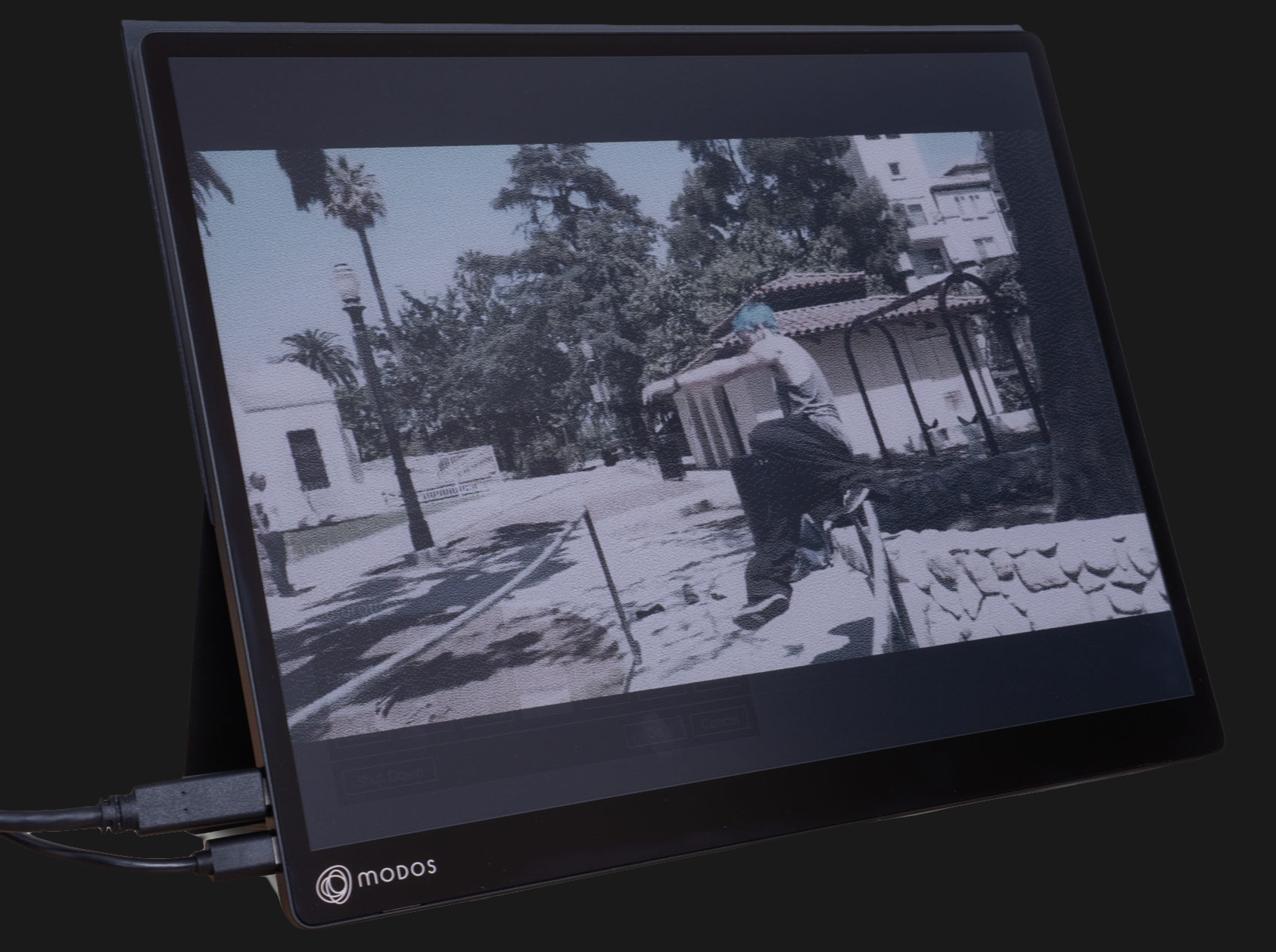
E-ink displays have a number of advantages over other display types, but their refresh rate isn’t one of them. But what exactly makes them slow? According to [Wenting Zhang], it’s not an inherent limitation of the technology. It’s mainly the controller, and this limitation can be overcome to create a high-resolution 60 Hz refresh rate E-ink display, totally suitable for use as a computer monitor.

The reason E-ink displays are so slow is simple. For a long time, they existed for only one purpose: to be screens for e-readers. They had to work on devices that were generally low power, with limited interfaces and slow processors. Accommodating these factors was the primary driver behind the high latency and slow refresh rates associated with these displays.

It was actually the limited interface options rather than the slow refresh that initially led to a custom controller, because [Wenting] wanted to use an E-ink display on a laptop build. But it quickly became apparent that a custom controller could do considerably more than E-ink was known for.

Initial tests with fast refresh rates were so positive that it led to a Hackaday Supercon 2024 talk on how to make E-ink go fast, and more recently has culminated in the Modos Flow, a fully open-source, user-repairable 13.3″ portable E-ink monitor.

The development path from proof of concept to finished product has been a long one for [Wenting]. Not only did a lot of optimization and feature work need to be crafted from scratch in order to effectively balance appearance with responsiveness in different display modes, but the usual hassles of development and bad timing were also in full force. On top of it were wasteful vendor shenanigans, as well.

Check out the story in the video, embedded just below. If you’d like to buy one, there are monochrome and color versions offered through Crowd Supply.

Continue reading “Behold A 60 Hz Refresh Rate E-ink Monitor”

GentleOS, A Simple OS For Your Old PC

Every month or so we bring you a Jenny’s Daily Drivers article, in which we share with you an esoteric OS and try to use it for the everyday work of a Hackaday scribe. As part of that ongoing effort, the world of esoteric operating systems is always on the radar, even though many of them are unlikely to fulfill the Daily Driver requirement.

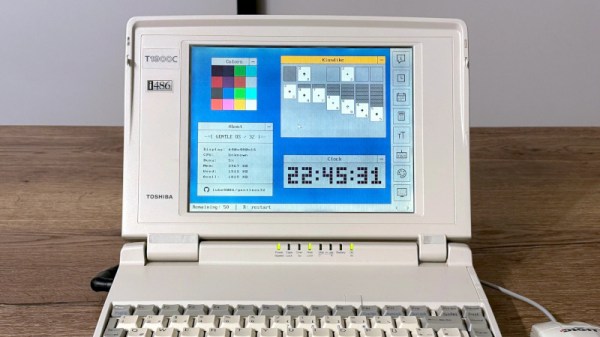
Even so, sometimes we see an OS that we like, and so it is with [Luke8086]’s GentleOS. It’s an operating system — or to be pedantic — a kernel shell into which applications are compiled, for older 16 and 32-bit x86 computers with a very low hardware requirement. It brings a simplicity to older PCs that we like.

Downloading the tiny image and booting it in a virtual machine, it’s almost ridiculously quick to boot on a 2020s computing behemoth with gigabytes of RAM and multiple 64-bit cores. It has a basic but nice and clean GUI, and a selection of basic applications and games. You won’t be using this for productivity work, but that’s hardly the point. It’s particularly pleasing to look at the code and find something simple enough to understand, too.

We like it, if you have an older PC it might be worth spinning this one up for a bit of fun.

Deeply Optimized MSX Emulation On ESP32-S3 With VGA Output

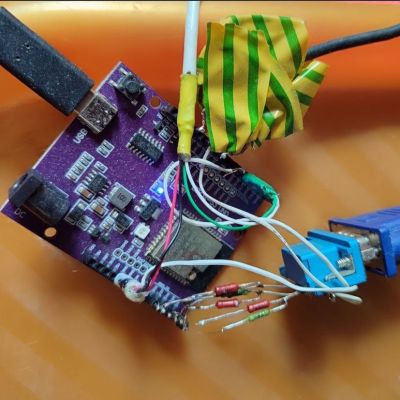
ESP32-S3 board with VGA and audio output during development. (Credit: Ivan Svarkovsky)

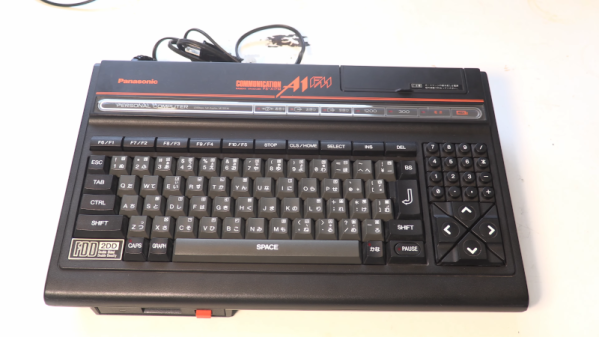
The ESP32-S3 is by many metrics quite the powerful little computer, which has led to it being used even for things like emulating retro consoles and similar. Here [Ivan Svarkovsky]’s S3-MSX-PC project pushes the envelope by taking the multi-system Retro-Go project’s MSX component and optimizing it for the ESP32-S3’s Xtensa Lx7 CPU cores.

The project involves an ESP32-S3 as the core, requiring at least 8 MB of PSRAM (N16R8 configuration) to match the tested configuration. Any software is loaded into PSRAM before it’s executed, with the MSX1, MSX2 and MSX2+ supported.

For audio you have to wire up your own PDM filters to connect to the two GPIO pins that are used for audio output, while VGA output is handled by a basic 2-bit R-2R RGB222 DAC. For input devices you can use any USB keyboard, while software is added via the web interface or directly onto an SD card.

The Technical Deep Dive section goes into more detail as to what exactly got changed – with the blessing of the fMSX author – in the original fMSX core, such as targeting the Lx7 core’s cache dimensions and optimizing hot paths to avoid bottlenecks. Memory accesses were aligned for Xtensa and moving certain data from Flash to RAM was another change, along with the prevention of pipeline flushing due to certain branching decisions.

Considering that MSX specifications are based on a Z80 core, it’s not so crazy that one of these ESP32-S3 MCUs can effectively emulate them. The Retro-Go project itself claims to cover a whole swath of Nintendo and Sega consoles, as well as others, making it almost too easy to do some retrogaming without even having to drag out a Raspberry Pi SBC or so.

Homebrew Macropad Looks Good

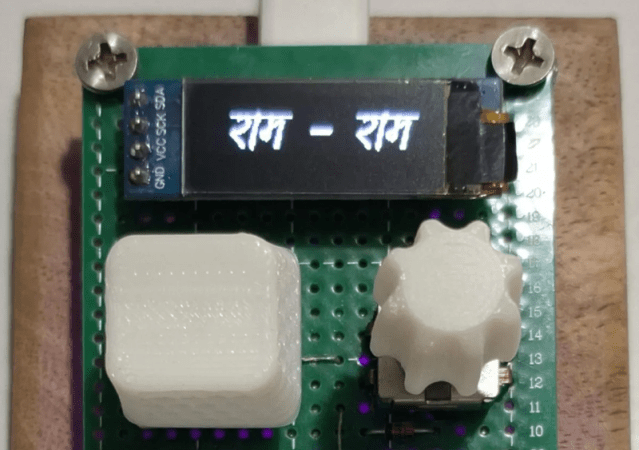
We are fans of macro pads and especially homebrew ones. The Apna Dost project by [np_vishwakarma] ticks most of our boxes. In addition to a few buttons, there’s an encoder, an OLED display, and it runs QMK firmware. Plus, it looks good, too.

We like that the system uses an RP2040. It is possible you have everything you need to put one of these together right now. We would wish for a few more keys, but it wouldn’t be hard to add them, either.

Continue reading “Homebrew Macropad Looks Good”

The Air Position Indicator For The B-29

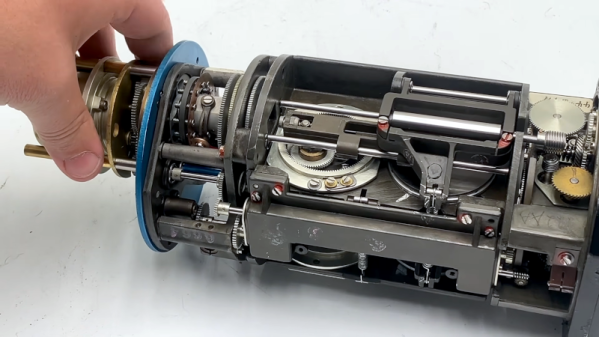
When you think of a computer, you probably don’t think of a tube full of motors and mechanics. However, as [Our Own Devices] shows, the Bendix AN5841 API Computer, an air position indicator computer, is exactly that. Using mechanical integrators and data from other analog systems on an airplane to provide key flight data to a pilot. You can see the video below.

These devices were made for military aircraft, including the B-29. It is odd that speed data can be derived from a pump that balances pressures using a fan. The video does a good job of explaining exactly how that works.

Continue reading “The Air Position Indicator For The B-29”