Getting The Heat On With A Thermal Camera

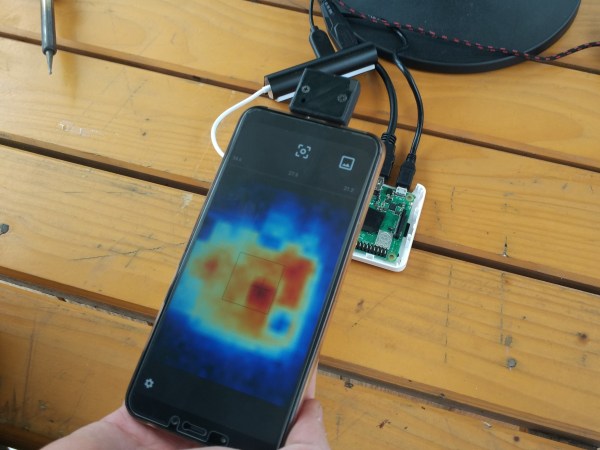
Need a quick way to tell your temperature before work tomorrow? Student maker [The Marpe] recently fashioned a sleek home-use thermal camera that even looks like a point and shoot. It works as an Android hardware add-on by integrating the readings from a MLX90640 far-infrared (FIR) thermal sensor with a STM32F042F6Px microcontroller. All this connects to an Android application via USB (MicroUSB or Type C).

On the app, users are able to view, take photos, and display the resulting thermal images from the open thermal camera. The code for the open Android application is also available on his GitHub.
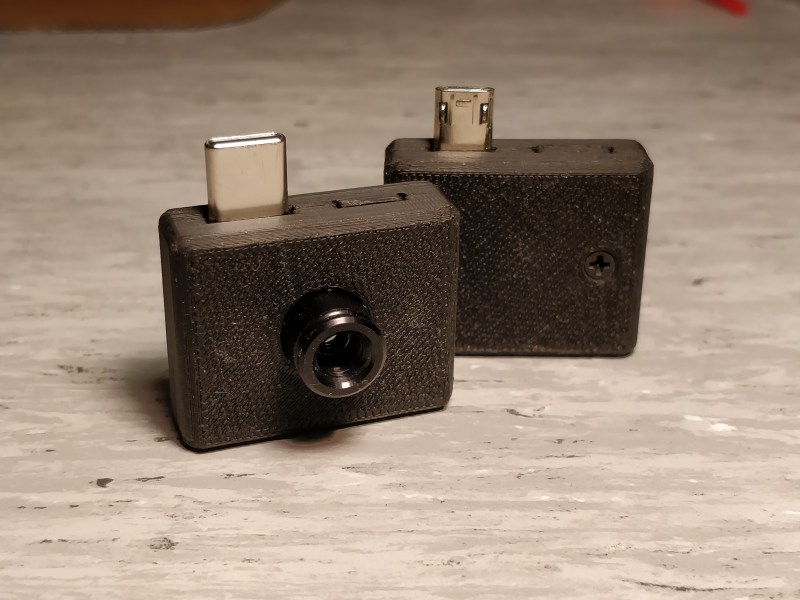
The FIR sensors contain a small array of IR pixels, integrated to measure the ambient temperature of the internal chip, and supply sensor to measure the VDD. Each pixel on the sensor array responds to the IR energy focused on it to produce an electronic signal, which is processed by the camera processor to create a map of the apparent temperature of the object. The outputs of the sensors and VDD are stored in an internal RAM and are accessible through 3.3V I2C. They’re not only low-cost and fairly high resolution, but also available by order on Digi-Key.

The microcontroller is based on the STM32 platform, with 32-bit performance, low-power operation (at 2V to 3.6V and 48 MHz) and is fairly low-cost. The custom-designed PCBs are fitted inside a 3D-printed casing with M2.5 inserts to ease assembly. [The Marpe] used an Esra soldering iron to create a heat insert tool for easier assembly and more consistent results with the heat inserts, which made for a nicer overall finish.

The project has since been presented at the Ljublana Mini Maker Faire in Slovenia and the Trieste Mini Maker Faire in Italy. Here, the open thermal camera is being tested out on a faulty PCB with a shorted component, showing the location of the short on the Android application’s thermal camera display.
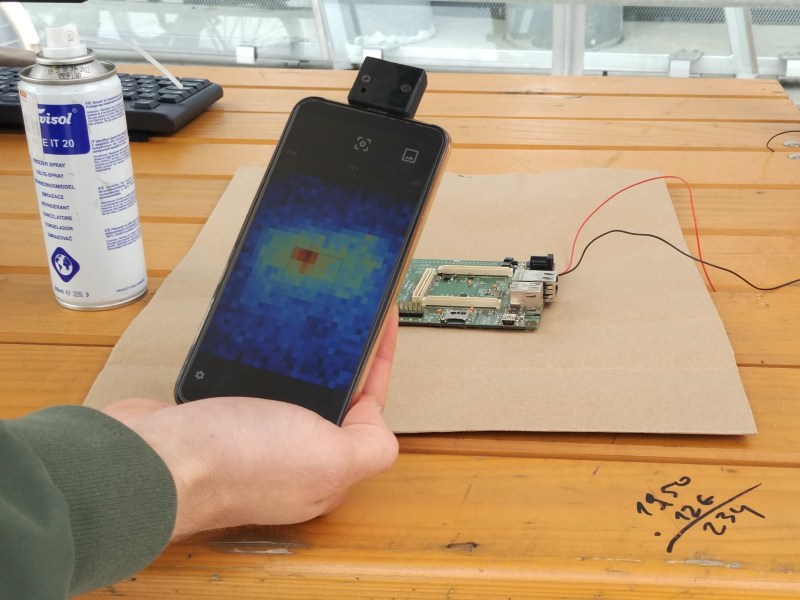
Other uses for the camera could be home insulation inspection, water leakage detection, wildlife observation, or even figuring out if your soldering iron is hot enough to use. We’ll say it’s a pretty useful DIY project!


Watch Legged Robot Run Circles Around Its Bigger Brethren

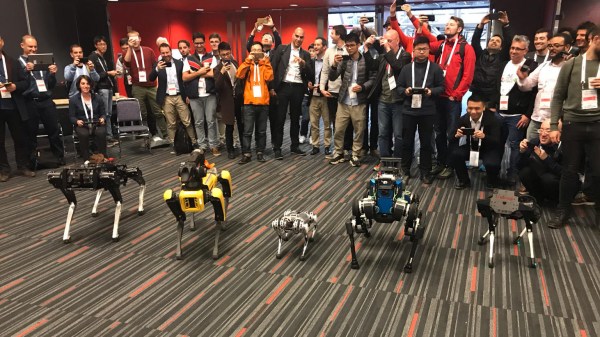
[Ben Katz] posted about bringing the Mini Cheetah (center, above) robot to the 2019 International Conference on Robotics and Automation (ICRA) held in Montréal, where it shared the floor with others for a workshop focusing on real-world deployment of legged robots. Those of you who haven’t been keeping up with legged robots may find yourselves delightfully surprised at the agility and fluid movements of this robot. Mini Cheetah may lack the effectors or sensors of the bigger units, but its nimbleness is undeniable.

[Ben] shared some footage of the robots together, and at about 7:22 in this video Mini Cheetah can be seen showing off a bit of flexing, followed by running around a larger unit. Another, shorter video is embedded below where you can see all the attendees moving about in a rare opportunity see them all together. You can even see the tiny one-legged hopping robot Salto if you watch closely!

Continue reading “Watch Legged Robot Run Circles Around Its Bigger Brethren”

BeagleBone Deep Learning Video Demo

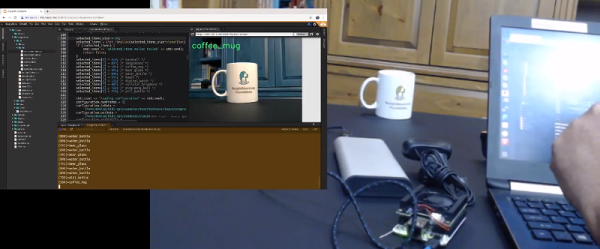
BeagleBoard often gets eclipsed by Raspberry Pi. Where the Pi focuses on ease-of-use, the BeagleBone generally has more power for hardcore applications. With machine learning AI all the rage now, BeagleBoard now has the BeagleBone AI, a board with specific features aimed at machine learning. A recent video (see below) shows a demo of using TIDL (Texas Instruments Deep Learning Library). The video includes an example of streaming video to a browser and using predefined learning models to identify things picked up by a web camera.

The CPU onboard is the TI Sitara AM5729. That’s a dual Arm Cortex A15 running at 1.5 GHz. There are also two C66x floating-point DSP processors and two dual ARM Cortex M4 coprocessors. Still need more? You get four embedded vision engines, two dual-core real-time units, a 2D graphics accelerator, a 3D graphics accelerator, and a subsystem for encoding and decoding video and cryptography.

Continue reading “BeagleBone Deep Learning Video Demo”

An Arduino Enhances This 7400 CPU

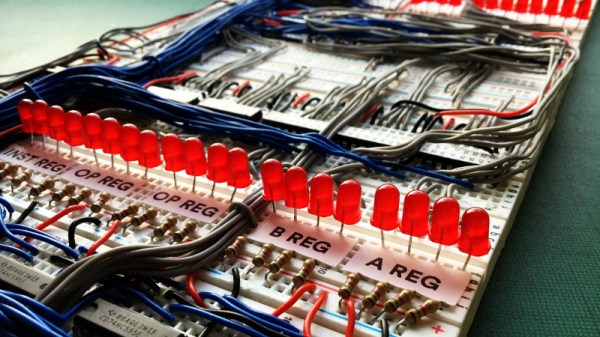
How quickly could you make an entire computer from 74 series logic, from scratch? [Richard Grafton had only 30 days until the UK’s Retro Computer Festival and set out to design and build his Cambridge-1 computer in that time. The result is a machine spread across several breadboards, with neatly placed wiring and unexpectedly an Arduino Micro sitting in the corner. Isn’t the little Italian board a cheat? Not so, he says, because instead of being part of the computer itself it serves as a program loader to make putting software onto the machine from a PC as easy as possible.

The machine itself is simple enough, a 4-bit design with 8-bit data and address busses. There are only 16 instructions, and the clock speed is a relatively pedestrian 40Hz. This does, however, allow the many blinkenlights to show the machine’s state in a more visible manner. There’s a video which we’ve placed below the break, and if you have further questions you might like to look at the GitHub repository.

We like the Cambridge-1, and we see no problem with the Arduino being part of it. It doesn’t take away from the 74-driven nature of the machine. Instead, it enhances the usefulness of the device by facilitating coding on it. We’ve had huge quantities of TTL computers here over the years so it’s difficult to pick one to send you towards, however you may want to consider the 7400 as the original in the series.

Continue reading “An Arduino Enhances This 7400 CPU”

A Hard Rocking Arduino Visualization Shield

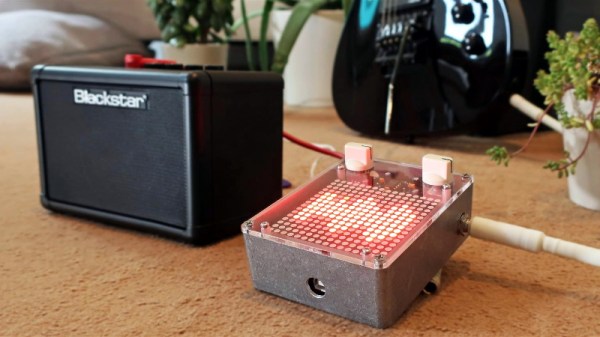
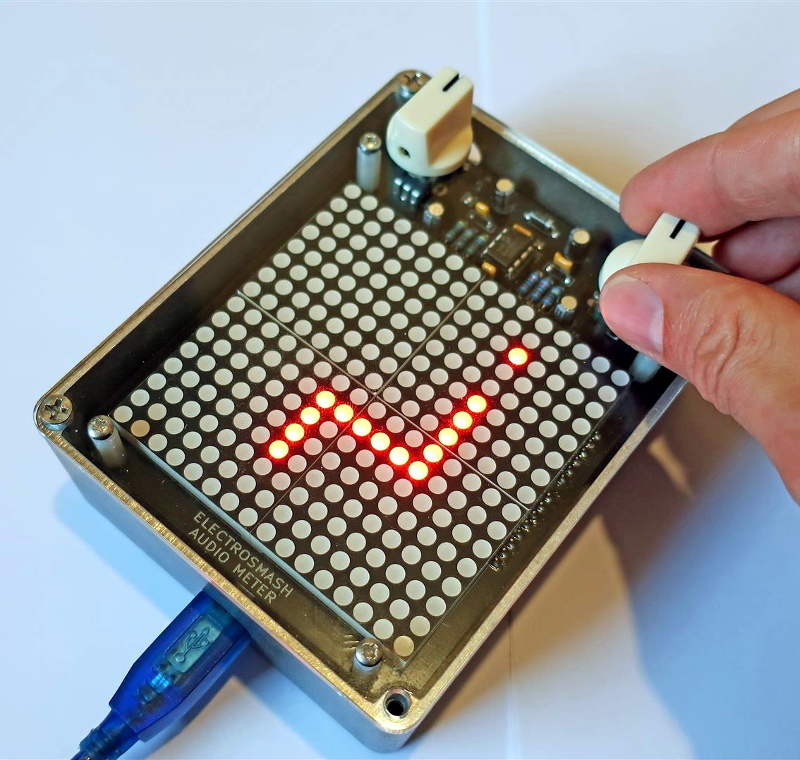
Over the summer [ElectroSmash] put the finishing touches on the Arduino Audio Meter, a shield for the Arduino Uno that visualizes various aspects of an incoming audio signal on a set of four 8×8 LED dot matrices. Obsentisibly it’s for use on a guitar pedalboard, but thanks to the incredible documentation and collection of example code provided by the team, the project promises to be an excellent platform for all sorts of audio experimentation.

Incoming audio is amplified with an MCP6002 and fed into the Uno’s Analog to Digital Converter, where it’s processed via whatever Sketch the user has uploaded. User input is provided by a digital encoder with push-button. A set of four MAX7219 chips control the entire 256-pixel matrix with just three pins on the Arduino. The resolution of the display allows the Arduino Audio Meter to show more than just a simple VU meter, it can even do text and basic graphics.

[ElectroSmash] provides various Sketches for use with the Arduino Audio Meter that provide the expected repertoire of audio visualizations, but they also provide a number of interesting Sketches to expand the capabilities of the device in unexpected ways. Some of them could be useful for a stage musician, such a tool to tune your guitar, whereas others are fun uses of the hardware such as a game of “Snake”.

With the entire project released as open source, users are free to run wild with the Arduino Audio Meter. Writing your own custom software is an obvious first step to making the project your own, but adding additional hardware features and functions certainly aren’t out of the question either.

Our very own [Lewin Day] once walked us through the effort involved in building boutique guitar pedals, and while the Audio Audio Meter’s capabilities are somewhat limited as it doesn’t have the ability to change the audio going through it, we’re still interested in seeing what the community will come up with once they have an easy way to bring their ideas to life.

Continue reading “A Hard Rocking Arduino Visualization Shield”

IoT Safe Keeps Latchkey Kids’ Phones On Lockdown

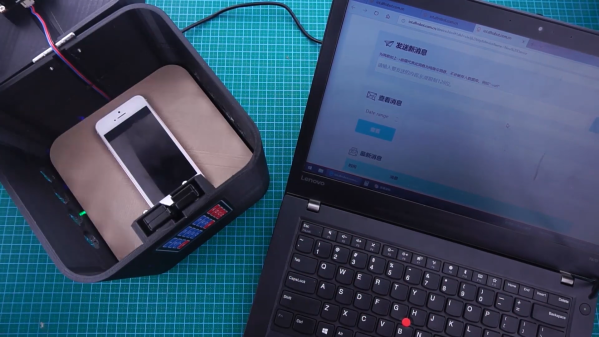
Phones are pretty great. Used as telephones, they can save us from bad situations and let us communicate while roaming freely, for the most part. Used as computers, they often become time-sucking black holes that can twist our sense of self and reality. Assuming they pick up when you call, phones are arguably a good thing for kids to have, especially since you can hardly find a payphone these days. But how do you teach kids to use them responsibly, so they can still become functioning adults and move out someday? [Jaychouu] believes the answer is inside of a specialized lockbox.

This slick-looking box has a solenoid lock inside that can be unlocked via a keypad, or remotely via the OBLOQ IoT module. [Jaychouu] added a few features that drive it out of Arduino lockbox territory. To prevent latchkey children from cheating the system and putting rocks (or nothing at all) in the box, there’s a digital weight sensor and an ultrasonic sensor that validate the credentials of the contents and compare them with known values.

Want a basic lockbox to keep your phone out of reach while you work? Here’s one with a countdown timer.

Continue reading “IoT Safe Keeps Latchkey Kids’ Phones On Lockdown”

Intelligent Control For That Cheap Diesel Heater

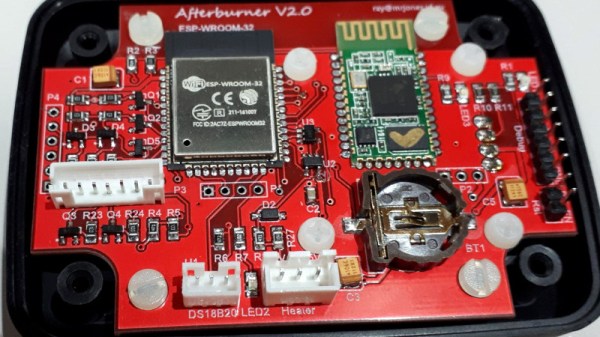
If you own a caravan or a boat, you’ll know that keeping it warm can present something of a struggle. Open-flame gas heaters carry a risk of carbon monoxide poisoning, while solid fuel stoves are heavy and require safe flues. The prospect of a diesel heater then is enticing, bringing as they use a safer fuel and allow for easy external exhaust. Unfortunately they’ve been something of an expensive option, but the arrival of cheap imported heaters in recent years has made them an attractive choice. [Ray Jones] has improved upon their sometimes basic control electronics with the Afterburner, an intelligent controller that packs both ESP32 and HC-05 modules to both enhance the feature set and the connectivity of the devices.

The full list of capabilities is somewhat exhaustive but has a few stand-outs such as the ability to connect 1-wire temperature sensors to the system. It’s not compatible with all the heaters on the market, but there is a comprehensive guide to those models with which it can work. Meanwhile, all the code and other resources are available on GitLab should you wish to try it for yourself.

Diesel is something of a dirty word in 2019, but maybe biodiesel will save devices like this one.

Thanks [Bob] for the tip!